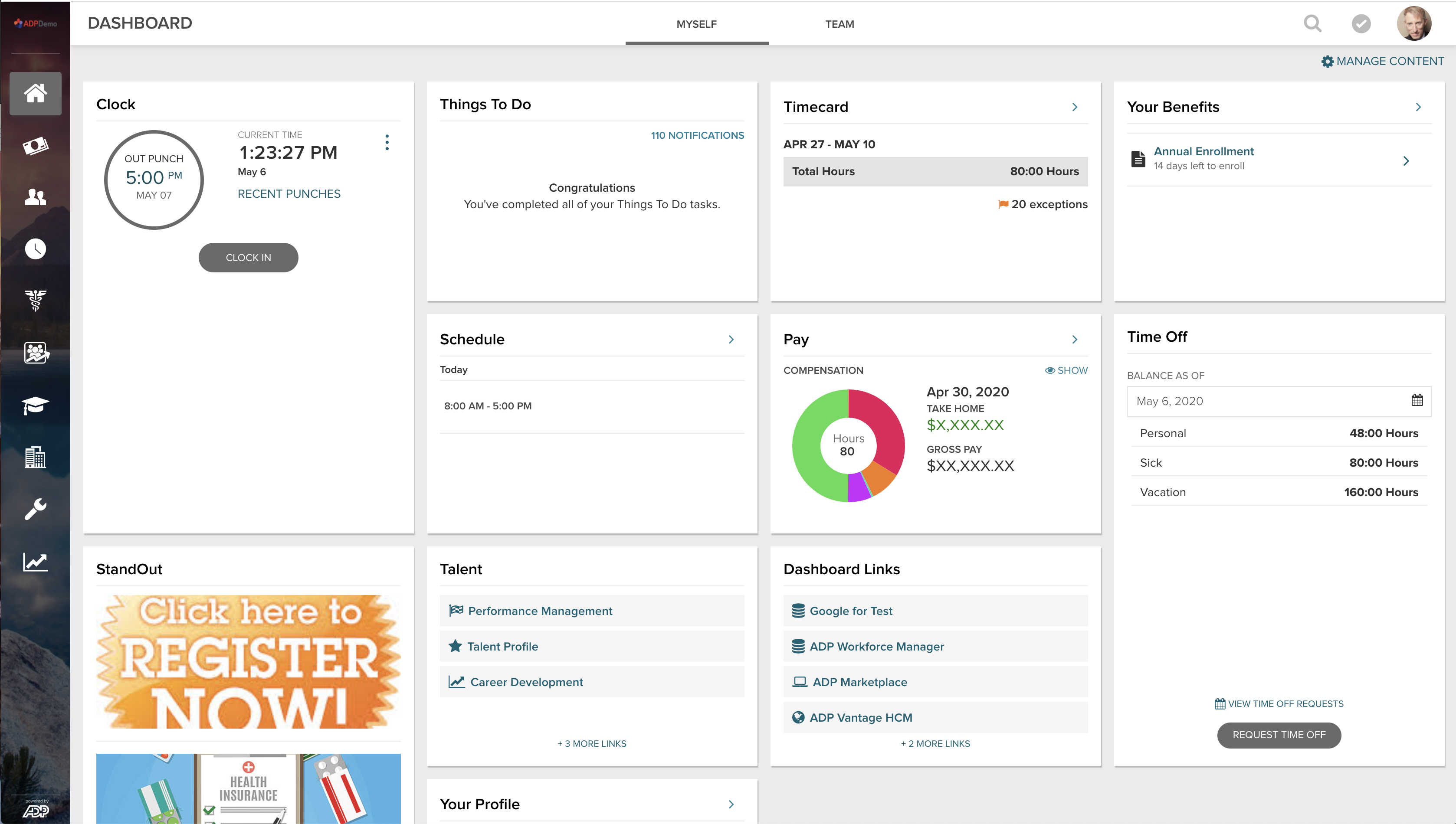
ADP Vantage HCM is a platform combining HR, payroll, benefits, talent management and time & attendance. ADP promotes dedicated HR representatives to work with businesses.
N/A
PDS Vista
Score 6.2 out of 10
Enterprise companies (1,001+ employees)
Vista® is a human resource, benefits, payroll, recruiting, and self-service software. Functional elements include recruitment, staffing, position and training management, compliance, and performance and compensation.
N/A
Pricing
ADP Vantage HCM
PDS Vista
Editions & Modules
No answers on this topic
No answers on this topic
Offerings
Pricing Offerings
ADP Vantage HCM
PDS Vista
Free Trial
No
No
Free/Freemium Version
No
No
Premium Consulting/Integration Services
Yes
Yes
Entry-level Setup Fee
Optional
No setup fee
Additional Details
—
License pricing is based on the number of full and part-time active employees within bands (e.g. 751-1,000). SaaS pricing is based on PEPM.
ADP and Paylocity. Vista may not be as flashy as those user sites, but it is much more effective and easy to use for multiple roles in the system. Admins, managers, and users are much easier to manage and their experience is better having the single sign-on for them to use.
Vista HRMS offered the same or similar options for their product, but Vista's customer service is top notch and can't be beat! When we first selected Vista we were a much smaller company. The people behind Vista HRMS were very forthcoming with answers to our questions and …
[ADP Vantage HCM is] great for big organizations with complex processes and who need all the features/functionalities provided by the platform. May not be very suitable for smaller companies who aren't as elaborate in terms of their HR processes and the enterprise licensing costs can be slightly prohibitive. Great for companies looking for plug-and-play solutions which need minimal/no customization off the shelf.
As Vista HRMS is fully customizable to suit your needs, a company should determine if they have a current employee who can do the work themselves otherwise they will need to consider the additional cost of asking PDS to do the customizations for them. There are additional modules that we aren't currently making use of, but each company should learn about the functionality of each of them as some may be more beneficial than others. When gathering your questions, ask all potential users of the system what they would want to see in an HRMS. We did so before selecting Vista HRMS and we got pages and pages of questions and comments and made sure that each item was addressed beforehand and was something that we would be able to incorporate into the system. You have the option of taking the system in house or being a hosted client. Make sure you figure out what resources your IT department has available. If you have a dedicated administrator who will do all the upgrades and enhancements great, otherwise you may need PDS to help out and having PDS host may be a better option
User Security Granularity: I can fine-tune access exactly, rather than give someone too little or too much access.
Employee Data Security: All of our data is secure and encrypted by ADP. I do not have to manage security beyond keeping users from giving their username and password to someone. The rest is out of sight and out of mind, handled by ADP.
Out of the Box Functionality: While we did have to make configuration decisions in implementation, the functions and customizations we make inside of ADP all function from day one and are not affected by security updates, new versions, or patches. With other highly customized products, any update to the stock system poses a threat to functionality. ADP Vantage does exactly what we want it to do, the way we want it, and without being disabled by ongoing life-cycle management by ADP.
Vista HRMS is very flexible, it does everything we need for HR, benefits and payroll. It’s user-friendly and intuitive to use, when we roll out new self-service items our employees have no problems and require minimal training or documentation.
PDS has excellent customer service and support. We get answers to the majority of our questions and problems quickly, within the day that we call. More complex issues that may require PDS’ technical support are usually addressed within a few days. We were upgrading our production servers to Windows 2012 over a weekend and a key person in our organization was on leave. When we checked with PDS to see what cost would be involved if we needed their help, they said it was included in our regular maintenance, no extra cost.
The PDS User’s Conference is an excellent learning opportunity for training on everything Vista does, including using Crystal Reports for custom reporting. You also get to meet and talk to the executive and development staff and have direct input into the future product development.
[The] tax setup section needs more work, it is unclear sometimes if we need to set up tax in Smart Compliances or somewhere else, and then the rode to make that tax active and add it to the employee.
[The] payroll audit could be more clear and include more data from all adjustments, for example, if there is [a] salary rate change, there [are] not flags to check that in [the] audit section of the payroll.
Typical of any system built for the unknown requirements of hundreds or thousands of customers with varying needs, PDS sometimes doesn't fit our processes precisely out of the box. However, this con is far outweighed by the ability to configure and customize the system.
The most significant pet peeve of our users is the necessity for so many clicks to navigate between different areas or the system or to review applicants. These items are being addressed based on feedback from the user community in an upcoming release.
Because we have only been using the system for 5 years, we will continue using this service until our business outgrows the support we need or is unable to meet our needs. we need a system that will integrate with our carriers and well as our general ledger system. We are currently looking for another GL system to fit our needs that will need to integrate with ADPVantage
I feel so invested in Vista HRMS that I don't really want to try other options. I know we as an organization are not using this product to it's full potential and that is just due to us lacking the resources to be able to invest the time into breaking it apart and making it work to the best ability for us. The system works great as is, but there are a lot of implementations we can put into place to help us out even more. For example, we would love to start using Workflow to create more efficiencies. I personally have a very good relationship with our hosted vendor who supports Vista HRMS and can help me with any issues and concerns, this is a big part of the reason that I would renew with this product and continue to be an advocate for Vista HRMS.
It's a great product and the enhancements make it better all the time. I feel there are some areas that are severly lacking attention, such as Garnishments. This area of the product is not user friendly at all and ADP has not made an enhancement here since we went live 2012.
The interface is intuitive, even if it does require some extra clicks to get to where you are going. The screens are consistently designed and formatted. There is a logical flow and organization to the application layout and menuing systems.
The software just works. I can count on one hand the number of actual outages I have experienced in the last 10 years. We have had slowdowns, where response/processing time was slow, but those too are few and far between. The redundancies and backups they have in place at ADP mean my resources are available all the time. The only reason I say 9 of 10 is because there are times when an update or patch will cause an issue in another part of the system that usually isn't discovered prior to the patch/update's implementation. These have happened several times. The plus side is that these are almost always resolved immediately.
Pages do load pretty swiftly, and reports do not take too long. However, I have noticed that most reports become available sooner than some. Which if you are trying to process payroll, it may slow you down and tends to be time consuming when you're in a crunch
The support for ADP Vantage HCM is mostly excellent. Sometimes it can be hard to reach an ADP representative that is knowledgeable in whatever area you are having difficulty but for the most part it is very good. For the weaknesses that ADP Vantage HCM has, they almost make up for it with their support teams. If by chance you reach someone who is unable to help, I suggest calling the main help line again and you will reach someone who not only helps with the issue but also walks you through the process and explains it to you.
PDS has excellent customer service and support. We get answers to the majority of our questions and problems quickly, within the day that we call. More complex issues that may require PDS’ technical support are usually addressed within a few days
My instructor as amazing and very knowledgeable. My instructor kept my attention and made sure that I understood each module before he moved on. No matter how many times I asked a question for clarification, he answered them. I've taken other instructor led training's before, I have to say that ADP made it easy
A lot of set ups vary from company to company so parts of our training we found it difficult to relate it to our processes. They have TONS of training modules available and a streamlined process for what you should complete and when. Would have been helpful to have onsite training for how much one pays for the system.
It was a great implementation, ADP went above and beyond to ensure it was successful. ADP hosted modeling sessions that included the subject matter experts from all areas. It was helpful that the implementation was all inclusive as we received indepth detail of how each area affects another.
Ask lots of questions, ensure you fully understand the functionality (particularly history records) and train, train, train the users for correct and complete utilization of the system.
ADP Vantage was chosen because ADP is best in class for payroll service. They excel in garnishments; they excel in taxes; they excel in payroll delivery; they excel in customer service; they excel in actual payments; Vantage was their latest and greatest payroll processing platform.
I've used Peoplesoft HCM in the past. The products have some similarities, but they are marketed to different sized companies, so it's a bit of apples to oranges. Peoplesoft was very complex and challenging to manage and support. Vista HRMS should require fewer technical resources and still provide robust features for HR and Payroll. We selected Vista HRMS because it met the majority of our requirements and was priced to enable us to purchase and implement it within our budget. Also, it's an integrated system (although not truly one system when you count Vista Time) which is an improvement over our current state.
ADP Vantage is able to scale to our needs. As your organization's payroll and time and attendance needs grow, ADP has optional modules (scheduler, HR, ect.) that can be purchased. The basic reporting and metrics are nice add-ons.
Positive - saving the admins time by allowing EE's to access their own information.
Positive - Managers being able to use Vantage easily to manage their employees.
Negative - would probably be when the system gives you errors randomly that are not true errors. Once you refresh the page or log out and back in then the error does not come up. Not sure if this has to do with connection as well.
Positive impact would definitely be self-service for both employees and managers to view and update selected data.
Through some analytics our managers are able to track turnover for their site/department by many criteria (length of service, reason, etc) and can view a number of other analytical reports such as headcount and demographics which help them to make informed decisions about their department.