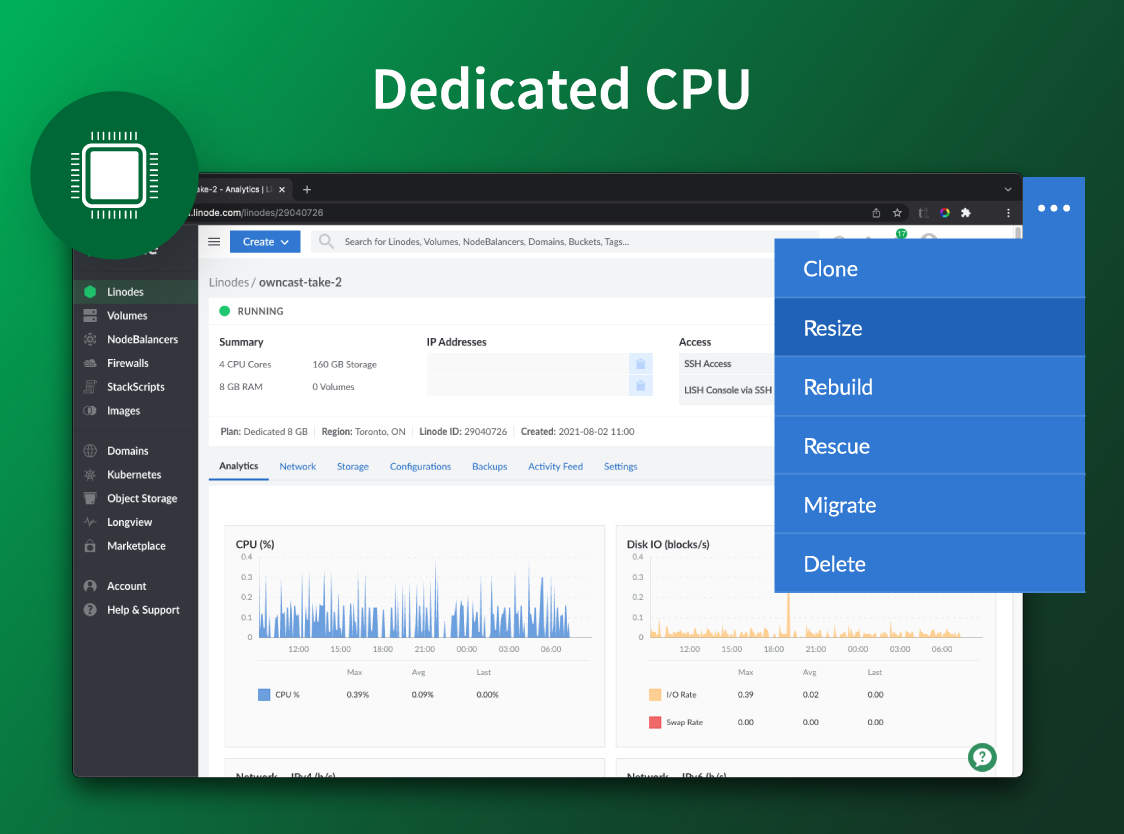
Akamai Cloud Computing (formerly Linode) include scalable and accessible Linux cloud solutions and services. These products and services support developers and enterprises as they build, deploy, secure, and scale applications.
$5
per month
DigitalOcean
Score 8.6 out of 10
N/A
DigitalOcean is an infrastructure-as-a-service (IaaS) platform from the company of the same name headquartered in New York. It is known for its support of managed Kubernetes clusters and “droplets” feature.
$5
Starting Price Per Month
Google Compute Engine
Score 8.8 out of 10
N/A
Google Compute Engine is an infrastructure-as-a-service (IaaS) product from Google Cloud. It provides virtual machines with carbon-neutral infrastructure which run on the same data centers that Google itself uses.
$0
per month GB
Pricing
Akamai Cloud Computing
DigitalOcean
Google Compute Engine
Editions & Modules
No answers on this topic
1GB-16GB
$5.00
Starting Price Per Month
8GB-160GB
$60.00
Starting Price Per Month
Preemptible Price - Predefined Memory
0.000892 / GB
Hour
Three-year commitment price - Predefined Memory
$0.001907 / GB
Hour
One-year commitment price - Predefined Memory
$0.002669 / GB
Hour
On-demand price - Predefined Memory
$0.004237 / GB
Hour
Preemptible Price - Predefined vCPUs
0.006655 / vCPU
Hour
Three-year commitment price - Predefined vCPUS
$0.014225 / CPU
Hour
One-year commitment price - Predefined vCPUS
$0.019915 / vCPU
Hour
On-demand price - Predefined vCPUS
$0.031611 / vCPU
Hour
Offerings
Pricing Offerings
Akamai Cloud Computing
DigitalOcean
Google Compute Engine
Free Trial
Yes
No
Yes
Free/Freemium Version
No
No
Yes
Premium Consulting/Integration Services
Yes
No
No
Entry-level Setup Fee
Optional
No setup fee
No setup fee
Additional Details
CPU, transfer, storage, and RAM are bundled into one price. Storage capacity can be increased with additional Block Storage or S3-compatible Object Storage. Instant Backups can be added with complete independence to the stack. Linode NodeBalancers ensure applications are available.
—
Prices vary according to region (i.e US central, east, & west time zones). Google Compute Engine also offers a discounted rate for a 1 & 3 year commitment.
I am still evaluating DigitalOcean Droplets as their pricepoint has moved more towards Linode, but so far I am leaning back towards Linode. They also don't have the GPU machines. But they do have a wider range of options for CPU. At present if you do lscpu on Linode it lists …
While SiteGround, GoDaddy, and DreamHost all offer ease of use and work OK when they're working, their performance is not consistent. All three can become very slow for even very low traffic sites. Linode, in comparison, offers much more consistent performance and any issues …
Linode has a much better range of data center locations than DigitalOcean. DigitalOcean has slightly better pricing and included backups( not extra backup fees like with Linode)
Linode's offering is almost identical to DigitalOcean's, but I find Linode's customer service better AWS, Azure and Google Cloud provide all services Linode does, but provides a much large set of other features and customizations.
Compared to the big cloud players like Amazon Web Services, Google Cloud Platform, MS Azure, Oracle Cloud, and co., Linode's product is simpler and cheaper. For quick and straightforward client engagements, the power and flexibility afforded by the previously mentioned vendors …
We evaluated DigitalOcean vs. Elastic Beanstalk before Linode, which was pretty cost intensive for deploying basic machines in the cloud for experimentation purposes. So, we had to switch to Linode for cost-effectiveness and default security mechanisms built inside Linode.
We switched to Linode from Namecheap due to poor uptime, and never had any issues with stability ever again after switching. We also cut our costs in half by switching. We compared Linode to DigitalOcean and Vultr, with the primary factor that caused us to go with Linode …
I've used a few other platforms, DigitalOcean is probably the closest, but Linode always had better backend tools aimed at geeks whereas DigitalOcean just focuses too much on blank whitespace on their control panel, while offering less functionality.
I moved to Linode for the pricing, but quality of service is pretty good. Heroku is great for novice programmers with no DevOps experience, but you pay an extra cost for it. DigitalOcean has much better docs and tutorials than Linode (BTW, these material apply for Linode as …
AWS is more expensive and less predictable. I get the feeling AWS might scale better for huge sites but cannot say for certain. DigitalOcean Droplets seems to be on a par with Linode, and cost-wise they are very similar. I've tried using Thema few times but always come …
It is more user-friendly than the big three cloud providers like AWS and GCP. The interface blows them out of the water; pricing is so much more competitive—no egregious bandwidth fees like AWS. As a small startup, cutting out the overhead of ultra-complex UI and pricing …
Information Technology Specialist, Digital Strategist
Chose Akamai Cloud Computing
There are a lot of very good cloud operations. Linode, for us represents a good offering. It offers a simple way to control infrastructure, without being overly simplified. For us, it was a good median giving us the flexibility to explore, experiment and still build for scale. …
Linode's price for performance is unmatched. The scalability and customizability of their offerings is likewise superlative. Uptime is great and they have servers in all of the places we need them. Security is on par with the rest. Their web interface is useful. Their …
Most of my knowledge of competing products is secondhand. Linode has never given me much reason to look elsewhere—they’ve been so competitive on price and performance. The main competitor has been on-premises or collocated servers, but those are obviously completely different …
The thing that caught my eye was the price to start with. I move to Digital Ocean because they had better options for virtual network isolation, but I came back as soon as Linode fixed the issue. There support is great and things just work.
Linode delivers higher performance cloud servers, within an easier web interface, simpler API, and better cost-benefit. Amazon has a complex interface that many times make the customers spend much more time in order to finish simple tasks and use "AWS-terms" so even if you need …
I've tried all of Digital Ocean, AWS EC2 and AWS Lightsail - I found Linode to give the best price/performance for a VPS. However, compared to serverless functions like AWS Lambda, there's a lot of maintenance work if you want to keep your VPS up-to-date. If you're looking for …
DO doesn't take debit card, only credit card. Not good for many people because taking a credit card in many countries has certain legal requirements that many people don't have. Plus their OS-Image storage costs money. Vultr doesn't offer resizing. Moreover, if you have a …
I've tested many other hosting options... I have the feeling that Linode was superior in terms of technical profile, response time, and overall support.
DigitalOcean is an easier and cheaper way to [set up] new machines. The UX is really good and it's easy to find what you need. Competition offer[s] a complicated way to manage machines and the cost is sometimes more than [...] double of what DigitalOcean offer[s]. However[,] …
Amazon has a very complex UI and many products to offer. They haven't polished up their UI and it has a much greater learning curve compared to DigitalOcean. However, Amazon Web Services (AWS) does have more comprehensive cloud computing services, which forces some companies to …
GCE was an easy choice for us after evaluating our options. We needed something that was dynamic enough to handle our specialized stack, but easy enough that our engineers weren't spending too much time configuring and launching. We found AWS's offering to be similar but …
We have tried using DigitalOcean Droplets for some of our minor and non critical VMs. In our experience, Google Compute Engine fares well in comparison the DigitalOcean Droplets as they provide better availability, better support and in general, a better experience.
The Google Cloud computing engine is fair at the top because it bills customers, automatic discounting for extended use, and how fast it can be turned on. We enjoy things around setting it up very easily via APIs and CLI commands, and with the always-on recommendations from …
Google Compute Engine provides on-demand computing resources that are easy to scale up or down according to my organization needs. This allows our business to quickly adapt to changes in demand without having to invest in additional hardware. It also offers a very competitive …
Verified User
Engineer
Chose Google Compute Engine
We decided to use GCE mainly for its price and good looking UI.
Pricing scale is good. Google Cloud Compute provides additional facilities free of cost (limited storage). Received one year free credits to get started. Nearest regions are available. Others amenities including free repository service available. UI is modern and fast to load. …
We ultimately chose Google Compute for the price difference as compared to other providers. Google's pricing for Windows servers is even lower than Microsoft's own cloud service, Azure. The terminology used across Google Compute is much easier to understand than the …
Akamai Connected Cloud Linode would be a good service to host a content delivery network (CDN) because of its edge network but I'd prefer not to use Akamai Connected Cloud Linode for tasks that need GPU power such as Machine Learning or Artificial Intelligence (AI) because Akamai Connected Cloud Linode lacks deep GPU compute compared to AWS or Google Cloud or Microsoft Azure
DigitalOcean is perfect for hosting client websites, running marketing tools, and managing media storage with Spaces and CDN. The use of Droplets to quickly launch landing pages or WordPress sites for campaigns is a Godsend. It’s great for fast, cheap, and scalable solutions. But for complex microservices or projects needing strict compliance (like HIPAA), DigitalOcean may not always be the best fit, but that depends heavily on your project.
You can use Google Cloud Compute Engine as an option to configure your Gitlab, GitHub, and Azure DevOps self-hosted runners. This allows full control and management of your runners rather than using the default runners, which you cannot manage. Additionally, they can be used as a workspace, which you can provide to the employees, where they can test their workloads or use them as a local host and then deploy to the actual production-grade instance.
Scaling - whether it's traffic spikes or just steady growth, Google Compute Engine's auto-scaling makes sure we've got the compute power we need without any manual juggling acts
Load balancing - Keeping things smooth with that load balancing across multiple VMs, so our users don't have to deal with slow load times or downtime even when things get crazy busy
Customizability - Mix and match configs for CPU, RAM, storage and whatnot to suit our specific app needs
Some products/services available on other Cloud providers aren't available, but they seem to be catching up as they add new products like Managed SQL DBs.
While they have FreeBSD droplets (VMs), support for *BSD OSs is limited. I.e. the new monitoring agent only works on Linux.
There are no regions available on South America.
They don't seem to offer enterprise-level products, even basic ones as Windows Server, MS SQL Server, Oracle products, etc.
I've been with them a long time. They provide me with the capabilities I need coupled with knowledgeable support that's not pay-for-extra. However, if I move to a non-Linux OS, the level of support by necessity will drop off. I can still ask questions about the infrastructure but I my ability to ask about OS features will decrease.
Its pretty good, easy and good performance. Also, interface is very good for starters compared to competitors. Infra as Code (IaC) using Terraform even added easiness for creation, management and deletion of compute Virtual Machines (VM). Overall, very good and very easy cloud based compute platform which simplified infrastructure, very much recommend.
Simple and clear, no BS interface. From a design perspective it's no Apple or Stripe, but it does what it needs without making me want to stick a fork in my eyes, like when being forced to use Azure, AWS or GCP.
I honestly can't think of an easier way to set up and maintain your own server. Being able to set up a server in minutes and have fully control is awesome. The UX is incredibly intuitive for first-time users as well so there's no reason to be intimidated when it comes to giving DigitalOcean a shot.
Having interacted with several cloud services, GCE stands out to me as more usable than most. The naming and locating of features is a little more intuitive than most I've interacted with, and hinting is also quite helpful. Getting staff up to speed has proven to be overall less painful than others.
There is very little planned downtime. Whenever planned downtime is necessary I'm always given lots of advanced notice and an explanation that I can pass along to my users that they'll understand. I really appreciate that Linode appreciates my commitment to reliable service to my users. It shows that they believe they've been successful when I'm successful.
Google Compute Engine works well for cloud project with lesser geographical audience. It sometimes gives error while everything is set up perfectly. We also keep on check any updates available because that's one reason of site getting down. Google Compute Engine is ultimately a top solution to build an app and publish it online within a few minutes
Servers are well dimensioned and price performant. Of course one always wants more, so if they were to upgrade their hardware for the same price I'd consider moving more workloads. Networking - never had an issue. Hardware speeds - disks are fast and can grow to great size.
It works great all the time except for occasional issues, but overall, I am very happy with the performance. It delivers on the promise it makes and as per the SLAs provided. Networking is great with a premium network, and AZs are also widespread across geographies. Overall, it is a great infra item to have, which you can scale as you want.
Support was excellent and fast. The documentation is extensive and helpful. I learned many things from their online documentation. I did not contact them by phone, but email took a day or less. Complex problems would probably need a service contract. I liked the friendly and polite tone of the support.
They have always been fast, and the process has been straight-forward. I haven't had to use it enough to be frustrated with it, to be honest, and when I have an issue they fix it. As with all support, I wish it felt more human, but they are doing aces.
The documentation needs to be better for intermediate users - There are first steps that one can easily follow, but after that, the documentation is often spotty or not in a form where one can follow the steps and accomplish the task. Also, the documentation and the product often go out of sync, where the commands from the documentation do not work with the current version of the product.
Google support was great and their presence on site was very helpful in dealing with various issues.
We got kick started with an initial walkthrough along with some free credits. The initial walkthrough helped us to understand Linode's ecosystem and start our hands on with Linode. We tried out some apps from Marketplace initially with the free credits, which not only helped us understand Linode better, but also those apps. We had implemented many such apps to our customers with Linode
We're a small organization. The implementation of our Linode solution was trivial. Once I justified a cloud server to my bosses over a co-location -- the co-lo wasn't as fast as our linode server in load tests -- it was a matter of moving one Linux implementation to another. Trivial.
We switched to Linode from Namecheap due to poor uptime, and never had any issues with stability ever again after switching. We also cut our costs in half by switching. We compared Linode to DigitalOcean and Vultr, with the primary factor that caused us to go with Linode initially being their documentation. After using Linode for 3 years, their amazing support is another reason why we wouldn't consider anyone else at this point.
DigitalOcean is an inexpensive product as compared to other products available in the market. The UI is easy and the beginner can also understand the UI with the step by step guide. It provides a lot of custom features and the user needs to pay only for what they are using. Amazon has a complex UI and is on the expensive side. DigitalOcean is simple to use and is easily manageable and the servers can easily be set up without additional cost and such.
Google Compute Engine provides a one stop solution for all the complex features and the UI is better than Amazon's EC2 and Azure Machine Learning for ease of usability. It's always good to have an eco-system of products from Google as it's one of the most used search engine and IoT services provider, which helps with ease of integration and updates in the future.
Although I use only a fraction of their product offerings, the total set makes scalability an easy goal to shoot for. As I said, I have a few customers that use the services my Linode provides...and I like it that way. However, should I need to scale up, I can...without incurring any more cost than I need to.
Positive - Elastic computer instances make it possible to pay for only for what you need.
Positive - Competitive pricing - some of the products that DigitalOcean offers are much cheaper than those offered by competitors.
Negative - Having to go to other cloud computing platforms for more specific, advanced services like Computer Vision optimized services, GPU cloud compute instances, etc...