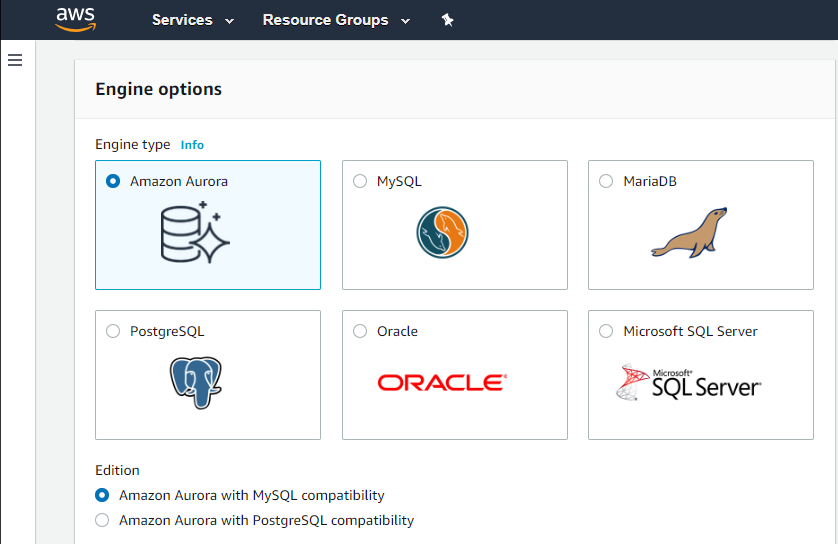
Amazon Relational Database Service is a perfect fit for everyone who is seeking for an high-performance cloud-based database service. No matter if Postgres, Oracle, or any other type of relational database. Amazon RDS is our first choice for any kind of database requirement in the cloud. Especially I like the scalability.
It's a great tool when building the software, the ability to add SQL and No-SQL databases. Very convenient to write the queries and generate the filtered data we require. Gives the ability to export, import databases of various formats and generate reports from them. It might not be suitable if you want the data to be seen in a visualized manner
Automated Database Management: We use it for streamlining routine tasks like software patching and database backups.
Scalability on Demand: we use it to handle traffic spikes, scaling both vertically and horizontally.
Database Engine Compatibility: It works amazingly with multiple database engines used by different departments within our organization including MySQL, PostgreSQL, SQL Server, and Oracle.
Monitoring: It covers our extensive monitoring and logging, and also has great compatibility with Amazon CloudWatch
It is a little difficult to configure and connect to an RDS instance. The integration with ECS can be made more seamless.
Exploring features within RDS is not very easy and intuitive. Either a human friendly documentation should be added or the User Interface be made intuitive so that people can explore and find features on their own.
There should be tools to analyze cost and minimize it according to the usage.
It crashes CONSTANTLY. If you have more than one connection tab open and close one of them, it crashes. If you just have it open in the background, it randomly crashes. If you're using it, it randomly crashes. When you try to send a crash report, the CRASH REPORTER CRASHES.
Can be a bit slow.
No way that I'm aware of to query multiple databases in the same query.
We do renew our use of Amazon Relational Database Service. We don't have any problems faced with RDS in place. RDS has taken away lot of overhead of hosting database, managing the database and keeping a team just to manage database. Even the backup, security and recovery another overhead that has been taken away by RDS. So, we will keep on using RDS.
I've been using AWS Relational Database Services in several projects in different environments and from the AWS products, maybe this one together to EC2 are my favourite. They deliver what they promise. Reliable, fast, easy and with a fair price (in comparison to commercial products which have obscure license agreements).
I have only had good experiences in working with AWS support. I will admit that my experience comes from the benefit of having a premium tier of support but even working with free-tier accounts I have not had problems getting help with AWS products when needed. And most often, the docs do a pretty good job of explaining how to operate a service so a quick spin through the docs has been useful in solving problems.
It's open-source and very convenient to work with. I can easily import any database I want using a data dump and runt the queries on them to derive the data insights on the data. I might want to use Excel to visualize that, that might be one of the disadvantages.
In a few words, we are just to confortable working with oracle and sql server. Using RDS add another layer of distributed database in order to backup everything we have in case of a disaster and also complies with authorities locally and internacionally. All database we use, are local in custom servers that we maintain, but we agree to expand this.
MySQL Workbench is a wonderful tool, but the routine editing of existing data is note nearly as straightforward as it is in Sequel Pro. The ability to sort a data view with a single click makes Sequel Pro my definite choice. phpMyAdmin is pretty ubiquitous, but the routine editing of existing data is much more cumbersome than it is in Sequel Pro.
RDS is costly and thus small business should avoid it as it might not be worthful (in ROI perspective)
Downtime is very low and there are automated backups thus we dont have to worry much about technical stuff and can focus more on marketing and sales
Due to various automated features such as automated backup etc we dont need a huge technical team thus reducing the cost of maintaining a huge technical team ,