Chose ScreenConnect
platform is easier to use and understand

| Product | Rating | Most Used By | Product Summary | Starting Price |
|---|---|---|---|---|
 Barracuda RMM | N/A | Barracuda RMM (based on the former Managed Workplace product acquired by Barracuda from Avast in 2019) is a Remote Monitoring and Management platform. Managed Workplace serves as an agentless tool that MSP’s can use for clients with an emphasis on security assessment and reporting. It also provides other system monitoring functionalities, including patch management, asset management and tracking, and task automation with a library of prebuilt and user-designed scripts. It also offers… | N/A | |
 ScreenConnect | N/A | ConnectWise ScreenConnect is a remote support, access, and meeting solution. With it, users can utilize remote support and access to repair computers, provide updates, and manage machines. Users can also conduct online seminars and presentations using remote meetings. | $39 per month |
| Barracuda RMM | ScreenConnect | |||||||||||||||
|---|---|---|---|---|---|---|---|---|---|---|---|---|---|---|---|---|
| Editions & Modules | No answers on this topic |
| ||||||||||||||
| Offerings |
| |||||||||||||||
| Entry-level Setup Fee | No setup fee | No setup fee | ||||||||||||||
| Additional Details | — | — | ||||||||||||||
| More Pricing Information | ||||||||||||||||
| Barracuda RMM | ScreenConnect | |
|---|---|---|
| Considered Both Products |  Barracuda RMM No answer on this topic |  ScreenConnect  Stephen Widjaja IT Consultant Chose ScreenConnect With similar features with other remote access software, ScreenConnect has a better monthly pricing.  Thomas McMillan Technical Sales/Commercial Tech Chose ScreenConnect  Paul Van Staden Technical Director Chose ScreenConnect I have used just about every remote connection product out there, TeamViewer, RDP, VNC, Logmein, etc. Among the products that offer the same performance and features, ConnectWise Control is the most cost-effective. They are also in constant development, introducing improvements … |
| Barracuda RMM | ScreenConnect | |||||||||||||||||||||||||||||||||||||||||||||
|---|---|---|---|---|---|---|---|---|---|---|---|---|---|---|---|---|---|---|---|---|---|---|---|---|---|---|---|---|---|---|---|---|---|---|---|---|---|---|---|---|---|---|---|---|---|---|
| Monitoring Tasks |
| |||||||||||||||||||||||||||||||||||||||||||||
| Management Tasks |
| |||||||||||||||||||||||||||||||||||||||||||||
| Remote Administration |
|
| Barracuda RMM | ScreenConnect | |
|---|---|---|
| Small Businesses |  Panda Systems Management Score 8.4 out of 10 |  Getscreen.me Score 9.6 out of 10 |
| Medium-sized Companies |  Action1 Score 9.4 out of 10 |  Remote Desktop Manager Score 9.4 out of 10 |
| Enterprises |  TeamViewer Score 8.5 out of 10 | Remote Desktop Manager Score 9.4 out of 10 |
| All Alternatives | View all alternatives | View all alternatives |
| Barracuda RMM | ScreenConnect | |
|---|---|---|
| Likelihood to Recommend | 10.0 (7 ratings) | 8.9 (626 ratings) |
| Likelihood to Renew | - (0 ratings) | 10.0 (40 ratings) |
| Usability | - (0 ratings) | 8.8 (55 ratings) |
| Availability | - (0 ratings) | 10.0 (5 ratings) |
| Performance | - (0 ratings) | 10.0 (9 ratings) |
| Support Rating | 4.2 (3 ratings) | 8.2 (63 ratings) |
| Online Training | - (0 ratings) | 7.5 (24 ratings) |
| Implementation Rating | - (0 ratings) | 10.0 (20 ratings) |
| Configurability | - (0 ratings) | 10.0 (5 ratings) |
| Product Scalability | - (0 ratings) | 10.0 (16 ratings) |
| Vendor post-sale | - (0 ratings) | 10.0 (4 ratings) |
| Vendor pre-sale | - (0 ratings) | 5.0 (4 ratings) |
| Barracuda RMM | ScreenConnect | |
|---|---|---|
| Likelihood to Recommend | Barracuda Networks, Inc.
| ConnectWise
|
| Pros | Barracuda Networks, Inc.
| ConnectWise
 Adam Friedli Level 2 Support Analyst |
| Cons | Barracuda Networks, Inc.
 Ashley Beal Senior Office Administrator | ConnectWise
|
| Likelihood to Renew | Barracuda Networks, Inc. No answers on this topic | ConnectWise
|
| Usability | Barracuda Networks, Inc. No answers on this topic | ConnectWise
 Sam Segura IT Services |
| Reliability and Availability | Barracuda Networks, Inc. No answers on this topic | ConnectWise
|
| Performance | Barracuda Networks, Inc. No answers on this topic | ConnectWise
 Tresha Ivey Project Manager |
| Support Rating | Barracuda Networks, Inc.
| ConnectWise
 Bradley Jones Co-Owner |
| Online Training | Barracuda Networks, Inc. No answers on this topic | ConnectWise
 Michael Dodd Support Resource and Community Manager |
| Implementation Rating | Barracuda Networks, Inc. No answers on this topic | ConnectWise
|
| Alternatives Considered | Barracuda Networks, Inc.
 Ramin Sultanov Digital Instructor | ConnectWise
|
| Scalability | Barracuda Networks, Inc. No answers on this topic | ConnectWise
 David McCoy Provisioning Engineer |
| Return on Investment | Barracuda Networks, Inc.
| ConnectWise
 Mike Vaughan AWS Infrastructure Architect - Contractor |
| ScreenShots | ScreenConnect Screenshots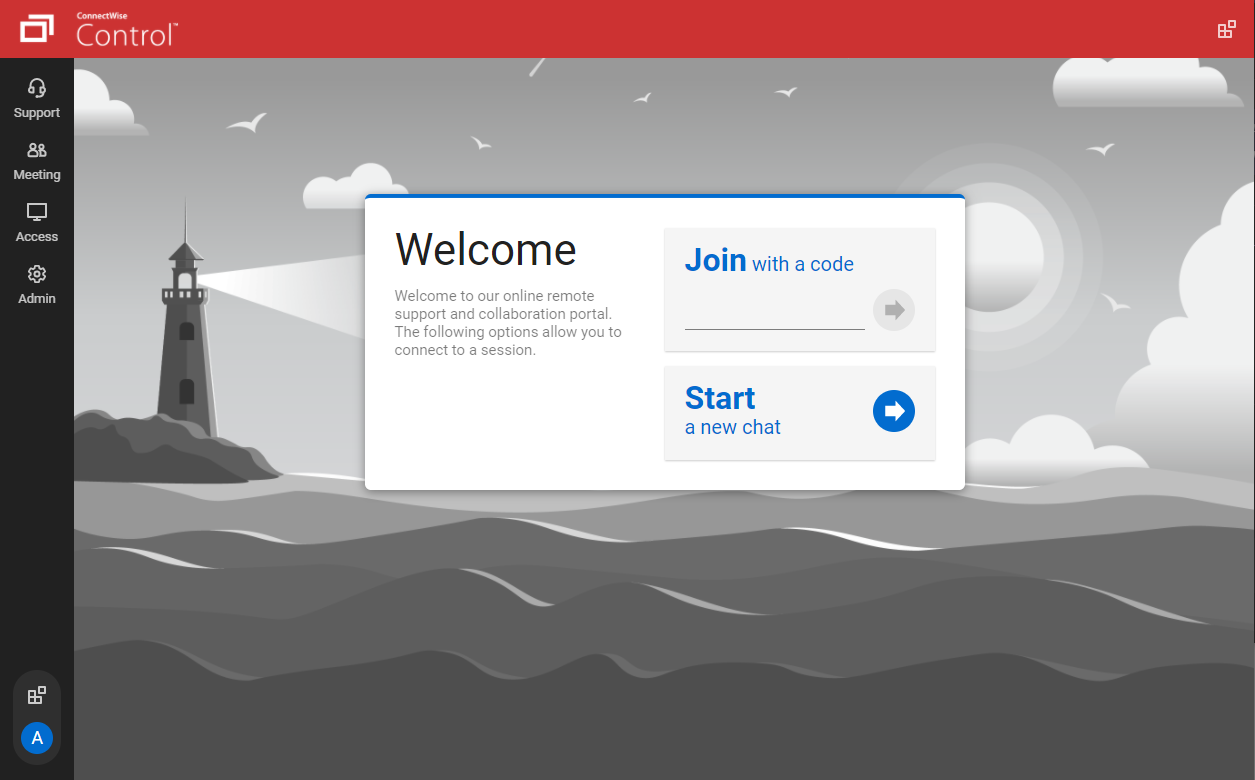   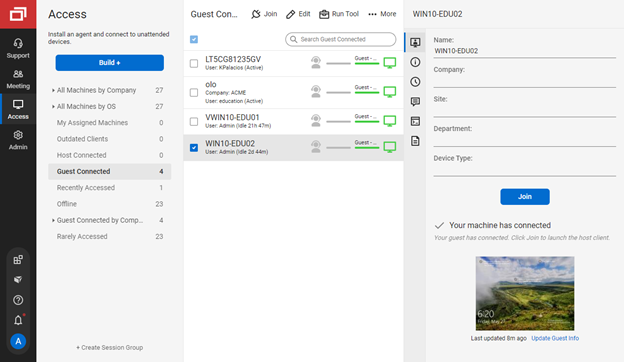   |