Deltek's Ajera is an integrated project management and accounting suite for architectural and engineering (A & E) companies that includes light payroll functionality and also can integrate with third-party payroll providers (ADP, Paychex, Quickbooks, etc.). The product was acquired with original developer Axium in June 2014. CRM functionality can also be added via integration with the Deltek Ajera CRM.
N/A
Replicon Polaris PSA
Score 7.3 out of 10
N/A
Replicon Polaris PSA is a professional services automation platform containing project management, expense tracking, and billing features, from Replicon headquartered in Redwood City, California.
N/A
Pricing
Deltek Ajera
Replicon Polaris PSA
Editions & Modules
No answers on this topic
No answers on this topic
Offerings
Pricing Offerings
Deltek Ajera
Replicon Polaris PSA
Free Trial
No
No
Free/Freemium Version
No
No
Premium Consulting/Integration Services
No
No
Entry-level Setup Fee
No setup fee
No setup fee
Additional Details
—
—
More Pricing Information
Community Pulse
Deltek Ajera
Replicon Polaris PSA
Considered Both Products
Deltek Ajera
Verified User
Manager
Chose Deltek Ajera
The previous systems were essentially timesheet systems only with very basic accounting. It's mostly the accounting subsystem that made us select Ajera.
For small to medium engineering and architecture firms, Ajera appears to be the right size. Beyond the engineering software, Deltek Ajera has all the features a small to medium firm will need for smooth operation. AR, AP, Payroll, reporting, project management are all in one package. We chose to self-host because the licensing was more cost effective for us, but cloud hosting is also available.
It is perfect for inputing time sheets, time offs and expenses. It is hosted on the cloud, so accessible from anywhere, and even from mobile. It should nonetheless do just that, as it is not suited to track the work that you are doing or details about it. It is completely useless in that case.
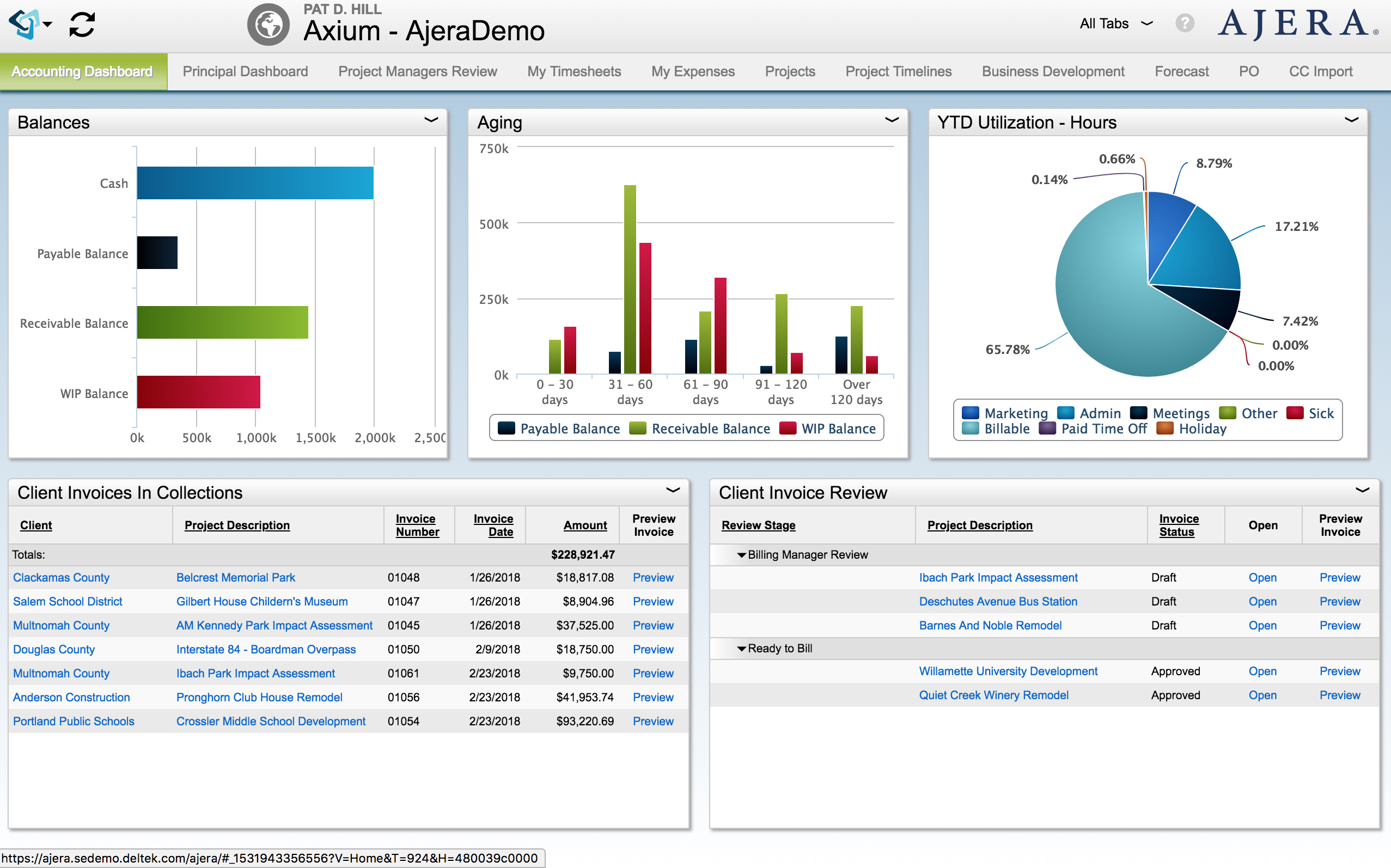
Widgets are the best feature of Ajera. Designers can make tiny reports for the entire company, or for one or two individuals. These little reports are the first things that the employee sees when they log in. Viewers of the reports are able to filter, sort, group, print or export the widget without impacting the other users. Deltek has been releasing new features that allow the editing of data in widgets. You can now create new projects or edit timesheets from the widgets.
Credit card importing and credit card reconciliation in Ajera has greatly decreased time spent by administration. You can import credit card transactions from your credit cards. It saves on data entry, and it is easy to see what receipts you are missing when you get the statement.
Mobile timesheets and expense reports help engineers or other users enter their time and expenses as they are on the go. They can take pictures or receipts or submit their timesheet from home.
The Project Command Center is a one stop fountain of information. Everything the project manager wants to know about a project can be found here. You can also add custom fields that allow you to tract addition information.
Though the technical support staff are always very nice, sometimes they don't seem to understand exactly what the issue is based on our explanation. There have been several times when I've ended up solving the issue on my own without their assistance, despite numerous emails and phone calls. Could be a language barrier issue, perhaps they could receive more training in how companies are actually using the software on a daily basis.
Employee time sheets have to be approved by project managers and supervisors prior to my final approval. However, when viewing the time sheets in list form, there is no way for me to tell whether a time sheet has been approved by everyone else. I have to manually open each one and hover over the approver link. It would be helpful if there was a column in the list showing which approvers still need to approve it.
There have been a few times when time sheets were accidentally deleted by approvers. In order to retrieve them, we've had to contact Replicon support and have a backup instance of the information created. It would be great if perhaps there was some sort of archive or recently deleted section that could be accessed right away without having to go through Replicon support, a folder or something that would hold on to recently deleted files for a few days or a week just in case they needed to be retrieved.
Some of our projects have more than one project manager. Replicon currently allows for co-managers to be assigned to a project, but this status does not seem to include that co-manager in the approval of time sheets and expenses. We have had to manually create an approval path to include that second manager. It would be nice if co-managers would automatically be included in those approval paths.
The previous systems were essentially timesheet systems only with very basic accounting. It's mostly the accounting subsystem that made us select Ajera.
We used to track time on JIRA on the tickets. This was good enough for time tracking, but didn't integrate efficiently with accounting software, so accountants had to replicate manually the data from JIRA to their software in order to bill clients. Using Replicon made things much easier for them.