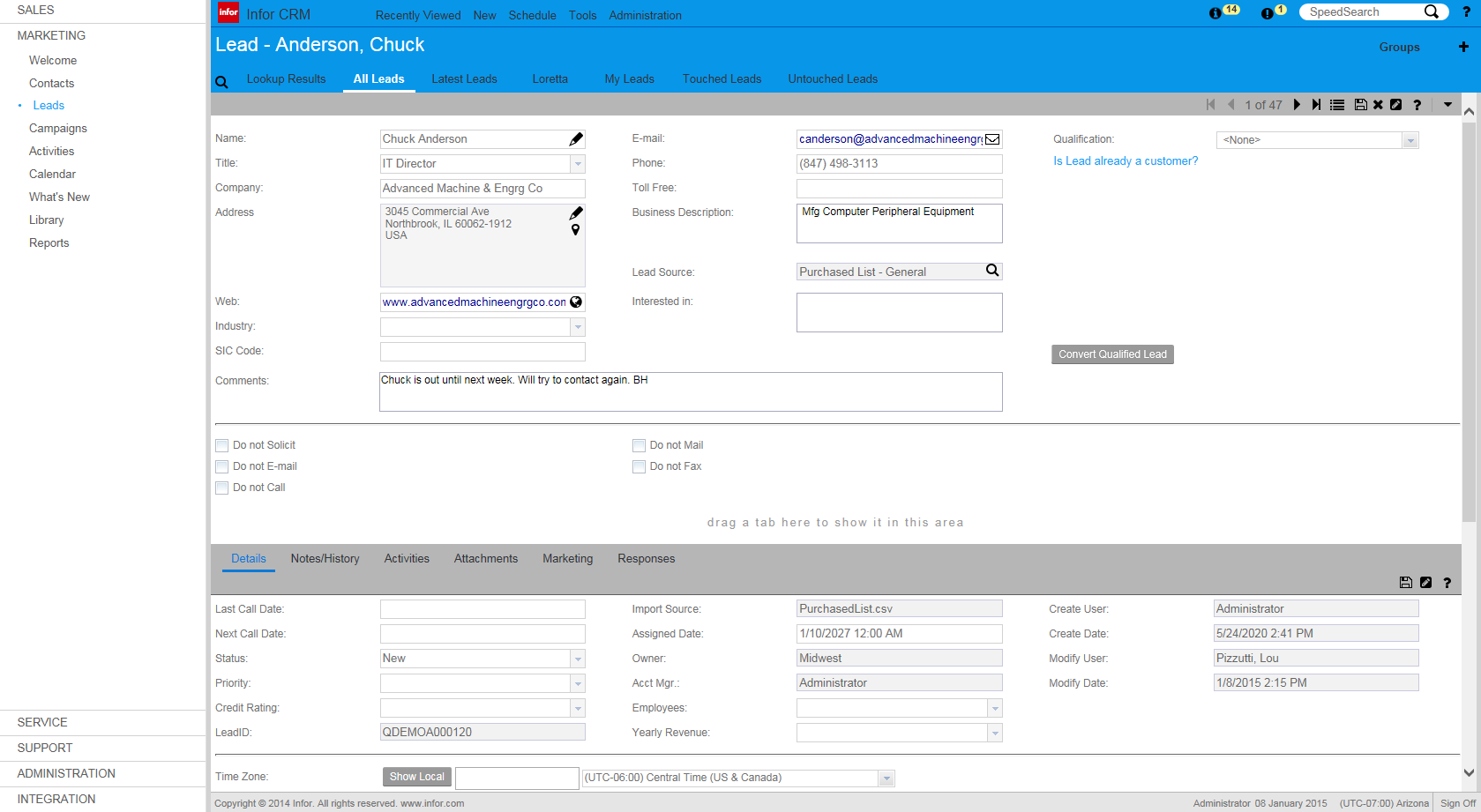
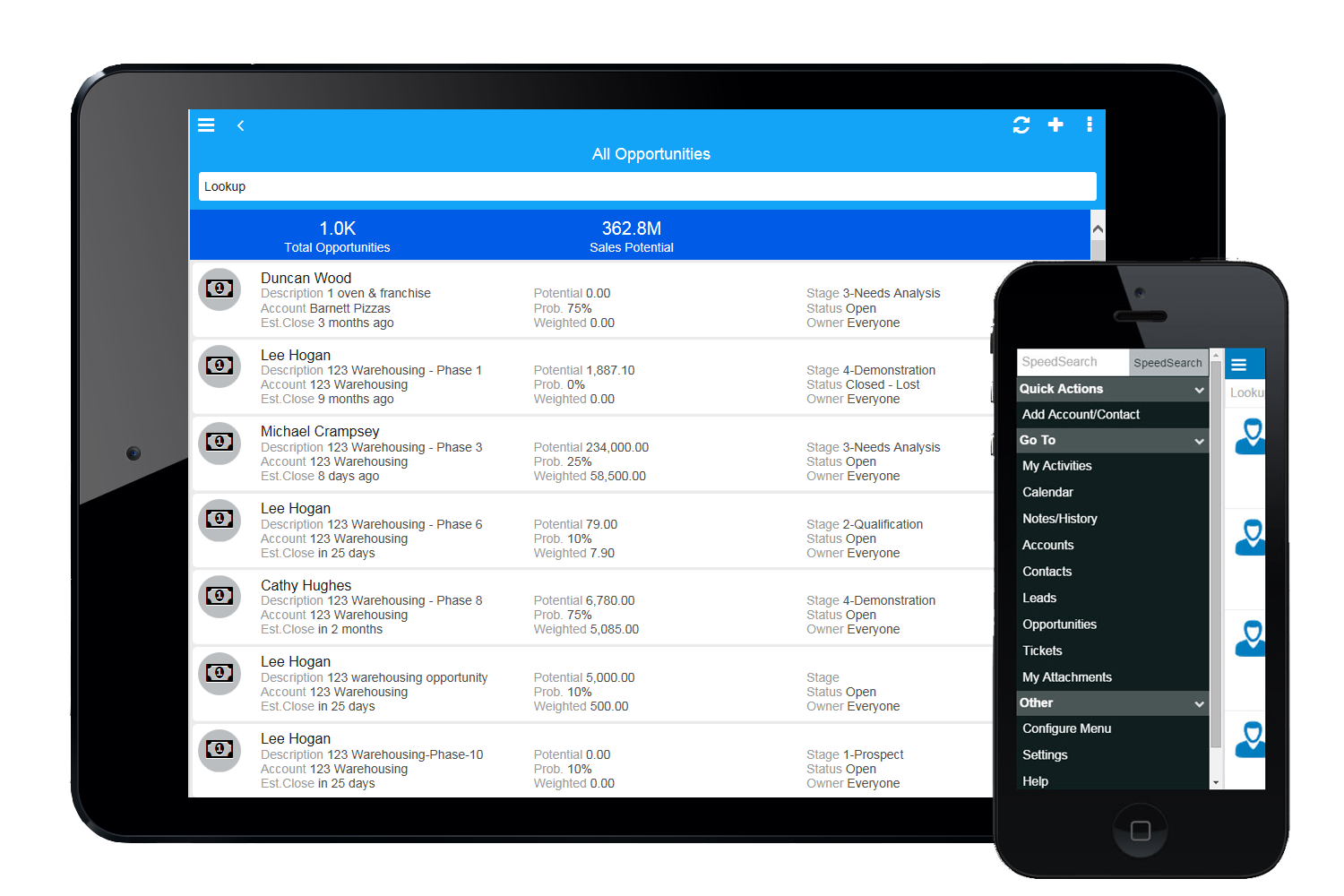
Infor CRM delivers tools for individuals, teams, and companies focused on increasing sales performance and the insights to optimize sales, marketing, and service strategy and execution. Infor CRM provides sales teams with rich customer information from interactions and transactions across the business and accommodates the modern flexible workforce with multiple access methods. Robust process automation capabilities enable efficiencies and the application of best practices across sales…
N/A
ServiceNow IT Service Management
Score 8.4 out of 10
N/A
Built on the ServiceNow Now Platform, the IT Service Management bundle provides an agent workspace with knowledge management, and modules supporting issue tracking and problem resolution, change, release and configuration management.
N/A
Pricing
Infor CRM
ServiceNow IT Service Management
Editions & Modules
No answers on this topic
ITSM Standard
Custom Quote
ITSM Pro
Custom Quote
ITSM Enterprise
Custom Quote
Offerings
Pricing Offerings
Infor CRM
ServiceNow IT Service Management
Free Trial
Yes
No
Free/Freemium Version
No
No
Premium Consulting/Integration Services
Yes
No
Entry-level Setup Fee
No setup fee
No setup fee
Additional Details
—
ITSM Pro and ITSM Enterprise also are available with optional "Plus" add-ons. These include AI Agents, an AI Agent Studio, and other features that augment the capabilities of the platform using AI Virtual Agents to automate tasks.
If you have a mobile workforce, it likely wouldn't be as appropriate (keep in mind we're using the desktop client, and have very limited experience with the web app). It is well suited if your business needs lots of custom processes- find a good vendor. We utilize SimpleSoft out of Ohio, and they have been excellent. Key question: think about where your business is going to be in 5-10 years, and will this CRM solution be able to grow with us?
In our organization, we are using ServiceNow extensively. Change Management, Incident Management, Problem Management, Time tracking are few modules which we use extensively. This sort of model will work for any product or service based companies as the product is built on ITIL framework. So this product will be suited for small or large scale companies to better organize and add controls and track SLA's for technology or business process.
Saleslogix functionality can be managed to a very granular level for each individual using it. Within the users profile you can restrict access to modules, remove write permission, remove export privileges, etc.
Saleslogix has one of the best sync engines I have ever seen. If you allow your outside sales reps to have their own database, they can modify customer record while off line and when they do have internet access they can sync changes in both directions. This functionality works great when you have inside and outside sales staff covering the same territory.
Saleslogix can be customized using Visual Basic Code syntax. This is a positive aspect as well as a negative. Our existing Saleslogix is so customized that if we were to upgrade to 8.0 it would cost us over $20k to redo some of the customizations. Upgrades are frequently incompatible with customizations.
When I have a number of requests to make, for example a request to add a dozen or so user accounts to more than one group account in Active Directory , I can put all the needed information into the initial form, add it to my "shopping cart" and all of that information remains on the screen for the next item for which I only need to edit a few items (like the AD group name in this example), and keep adding them to the shopping cart until I have them all. When I "Check Out" each of those items is generated as a separate task under the one request. It simplifies and expedites the creation and tracking of these kinds of requests.
I can easily and quickly see what tickets are currently assigned to me in order to prioritize them and remain aware of my workload.
Numerous fields for CIs can be used when trying to find the entry for a particular item. For example, IP Address, server name, raw text, classification, and so on.
To help with making sense out of related tasks, when a task is assigned to me and I need to open another task for a different team to work in order to complete my task, I can open a sub-task from my ticket so that the relationship between the two can be pulled up later into reports. For example, I may have a task to build a new vm, and need to open tasks for networking, security accounts, software installation and so on. By opening sub-tasks from my assignment, the time spent by all parties concerned is tied together for more meaningful cost accounting.
InforCRM has made dramatic improvements in the web client though in some cases it has been painfully slow to get the most needed things updated. An example is the slow speed of the web client. The newest update is supposed to fix this.
The web client does not autosave, so users have to remember to hit the 'save' button at each screen. This is the biggest complaint of users going from the desktop client to the web client.
I personally would like to see data panes (account, contact, etc.) with the capability to set up a different view for each team and/or security level that would access the data.
It is hard to find areas for improvement, the tool is very powerful. That said, building the CMDB still involves some manual interaction which was not how it was presented in demos.
The CMDB data is almost too deep and detailed. When you build the relationship map it can be so large that it is overwhelming. You can limit this, but the default maps are massive if you are discovering lots of device classes.
The product is expensive. Since they are the leader in the industry and the product has tons of features, they definitely charge for it!
Because we've already made the investment in the original on-premise version, the cost per user is relatively low. The product has grown with us and we can now choose a LAN or Web client version and host the site internally, giving us total control of our data. The iPhone and iPad versions allow the sales team quick access in the field and the voice-to-text option is quite handy. SalesLogix doesn't require that our technology stack be constantly up to date which again, keeps our cost down. They are always making enhancements to the product and we can choose to update/upgrade when those enhancements appeal to us enough to justify adding the service pack.
To be completely honest setting up a new ticketing system can be a pain in the ass. Once you have it setup and customized the way you want it, you don't want to switch unless you're unhappy with the product. Unless future releases and updates really muck the system up, I wouldn't change.
The dashboard is so confusing, [there are] many clicks to open a task and search by a ticket. The Enterprise customisation [we did] has finished to kill the software and creates a really bad experience on a daily basis. [It is] So slow, and so many clicks to process a ticket. Works only on IE so, that [should] make you realize that [it] is a bad idea.
I would give it this rating because we have had no major issues with the support for ServiceNow after we implemented it at our organization. They seem to respond promptly and efficiently if we ever do need to open a support case with them about an issue we are having.
To type in what should be a text box, you have to click an empty cell, a tiny text box pop up opens with a check box and an X. You the. Type in the text box and have to click the check mark. If you have a bunch of fields to fill out, doing this is very annoying. Absolutely know thought went in to this. I'm sure somebody in marketing thought it was a good idea. It wasn't.
Without exception, every client I have worked with has been very happy with their resulting product. While this is partly due to my work, I must point out that the platform is the winning decision, not the implementer.
We selected INFOR CRM over Salesforce simply because it was affordable and didn't have so many 'bells & whistles' that Salesforce has that we were not using. We didn't realize that the compatibility with upgrades were going to be such an issue.
We used to use Jira to handle service tickets but it's way too robust for something this straightforward. Due to the nature of Jira, you needed to already have a lot of documentation and knowledge about who should be assigned the ticket, so the lift of creating a ticket was time consuming.
Overall ServiceNow has a positive impact on getting the SLA of tickets down in supporting our customers.
One negative impact has been the amount of time to get the product to produce an ROI, it's almost too big to fail and too big to replace. You almost become committed to the product. Good or bad.
Another negative impact would be if you track metrics of employees and time tracking, there is a lot of scenarios where engineers will track time on tickets but not get credit for closing them as the assignee function of tickets can only be tied to one user and credits only the engineer who closes the ticket.
Another positive impact would be the level of security for permissions and scaling the workloads is robust and you will get out of the system what your team is willing to put in.