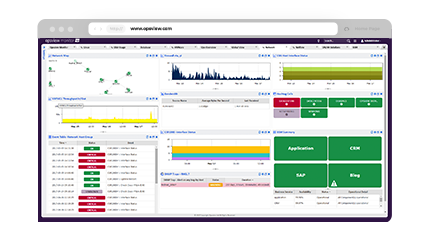
Opsview Monitor is an IT infrastructure and application monitoring solution. It monitors the infrastructure, applications, and endpoints of a network, and supports add-ons for automation and data exporting. Opsview also offers a free version of Monitor.
N/A
Zabbix
Score 8.6 out of 10
N/A
Zabbix is an open-source network performance monitoring software. It includes prebuilt official and community-developed templates for integrating with networks, applications, and endpoints, and can automate some monitoring processes.
N/A
Pricing
Opsview Monitor
Zabbix
Editions & Modules
No answers on this topic
No answers on this topic
Offerings
Pricing Offerings
Opsview Monitor
Zabbix
Free Trial
Yes
No
Free/Freemium Version
Yes
No
Premium Consulting/Integration Services
Yes
No
Entry-level Setup Fee
Optional
No setup fee
Additional Details
—
—
More Pricing Information
Community Pulse
Opsview Monitor
Zabbix
Considered Both Products
Opsview Monitor
Verified User
Manager
Chose Opsview Monitor
Nagios and Zabbix - Opsview is much easier to setup and operate than both of them.
SolarWinds Orion - Opsview is much more economical
If you know Nagios or Nagios-like monitoring systems, OpsView will be really easy for you to learn and manage. Migrations process will be relatively easy. You're getting great U/I that will speed up adding new objects to the system and present data in a clear, organized way. In addition it's easy to create dedicated dashboards for your clients.
Zabbix is very well suited for infrastructure monitoring i.e. the underlying host servers, basically, compute nodes. However, it has limited FM & PM capabilities for the workloads, i.e., the virtual machines (VMs). Zabbix has an easy-to-use GUI which can be explored easily & provides good filtering of the data.
Collecting hardware data - CPU, Memory, Network, and Disk Metrics are collected and reported on.
Flexible design - It is very easy to build out even very large environments via the templating system. You can also start where you are - network monitoring, server monitoring, etc. and then build it out from there as time and resources permit.
Provides a "plugin architecture" (via XML templates) to allow end users to extend it to monitor all kinds of equipment, software, or other metrics that are not already added into the software already.
Very complete documentation. Almost every aspect of Zabbix has been documented and reported on.
Cost - Zabbix is FOSS software and always free. Support is reasonably priced and readily available.
In a busy Zabbix environment, it can easily overwhelm the underlying database. Plan on having SSDs and a significant server infrastructure to keep up with more than a hundred hosts.
Building out Zabbix metrics that suit your environment can be very time consuming. When choosing a monitoring platform like Zabbix, expect a steep learning curve and to invest significant resources to make the tool valuable.
This is less important than it has been in the past, but current versions of Zabbix still do not handle IPMI checks of hardware very well. We needed to write our own wrapper for IPMI checks rather than using the built in IPMI poller.
It is free. It didn't cost anything to implement (other than my time and the cost incurred for it) and it is filling a badly needed gap in our IT infrastructure. Support is available if we have issues and can be done annually or paid for on a per incident basis as needed. Expansion, updates, and all other future lifecycle activities are likewise free of cost, so as long as someone is able to implement/maintain the software (and the OSS project is maintained) then I imagine the company will never leave it.
The setup is the most time-consuming portion of using zabbix. It takes a lot of effort to shape it into a usable format and even then it can get very messy. It's not exactly intuitive and as mentioned the UI seems a bit antiquated. If I was to roll out a monitoring solution from scratch, I'd probably look for alternatives which are easier to use and maintain.
We are a mainly Windows environment, so it would be useful if we could have used Active Directory to deploy agents. As of version 4.2, Zabbix has announced a new agent MSI file to allow exactly that. Unfortunately, we didn't have that option. Also, for Linux and MAC deployments, there is no simple way to deploy that. Using remote scripts you may be able to create something, but most places will opt for either SNMP (agentless) or manual installation of agents to add to Zabbix. A way of deploying agents via discovery would go a long way to helping in the adoption of the tool.
We're using the Solarwinds suite as our global monitoring standard, but it is very complex and its licensing model makes it difficult to monitor a wide range of technologies. So, we're using Zabbix as a complement on our monitoring process. Zabbix is a way more flexible and has free integrations to a wide range of technologies. It is also more 'user friendly' and easy to manage.
Zabbix simply makes it easier to identify, and subsequently resolve problems quickly
Zabbix gives one web page to look at to see a list of all on-going issue in a single place
Zabbix can automate response to alerts. For example, Zabbix allows you the customization to take a monitored server out of production rotation if it is identified as unhealthy