
TrustRadius: an HG Insights company

Articulate 360

Score9.3 out of 10

806 Reviews and Ratings

What is Articulate 360?

Articulate 360 is an e-learning platform for creating workplace training. Users can build engaging courses with AI-enhanced authoring, simplify collaboration, and quickly share content. A subscription includes robust onboarding resources and access to a community of 1.5M pros.

Categories & Use Cases

Media

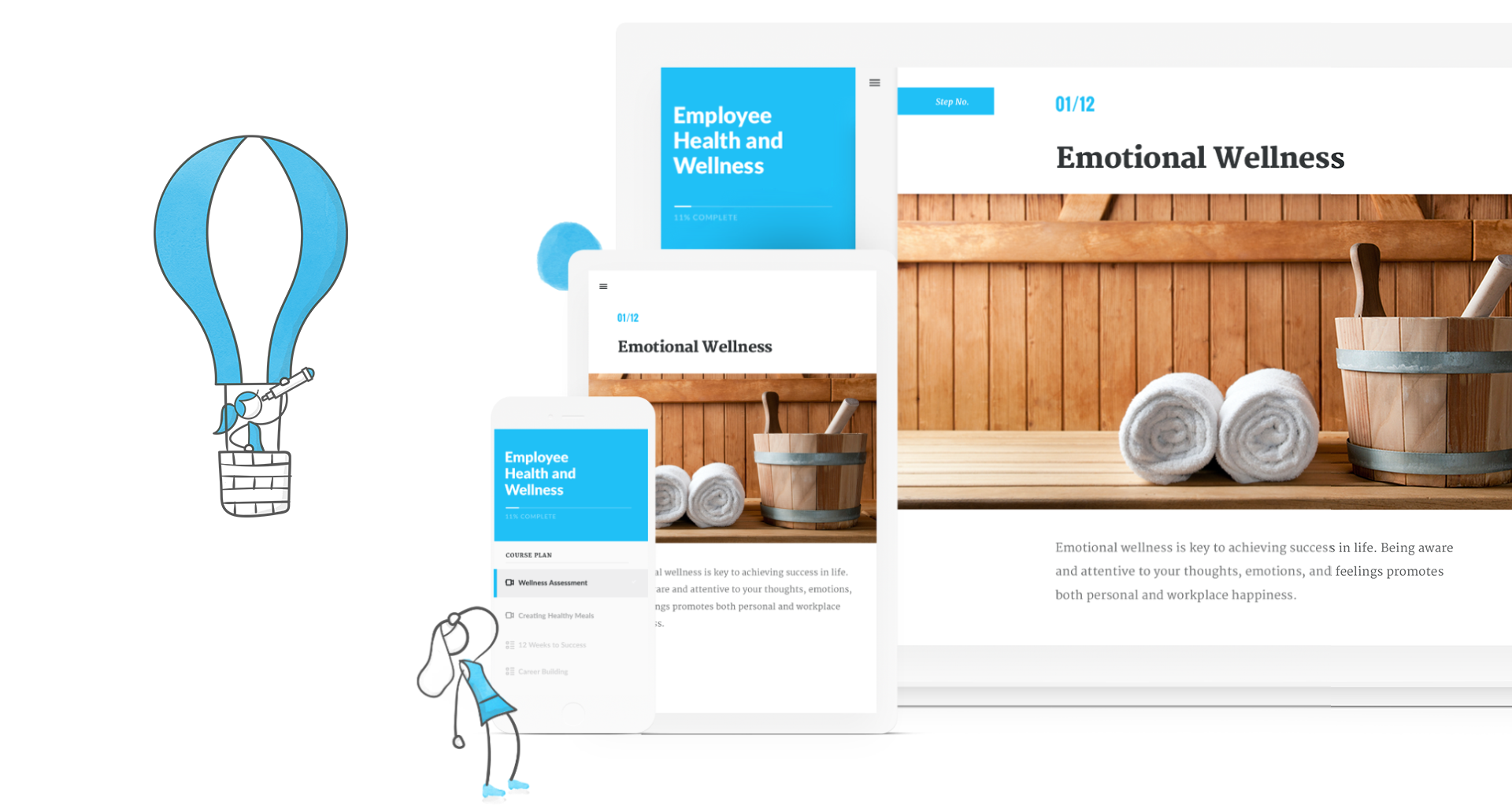
creating a course in Rise
Articulate 360
Storyline 360
Rise 360
Content Library 360
Review 360
Articulate 360 Training

1 / 7

Articulate is great community is fantastic

Use Cases and Deployment Scope

We use Articulate 360 to build, review, revise, and publish courses to our restaurant level leaders. We focus on training for various leader levels to prepare them for their roles, help them perform tasks correctly and consistently, and deliver great guest and employee experiences. There’s a lot of collaboration that we use Articulate’s features for.

Pros

  • Consistency
  • easy of learning the tool
  • Makes collaboration easy

Cons

  • Creativity - more options to deviate from the standardized options and try new things.

Return on Investment

  • We have trouble measuring ROI, but it certainly cuts development time down. Especially now that we have AI features.

Usability

Alternatives Considered

Adobe Captivate

Other Software Used

Adobe InDesign, Adobe Illustrator CC, Adobe Premiere Pro

Set 5 STARS to value TRUE when user clicks ARTICULATE

Use Cases and Deployment Scope

My team and I (along with 6 other teams spread across the company) use the Articulate suite to create engaging content for learners ranging from external general contractors, to engineers in manufacturing facilities to corporate employees and executives. Our content ranges from increasing the engagement of simple Job aids, construction standards, and tool walk-throughs, to complex 360 degree immersive simulations of dangerous environments to reduce risks during training.

Pros

  • Unrivaled Power and Customization. After 15 years in the training industry, Storyline 360 remains my favorite tool because it is, simply put, the most powerful authoring tool I have ever used, giving me complete creative control.
  • Advanced Interactivity. I love being able to 'overengineer' content using Triggers, Variables, States, and Layers, which allows me to build the most sophisticated and deep functionality.
  • Superior to Basic Tools. Storyline's capability to build detailed branching scenarios and realistic simulations sets it leaps and bounds apart from basic tools like PowerPoint, which is essential for high-impact training.

Cons

  • The 360 image activities in Storyline have limited features, but the limitations are mostly avoidable. I just like to over-engineer!
  • The Storyline block integration in Rise can be temperamental depending on your window size, small being too small, and full width requiring scrolling up and down. Again, easy to adjust, by zooming, full screen, etc.
  • Question banks cannot be accesses more than once without possibly repeating questions, unless you tie variables and triggers to them to remove answered questions. (again, resolvable as is, just extra steps)

Return on Investment

  • The immersive 360 image activities allowed us to train our field engineers on dangerous topics and environments like electrical safety and on-site safety without even putting a hard hat on.
  • The new AI outline features have decreased our time-to-product by at least 30%
  • The use of a single suite of tools, (along with the creative cloud) led to decreased annual costs over alternative piecemeal solutions.

Usability

Other Software Used

Adobe Illustrator CC, Adobe PhotoShop

Articulate 360 is my go-to suite of e-learning tools

Use Cases and Deployment Scope

Articulate 360 is a powerful suite of tools for authoring E-Learning at my company. Rise allows me to create engaging trainings that present extremely well visually, but with rapid production times. Storyline allows me to create E-Learning with very sophisticated activities and technical animations. We choose Rise or Storyline based on a training's parameters and production time. Rise, being cloud-based and templated, looks great and development time is shortened. It has a big enough feature set to be engaging for the learner. We turn to Storyline when we need custom features or a more involved project (animation, branching, gamification, etc. )

Pros

  • Flexibility of e-learning production environments
  • A suite with focused tools that integrate extremely well
  • Industry standard software with some of the best training content by user groups and Articulate staff

Cons

  • Feature suggestions take a long time to be added to the software
  • Would like to see deeper options for some of the learner engagement activities (Drag and drop, sliders, etc. )
  • Occasionally will not save as expected, and you have to create a copy to keep working on a project

Return on Investment

  • The addition of AI authoring tools in both Storyline and Rise saves us approximately 20% of production time when building trainings.
  • Rise is used extensively throughout our company for its accessible interface and cloud based delivery.
  • Our Learning and Development team objective to deliver targeted trainings to a specified audience is greatly enhanced by the feature set of Articulate 360, and are considered indispensable authoring tools for what we do

Usability

Alternatives Considered

Adobe Captivate

Other Software Used

Adobe Illustrator CC, Adobe PhotoShop, Camtasia, Snagit

Articulate 360 review

Use Cases and Deployment Scope

We use Articulate 360 to build quick templates and e-learning courses for a multitude of learning purposes. I personally develop all training internally with the intention to review and distribute in a timely manner. Currently I use the AI features for voiceovers character, introductions, narrative story work and updated old templates and courses. The AI generation feature has sped up my work time for custom backgrounds, characters artwork and General custom themes.

Pros

  • High volume of prototyping feedback and interaction with members, incorporating them into the development of process.
  • I really like the use of the AI generation feature. It’s quick as simple and it provides not only detailed options but in case you don’t like those options, you can still save them for a review later.

Cons

  • I would like to see the template feature updated and fixed it right now. It has one variation of size and I would like to see a multitude of different sizes in mobile platforms, e-learning courses designed for YouTube or any other interactions presentation size things of that nature. Right now it’s limited to that standard format.
  • I would like to see the morph tool modified slightly more with some animation features like secondary Morse, if you can add or merge different images and put a secondary morph in to where you can make characters walk a little bit or maybe avatars that actually talk.

Return on Investment

  • Has been at the training process so we can release new content swiftly and introduced. Introduced it to new member.
  • Storyline has helped build prototypes and wire frames. Provide feedback and allowed many different situations to be viewed for brains. Brainstorming.

Usability

Alternatives Considered

Canva and Microsoft Powerpoint

Other Software Used

Adobe PhotoShop, Adobe Premiere Pro

We love it and also were stuck with it

Use Cases and Deployment Scope

Fast, agile, flexible, and maintainable online courses that meet current trends in online learning design, mobile adjustments, and workforce interests.

Limited options for interactive building helps us determine the best interactive quickly without overwhelming us with options and customizations.

BUT Storyline does offer the customizable interactive if we need it and we do need it sometimes to do our immersive learning that is required for skills trades and blue collar jobs.

Pros

  • SCORM and xAPI publishing for LMS integrations
  • Versioning for reviews and iterations of a course
  • Searching content and sharing assets and blocks
  • Review collaboration without needing a subscription for SMEs and Stakeholders
  • Team Collaboration and shared content ownership
  • Clear subscription model with seamless renewal

Cons

  • Pricing on the localization is limiting to us right now. We’d love to use it but cannot justify the expense for our leadership.
  • Storyline trigger simplification or build wizard (if there is one, I haven’t clearly seen it)
  • Online Learning Content that is next level beyond beginner and intermediate.
  • More frequent opportunities for beta testing new features and giving feedback

Return on Investment

  • Increased training completion
  • More device flexibility
  • On the go learning we didn’t have before
  • Quick learning design development for fast business change

Usability

Alternatives Considered

iSpring Suite, Adobe Captivate, Vyond, Camtasia, Adobe Illustrator CC, Canva and Docebo Learning Platform

Other Software Used

Camtasia, Vyond, Docebo Learning Platform