TrustRadius: an HG Insights company

Budgyt

Score8.9 out of 10

61 Reviews and Ratings

What is Budgyt?

Budgyt is a dynamic FP&A platform that simplifies budgeting, forecasting, and reporting. It offers a single source of truth for CFOs and finance teams to integrate financials, streamline processes, and manage multiple departments.

Media

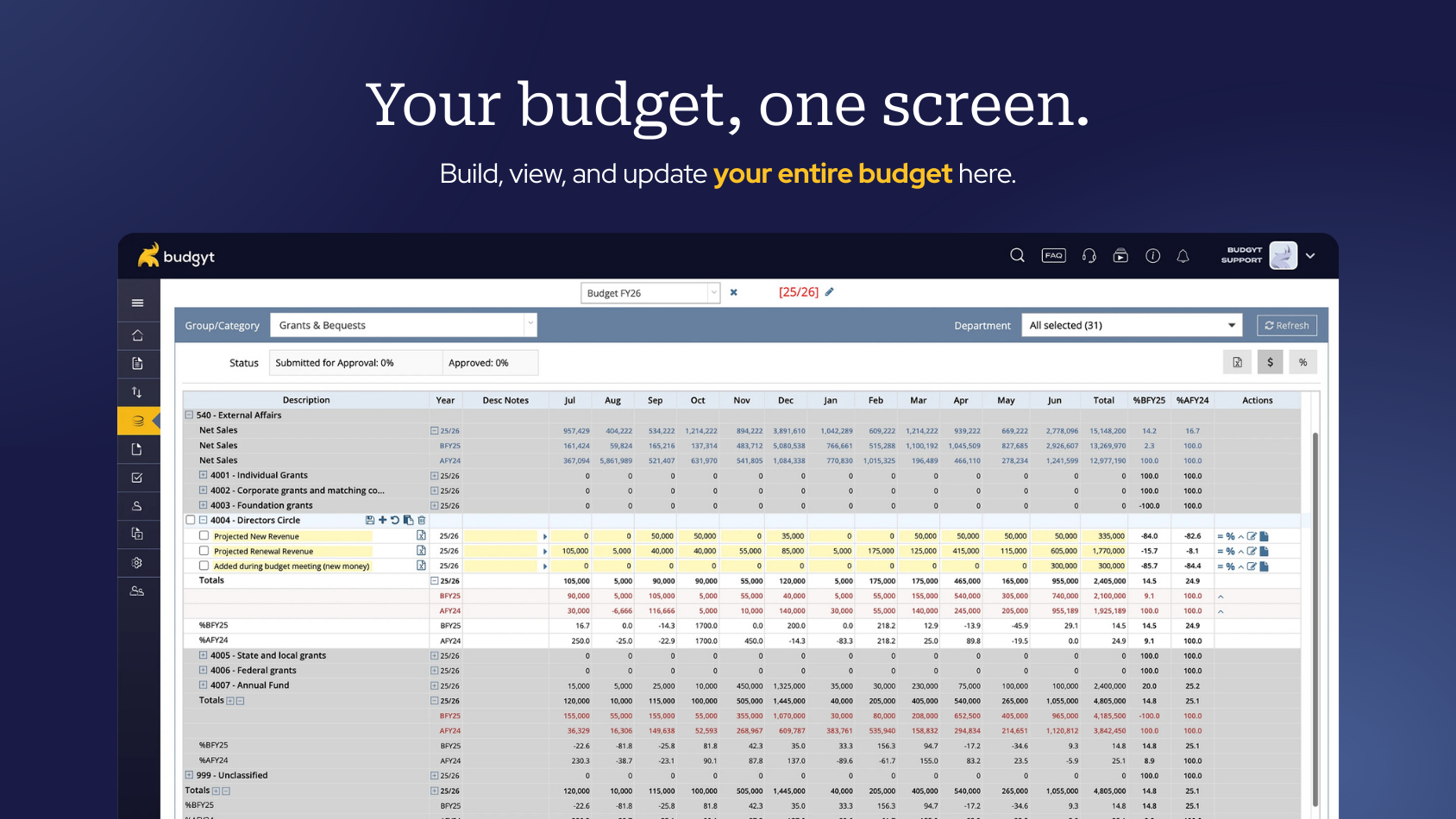
the budgeting interface
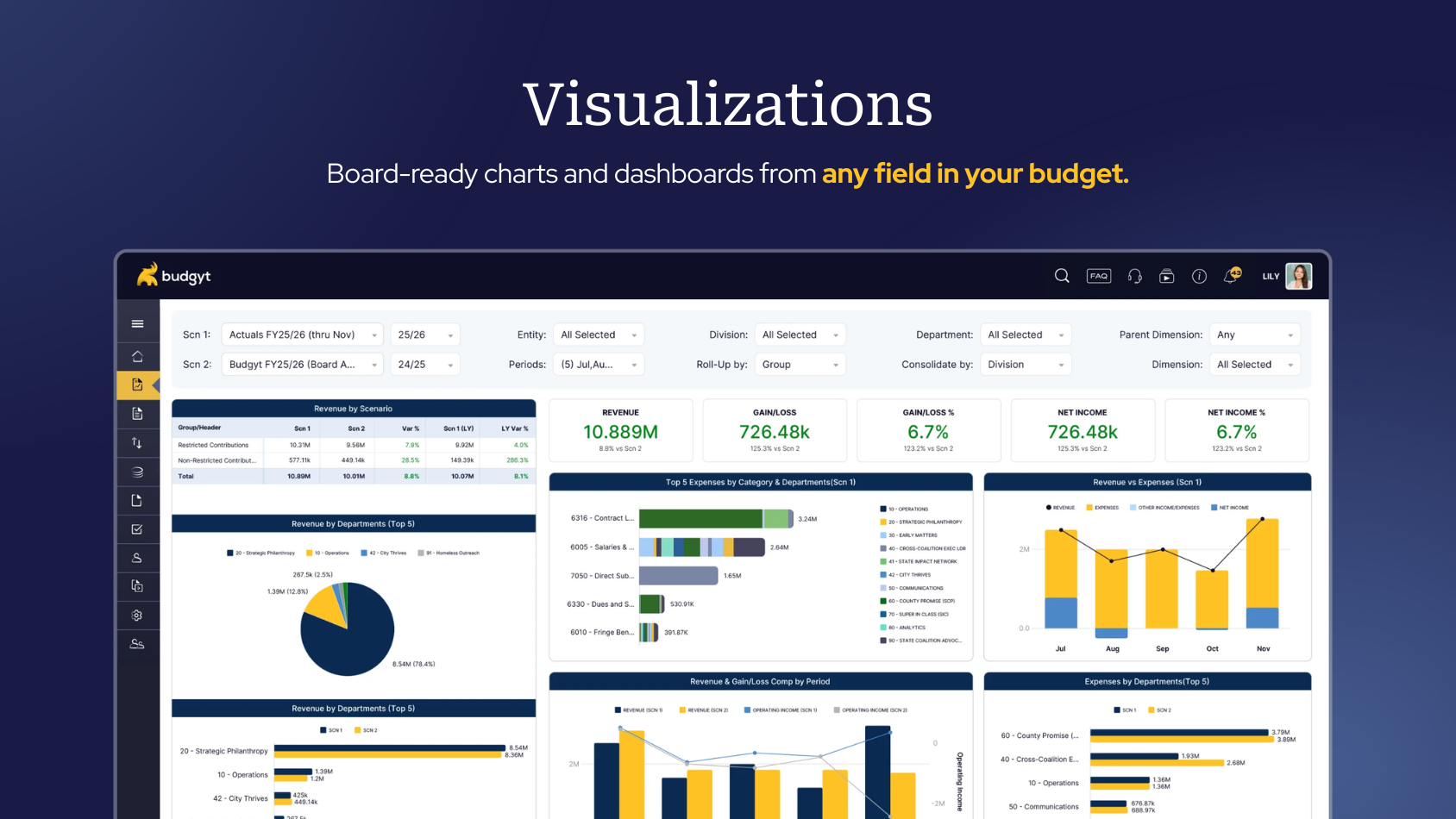
board-ready charts and dashboards available from any field in a budget.
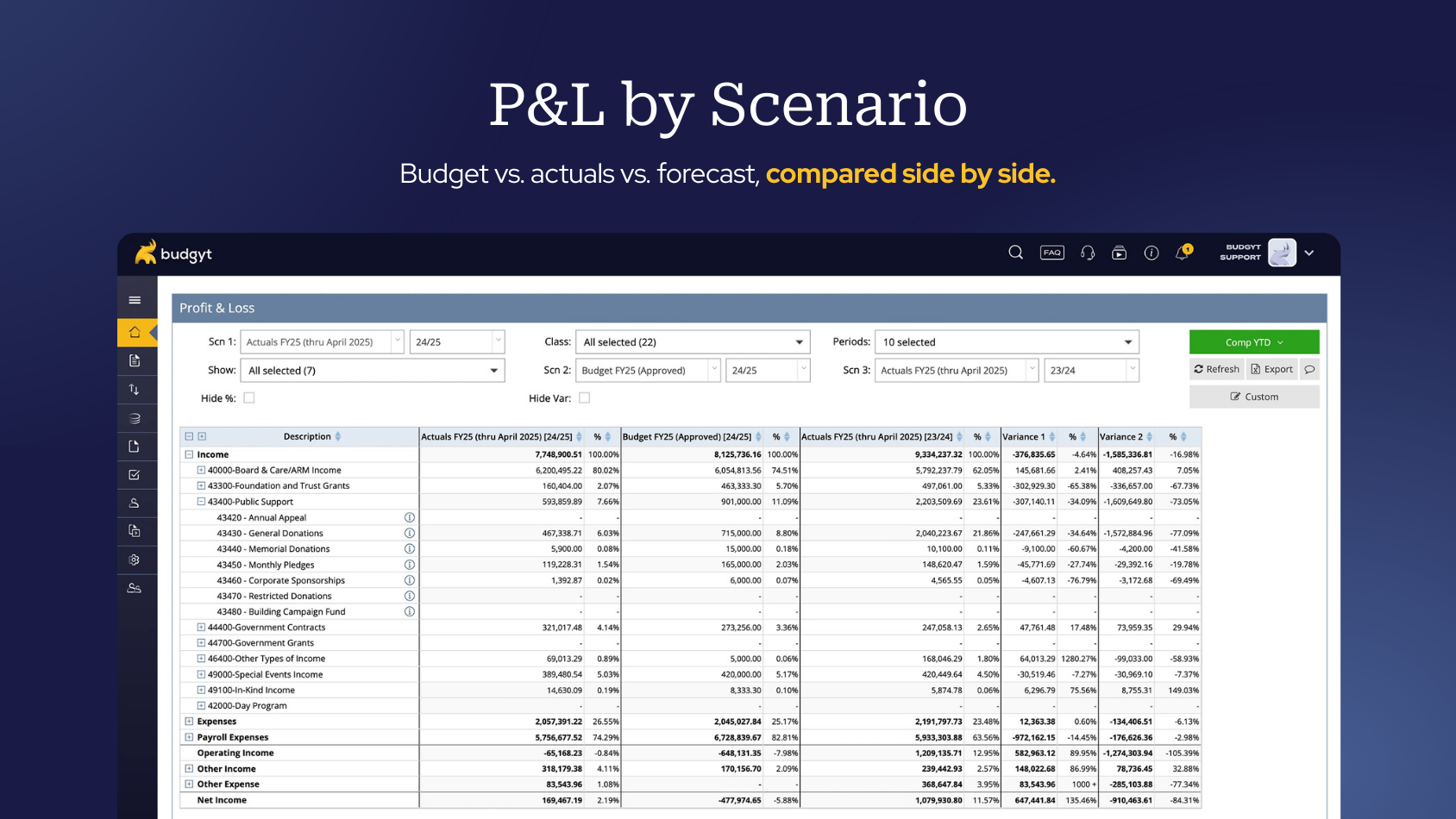
P&L by Scenario
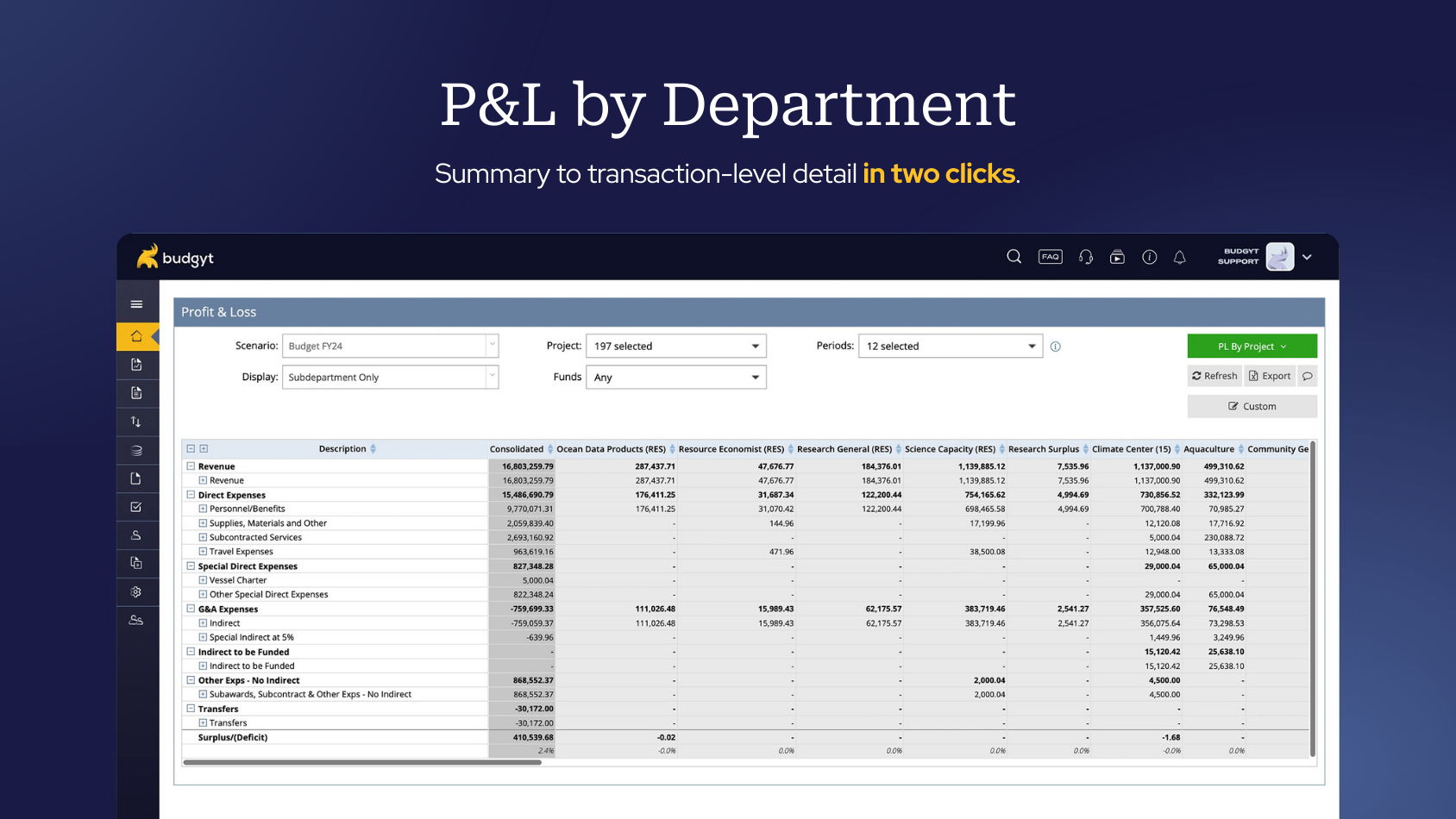
P&L by Department
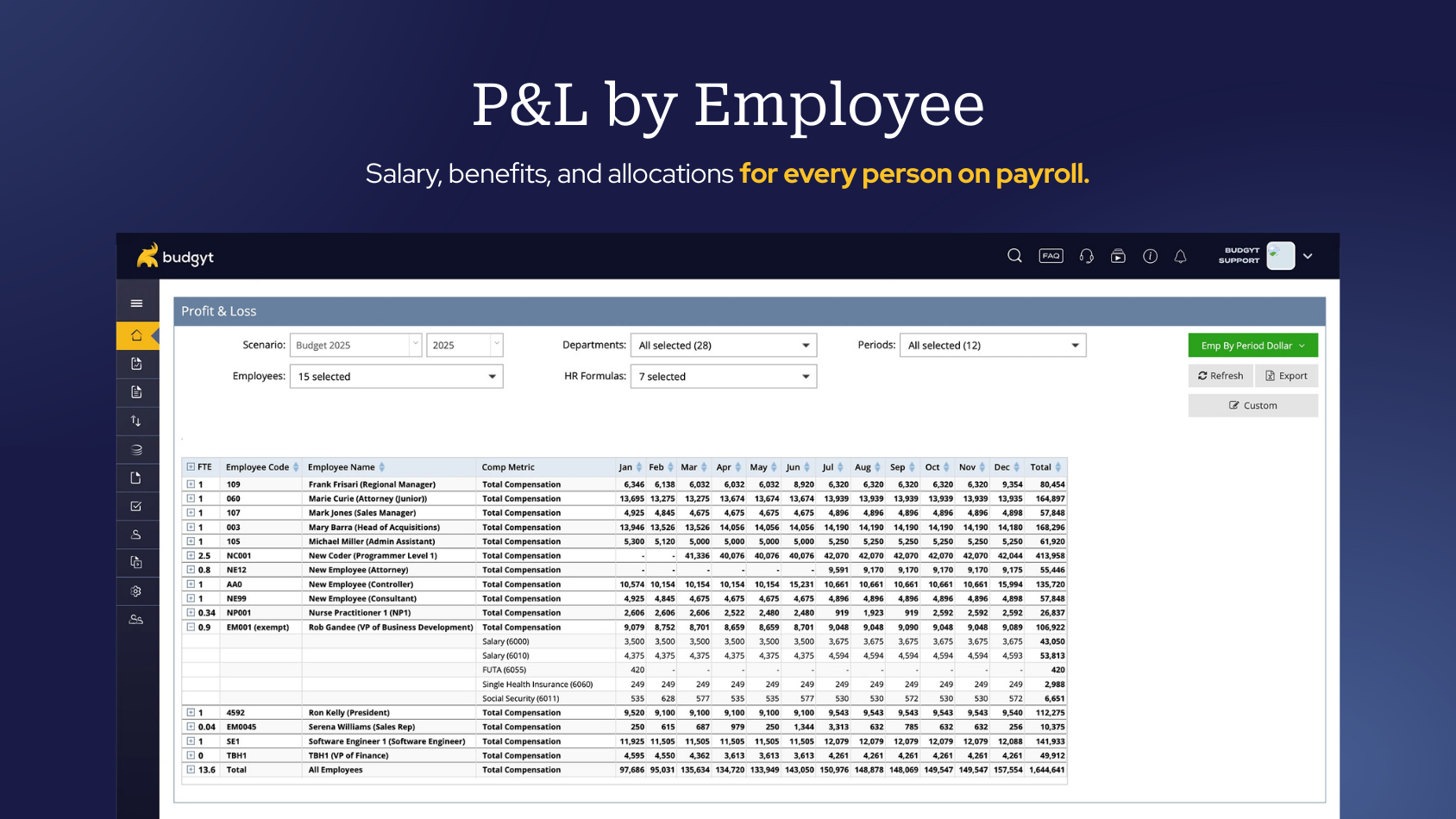
P&L by Employee
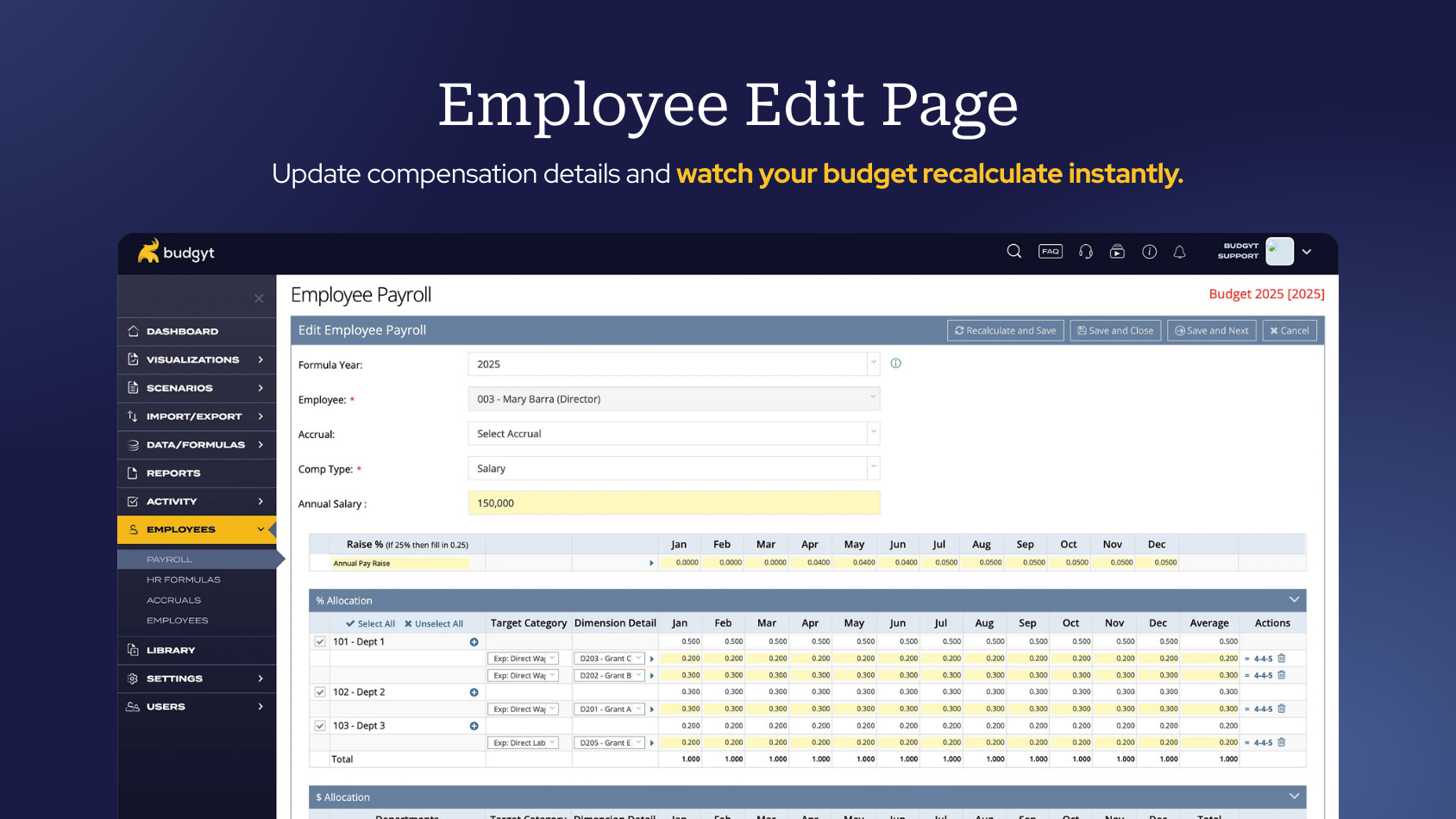
the Employee Edit Page

1 / 6

Top Performing Features

  • Financial budgeting

    Annual budget for revenue and operating expenses, headcount/compensation, capital expenses, projects, etc.

    Category average: 9.5

  • Management reporting

    Budget vs. actual or forecast, P&L’s, performance over time, between products etc.

    Category average: 9.6

  • Budget Customization

    Customizable templates and forms for performance visualization

    Category average: 9

Areas for Improvement

  • Personalized dashboards

    Create custom dashboards and reports without the help of IT or administrators.

    Category average: 8.2

  • Key Performance Indicator setting

    Ability to set key performance indicators for measuring progress towards goals.

    Category average: 8.1

  • Automated Budgeting

    Automated reporting and cash flow tracking reacts to real-time changes to more efficiently plan budgets.

    Category average: 7.7

Good Budget for Accoutants

Use Cases and Deployment Scope

We use Budgyt to create our budget for the current year. We use it for Forecasting future years and can even compare the forecasts for multiple scenarios. The reporting feature is used to created detailed reports specific for whichever employee needs it. Our monthly financial data is entered and reviewed on Budgyt as comparisons is much easier.

Pros

  • Forecasting
  • Reports
  • Budget/Data Comparison
  • Formulas and KPIs

Cons

  • Importing could be more user friendly.

Return on Investment

  • Time savings for reviews and meetings
  • We anticipate much less time to be used on the budget next year
  • Our YOY comparisons have become easier viewing multiple years

Usability

Alternatives Considered

PlanGuru

Easy financial insight

Use Cases and Deployment Scope

I use Budgyt to manage the budget and financial reporting for our non-profit organization. It allows us to easily view actuals and update projections using our cost-centered model. I love the ease of dissecting financial information through multiple dashboard views.

Pros

  • Provides multiple ways to view the data
  • Allows for multiple scenarios
  • Allow easy comparison to prior periods

Cons

  • Data entry screen can be a little cumbersome.

Return on Investment

  • Saved significant time over the excel sheets we were previously using.
  • Quickly allows different views of budget data for easy comparison
  • Positive investment for us. Savings over other similar tools.

Usability

Other Software Used

Sage Intacct, Microsoft Excel

Something better than Excel

Use Cases and Deployment Scope

I use Budgyt for budgeting and forecasting in our nonprofit, which previously relied on a cumbersome Excel system. Budgyt is intuitive and easy to use, though improvements in automation would be beneficial. The setup was straightforward and I'm very likely to recommend it, rating it a 10.

Pros

  • expense to budget
  • automation
  • SUPPORT

Cons

  • Would love to see more automation

Return on Investment

  • We have had the product in place for less than a year and have yet to roll it out to the full management team. I know that this will be a huge tool for managers as they are always telling me that they are approving expenses even though they do not know their budget!

Usability

Alternatives Considered

Microsoft Excel

Other Software Used

QuickBooks Online Advanced, Ramp

Budgyt is great for Budgets!

Use Cases and Deployment Scope

We use Budgyt in our organization to simplify the process as we have over 200 line items. We work on the budget once a year and being able to create notes within the system helps provide information that may have been forgotten over time. Also, the recorded sessions that Budgyt provides during training serves as a refresher to me or any new team member that needs to learn the software. I also use their customization services to provide charts to present at board meetings, which is very helpful.

Pros

  • The software provides ease in making edits and changes while working with many scenarios that can be created within the platform.
  • The visualizations are extremely helpful for presentations.
  • Provides recorded training sessions to review at any time when learning the software
  • The team works hard to provide great customer service
  • Budgyt Team works hard to customize our reporting to meet our needs each year as we grow.

Cons

  • Creating a symbol to click on to import from the software to the Desktop version of QuickBooks

Return on Investment

  • Reduced amount of time to create a budget
  • improved insight into variances from previous year to determine activities causing change.
  • used website with Board Members to work in real time to adjust budget for finalization.
  • reports can be shared with employees easily
  • Customized Visuals help board members to see the overall financial insight in order to make better decisions for cost effectiveness.

Usability

Other Software Used

OneSaas by Quickbooks, QuickBooks Desktop Premier, Servant Keeper

Great Product for Mid-Sized Organizations

Use Cases and Deployment Scope

Budgyt is our financial planning and analysis software, used primarily for distribution of monthly financials to all department heads and for the annual budget build/approval process

Pros

  • Budgyt has a strong hierarchy structure (i.e. department, program, project) for roll up of various functions into their department
  • Allocation of shared costs, especially salary and benefits across various funding sources
  • Quick and easy switching between views (i.e. actual to budget, 3-year actual trend, 3-year budget trend)

Cons

  • Visualizations integration into core product
  • Balance Sheet functionality in core product

Return on Investment

  • Allowed us to move from a very onerous manual spreadsheet-based annual budget process, where consolidation was difficult and time consuming, to a fully-online cloud-based product.
  • Individual department head logins with security to restrict access to only what they should see. We have over 20 different departments, so the ability to enable a user at setup to see only their departmental results is an improvement over the manual security Finance maintained in the spreadsheet world.
  • Drill down into monthly financial results at the journal line level makes it easier for management and department heads to verity their financials. Previously, any unknown transactions were manually submitted to Finance with a question as to what was the vendor and/or payment associated with.

Usability

Alternatives Considered

Workday Adaptive Planning

Other Software Used

Microsoft Excel, QuickBooks Desktop Enterprise