TrustRadius: an HG Insights company

EmpXtrack

Score8.9 out of 10

2 Reviews and Ratings

What is EmpXtrack?

EmpXtrack is a comprehensive cloud-based HR software that covers the entire lifecycle of an employee. It offers configurable and customizable features, allowing business managers to optimize their people's full potential. The "Build your own HR" feature enables users to start immediately with an evaluation of the product and add more functionalities as per their evolving needs.

The tool automates several processes related to human resource management such as performance appraisal, talent acquisition, reporting, self-service for employees, and human capital management. Empxtrack is designed for mid-to-large size organizations that aim to improve their employee experience by streamlining most HR-related activities via Engage-Measure-Process-Excel methodology.

Empxtrack offers a free HR portal suitable for up to 25 employees providing features like an employee database, leave tracking attendance reports making it ideal for small businesses. Furthermore,the software can be highly customized by businesses across North America, Middle East and Asia meeting specific requirements. With round-the-clock customer support available from five different time zones around the world.

Media

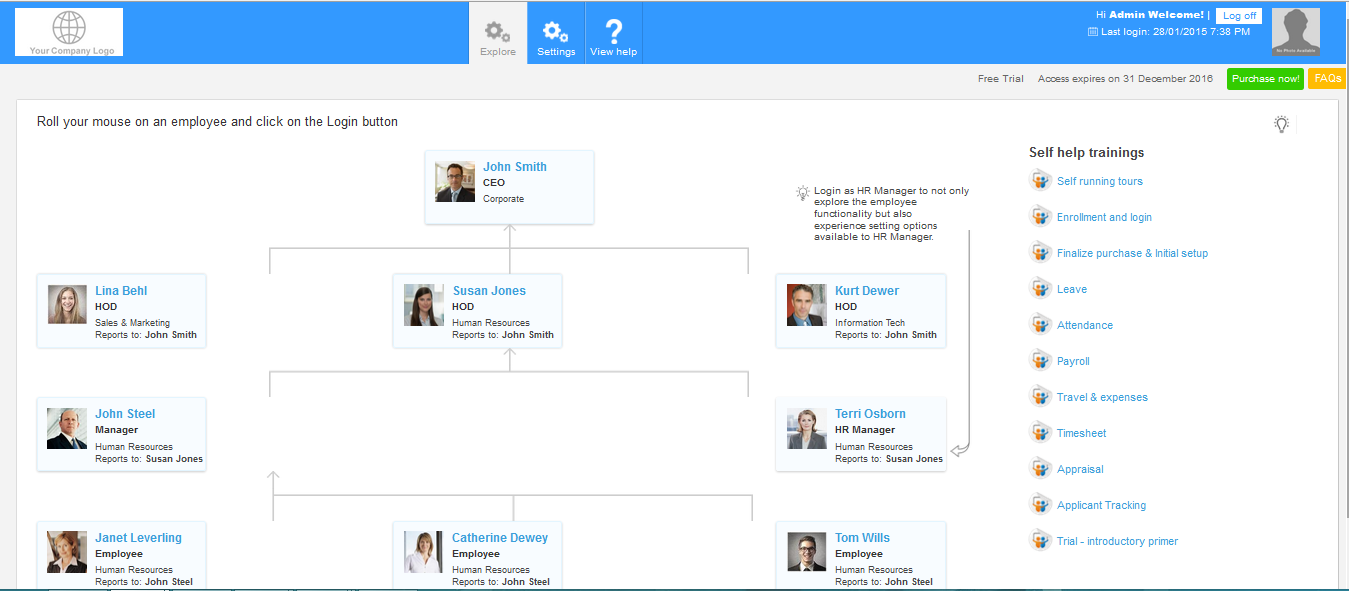
Screenshot of This is administrator's homescreen of the product which displays a typical organizational chart with help tutorials in the right menu and the top navigation bar where settings can be configured
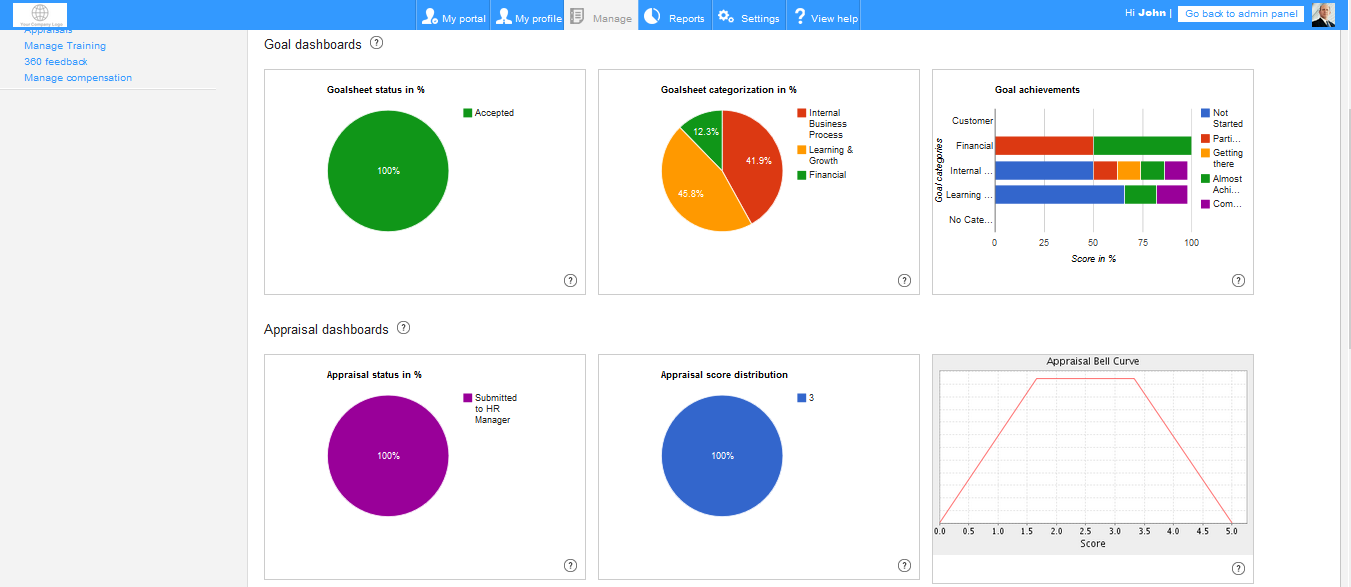
Screenshot of The screenshot displays a manager's performance dashboards with the goals dashboard and appraisal dashboards visible in the image. Additionally, the manager can manage 360 feedback and training of his employees
Screenshot of The screenshot displays Employee Self Service feature where an employee can add/edit his personal details, manage his travel & expense reports, attendance, leave, timesheet and self-appraisals

1 / 3

Screenshot of This is administrator's homescreen of the product which displays a typical organizational chart with help tutorials in the right menu and the top navigation bar where settings can be configured