
TrustRadius: an HG Insights company

EZ Texting

Score9.1 out of 10

410 Reviews and Ratings

What is EZ Texting?

EZ Texting provides businesses and organizations with a text marketing solution, including features and integrations to keep conversations going. The solution can be used by businesses to connect with their audiences. It can be used to send promotions, promote a new product, build brand awareness, or drive traffic to websites or storefronts.


EZ Texting Key Features


EZ Texting's features are designed to enhance the effectiveness of text marketing efforts. Some include:


  • Two-Way Messaging: Allows customers to reply to messages, ask questions, or provide feedback, creating opportunities for meaningful engagement and dialogue.

  • Mass Texting: Personalized messages sent to large groups of contacts with just a few clicks, maximizing reach and engagement.

  • Keywords: Unique words or phrases that customers can text to a designated number, triggering automated responses or actions and streamlining communication and engagement processes.

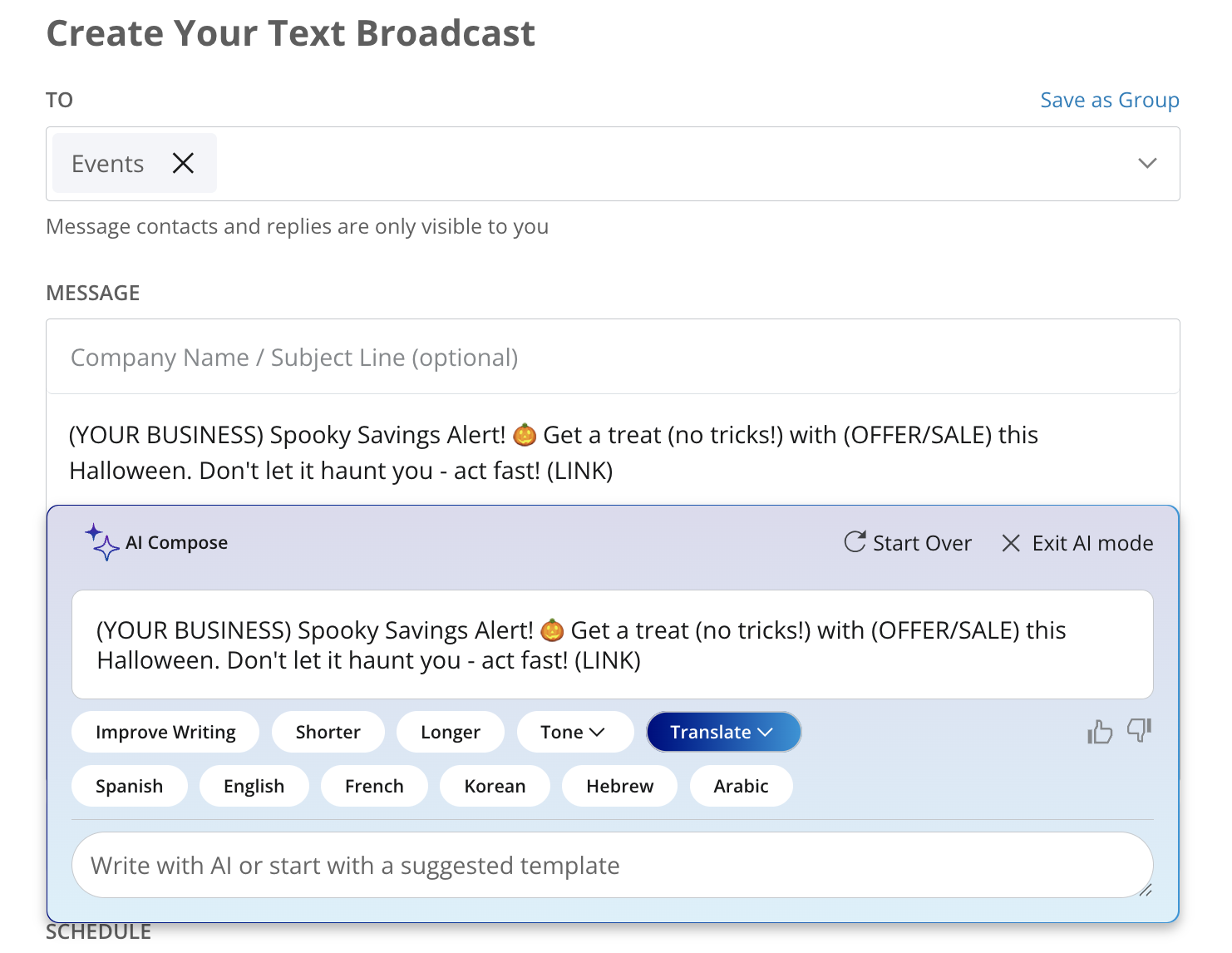
  • Generative AI: AI Compose and Team Inbox allows businesses to craft personalized messages and manage customer interactions.

  • Workflow Automation: Send texts triggered by actions and events to boost engagement and drive conversions.

  • Text Templates: Pre-written content in-app for customer communication, saving time and ensuring consistency in messaging.

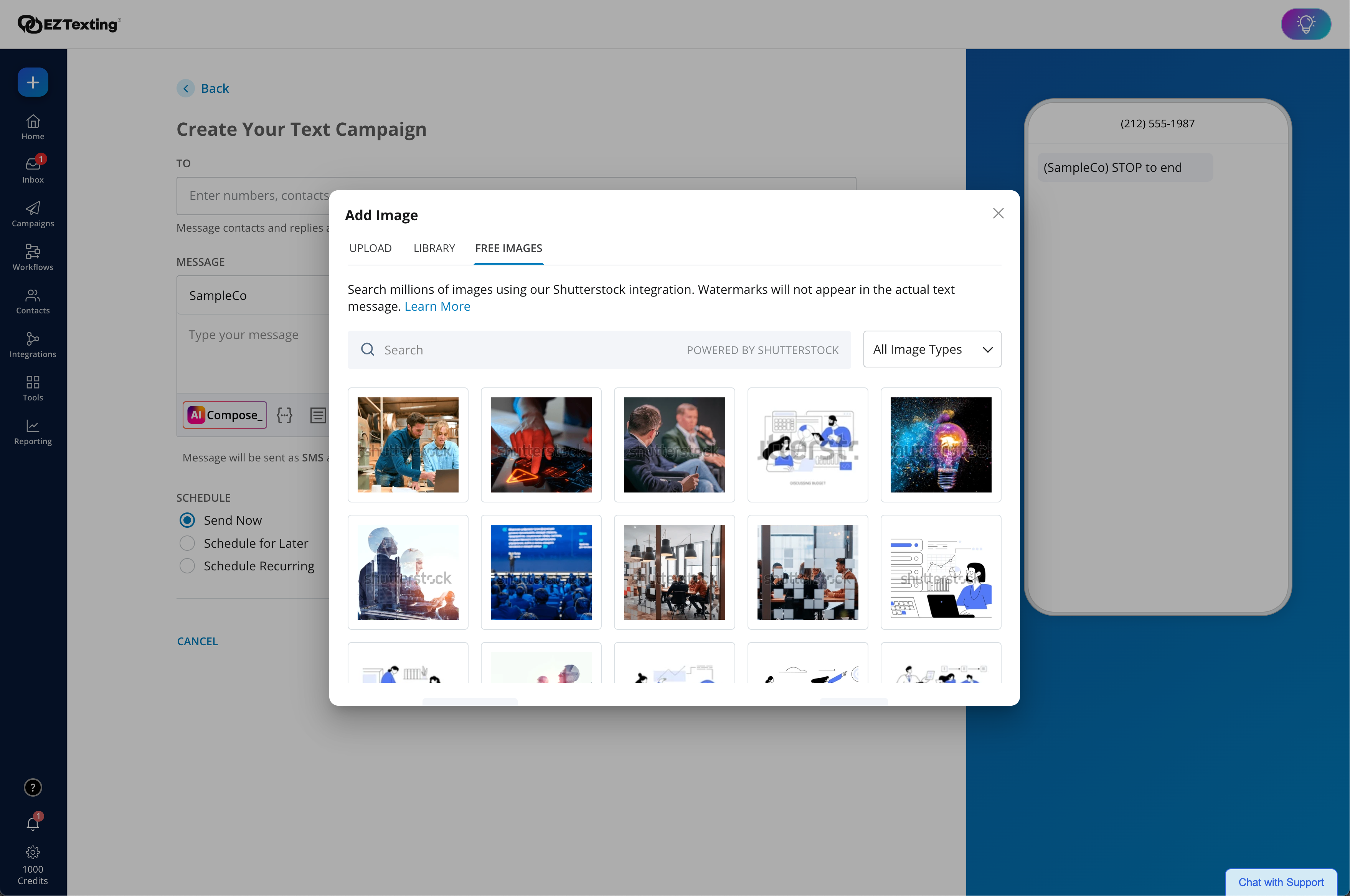
  • MMS Edge: Enhanced Image Library + Editor powered by Shutterstock
  • Contact Management: Contact list management, where contacts are organized into groups for targeted messaging.

  • Personalization: Engaging and relevant messages that use the recipient's name, location, or other custom fields.
  • Growth Tools: QR codes, Keywords, Sign-Up Forms, and Click-to-Text to grow a contact list.
  • Scheduling: Campaign planning with scheduled messages to be sent at the optimal time for maximum impact.

  • Integrations: EZ Texting connects to apps like Zapier, Constant Contact, Hubspot, Mailchimp, and Squarespace.

  • Analytics: Real-time tracking for text campaigns with analytics and reporting tools that monitor delivery rates, click-through rates, and conversion metrics.

  • Compliance: EZ Texting provides built-in compliance guidance to help navigate the legal landscape of text marketing.


Media

EZ Texting Dashboard: View recent activity, upcoming campaigns, and access AI Assistant.
Enhanced Image Library + Editor: Our enhanced Shutterstock integration helps you unlock and edit 450+ million free images and 20k design templates, giving you the license to create more scroll-stopping texts.
AI Compose: Create engaging messages instantly with emojis, helpful templates, easy editing, multilingual translations, and more.
Workflows: Effortlessly send texts triggered by actions and events to boost engagement and drive conversions. With a drag & drop editor, technical expertise or code is never required.
Quickly create engaging texts with built-in tools, including AI Compose, to add personalization, trackable URLs, media, and more! Stay compliant with EZ Texting's SafeSTOP® feature.
Reporting Made Easy: Get delivery confirmations, check on bounce rates and view opted-outs.
Contact Management and List Growth Tools:
After Hours Workflow Template
Multilingual texting: Communicate confidently in six languages with built-in AI translation
The calendar view, used to visually organize scheduled campaigns.
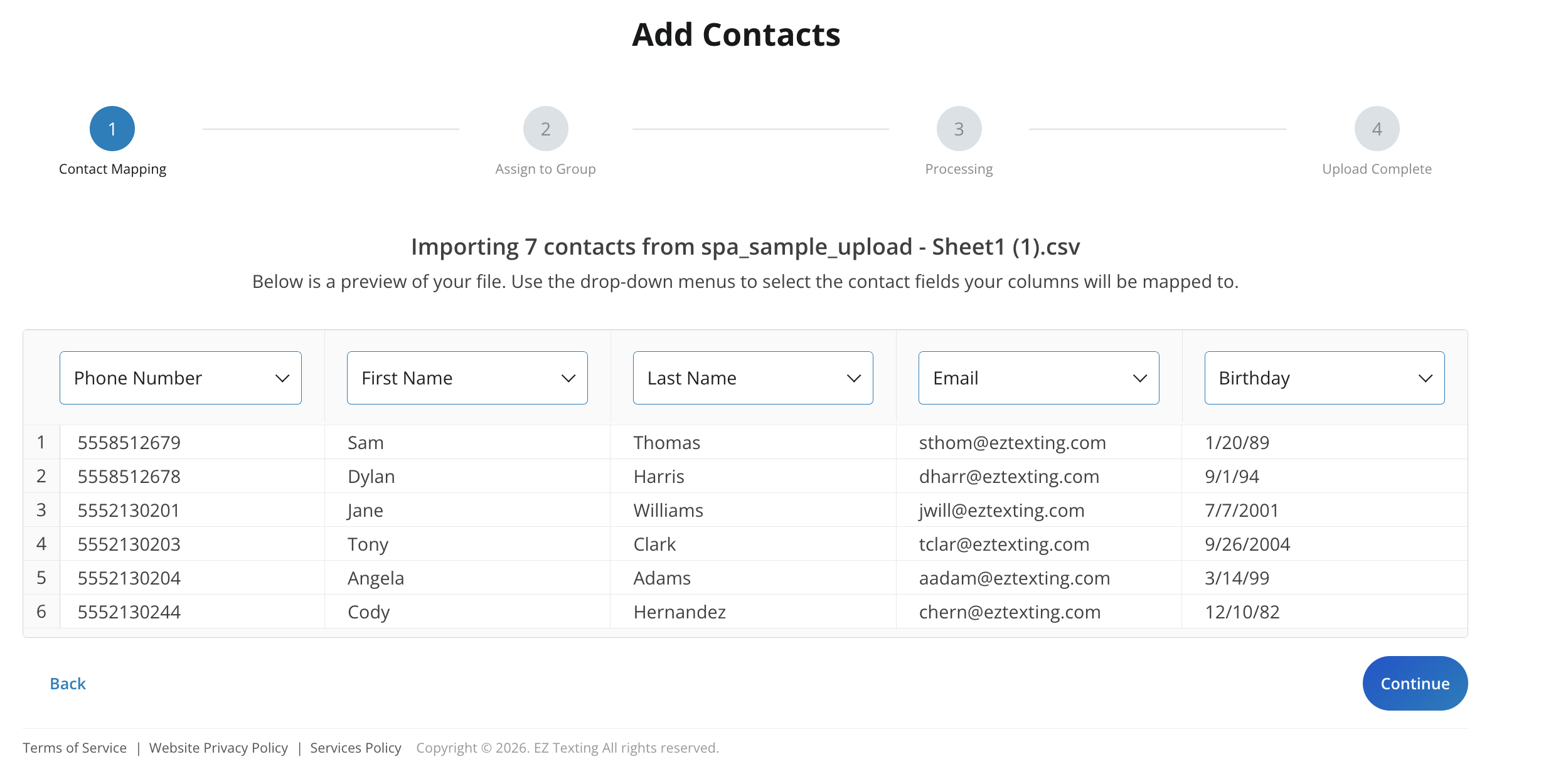
The dashboard to upload multiple contacts simultaneously.

1 / 11

1010

Use Cases and Deployment Scope

We use EZ Texting at the Land Trust as primary outreach and community engagement tool. It allows us to quickly and effectively share information about out free events, workshops, and community programs with residents across neighborhoods we serve.

The main business problem EZ Texting addresses is timely and accessible communication. It also reduces missed events and increase participation by providing clear reminders and updates.

The scope of our use includes event promotion, workshop reminders, last-minute updates, and ongoing engagement with community members who had opted in to receive communications. This supports our mission by increasing awareness, attendance, and equitable access to our free resources and services.

Pros

  • Very easy to navigate
  • Fast working
  • Good price

Return on Investment

  • growing our contact list
  • deliverability rates for mass and group texts

Usability

EZ Texting Helped Grow My Business

Use Cases and Deployment Scope

Our business has a ton of new leads coming in on a regular basis, but since we're a small company it was impossible to contact and follow up with all of them. Since using EZ Texting, we've been able to follow up with leads immediately and help out so many more clients in the process. EZ Texting has helped us double our revenue while keeping a more constant communication flow with our current clients.

Pros

  • EZ Texting makes it easy to send out text messages to large groups at the same time.
  • EZ Texting's customization options that allow you to add the contact's name is a great feature.
  • EZ Texting's workflows have helped my team and I streamline communication with our current clients and leads.

Cons

  • The EZ Texting app doesn't allow you to separate messages by the number making it difficult to find the messages you're looking for.
  • The EZ Texting app also doesn't give the name of the contact you are messaging even if they are on your contact list.
  • EZ Texting doesn't offer an integration with Wix where our website is hosted.
  • Sometimes the in the inbox it doesn't show the initial message that was sent out making it difficult to know who to assign the message to.

Return on Investment

  • We've seen our close rates increase by about 20% because of the ability to automate follow ups.
  • We've been able to double the revenue of our business by capitalizing on our leads as they come in.
  • We've seen an uptick in customer satisfaction as well due to the streamlined communication through EZ Texting.

Usability

Alternatives Considered

SimpleTexting

Other Software Used

Wix

EZ Texting - Easy to use like the name

Use Cases and Deployment Scope

We use EZ Texting to communicate with our employees, and it's very efficient.

Pros

  • one on one communications
  • Sending mass texts
  • Receive responses in one platform.

Cons

  • Voice to text communication
  • Translation when replies come in spanish or chinese

Return on Investment

  • Easy to use for mass communication
  • Verifying responses
  • Send schedule changes

Usability

Other Software Used

Motive, Samsara Apps & Driver Workflows, Onfleet

Great Text Messaging Platform for Associations

Use Cases and Deployment Scope

We use EZ Texting to communicate with our association members. Our members often change jobs which makes keeping up with accurate email addresses for communications difficult. We have found most people will keep the same phone number, so text messaging has been a more effective way of communicating.

Pros

  • Allowing us to communicate with our members based on specific groups or areas.
  • Staying in touch with members we otherwise would have lost contact with.
  • Getting out urgent communications quickly.

Cons

  • We'd love to have EZ Texting directly integrate with Regfox, our event registration platform.
  • I feel like there are features that could be beneficial to us that we are not utilizing. It would be nice to have emails or webinars go out to customers highlighting everything EZ Texting can do.

Return on Investment

  • Our deliverable rates are much higher via text than emails.
  • We are able to secure additional registrations and revenue for our events, sponsorships, and membership due to the increased reach we have via text.

Usability

Alternatives Considered

Intuit Mailchimp, Constant Contact and RegFox

Other Software Used

RegFox, Hootsuite, Intuit Mailchimp, Constant Contact, Wix, ContentStudio

Saving Time and Money

Use Cases and Deployment Scope

We use EZ texting to reach our to our program participants (high school students) and the their parents to send information on scholarships, program activities, and meetings.

Pros

  • Easy to use and create groups to message
  • Clear tools and understanding of testing visuals
  • share date from tests sent

Cons

  • The website could be a bit upgraded, functionally is good but sometimes a bit of color can elevate your experience

Return on Investment

  • We have had increased scholarship applications
  • We have had increased programmatic engagement such as volunteer attendance and meeting attendance

Usability

Other Software Used

Jotform, Canva, monday.com