TrustRadius: an HG Insights company

Grist

Score9.9 out of 10

2 Reviews and Ratings

What is Grist?

Grist combines the capabilities of spreadsheets, databases and app builders. Using a familiar spreadsheet interface, information can be organized as a relational database, and dashboards built using drag-and-drop.

Solving spreadsheet problems
Ensures data is well-structured and stored in one place with no duplication, no spreadsheet-wrangling, no merging documents.

Collaboration on sensitive data
Data is protected with custom access rules that control permissions down to the cell, so that everyone can work from the same data without compromising privacy or stability.

Media

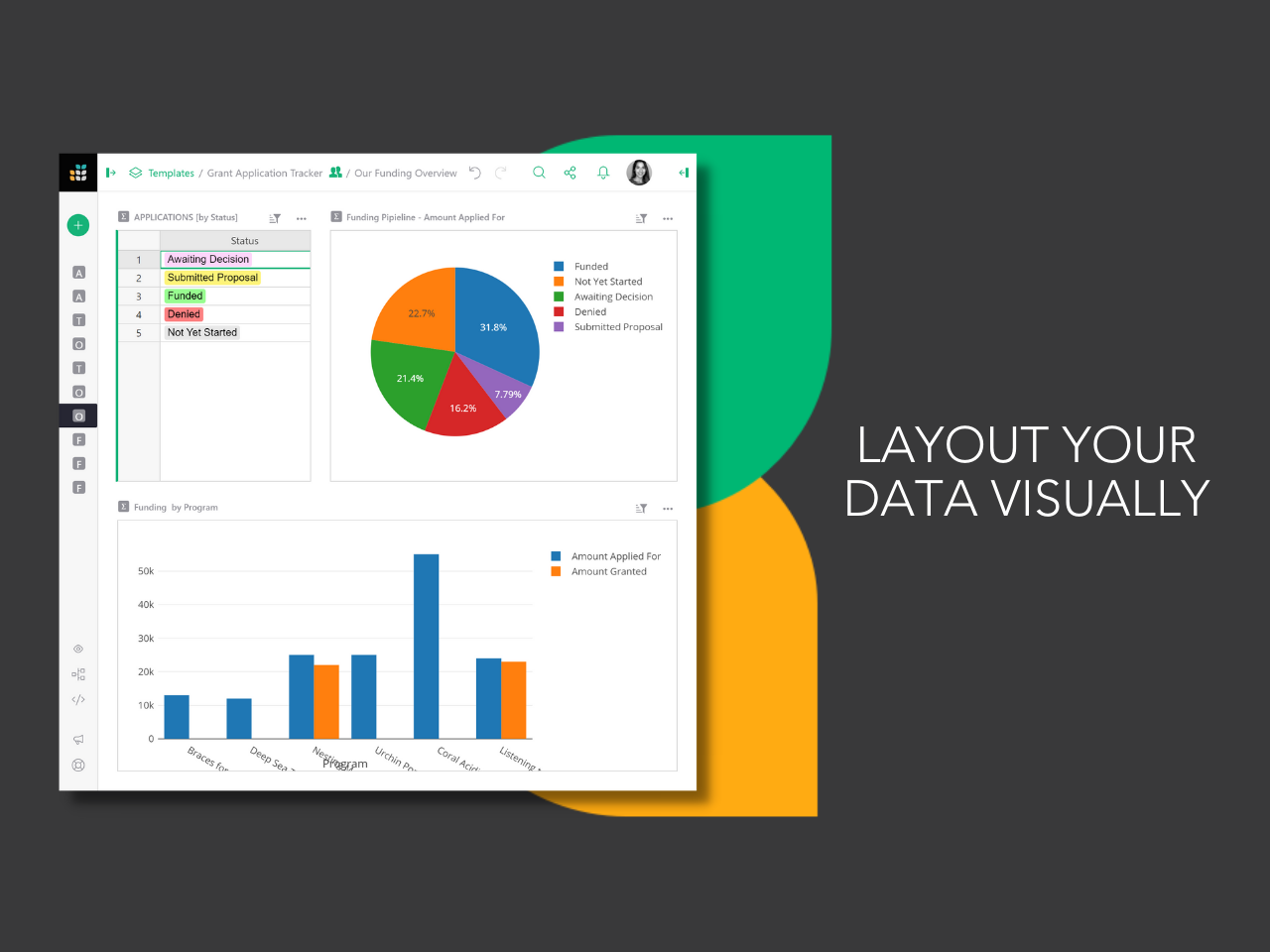
the drag and drop dashboard editor used to build layouts.
the custom user permissions that determine who can see what, down to each column and row.
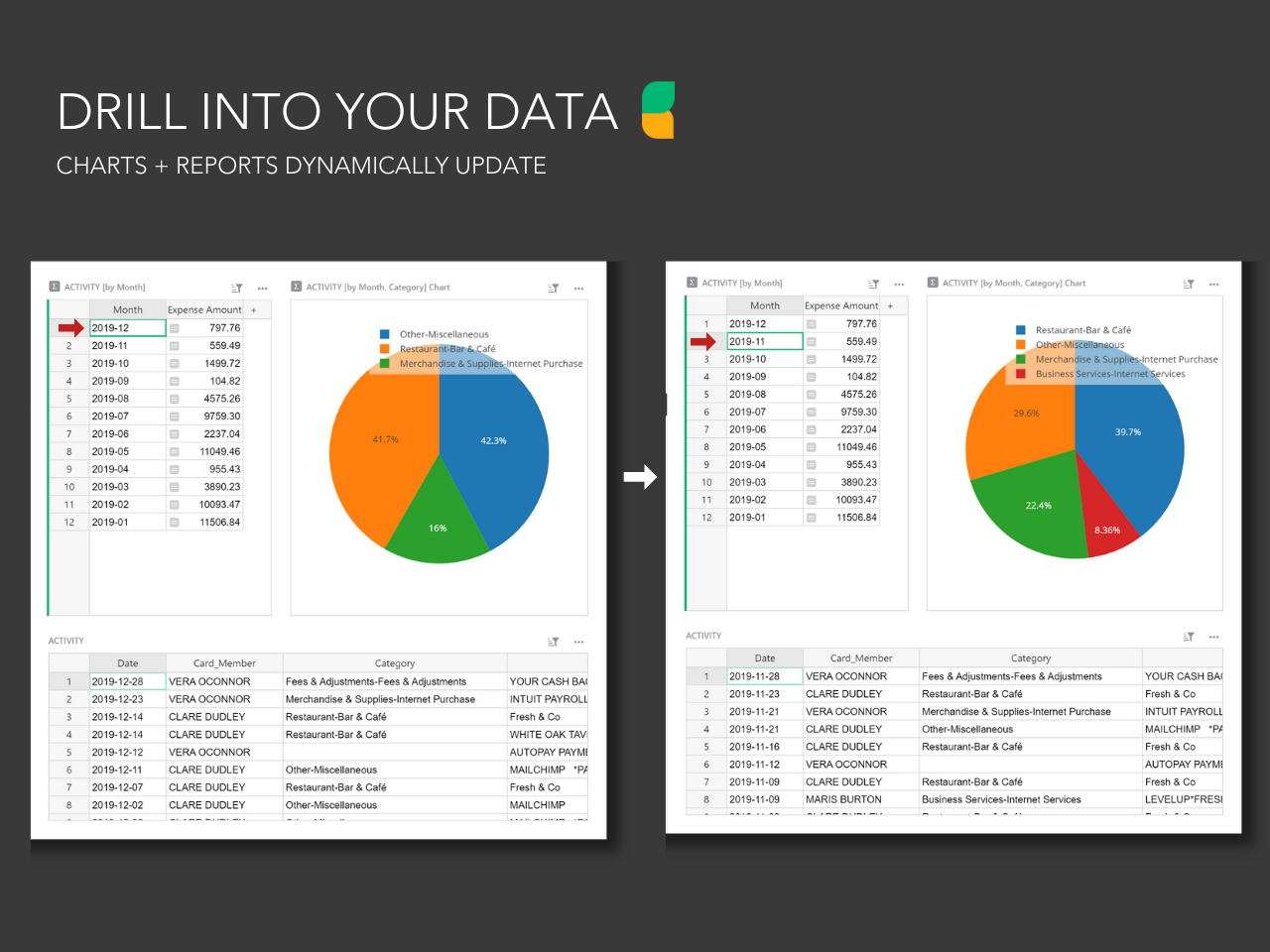
dynamic charts and reports that update with the click of a mouse.
Grist's formula support for Excel-like functions or Python formulas. Technical users can drill into database structure in code view.

1 / 4

Amazing Customer Service

Use Cases and Deployment Scope

We built a CRM and billing system.

Pros

  • Provides amazing customer service, help, examples, and explains what they are having you do
  • The layout is easy

Cons

  • Would like the option to have a balance total at the bottom of spreadsheets
  • An easier way to calculate rows, like in Excel, for billing

Most Important Features

  • Customer service
  • Providing samples and not just telling us
  • They make an effort to help you achieve what you need

Return on Investment

  • Great one

Alternatives Considered

monday.com, Airtable and Microsoft Excel

Grist - Flexible Spreadsheet... Or Full database?!

Pros

  • Linked data tables so you can use the info in whatever way you'd like
  • Ability to use python to create formulas that get what you need - And support for using python in the user support forum
  • Widgets and new pages can help you display the info however it is needed

Cons

  • Making the user permissions more obvious on how to use them - They are highly adaptable, but hard to understand how to use them
  • Small changes such as auto colouring the choices/toggles options and being able to edit them once set.
  • Being able to copy the formatting from one column to the next

Most Important Features

  • Ability to use data across different widgets to manipulate it to easily see (and enter) the data I need to work with often, but still have all the other data there.
  • Have the different options for the column types such as number, text, choices, link etc.
  • Being online means I can use it wherever I am.

Return on Investment

  • It's saved a lot of time in both creating an advertising database and managing it week to week effectively. I had previously created in others that haven't worked, and this does, saving me a good 1 hour weekly, and 5 hours or more each time I had problems with the last ones
  • Being able to stay on track with this has meant I'm following up at the right time (advertisers) and keeping a professional manner and not losing business due to missed communication
  • Saving me $ from buying a program like Access (or Airtable monthly) and then the learning curve that that has. This has a much easier learning curve to say the least.

Alternatives Considered

Stackby and Infinity

Other Software Used

Droplr, CloudApp, OneNote, Evernote