
TrustRadius: an HG Insights company

Heyflow

Score8.3 out of 10

31 Reviews and Ratings

What is Heyflow?

Heyflow is a no-code platform to build, design and integrate clickflows, headquartered in Hamburg. They state their belief that user interaction is the most important activity on the web. And they believe that clickflows are the best way to achieve great interactions. They aim to empower businesses to convert more traffic with clickflows.

Media

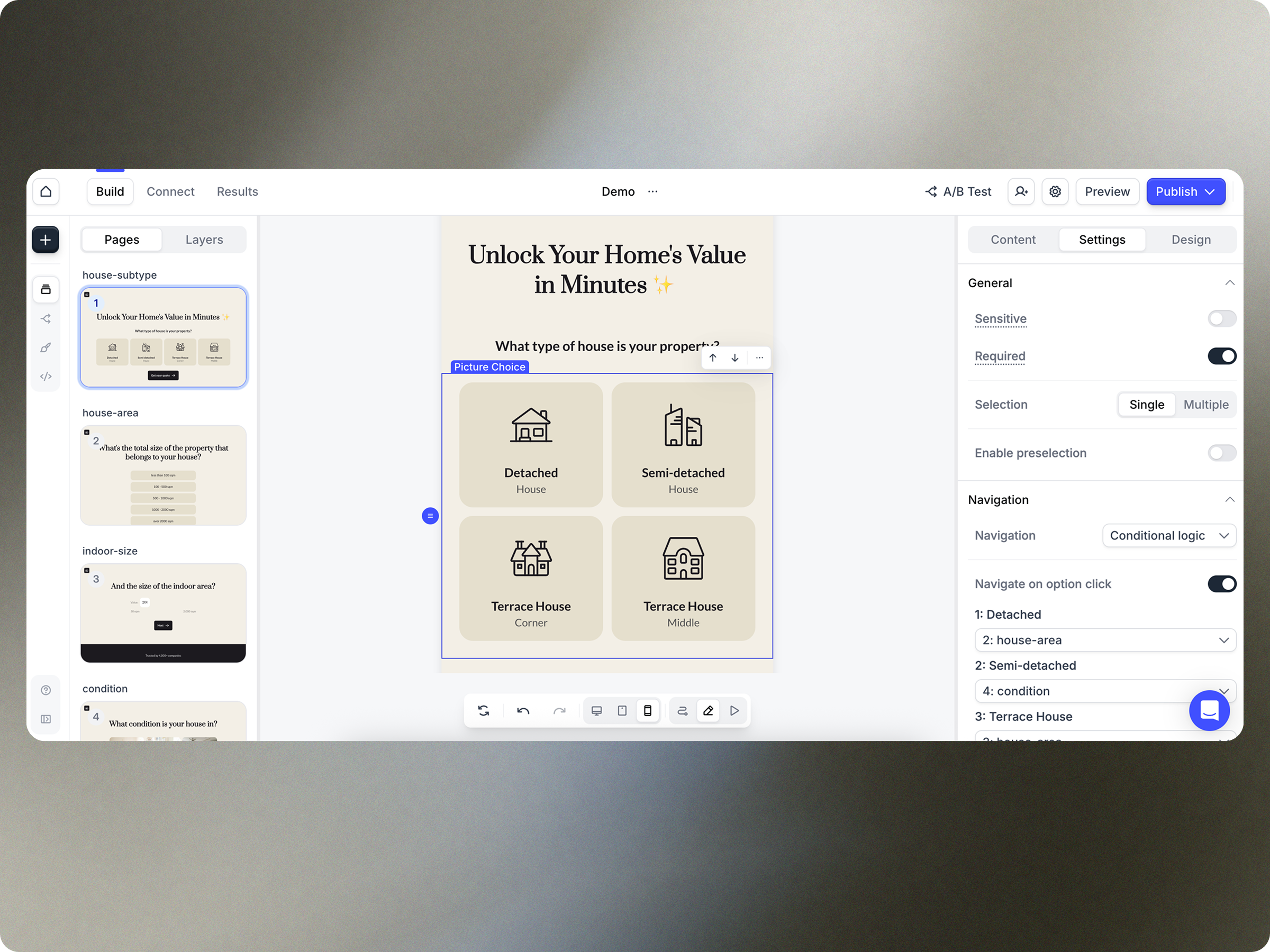
Screenshot of Heyflow's drag and drop builder. Users can match their funnel to their brand identity by customizing anything and everything.
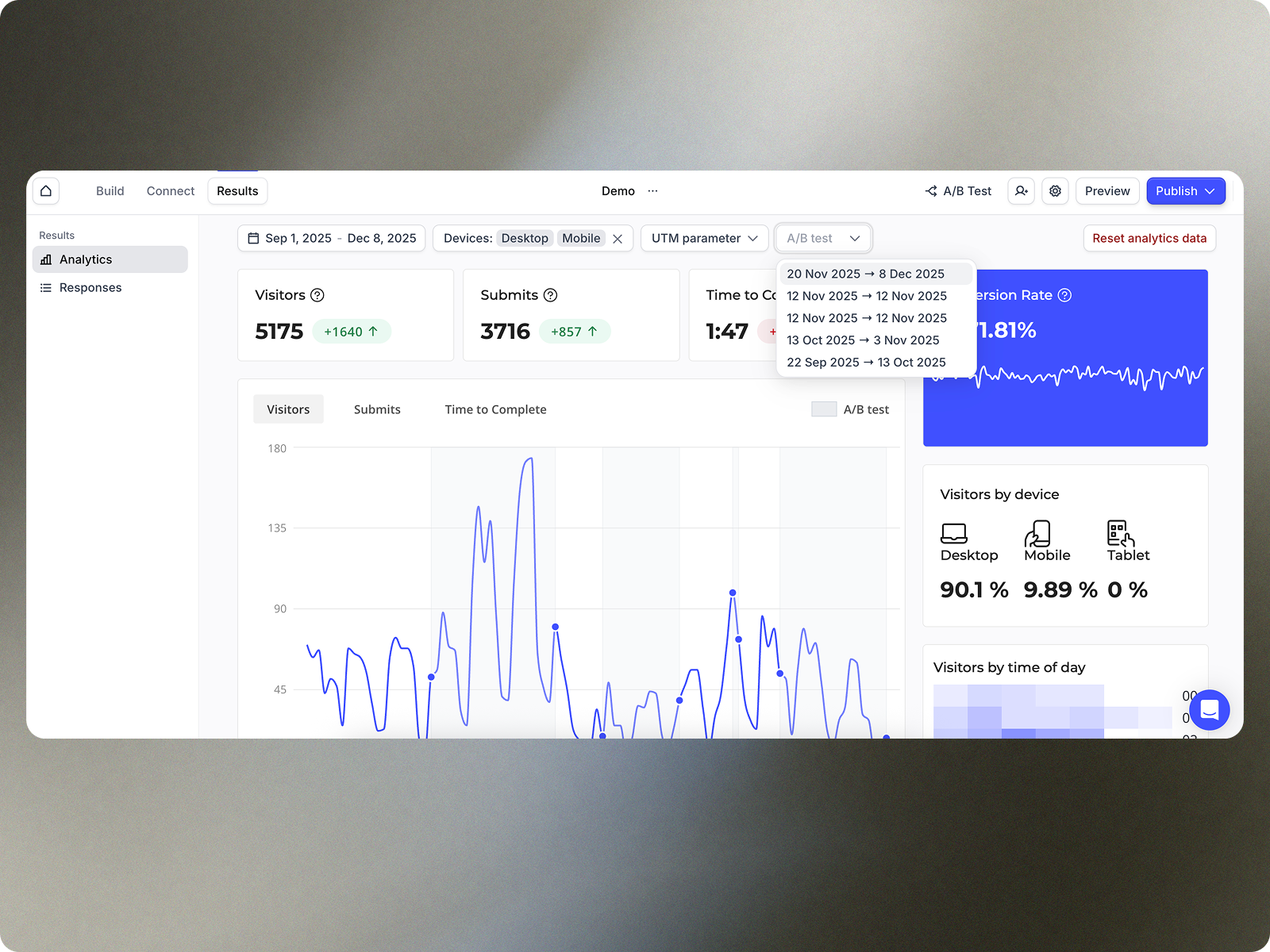
Screenshot of Heyflow's built-in analytics tab, that includes data needed to optimize funnels showing A/B tests and page dropoffs.
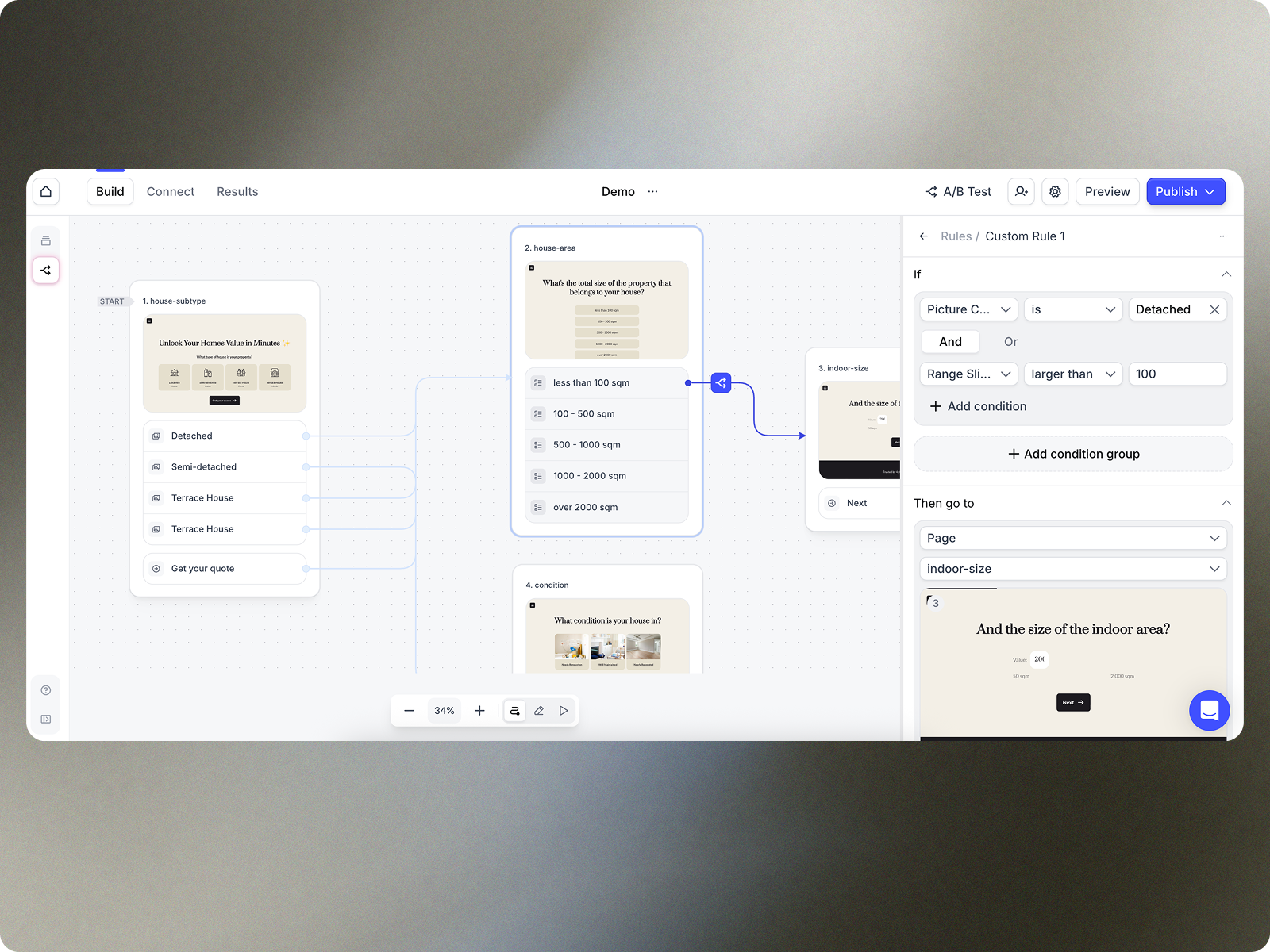
Screenshot of the interface to build a personalized funnel experience, segment audience, or create complex routing logic. Keeping track of flow logic can be tricky. The logic map provides a visual overview of the entire funnel to help save time and prevent mistakes.
Screenshot of where to connect the funnel with tools like Google Analytics, Google Tag Manager or Meta Conversions API to track the success of campaigns.
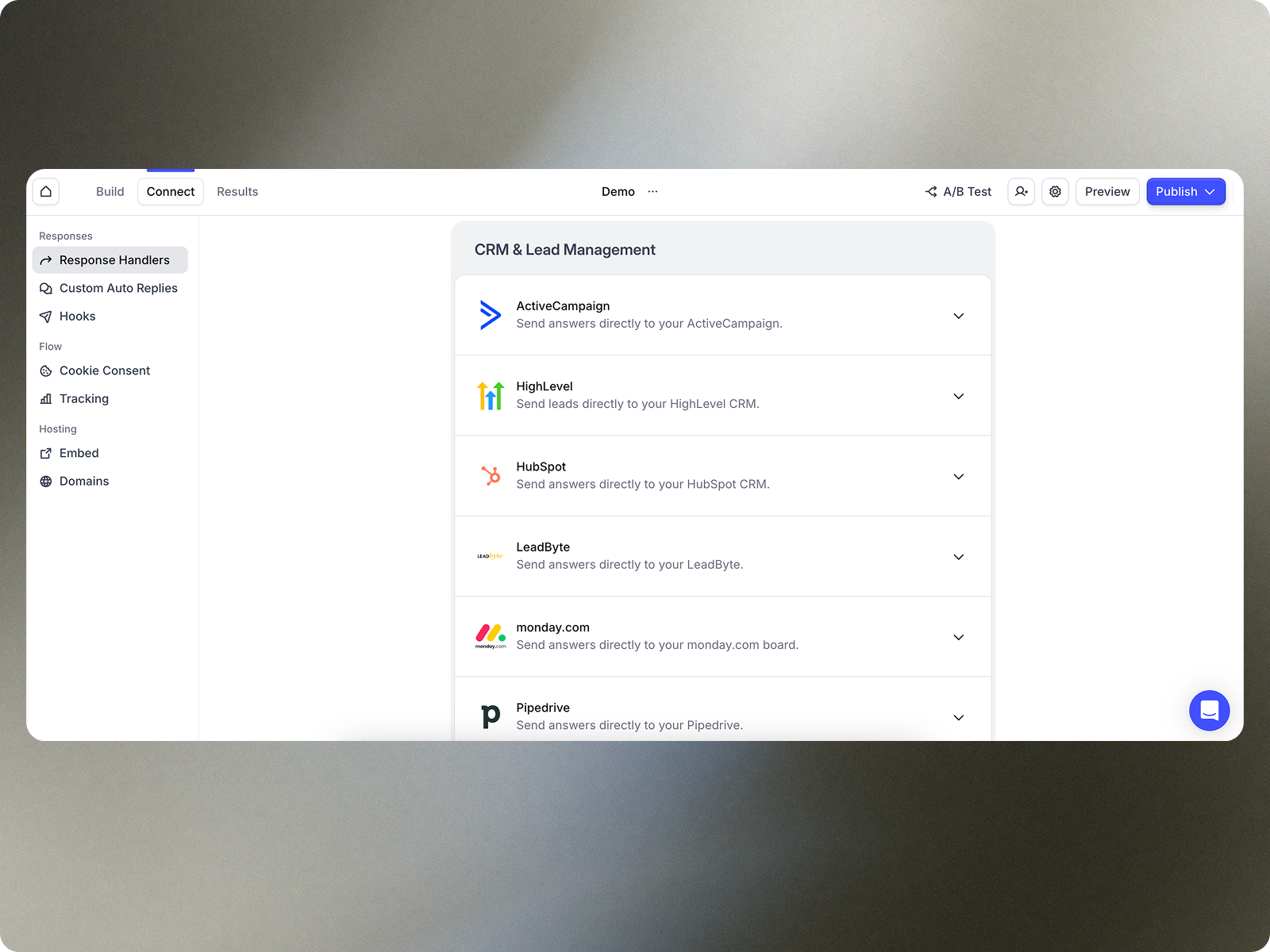
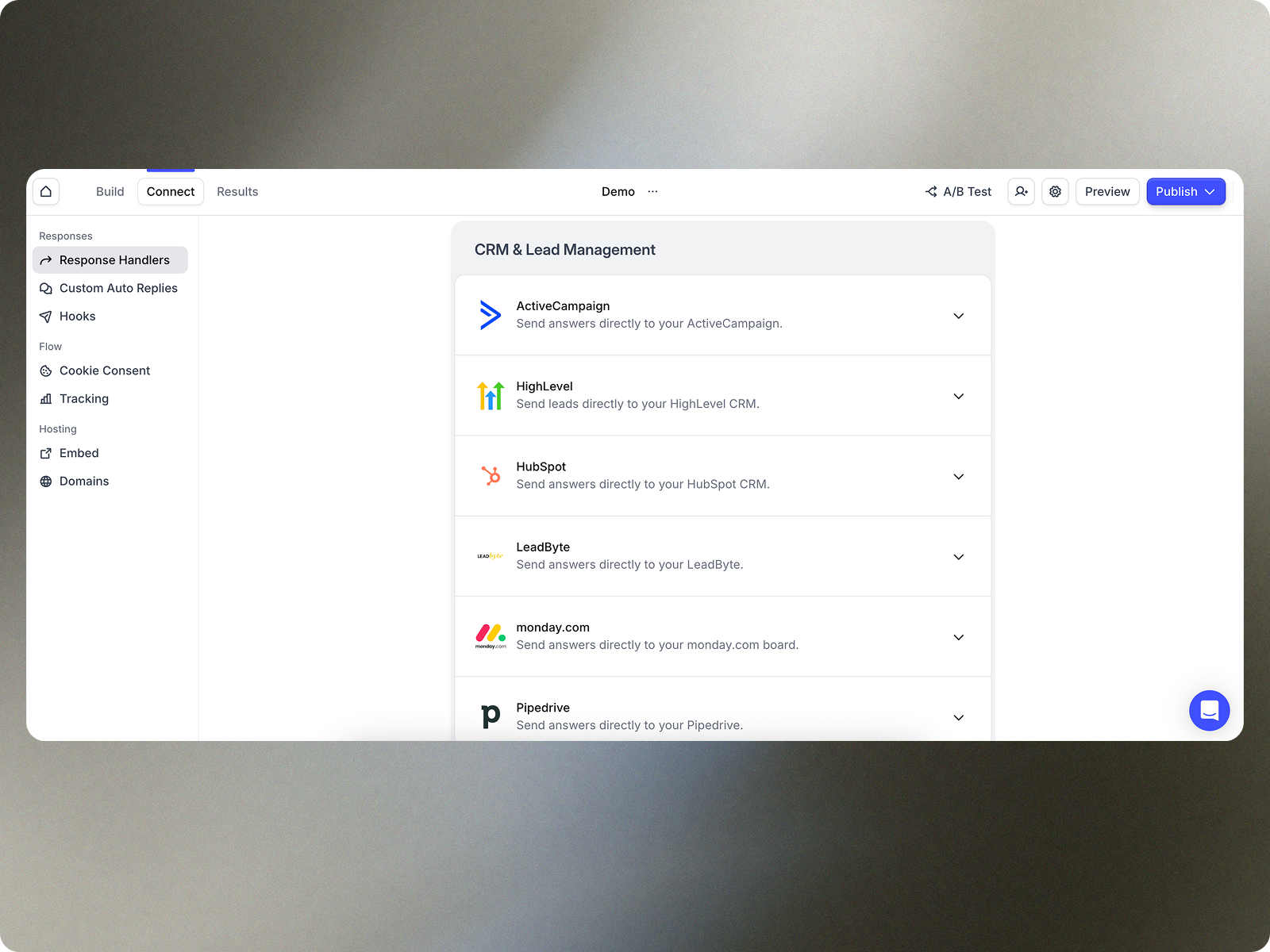
Screenshot of where to send flow responses to an e-mail inbox, into a spreadsheet or directly into a connected CRM through native integrations with popular tools like HubSpot, HighLevel, Sheets and Slack.

1 / 5

Screenshot of Heyflow's drag and drop builder. Users can match their funnel to their brand identity by customizing anything and everything.

Top Performing Features

  • Mobile responsiveness

    Optimization for use on different mobile devices.

    Category average: 8.5

  • Web embedding

    The ability to embed forms on websites or landing pages.

    Category average: 9.2

  • Branding customization

    Design capabilities for tailoring forms to specific brand requirements.

    Category average: 8.9

Areas for Improvement

  • Form templates

    Pre-built or customizable form and landing page templates.

    Category average: 7.5

  • Conditional logic paths

    Enables the inclusion of conditional statements (if/then/else) to depict different paths based on defined conditions.

    Category average: 7.5

  • Embedded calculations

    Allows form fields to be calculated using embedded formulas.

    Category average: 7

The one-stop shop for lead intake

Use Cases and Deployment Scope

We use Heyflow for both clients and our own pay per lead business model where it's crucial that we can integrate things like TrustedForm and Jornaya to provide verification of TCPA. Also the OTP functionality greatly increases lead quality for both us and the clients.

Pros

  • It comes packed with multiple powerful native integrations for several 3rd party software.
  • Very flexible design of the form
  • Support is very responsive and helpful.

Cons

  • The Google Sheet integration could use an overhaul as form/quiz data in the sheet (the columns) will reset when you rename them or move them around, unlike Typeform where this is possible.
  • I'm missing proper email verification through services like Neverbounce which comes "free" for services like Growform, except for that one needs to pay the credits to Neverbounce. Same for phone network verification, this comes free with Growform if you provide a Twilio API key, which is basically free.
  • I'd like the ability to add conditional input forms and buttons on a quiz page that is shown (or hidden) depending on the first answer of a question on the same quiz page. For e.g if I ask the question "Do you have a co-borrower" and they select "YES", a new input field is revealed asking for the name of that co-borrower. This is just basic example. But makes the quiz pages more dynamic without the need to add quiz pages to the end of eternity.
  • Ability to conditionally render text and information on quiz pages depending on previous answers.

Return on Investment

  • We're in the early stages of using Heyflow so we can't comment on the real impact of ROI. But in terms of usability and toolbox it's very powerful.

Usability

Alternatives Considered

Growform and Typeform

Heyflow is always a great decision

Use Cases and Deployment Scope

We use Heyflow as a recruiting tool in our company. Our recruiting team builds targeted flows for attracting employees through our social media campaigns on Facebook and Instagram. This saves us money, time, and additional staff in our application processes. Previously, we had to run elaborate ads and campaigns, which required a complicated and time-consuming process. Thanks to Heyflow, the whole thing is done in less than 60 seconds.

Pros

  • Modern Design
  • Fast
  • Great results
  • Prime support

Cons

  • Maybe a zvoove recruitment connection
  • More AI features
  • More branding features in the regular package or a custom pack for company’s

Return on Investment

  • Since we are using it, we don’t need any company.
  • Saving money and we can control what we are doing
  • Looking always professional

Usability

Alternatives Considered

Perspective Funnels

Other Software Used

Canva

Heyflow Review - what you can expect as a first time quiz builder.

Use Cases and Deployment Scope

Heyflow helps me create high-converting quiz landing pages. I use these as a landing page for my Google Ads; they've helped me #1 increase conversion rate, because they are well-designed and look great. #2 save me time, compared to other quiz builders, as Heyflow is pretty drag and drop. The team is also super helpful, so if you run into anything, they'll be there at a moment's notice.

Pros

  • Create quiz landing pages.
  • Integrate with go high level.
  • Integrate with facebook ads.
  • Give support.

Cons

  • Ability to use custom code on cheaper plans.
  • Make it easy to view A/B test variant (live).
  • Offer the cheapest plan without Heyflow branding.

Return on Investment

  • From 4% to 6% CVR on landing pages.
  • CPL down by 33%.
  • ROAS increase by 50%.

Usability

Vice President of Sales

Use Cases and Deployment Scope

I use it for my landing page.
Heyflow gives a professional appearance to my multi step form that no other form has been able to provide.
It helps me track at which point potential leads drop off. It helps me verify phone numbers with OTP and ensures a higher lead quality.

Pros

  • Appearance
  • Interactivity
  • Integration
  • Statistics

Cons

  • Number slider has been difficult for users
  • Numbers don’t allow commas

Usability

Alternatives Considered

WPForms and Gravity Forms

Other Software Used

Twilio, Wordpress.com

A tool we don’t want to miss anymore : Ein Tool das wir nicht mehr missen mchten

Use Cases and Deployment Scope

We use Heyflow in our recruiting efforts and have already achieved initial success. Heyflow allows you to quickly and easily create landing pages that, for example, optimize lead generation in the context of social media ads. In our case, Heyflow is used to conduct a job fit test for social recruiting ads and ensure candidate suitability.


Wir setzen HeyFlow im Recruiting ein und haben bereits erste Erfolge damit verzeichnen können. Mit Hilfe von HeyFlow kann man schnell und einfach Landingpages kreieren, die beispielsweise im Kontext von Social Media Ads die Lead Generation optimieren. In unserem Fall wird HeyFlow eingesetzt, um bei Social Recruiting Ads einen Job Fit Test abzufragen und die Eignung der Kandidaten sicherzustellen.

Pros

  • personal customer advice
  • intuitive product
  • fast customer support
  • efficient marketing
  • persönliche Kundenberatung
  • intuitives Produkt
  • schneller Kundensupport
  • effizientes Marketing

Cons

  • better design options for Heyflows
  • bessere Design Möglichkeiten für HeyFlows

Return on Investment

  • Lower Recruiting Cost
  • Higher Click Rates
  • Higher Conversion Rates

Usability

Other Software Used

Adobe InDesign, Adobe Express, Canva