TrustRadius: an HG Insights company

IFS Applications

Score7.7 out of 10

40 Reviews and Ratings

What is IFS Applications?

IFS Applications is presented by the vendor as an agile application suite that offers enterprise resource planning (ERP), enterprise asset management (EAM) and enterprise project management, handling 4 core processes:

Service & Asset Management

Full Enterprise Asset Management (EAM), Maintenance Repair and Overhaul (MRO) and Field Service Management (FSM)

Manufacturing

Enterprise Resource Planning (ERP) with support for process manufacturing, discrete manufacturing and demanding manufacturing modes.

Projects

Project Management is a core component and can be leveraged as Project-driven ERP, and Project Portfolio Management (PPM).

Supply Chain Management

As a support function for ERP and EAM or as a logistics solution in demanding environments like aviation and defense.

Media

1 / 5

Top Performing Features

  • Single sign-on capability

    The software system supports a centralized authentication mechanism allowing the user to access multiple systems with a single, centrally managed password.

    Category average: 8.4

  • Role-based user permissions

    Permissions to perform actions or access or modify data are assigned to roles, which are then assigned to users, reducing complexity of administration.

    Category average: 7.9

  • Project Planning and Scheduling

    Interactive Gantt chart for establishing tasks, durations, and delivery schedule

    Category average: 7.3

Areas for Improvement

  • Capital Project Management

    Track and manage capital asset costs

    Category average: 7.6

  • Customer Contract Compliance

    Associate projects or tasks with customer contracts, and lines within contracts, to meet billing terms

    Category average: 8.1

  • Project Revenue Recognition

    Recognize project contract revenue in line with accounting policies and regulations

    Category average: 7.8

IFS Applications as a leading ERP System

Use Cases and Deployment Scope

In my organization, I use IFS Applications as an IFS Partner company where we implement IFS Applications to the companies, develop and configure solutions inside IFS Applications to cater the customer specific requirements and support and resolve issues inside IFS Applications to allow the existing customers to smoothly run their IFS Applications system. IFS Applications addresses most of the ERP system requirement of any of the organizations to manage their business day to day work.

Pros

  • It supports the web version in most later versions.
  • It provides various mobile versions of the applications as mobile apps to cater various areas.
  • IFS Applications allows easy configurations of the application without going for costly customization.
  • It covers almost every areas of an industrial company so any other third party applications are minimum.
  • It allows safer and easier built-in options for integrations capabilities.

Cons

  • IFS Applications are ye not fully supported with AI, so they have room fr improvement in AI side.
  • IFS Applications is not fully supported for Fashion industry, so it cannot be implemented for companies in Fashion industry
  • It does not have a very detailed row level data security mechanism. Instead they have a high level data security where data are accessed based on company and sites per user and per database views, and it cannot be further broken down into smaller data sets in terms of security.

Return on Investment

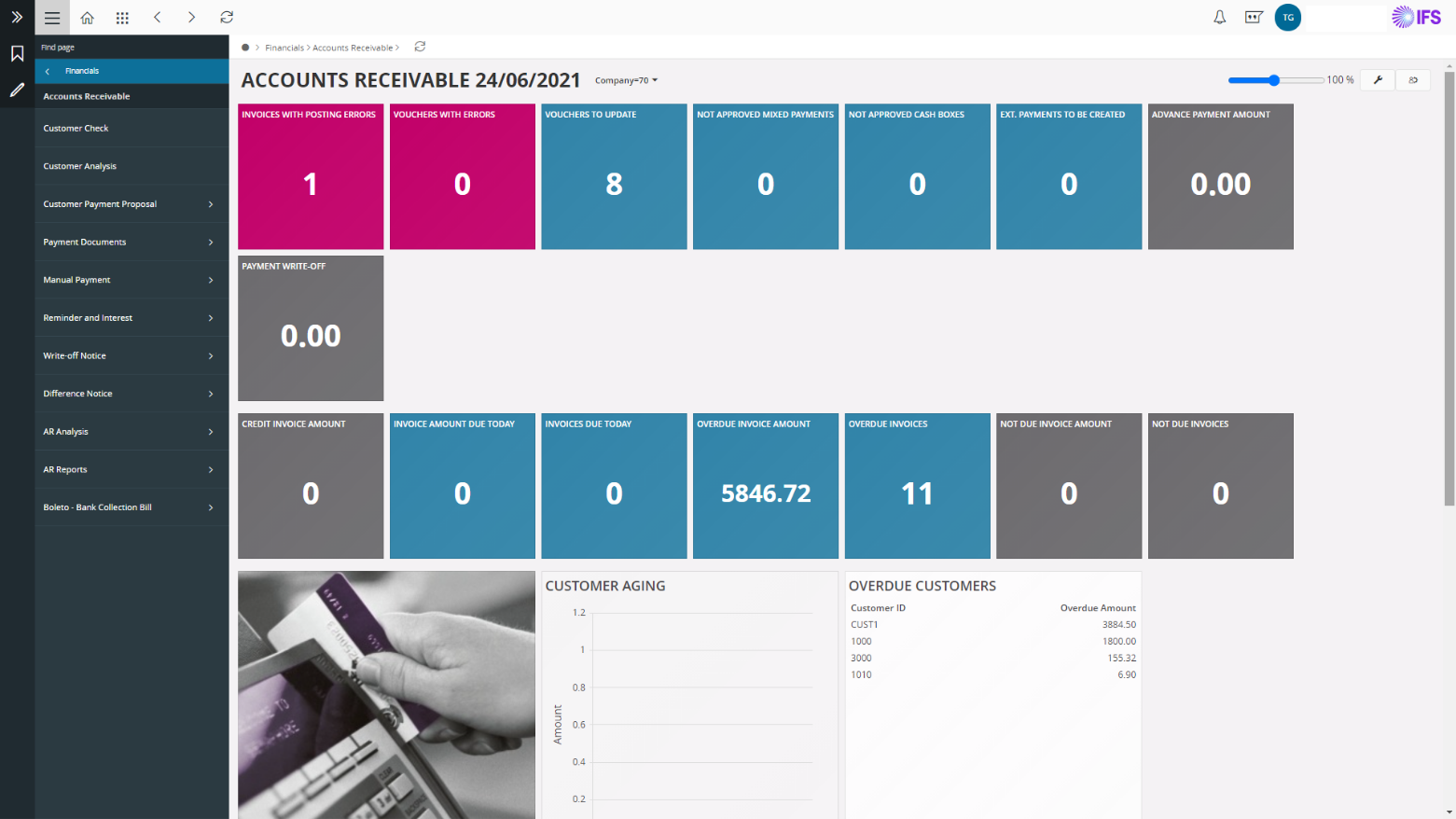
  • With the use of IFS Lobbies (dashboards), the time taken to calculate and analyze the KPI's, has reduced.
  • With the use of the web-based interface, the size of the RAM, ROM of the personal PCs were saved, and the application can be accessed from mobile as well, which has reduced the cost or PC maintenance and memory allocations.
  • Reminder reports for customers and suppliers could be sent automatically which has reduce the mistakes, and then increased the on-time receivables and payable.

Usability

Alternatives Considered

Infor CloudSuite ERP, SAP S/4HANA Cloud and Oracle JD Edwards EnterpriseOne

Other Software Used

Infor CloudSuite ERP, SAP S/4HANA Cloud, ClickLearn

IFS ERP supporting business.

Use Cases and Deployment Scope

IFS applications solution was used in my previous organization by all the manufacturing plants and several companies across the world. The ERP solution was interfaced with the shop floors to seamlessly manage the manufacturing entries. It thus facilitated the reporting across manufacturing plants. The application facilitated the group's global financial reporting.

Pros

  • Easy to configure and customize.
  • Facilitates financial reporting.
  • Easy to interface with external applications.

Cons

  • Handling massive volumes of data can be improved.

Return on Investment

  • Positive impact in terms of global process alignment.
  • Positive impact in terms of a single system of truth and reporting.

Usability

Alternatives Considered

IFS Cloud, IFS Applications and IFS Field Service Management

Other Software Used

IFS Cloud, IFS Field Service Management, IFS Applications

IFS Application : Digital Twin for Organizations

Use Cases and Deployment Scope

IFS Applications is being used as an business automation tool in our organisation. Helping us to planned production schedule, perform SCM related task like Procurement authorization, Inventory tracking and in short, IFS Applications is our business processes digital twin. IFS Agile technology has really helped us to configure our business requirements internally even without going into customization processes.

Pros

  • Production Scheduling
  • Financial Budget Control
  • Business Lobbies
  • Automatic Payroll Processing

Cons

  • Project Budget control other than Procurement
  • Customer Advance settlement process should be Manual rather then Auto Adjustment
  • IFS GSO Support should be more proactive

Return on Investment

  • IFS Application has integrated all our processes across different department
  • Clear insight of business running on Shop Floor to top floopr
  • We met almost 65-75% of our objectives and consider this number as a ROI

Usability

Alternatives Considered

Infor LN and Microsoft Dynamics 365

Other Software Used

ClearTax, ClickLearn

Terrible Customer Service - Unable to Fulfill Promises Made

Use Cases and Deployment Scope

The system may work well for some industries, but it has failed my company miserably. They sold us on the fact that they wanted to enter the home services/construction industry and that they would work with us to build something that would work. We are over 2 years in and more than $1M invested and have nothing to show for it. We haven't even seen a demo that works and now we can't get out of the remaining 3 years of our contract. The VP of Sales, Mike L., only been involved after two years of challenges and shows no interest in negotiating a fair settlement. We are okay with forfeiting all of our expenses up to this point if they will just let us walk away. If you look at this system, make sure you have a good lawyer review the contract and if you are in construction don't even consider it.

Pros

  • Accounting
  • Finance
  • Complex Inventory

Cons

  • Customer Service
  • User Experience
  • Implementation
  • Follow-through
  • Automation
  • Integrations

Return on Investment

  • Complete loss. No return on investment. Had to start over with a different system.

Other Software Used

Salesforce Field Service (Click Field Service Edge), Sage Intacct

Usability

IFS - An intuitive & powerful ERP application

Pros

  • Interfaces of IFS are very powerful and varied, making it easier to integrate the tool in your Information System. Based on standard connectors like IFS connect, you can potentially exploit formatted mail flows to avoid or reduce manual work and automate your processes (e.g. auto creation of sales contracts based on a quote), with security mechanisms inside the tool to check consistency and formatting of data before storing it in your database. Other interfaces use standard PL/SQL packages and allow you, based on web services for example, to interact with an external CRM such as Salesforce, with standard PL/SQL API packages to call web services.
  • Reporting is easy with IFS and can be done in many ways : it can be either use the embedded Excel export feature. Secondly you can make use of Business Analytics feature to build complex states and feed dedicated views nightly in order not to impact your production environment while compiling and executing complex SQL statements. Thirdly, your users can make use of quick reports with a set of built-in tools, which are easy to use and learn, with no IT specialist needed, in order to be operational in an effective manner.
  • IFS is based on your organization matrix to efficiently ensure the correct access to the tool, which can be done via menus etc. You can easily adapt or fine tune permissions to work at high level or on very detailed level, and control rights access management depending on your organization matrix role.

Cons

  • The speed of bug fixes should be improved by the IFS after sales teams. We saw the difference of responsiveness prior to Go Live and after Go Live, with a change of teams. IFS France is working on that point, and strategically wants to innovate by acting now with two other third-party companies in early 2017, to improve the after sales experience for customers.
  • There is no license model between the full licenses, which gives access to all IFS features, and the light licenses, to get access to a specific module like expense sheet. As a consequence, you must acquire a full access license for one team working only with a dedicated module (e.g. general ledger). Maybe an intermediate type license would be welcome to balance the budget. IFS tries to make prices competitive but you have to consider full upgrades of the product too, where requiring full licenses can be hard on the budget.
  • When you have an Active Directory ecosystem with a trust relationship, users from domain B can't natively access IFS, even if AD sync is in place with domain A. It's important to improve that functionality because many companies have a merge and acquisition context, with SOX constraints sometimes, and avoiding maintaining contacts or local accounts simplifies SOX compliance, or to management of accounts within the company.

Return on Investment

  • Reporting is now centralized and managed. Previously, reports were outside the information systems and there was a risk of incoherence.
  • Accounting controls are now in place on the overall processes, including production, which helped the company to reduce closing periods or to produce more easily official mandatory accounting files yearly.
  • Interfaces between the CRM forecast tool and IFS helped to keep the tools in sync, and to decrease the processing times prior to production launch.

Other Software Used

Salesforce App Cloud, Bonita BPM, Sciforma, SolarWinds Web Help Desk, Fortinet FortiGate, ADP eTime, Microsoft Exchange, Netwrix Auditor, MS SharePoint, Box, HP ProLiant DL, Compellent, Brocade ICX Switches, EMC VNX, Symantec Backup Exec, Symantec Endpoint Protection, Symantec NetBackup, Malwarebytes, Alcatel-Lucent OmniSwitch, Alcatel-Lucent Ethernet Switches, Skype for Business, Microsoft Project, Windows Server, Stellar Phoenix Windows Data Recovery