TrustRadius: an HG Insights company

Ingeniux CMS

Score9 out of 10

12 Reviews and Ratings

What is Ingeniux CMS?

Ingeniux is a provider of web content management and digital experience software. The vendor states their solutions are built to enable organizations to orchestrate the entire customer experience – from acquisition through to support and service – on any device, application, or website. Ingeniux CMS is designed to manage and deliver modern websites, customer support portals, online communities, and other customer touchpoints.

The vendor further states Ingeniux builds content management software with a focus on content itself, believing in intelligent “structured” content, and design software to enable content reuse, true mobile and multi-channel content delivery, and insightful content discovery. Their content-as-a-service capabilities deliver content into web and mobile applications, and other key channels.

Ingeniux software is available as a fully managed software service or an on-premise application. Their team offers service and support to customers worldwide.

They invite readers to learn more at https://www.ingeniux.com.

Categories & Use Cases

Media

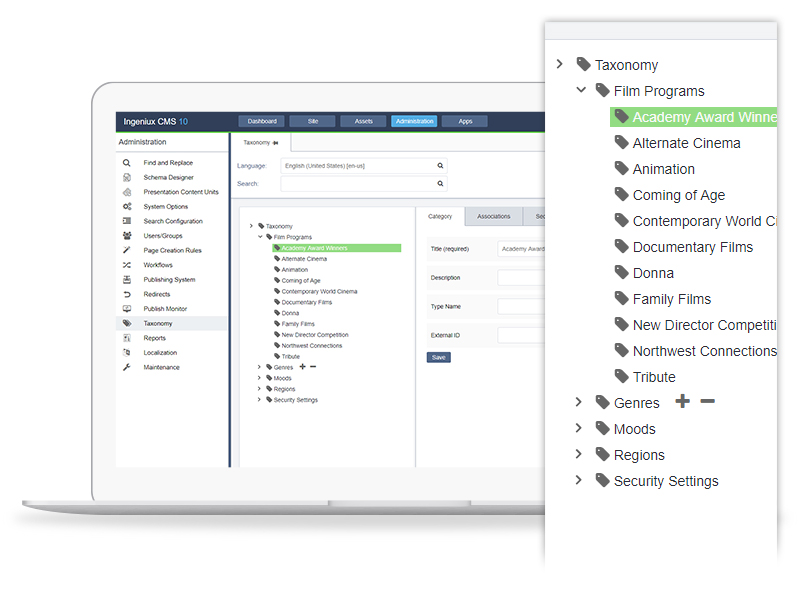
Ingeniux CMS dashboard.
Ingeniux CMS, built on the ASP.NET framework.
Ingeniux CMS digital asset manager.
Ingeniux CMS supports personalized content.
Ingeniux CMS supports headless content management.
Ingeniux CMS, available as an on-premise application of Software-as-a-Service.

1 / 6

Top Performing Features

  • Role-based user permissions

    Permissions to perform actions or access or modify data are assigned to roles, which are then assigned to users, reducing complexity of administration.

    Category average: 8.3

  • Admin section

    The admin page is easy to navigate and use.

    Category average: 8.1

  • Community / comment management

    Users can put post/page comments through an approval process, auto-approve commenters based on their email addresses, block commenters by IP address, delete comments, etc.

    Category average: 7.5

Areas for Improvement

  • Internationalization / multi-language

    The software supports multiple languages, countries, currencies, etc.

    Category average: 7.8

  • Availability / breadth of extensions

    There is a broad library of extensions, plug-ins, modules or add-ons that allow users to easily customize their websites without building custom code.

    Category average: 7.5

  • Page templates

    The CMS has standard webpage templates or types of web pages (e.g. homepage, article page, interior page, blog page, etc.); users can also build custom templates.

    Category average: 7.9

A highly supportive content management software.

Pros

  • Its dashboard is quite clear and visible.
  • Its reports are very flexible and helpful for us since they contain all the information that is necessary.
  • The content scheduling feature is good in facilitating us by publishing the content at the time we set.
  • A content repository is amazing as it allows editing, tagging and managing, and storage of the published as well as scheduled publish content.

Cons

  • The customer support of this tool needs to be made cognizant of their responsibilities.
  • I wish there would be more templates for mobile.
  • I am not satisfied with the customizations it provides the appearance of the web pages.

Return on Investment

  • We are better able to manage our content.
  • It has proved a game-changer for us as it is best for user management as well as workflows.
  • Content availability is worth appreciating.

Alternatives Considered

Joomla!

Other Software Used

REVE Antivirus, CREST CRM, Pobuca

The Digital CMS for Higher Ed/K-12 instructors as well as students

Pros

  • We could page annotation for our courses just because of the default inbuilt support for audio content from the scratch.
  • This is more than a WYSIWYG as it allows to work with audio, video, text, image content along with indexing the content as well as documents (pdf, epub, hotspots) too.
  • 24/7 support as well as the in person and live online training sessions helped our staff understand how dynamic and agile organization of content worked with Ingeniux.
  • This helps us cater to users who want the output of courses in different formats like pdf, epub, indesign xml.

Cons

  • SEO Management - though our courses are not available free publicly but still within our systems a better search engine for the courses and its content could work very well.
  • Ingeniux could be more interactive when it comes to exporting/importing documents.

Return on Investment

  • It has been liked really well by the customers and our inhouse CMS development team could do with lesser head count because of the tool's self driven features.
  • Taxonomy features are not that robust and thus could be made more rich for users looking to categorize their content.

Alternatives Considered

Paperflite, Magnolia, Joomla! and Drupal

Other Software Used

Drupal Commons, Paperflite, Drupal, Magnolia

Ingeniux CMS is DA BOMB!!!!

Pros

  • The taxonomy that drives the search and filter is very easy to configure in the CMS.
  • The Word Output feature allows us to generate Word files of content on the fly. We love this!
  • The CMS allows for easy set up with Google Analytics.

Cons

  • I would love to see the ability to add inline comments on pages during documentation reviews.
  • I would love to see more print options directly from the navigation on the publish site. For example, it would be nice to right-click on a section and have the option to print that whole section (or even create a PDF that the user can download).
  • Customized searches would be a great addition.

Return on Investment

  • Company employees can easily locate product documentation now. Our team doesn't have to field nearly as many pings and calls from people looking for content.
  • The writers can manage the content much more easily now. For example, multiple writers can work on individual topics as opposed to passing around Word files.
  • We can single-source content that is duplicated across the site. This is a huge time saver.

Alternatives Considered

None.

Other Software Used

Microsoft Office, Adobe Captivate, Google Analytics

Positive Experience. Did everything I need

Pros

  • Navigating to the pages was very simple. This was great because if someone told you there was an issue on a page it was easy to find.
  • Formatting was very easy. You didn't need to use HTML, but there was an option where you could. This was nice because then more people could be doing their job with less training
  • The Preview feature allows you to see the site before you publish it. This was good in preventing errors.

Cons

  • For my job, Ingeniux CMS did everything I needed it to. I really don't have any complaints.

Other Software Used

WordPress

Small Company, Great Customer Service

Pros

  • Customer Service. Ingeniux is a relatively small CMS company, and that's its strongest asset.
  • Training. Their trainers are the best in the business. They break down areas that are hard to understand into manageable pieces. Training for CMS Administrators was one of my best professional experiences.
  • Specialization in higher ed. It's nice to have a company that knows what they're doing. In the realm of higher ed, the visitor experience is very different from selling a physical product, and IGX recognizes that, adjusting their CMS accordingly.

Cons

  • User Interface. It could use a refresh.
  • More online resources. The most recent Admin manuals, training or how-to videos/screencasts, etc.

Return on Investment

  • Best User Management. Workflows and permission levels have changed my life. With over 90 users, I have my hands full. But with layered permissions, I can let some advanced users have more leeway while keeping tabs on users who have limited knowledge.
  • Fast mobile development. We asked IGX for mobile and got a very fast turn-around (in a matter of weeks).