TrustRadius: an HG Insights company

InvoiceBerry

Score9.3 out of 10

6 Reviews and Ratings

What is InvoiceBerry?

InvoiceBerry offers a simple and secure online invoicing software for freelancers and small businesses. InvoiceBerry users can choose between 15 different invoice template designs when setting up their account. Once set up, businesses can add their company items and services as well as their customers to their InvoiceBerry account. On top of using InvoiceBerry for sending invoices businesses can also send quotes and credit notes and set up recurring invoicing. An expense tracking feature helps businesses to keep track of their outgoings. 

Media

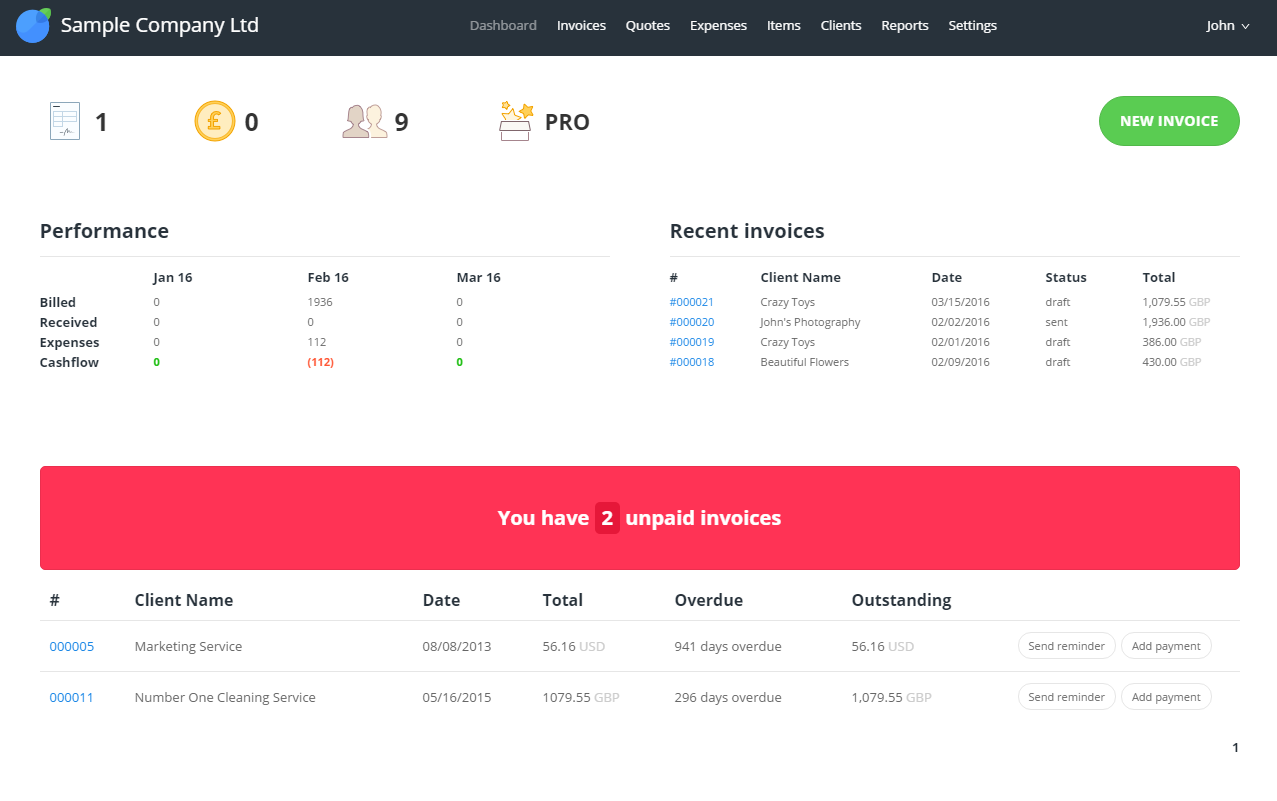
Dashboard
Invoices list
Expenses list

1 / 3

InvoiceBerry one stop for billing and invoice solutions. It adds value to make billing and invoicing easy for your business

Use Cases and Deployment Scope

Beehyv Solution Work with multiple Clients around the Globe. The client and I are working on Banking & Lending Domain. Initially Invoicing on Consultant/Resource was done using another tool that needs complete manual Tracking of data and work. But after introducing InvoiceBerry, it's easier to get each resource/consultant invoice time along with summing up billable invoice details for the month or quarter (client to client). Initially, we needed to pull the details and verify if required, which was time consuming. But now it's just a few clicks.

Pros

  • Individual(Resource/Consultant) level invoicing and project level invoicing can be done.
  • Fixed time and asset invoicing can be done and time based invoicing can be done in the same project.
  • Invoicing pattern can be copied to new projects as a short cut.

Cons

  • Personally, I would say my favorite option to be introduced is where the user can add their shortcuts to access the feature.
  • It's thought that banking integration could be an added advantage. ( I have not seen the billing confirmation as I am not the Project Accountant)
  • I have not seen pay as you go invoice option, it's generally arrived when we do some DevOps Support on-demand basis.

Most Important Features

  • It makes the invoicing easy to help in time saving.
  • Easy to access and operate. Invoice complexity brought down to very low level.
  • Saving Time on tasks which impact productivity.

Return on Investment

  • Work becomes easy, which means billing tasks are completed on time and payments are received on time.
  • Less complexity which add easy audit and reviews.
  • Customer Support is happy to help and it's easy to connect with them.

Alternatives Considered

OneSaas by Quickbooks and Concur Invoice

Other Software Used

Concur Invoice, OneSaas by Quickbooks, Anybill

Best for small businesses that need to generate many invoices!

Use Cases and Deployment Scope

We chose to use InvoiceBerry on a trial to see if this one, QuickBooks, or Xero was the better option. We needed our small business accounting needs to be met by our accounting software. We also needed the software to be able to generate invoices easily on our behalf.

Pros

  • Generates invoices very seamlessly
  • Connects with shopify
  • Expense tracking
  • Invoice tracking
  • Creating reports

Cons

  • Customer support is a little slow and takes around two days to respond to queries.

Most Important Features

  • Creating invoices and tracking their payment.
  • Tracking and reconciling day to day expenses.
  • Managing clients directly from the software.

Return on Investment

  • Positive impact on the business through easy and seamless accounting processes.
  • Ensured my business financial reports are accurate and up to date.
  • Ensures I can create invoices with ease.

Alternatives Considered

Xero and QuickBooks Online

Other Software Used

Xero, Shopify, Klaviyo

Everything changes after an optimal billing system.

Use Cases and Deployment Scope

The old systems to create invoices were manual and this was not the best for the company, with InvoiceBerry it is possible to create personalized invoices that can be modified according to each client, we have an expense tracking system, invoices, secure and reliable payment processes for handling huge payment processes that we have, business growth is associated with an optimal billing system due to saving time and of course, saving money is also possible, there are never mistakes.

Pros

  • Personalized customer invoices.
  • Reports and monitoring of payment processes.

Cons

  • The truth is that InvoiceBerry has not shown negative characteristics, the invoices are created without problems.

Most Important Features

  • Customized reports for each invoice.
  • Modification of the content of the invoice.

Return on Investment

  • The time to create an invoice is short, this saves a lot of money.
  • Avoid billing errors.

InvoiceBerry is great for invoicing and syncing with QuickBooks

Use Cases and Deployment Scope

I've been able to integrate this app with our CRM and then have it work flawlessly with our general ledger through QuickBooks. I like how it incorporates the sales tax and has various options for different payment gateways that we can use.

Pros

  • Invoicing
  • Accounts Receivable
  • Bookkeeping
  • Credit Card Processing

Cons

  • Onboarding
  • Support
  • Tech Support with invoicing

Most Important Features

  • Invoicing
  • Sales
  • Accounting
  • Reporting

Return on Investment

  • Saves time
  • Saves money
  • More organized

Alternatives Considered

QuickBooks Desktop Enterprise

Other Software Used

Adobe Acrobat Reader DC, AccessPay, Apple iCloud

What a great invoicing online tool

Use Cases and Deployment Scope

The company is very small. We import Italian materials from Italy to design, remodel and furnish real estate projects. This was a perfect tool for us as it is simple, and super user-friendly for non-accountant users like we are. Because of the size of our company, we only need a simple invoicing system at an affordable price and InvoiceBerry was perfect. It allows us to manage our invoices, and payments and we can use multiple currencies so Dollars and Euros.

Pros

  • Create an invoice very quickly.
  • The design is simple, clear, and well structured but with enough room for descriptions and details.
  • A good price.

Cons

  • The support is often long to get.
  • Reporting could be better and more sophisticated but the software is very cheap so it is probably normal.
  • Some options could be added to the very basic design that we get.

Most Important Features

  • The online tool that you access from everywhere.
  • Very fast invoicing process
  • Easy and reliable

Return on Investment

  • The cost is the major component
  • the tool is very easy and we got a summer intern that could learn it and use it within 1 hour
  • it is great for small business only. I might get something else if we grow in client database or size

Alternatives Considered

QuickBooks Desktop Enterprise

Other Software Used

Sage Intacct, AutoCAD LT
