TrustRadius: an HG Insights company

MediaValet

Score9 out of 10

51 Reviews and Ratings

What is MediaValet?

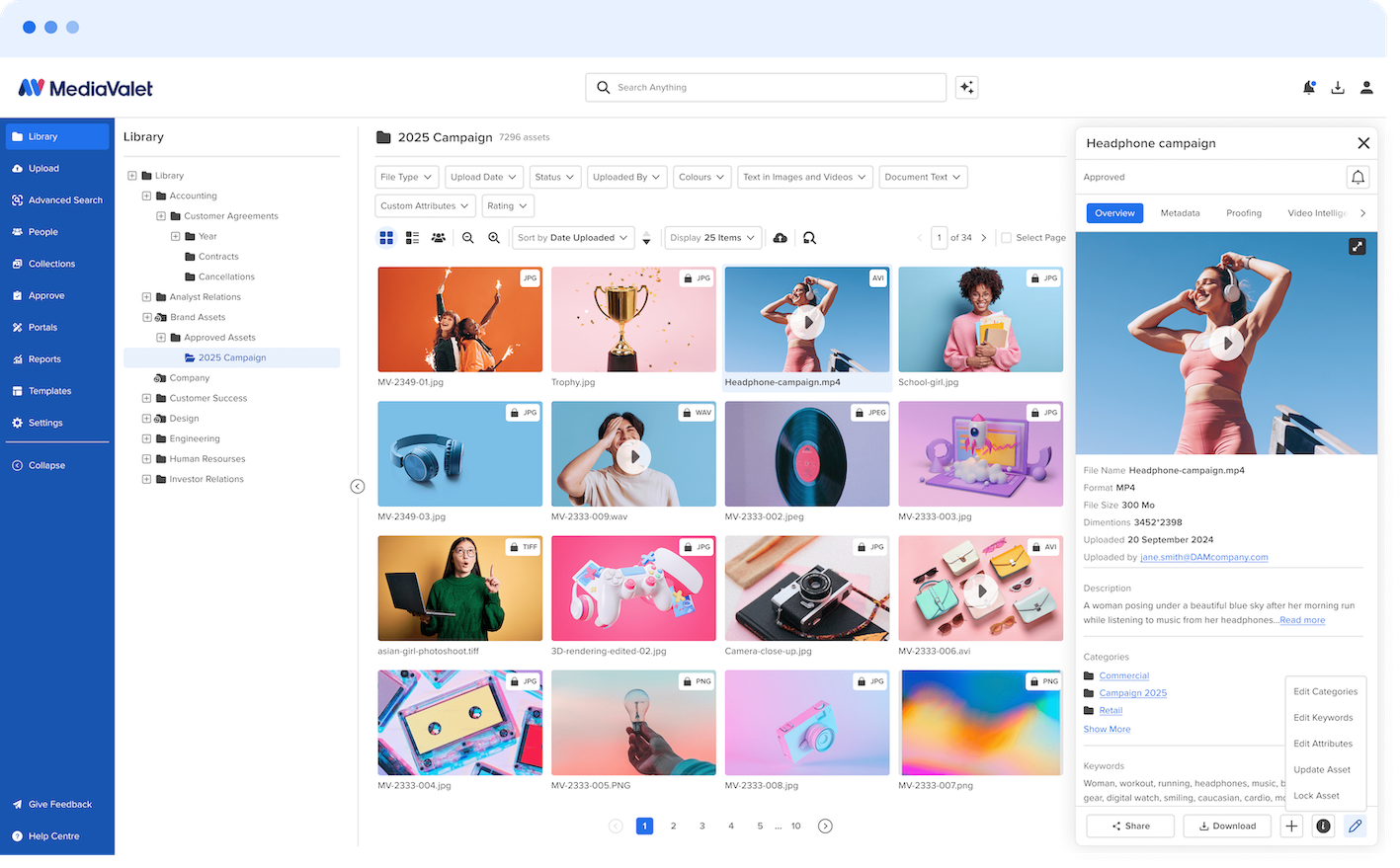
MediaValet’s Digital Asset Management platform makes enterprise digital libraries accessible, discoverable, and shareable to the organization's entire ecosystem – globally.

Media

MediaValet Homepage
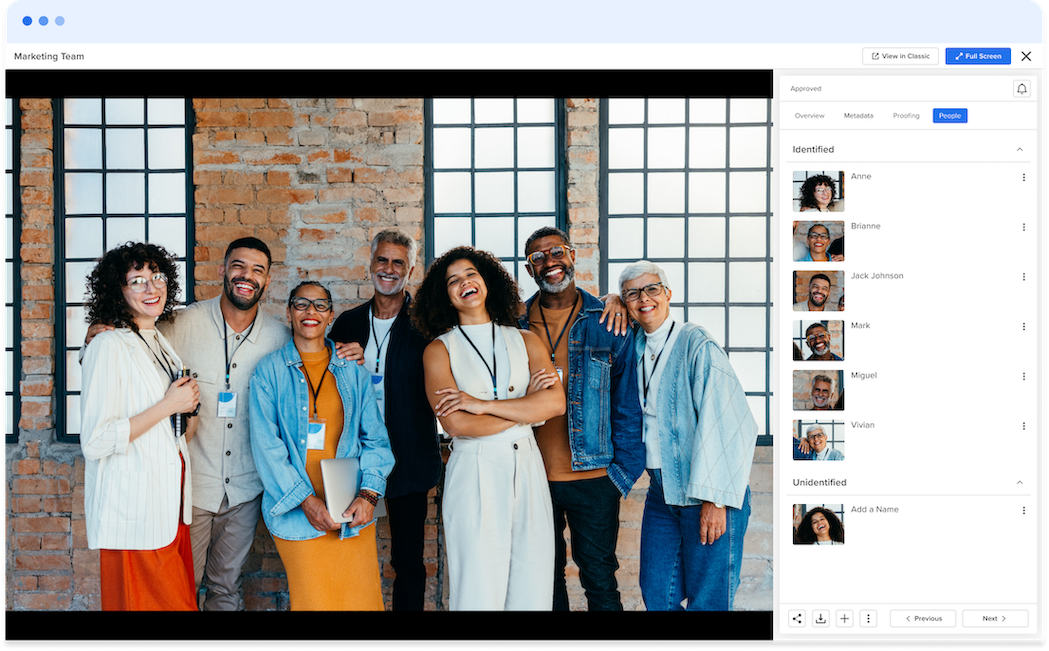
Face Recognition
MediaValet Integrations
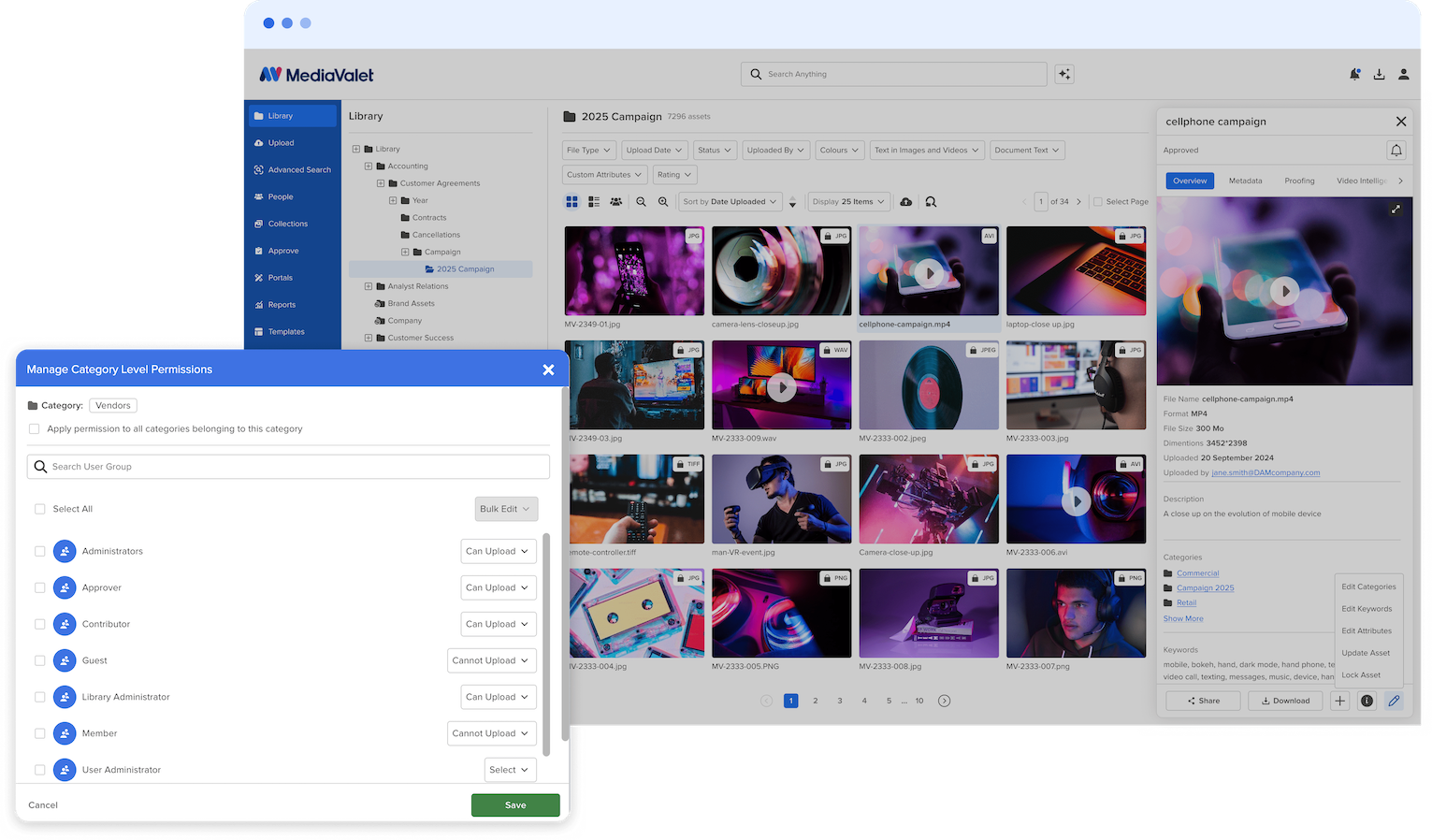
Category Level Permissions
Advanced Search

1 / 5

Top Performing Features

  • Asset storage

    Centralized storage capacity and accessibility for centralized storage of marketing and brand assets. These can be anything from documents, audio files, videos, images, creative files (Adobe, etc.), etc. Outdated assets can be archived.

    Category average: 8.6

  • Categories

    Assets can be organized in drop-down menus to assist in discovery and grouped with related assets for greater utilization. Most DAMs offer AI and machine vision tagging tools to automatically recognize key data in visual elements which automatically sets tags and metadata fields.

    Category average: 7.1

  • Tagging system

    The ability to label assets with keywords makes them easier to find. Tagging can be automated and may offer bulk tagging capabilities.

    Category average: 7.2

Areas for Improvement

  • Content editing

    Templates and text editors facilitate the creation and publication of branded copy as well as asset cropping and modification. Version tracking should also be available for assets with duplicate names, along with their usage history. Some DAMs offer integration with editing tools so that high-fidelity edits can be made outside the DAM and automatically synced back as a new or updated version.

    Category average: 5.2

  • DAM API

    APIs act as an interface between apps and enable the creation of customized integrations that connect DAM platforms to other software. Digital assets can also be accessed and managed through other tools in a user's tech stack.

    Category average: 7.5

  • Workflow automations

    Collaborative workflow with role-based permissions as well as tracking and monitoring of asset usage, requests, and assignments.

    Category average: 5.8

Premiere DAM Software for Marketing Teams

Use Cases and Deployment Scope

We utilize MediaValet as a centralized digital asset management platform across our Marketing and Sales departments. Our instance houses all marketing-related resources, including brochures, videos, product spec sheets, and product imagery, enabling our sales team to access the materials they need at any time and from any location. By implementing MediaValet, we have effectively bridged a longstanding gap between Marketing and Sales, ensuring consistent, efficient, and strategic use of our content.

Pros

  • User Friendly - accessible UI
  • Robust Search and Filtering Functionality
  • Easy to Manage and Setup
  • Constant Updates
  • Fantastic Support

Cons

  • Reporting - we'd love to see the ability to create reports from monthly usage data (i.e. asset library uploads) and create subscriptions for team members
  • More advanced filtering capabilities
  • Enhanced integration with Hubspot

Return on Investment

  • Breaks silos by connecting assets between teams
  • Automates asset management and organization
  • Added insights into material library and internal usage
  • Enables sales team to utilize assets when most important

Usability

Alternatives Considered

Bynder and Adobe Experience Manager

Other Software Used

HubSpot Marketing Hub, Wistia, WordPress

MediaValet

Use Cases and Deployment Scope

We use MediaValet as a central place to store and share our marketing assets, like photos, videos, logos, and other approved creative. It helps our corporate marketing team, property teams, and outside partners easily find what they need without digging through emails or shared drives.

The main problem MediaValet solves for us is organization and version control. Before using it, assets were scattered in multiple places, which caused confusion about which files were current or approved. MediaValet makes it easier to keep everything in one place and ensure teams are using the right assets.

We use MediaValet regularly across multiple teams to support digital advertising, websites, social media, and vendor requests, while keeping branding consistent.

Pros

  • Strong search and organization
  • Easy access and control
  • Simple sharing use

Cons

  • UI takes some time to get used to. There is a lot going on at first.

Return on Investment

  • Time savings positive impact from searching through assets
  • Improved brand consistency

Usability

MediaValet Usage Review.

Use Cases and Deployment Scope

I work in government communications. A few years back, we lost all our photos from our shared folder drive. After that, we went searching for a reliable place to store our photos, and MediaValet has been perfect. We still use the shared folder, but now we also upload photos to MediaValet. It's a great tool for searching and categorizing our photos, and it's my go-to when I need a photo for something I'm writing up.

Pros

  • Search optimization.
  • Categorization.
  • Allows large organizations to all share photos in one place.

Cons

  • Use algorithms to automatically recommend keywords for photos.
  • Use algorithms to automatically recommend categories to add the photo(s) to.

Return on Investment

  • Productivity
  • Cross-department efficiency/collaboration.
  • Positive workflow impact.

Usability

Alternatives Considered

File Explorer

Other Software Used

Adobe Creative Cloud for Enterprise, Frame.io, OneDrive

Nicely organized.

Use Cases and Deployment Scope

We use MediaValet as a central repository for various media types. We have authoritative libraries - where a team uploads source of truth images (logos, multi-styles, official pictures, etc.) and also casual libraries - where we store pictures and videos from company events or other activities. It is available to all staff and is an accessible location for hosting and sharing media across the organization. Some communications-focused teams rely heavily on this to store and share reusable assets.

Pros

  • Search features are excellent! When I'm searching for a specific person or image/file name, I don't need to spend a lot of time hunting.
  • Categorization and the user interface are also good. The collapsible tree structure allows for high-level and low-level organization. The sidebar also makes things quick to access.

Cons

  • Search rankings are sometimes, when using the search bar, I have a file named "Company Logo," and when typing the exact phrase into the search, my item is on the 3rd page - I would expect a direct filename match to surface higher.

Return on Investment

  • Not familiar with these decisions.

Usability

MediaValet has saved me from the drudgery of office life. I have more time to take stunning pictures of Arkansas.

Use Cases and Deployment Scope

MediaValet is a foundational tool to our enterprise, just behind my camera and computer. I have logged tens of thousands of pictures across two years. it is an invaluable tool for organizing and distributing a large collection of videos and images. It allows me and my photographic partner to populate a site used by hundreds of end users. End users find the system intuitive, and we are freed from office and distribution time to go take more stunning pictures of Arkansas.

Pros

  • We love Portals, as a means of creating, editing and sending collections of pictures
  • The tagging system allows for end users to find our photos, without knowing where we put them
  • The system is quick
  • Apart from our initial edit for size, customers gets full sized uncompressed files

Cons

  • We have SO many images in the system, that sometimes our good work is buried under the average. I would like a way to bring certain images to the top of the search.
  • Some search terms are not very effective because they pull up too much. For example, I need to find photos of the Arkansas River. But not every picture in our system is of a river in Arkansas! (There are ways to get around this, but it takes some extra steps.)
  • We might have set up our initial structure a little differently had we known how we were going to use it. Essentially we have some pictures for insiders eyes, and some for public use. (We can separate our offerings on upload, but a toggle switch would be useful)

Most Important Features

  • The ability to designate who can see what
  • Batch keywording
  • Portals. We love Portals.

Return on Investment

  • We can download photos from anywhere. I can add, or access images from home as easily as work.
  • We have literally freed a person who would be in the office to go take pictures of our beautiful state.
  • The downloads are the same quality as the uploads!