TrustRadius: an HG Insights company

ProProfs Quiz Maker

Score7 out of 10

14 Reviews and Ratings

What is ProProfs Quiz Maker?

ProProfs Quiz Maker is a tool used by trainers, universities, and businesses all over the world.

Users can make quizzes and tests with ProProfs Quiz Maker. Users can create a quiz from scratch or use the ProProfs library having 100k+ customizable quizzes and 1,000,000+ ready to use questions. Users can create scored quizzes, personality quizzes or surveys by selecting from 15+ question types. Users can also add images, presentations and videos to quizzes.

Creating quizzes with ProProfs Quiz Maker allows learners to take the quiz anytime, anywhere. Due to the device compatibility feature of the quiz, learners can take them on a laptop or a mobile device. Also, the software offers reports and analysis. Trainers can figure out where learners face difficulties and improvise the course accordingly. In addition, the quiz software enables users to explore 100+ settings and configurations.

The vendor highlights these unique differentiators about ProProfs Quiz Maker:

  1. Branding & Customization

  2. Anytime, anywhere

  3. Device Compatibility

  4. Reports and analysis

  5. Settings and configurations

Categories & Use Cases

Media

Home Page
Create Online Quiz
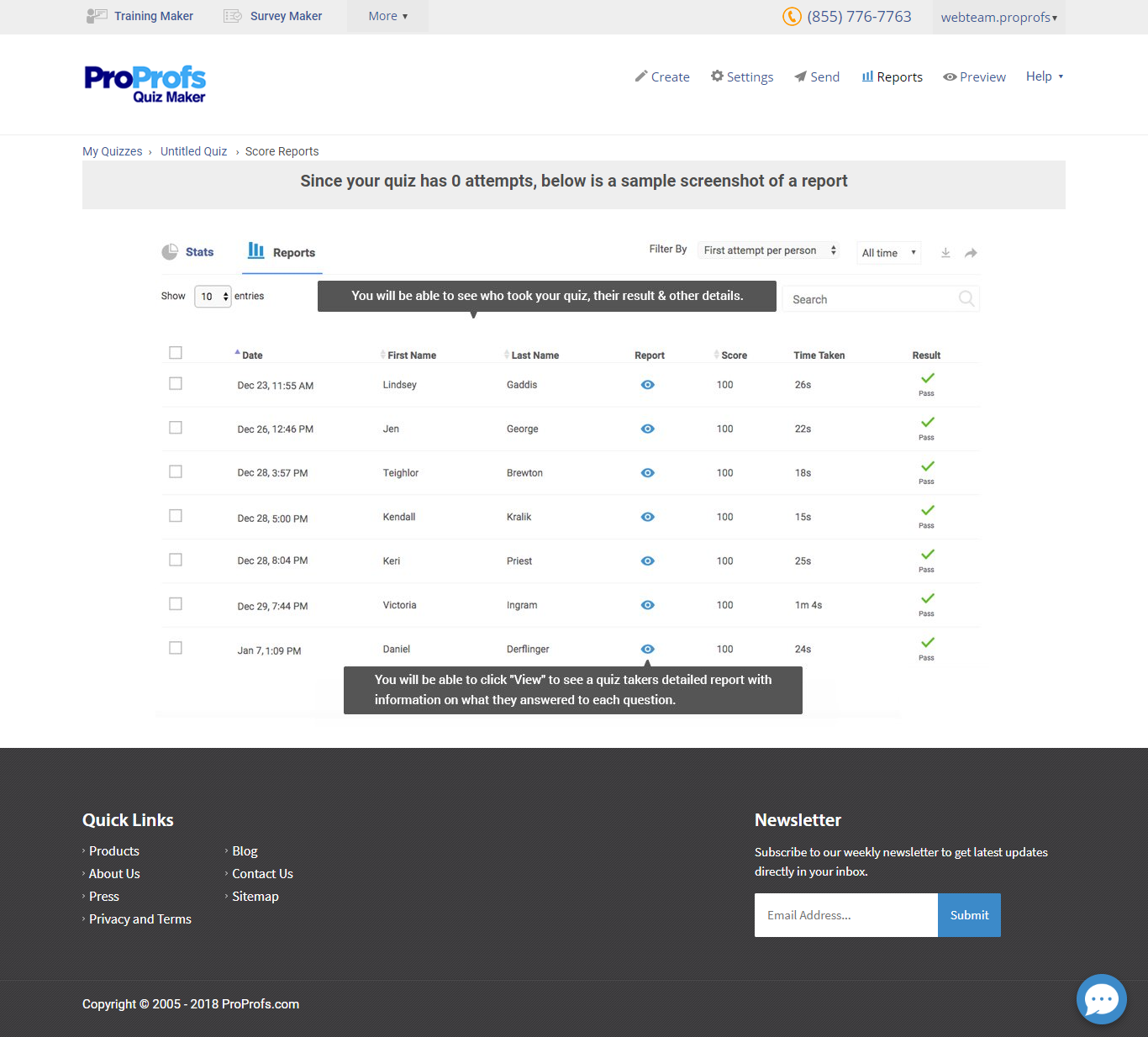
Score report

1 / 3

Top Performing Features

  • Survey templates

    Includes a selection of pre-made survey templates for different types of surveys.

    Category average: 8.2

  • Custom logo/branding

    Allows the user to include their company logo (rather than the survey vendor’s logo) and/or create a company template so that branding is consistent across multiple surveys.

    Category average: 7.8

  • Multiple question types

    Supports a variety of question types, such as multiple choice, select all that apply, ratings, text responses, etc.

    Category average: 8.7

Areas for Improvement

  • Compliance

    Supports privacy compliance and confidentiality standards, such as HIPPA.

    Category average: 8.8

  • Themes

    Includes options for the look & feel of a survey, including different colors, fonts, layouts, etc.

    Category average: 7.3

  • Question design help

    Includes educational material about question design for research, such as tips, recommendations, and information about best practices.

    Category average: 8.2

Great Tool for Employee Training and Assessment

Use Cases and Deployment Scope

We rely heavily on ProProfs Quiz Maker for employee training and comprehensive skill assessments, and it has truly been a game-changer for our organization. Its flexibility allows us to conduct engaging sessions both online and in person, perfectly complementing our blended learning approach. The platform’s intuitive design makes it easy to create quizzes tailored to specific learning objectives, ensuring that our training programs are both relevant and impactful.

Pros

  • Quiz creation on multiple topics for training and assessments
  • Easy to understand quiz reports and responses of trainees
  • Anti cheating feature

Cons

  • No offline access to the tool
  • No dedicated account manager in free plan

Return on Investment

  • ProProfs Quiz Maker helped in reducing the overall time consumption of employee training and assessment.

Usability

Other Software Used

Document360

Simple and powerful lead quiz software

Use Cases and Deployment Scope

We started using ProProfs Quiz Maker about a year ago to create fun quizzes for social media engagement but quickly learned that this quiz authoring tool can offer much more. We now use it to create quizzes for lead generation, product recommendations, and even market research. We publish our quizzes on our social media pages, blog, and landing pages and include them in our email campaigns as well.

Pros

  • ProProfs is great for lead capturing and nurturing. It has a customizable lead form and offers all the top e-mail marketing integrations.
  • It has a clean and beautiful interface, with an excellent collection of customizable themes.
  • Quiz creation doesn’t take up much time since the UI is fast and the tool offers thousands of public quizzes to modify for your requirements.

Cons

  • A few more templates would be nice, I guess. That’s the only area for improvement I can think of.

Return on Investment

  • Increased lead capture rate
  • Increased website traffic
  • Better engagement on Facebook and Linkedin

Alternatives Considered

iSpring Learn

Usability

Smooth employee assessments

Pros

  • Automated grading
  • Detailed reports
  • Collaboration

Cons

  • Templates
  • Question types
  • Configurations

Return on Investment

  • Better hire
  • Effective employee onboarding
  • Faster lead acquisition

Usability

Qualified lead generation

Pros

  • The grading part is well-taken care of by ProProfs. The users can choose from three different types of automated grading.
  • The results can be completely customized to create share-worthy quiz results.
  • The quizzes can be integrated with CRM tools so leads captured can be auto-segmented into different mailing lists.

Cons

  • Security.
  • Customizations.
  • Sharing.

Return on Investment

  • Better social engagement.
  • Increased website traffic.
  • Faster qualified lead generation.

Usability