TrustRadius: an HG Insights company

Square 9 Softworks

Score9.4 out of 10

86 Reviews and Ratings

Request a Demo

Contact about Square 9 Softworks

Please fill out the form below to get in touch.

Square 9 Softworks

Connect with Square 9 Softworks

What are you interested in?

Already have an account?

You hereby consent to have TrustRadius share the information supplied on this form with Square 9 Softworks so that Square 9 Softworks and TrustRadius may contact you in regard to the information requested.

What is Square 9 Softworks?

For document-intensive companies looking to improve business efficiency, Square 9 Softworks develops solutions for process automation that aim to drive increased productivity across all business applications.

Media

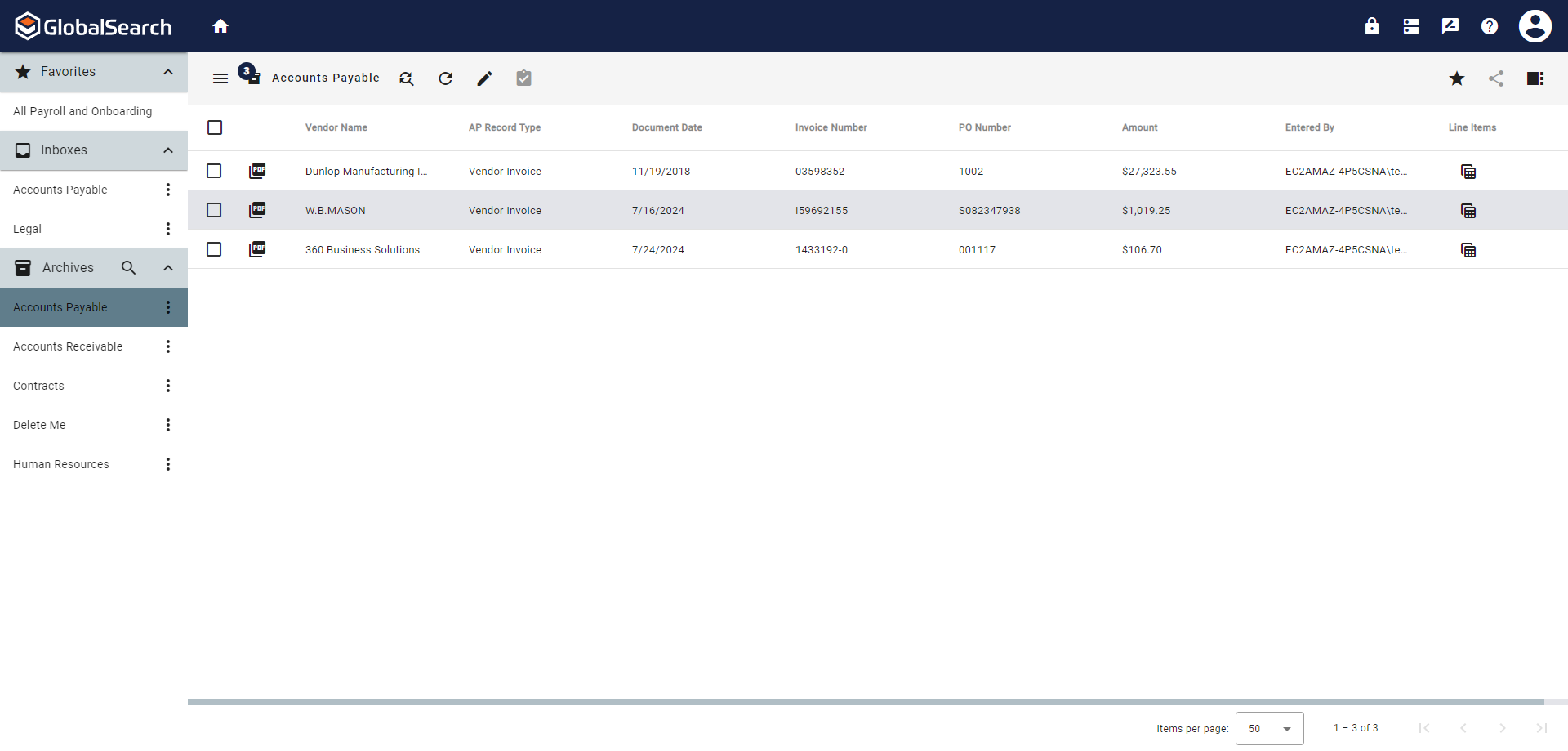
Screenshot of GlobalSearch Go, which organizes documents based on extracted data.
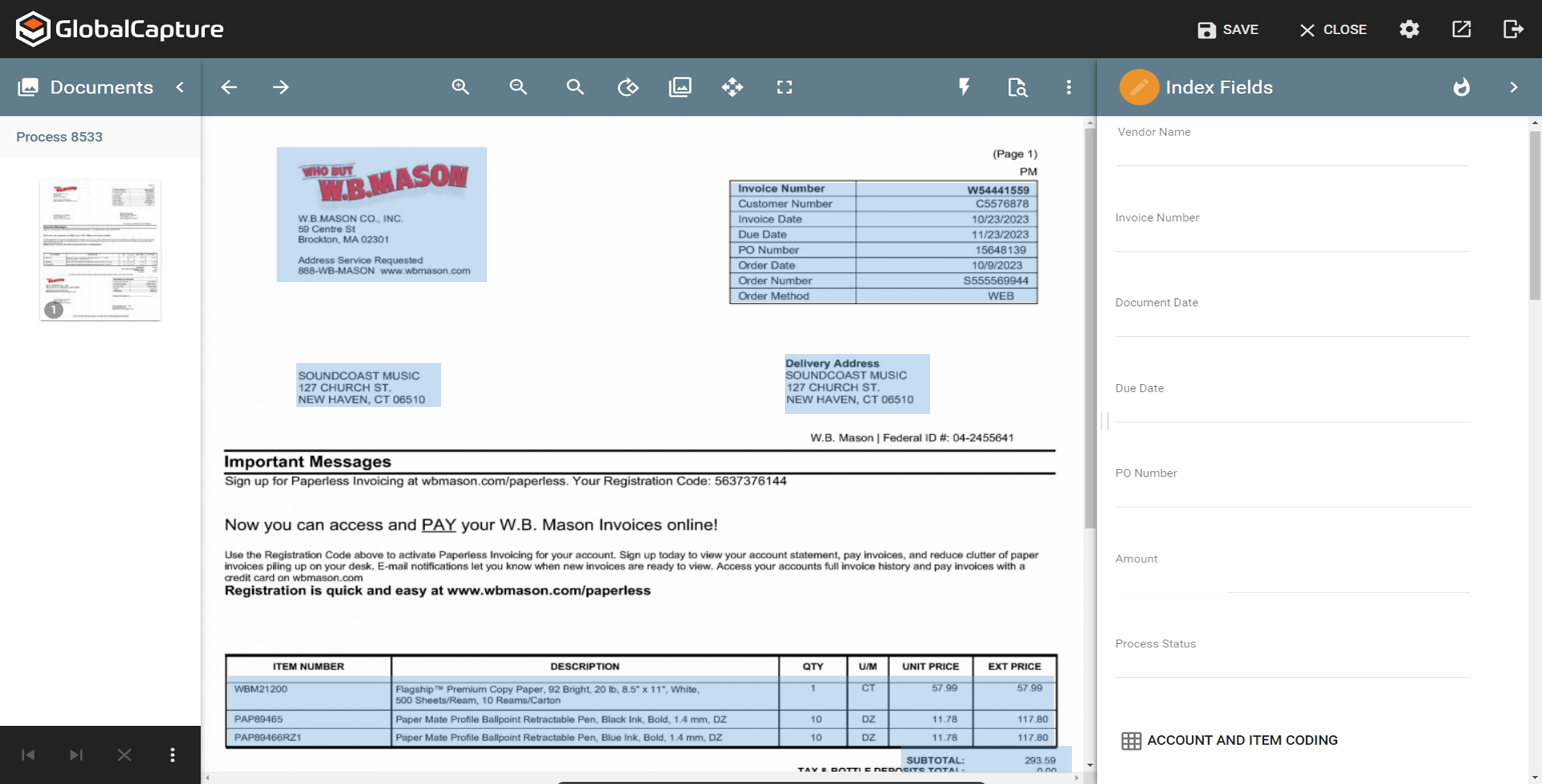
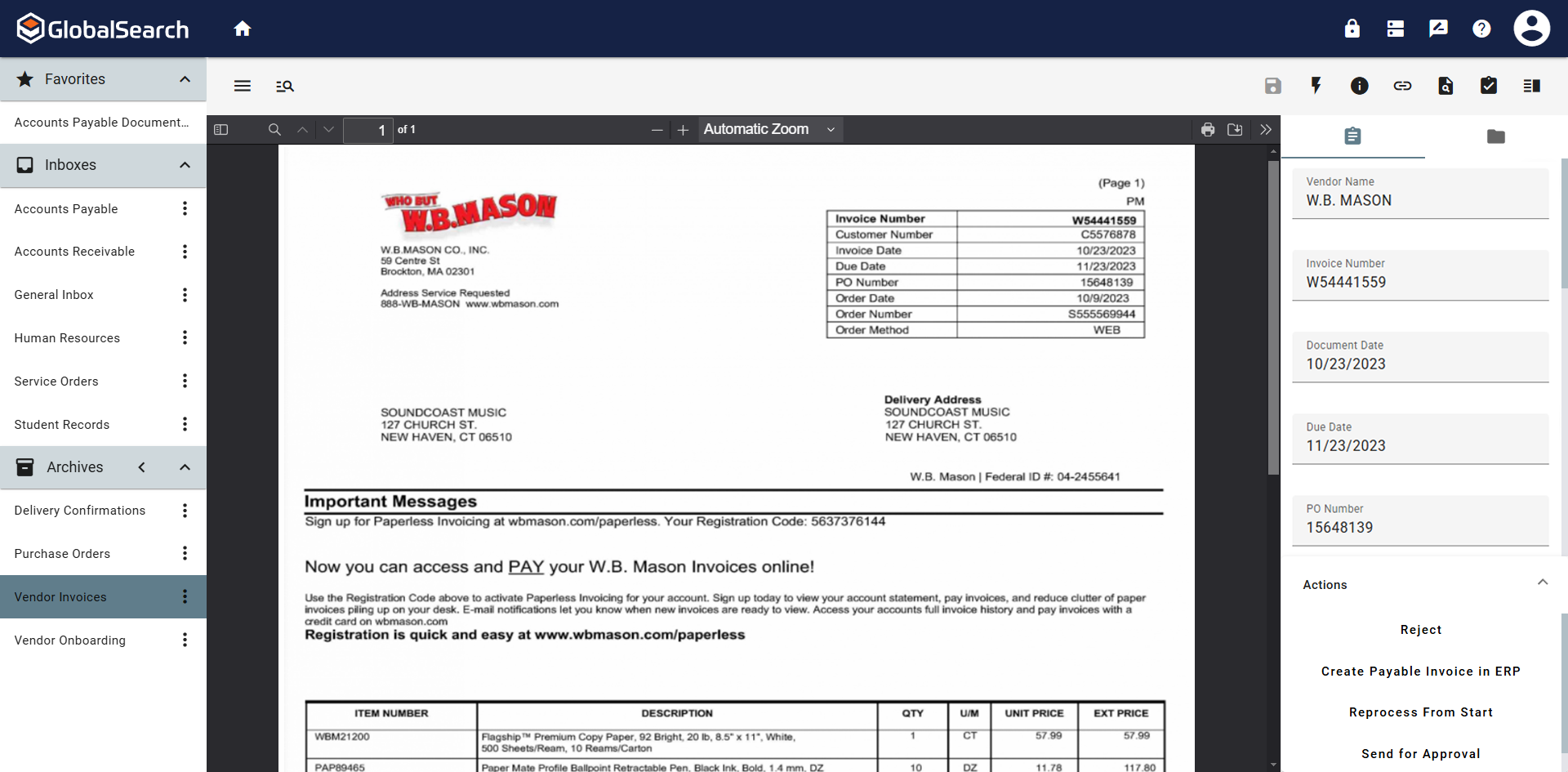
Screenshot of InquireAI, which offers AI-driven data extraction of invoice and receipt fields to eliminate the need for manual data entry.
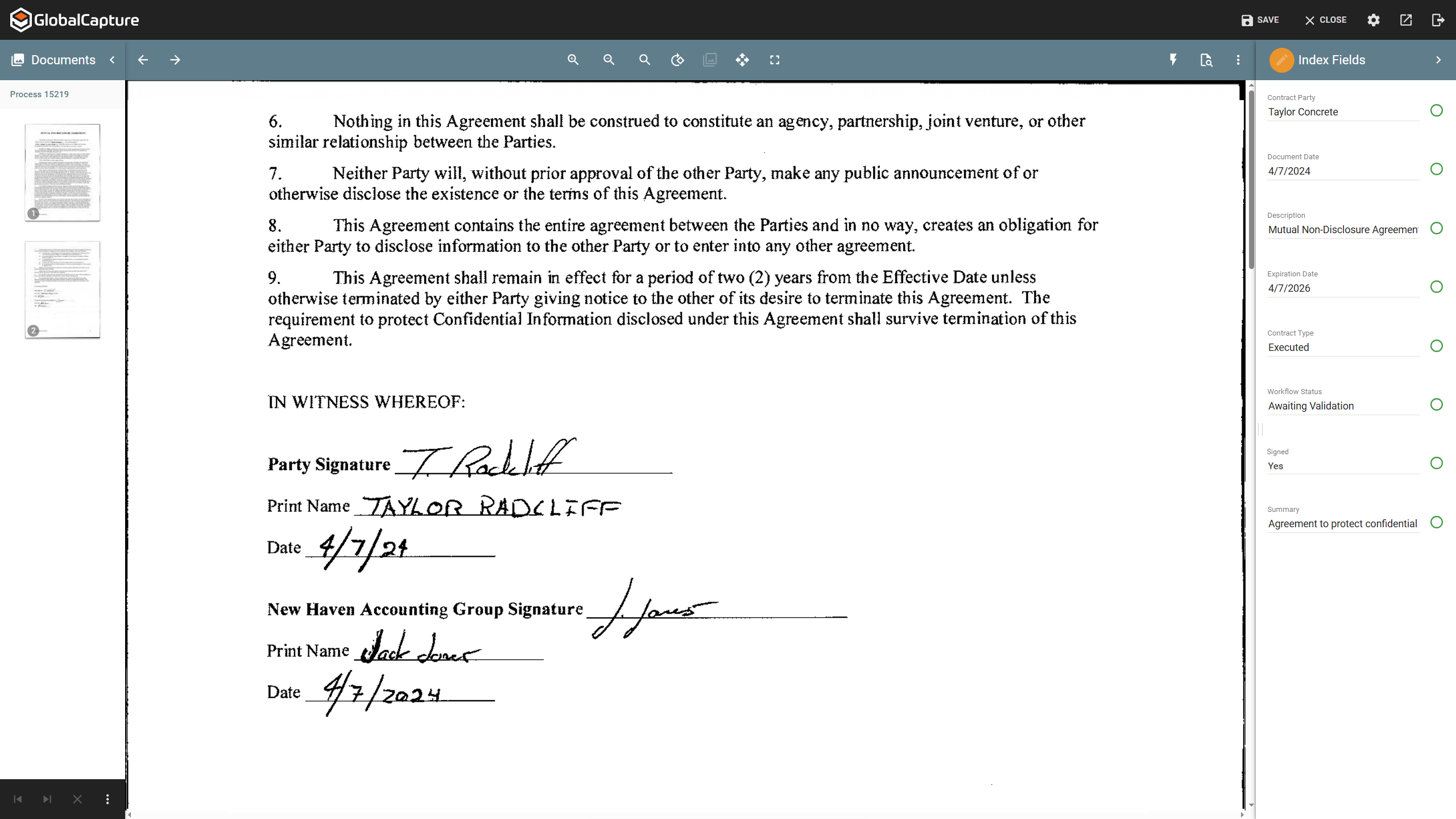
Screenshot of a contract. Contracts are a complex document format that can require contextual understanding to collect accurate data points.
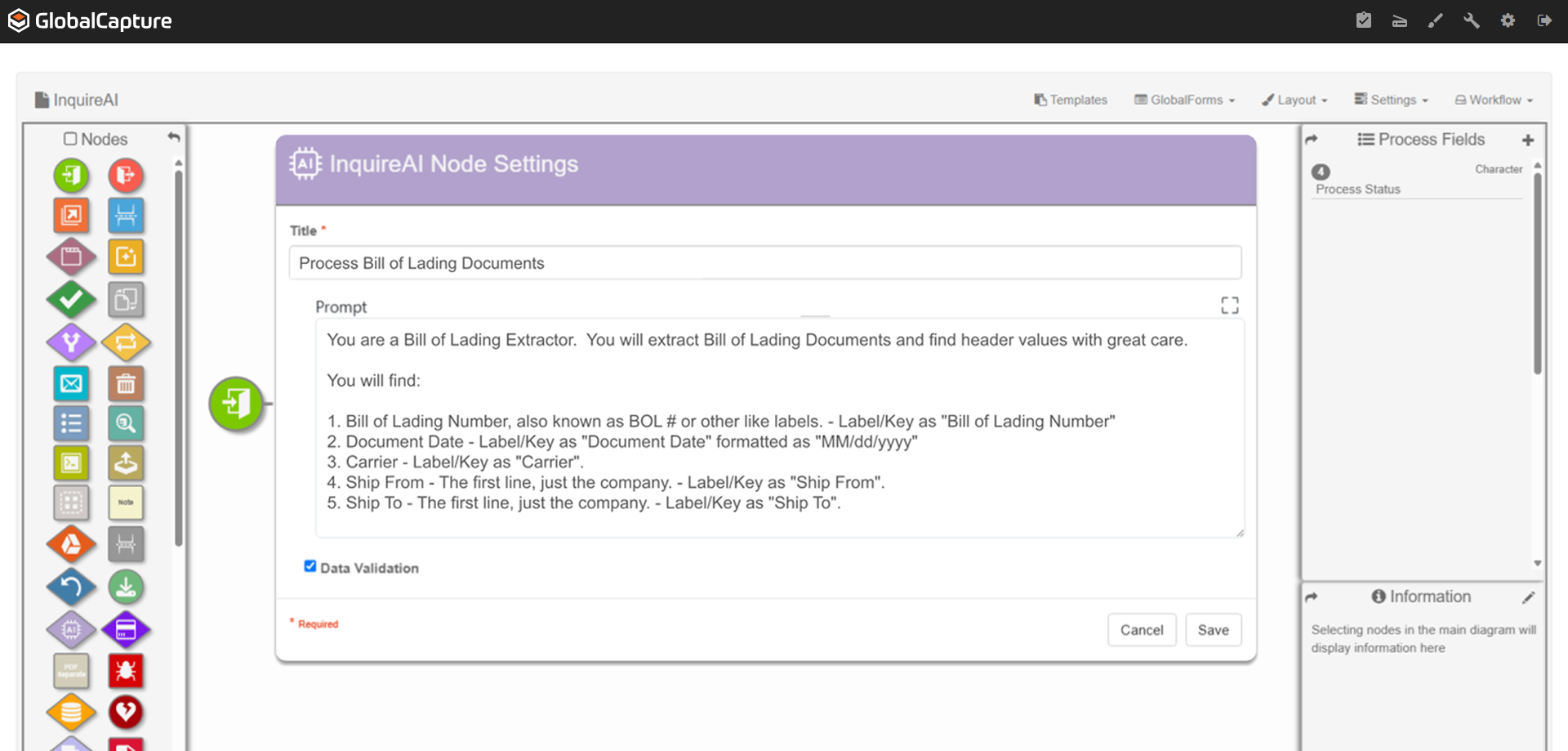
Screenshot of where using natural language prompts, InquireAI works as an agent to extract, classify, and analyze information from any type of document.
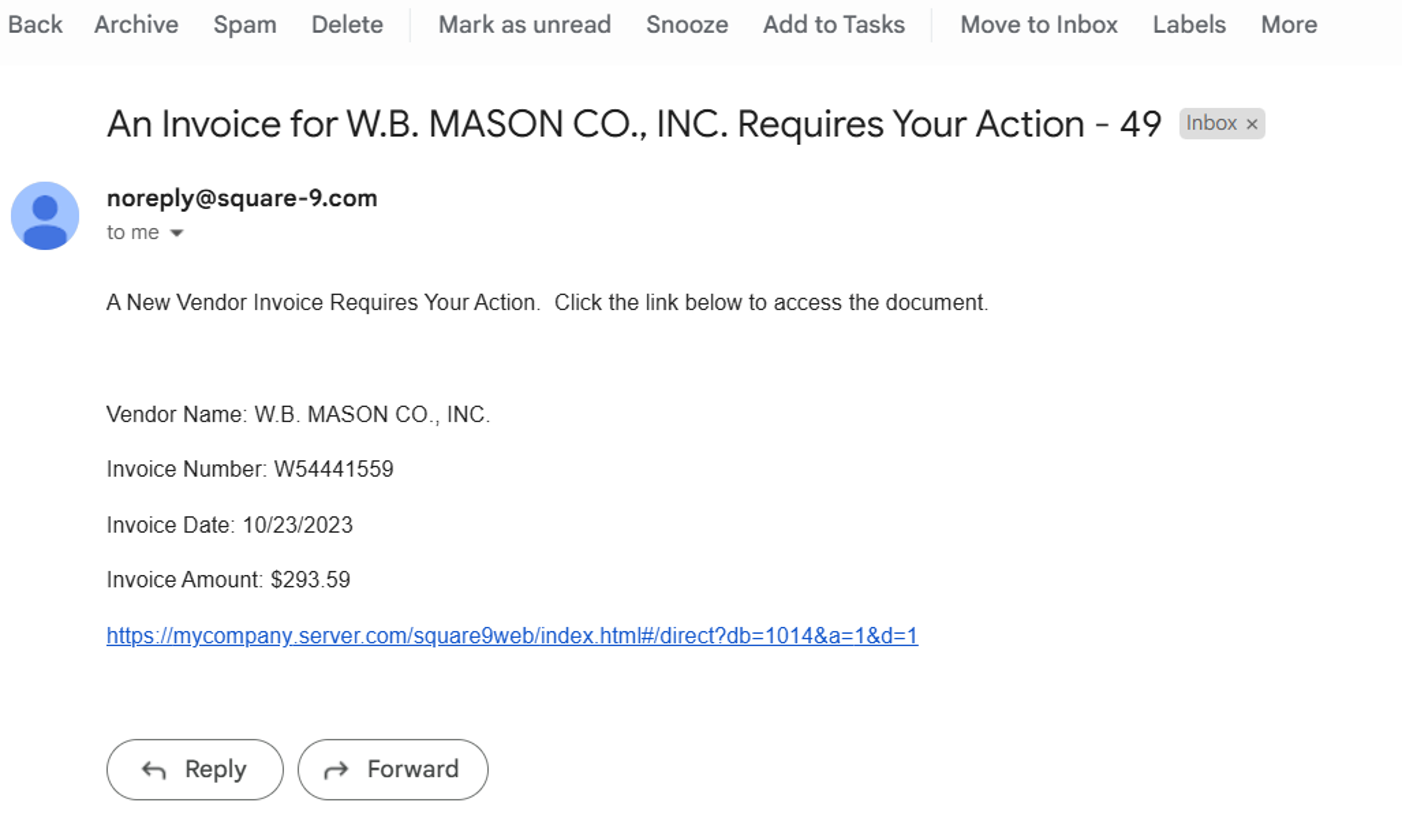
Screenshot of the invoice review process, where users can be notified by email when a pending approval is available.
Screenshot of a fully indexed document. These can be released for secure access within GlobalSearch or sent to other repositories, including QuickBooks, Dynamics 35 Business Central, Citrix ShareFile, or Google Drive.

1 / 6

Screenshot of GlobalSearch Go, which organizes documents based on extracted data.

Square 9 Softworks review

Use Cases and Deployment Scope

I work within state government and Square 9 Softworks offers great application services for our filing services as well as network and application support to ensure all of our services are working to please customers internally. On the other hand, when problems arise within the applications, the customer service IT team is very helpful with providing solutions and updating services for better streamlining.

Pros

  • Square 9 Softworks provides amazing customer service for internal issues that arrive.
  • Square 9 Softworks applications are working very well to support our internal staff.
  • Square 9 Softworks app called global search loads fast and processed filings fast.

Cons

  • Service desk hours are bad for me because of time zones.
  • Logs and amounts of data sometimes contribute to lag.
  • Regularly communications and application check-ups with internal liaison would be helpful.

Return on Investment

  • Square 9 Softworks has been able to streamline our processing times.
  • Square 9 Softworks has streamlined our filing time.
  • Sometimes the application has bugs and glitches preventing staff from working.

Alternatives Considered

OptiSigns

Other Software Used

OptiSigns, DocuSign, Google Gemini

Great

Use Cases and Deployment Scope

In our organization, we add our RFPs and invoices as well as the check stub with Square 9 Softworks

Pros

  • RFPs
  • bank deposits

Cons

  • I think there is room for improvement in Square 9 Softworks because, in our experience, RFPs sometimes you can't add forms to Square 9 Softworks.
  • In my opinion, there is room for improvement in Square 9 Softworks because I think that if the PDF is not the right size it should reject it

Return on Investment

  • The impact Square 9 Softworks has on our organization's overall business objectives is that, in my experience, Square 9 Softworks is better then papers

The Right Fit for Complex Workflow Needs

Use Cases and Deployment Scope

Square 9 addresses our need for efficient invoice processing and organized document storage. On the AP side, invoices are captured, coded by AI, and routed through approval workflows automatically. Once configured, the system runs with minimal oversight. We also use it as a document management solution where AI-assisted indexing keeps files organized and accessible. We moved to Square 9 after our previous platform failed to get off the ground with our complex requirements.

Pros

  • The system accurately identifies vendors and applies correct account codes without manual lookups.
  • Easy to build and adapt workflows to fit specific needs. Once configured, they run reliably without constant oversight.

Cons

  • When a document gets lost or misrouted, it can be confusing to troubleshoot and get it back on track.
  • Better visibility into where a document went wrong in the workflow would help resolve issues faster.

Return on Investment

  • Time savings from automation have been significant. Invoices move through approval faster and we have better visibility into payment status. The upfront investment in workflow setup has paid off in daily efficiency.
  • Reduced manual data entry and sped up invoice processing. Staff spend less time on repetitive coding tasks and more time on exceptions that actually need attention.

Other Software Used

Microsoft 365, Ellucian Banner

Easy Setup and Excellent Support

Use Cases and Deployment Scope

Square 9 Softworks allows us to better organize our documents, over 750k in about 3 years, making them easier to access and recall. It also helps us reduce our cost as well. We have about 50-60k per year by using this platform.no more stacks of paper all over the office.

Pros

  • orgainization of documents
  • searching and recall of documents
  • support

Cons

  • licensing is a bit clunky
  • user setup could be improved

Return on Investment

  • annul cost savings - over 60k per year
  • Audit staff love the processes over dealing with paper

Alternatives Considered

FileBound

Other Software Used

Microsoft 365 Business Premium, Veeam Data Platform, Adobe Acrobat

Square 9 Education Setting

Use Cases and Deployment Scope

We use this program to handle a ton of information across different departments. We use it to improve workflows, efficiencies, and to help manage large amounts of data. It's good because multiple people can work in the same "sandbox" and make adjustments and complete work efficiently.

Pros

  • Digital document storage
  • Customer service

Cons

  • User management
  • Occasional workflow logjams

Return on Investment

  • Accessibility