
Kuman Kothiya
Test Lead
Chose ACCELQ
API integration
Autopilot AI interactions
Logic analyzer features
Autopilot AI interactions
Logic analyzer features

| Product | Rating | Most Used By | Product Summary | Starting Price |
|---|---|---|---|---|
 ACCELQ | N/A | ACCELQ is an agile quality management platform that helps users achieve continuous delivery for web, mobile, manual testing, and APIs. It can be used to write and manage manual test cases for the functionality that may be too fluid for automation. | N/A | |
 BugBug | N/A | BugBug is a low-code test automation solution for QA testers, developers, and product managers. It offers complete automatization of end-to-end testing for websites and web applications. The tool enables users to automate regression tests and reduce costs. Its recording interface allows users to create an automated test in less than 5 minutes. With BugBug the user can: Record reliable end-to-end tests in just a few minutes Run tests in a browser or in the… | $0 per month |
| ACCELQ | BugBug | |||||||||||||||
|---|---|---|---|---|---|---|---|---|---|---|---|---|---|---|---|---|
| Editions & Modules | No answers on this topic |
| ||||||||||||||
| Offerings |
| |||||||||||||||
| Entry-level Setup Fee | No setup fee | No setup fee | ||||||||||||||
| Additional Details | — | — | ||||||||||||||
| More Pricing Information | ||||||||||||||||
| ACCELQ | BugBug | |
|---|---|---|
| Considered Both Products | ACCELQ Kuman Kothiya Test Lead Chose ACCELQ API integration Autopilot AI interactions Logic analyzer features |  BugBug No answer on this topic |
| ACCELQ | BugBug | ||||||||||||||||||||||||||||||||||||||||||
|---|---|---|---|---|---|---|---|---|---|---|---|---|---|---|---|---|---|---|---|---|---|---|---|---|---|---|---|---|---|---|---|---|---|---|---|---|---|---|---|---|---|---|---|
| Automation Testing |
|
| ACCELQ | BugBug | |
|---|---|---|
| Small Businesses |  BrowserStack Score 8.4 out of 10 | BrowserStack Score 8.4 out of 10 |
| Medium-sized Companies |  ReadyAPI Score 6.1 out of 10 | ReadyAPI Score 6.1 out of 10 |
| Enterprises |  ignio AIOps Score 8.1 out of 10 | ignio AIOps Score 8.1 out of 10 |
| All Alternatives | View all alternatives | View all alternatives |
| ACCELQ | BugBug | |
|---|---|---|
| Likelihood to Recommend | 9.0 (0 ratings) | - (0 ratings) |
| Usability | 9.0 (0 ratings) | - (0 ratings) |
| ACCELQ | BugBug | |
|---|---|---|
| Likelihood to Recommend |
| No answers on this topic |
| Pros |
| No answers on this topic |
| Cons |
Kuman Kothiya Test Lead | No answers on this topic |
| Usability |
Kuman Kothiya Test Lead | No answers on this topic |
| Alternatives Considered |
Kuman Kothiya Test Lead | No answers on this topic |
| Return on Investment |
Kuman Kothiya Test Lead | No answers on this topic |
| ScreenShots | BugBug Screenshots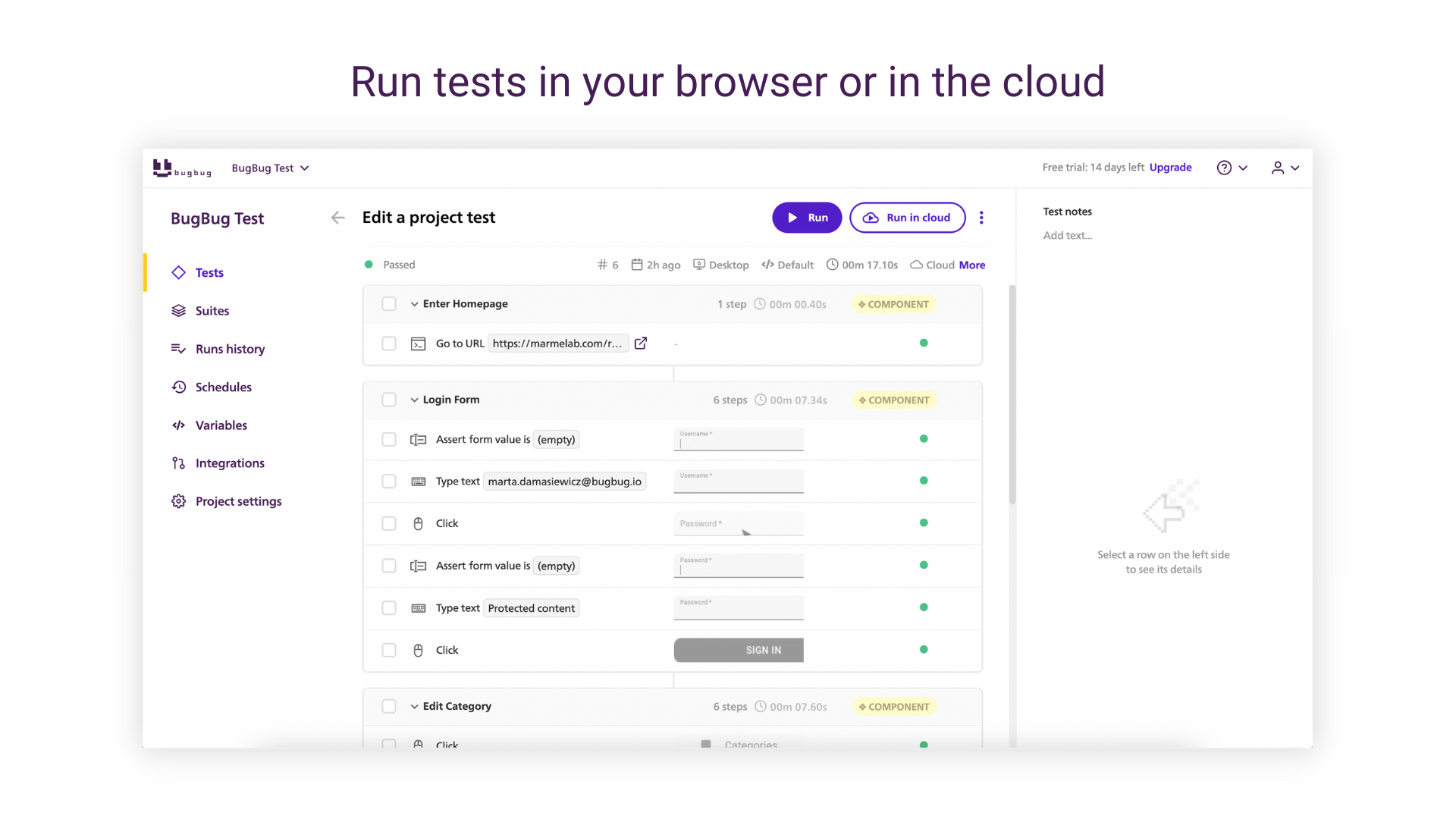    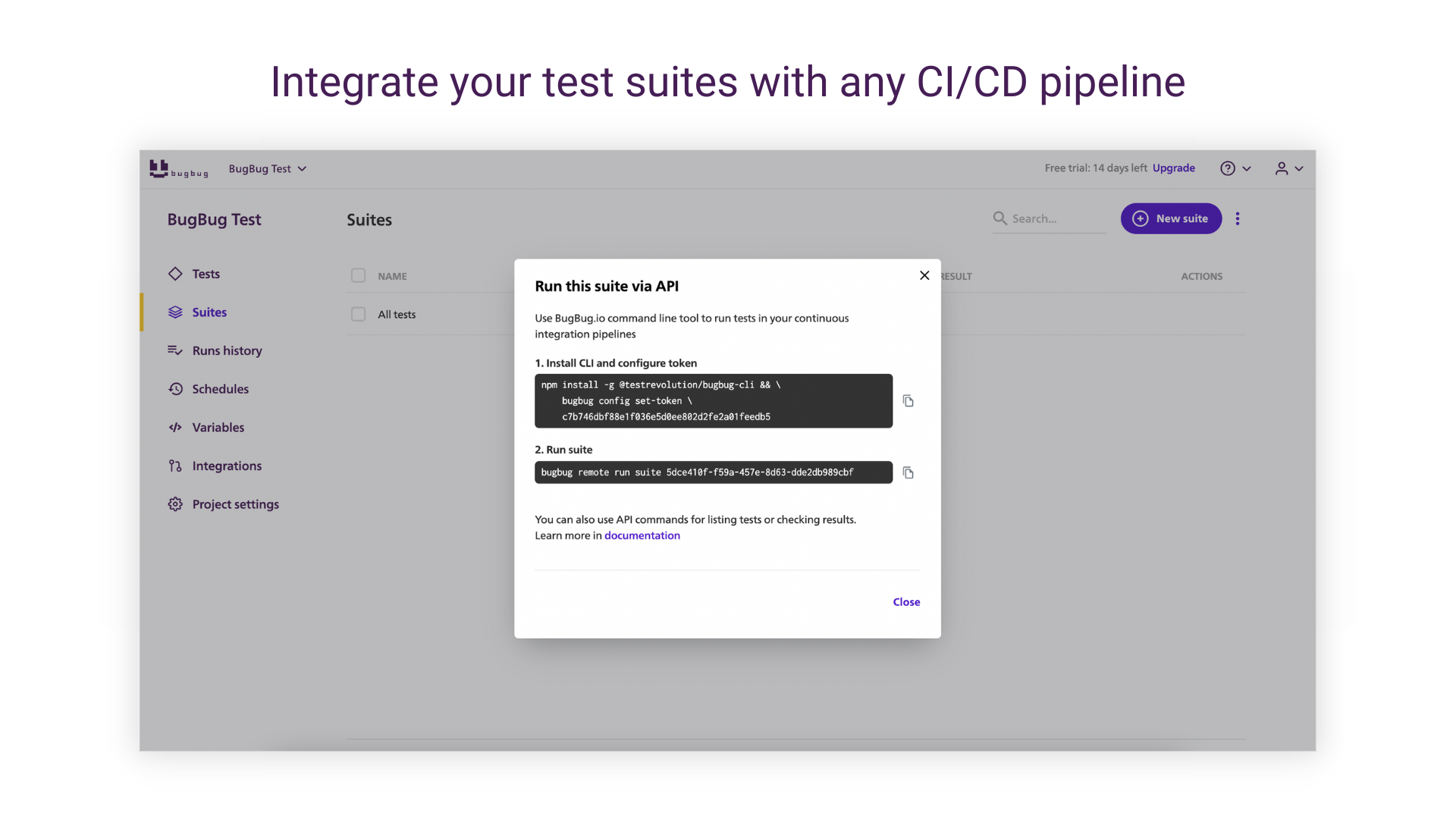 |