
Adobe Bridge vs. Stockpress
| Product | Rating | Most Used By | Product Summary | Starting Price |
|---|---|---|---|---|
 Adobe Bridge | Score8.7 out of 10 | N/A | Adobe Bridge is a creative digital asset manager that lets you preview, organize, edit, and publish multiple creative assets (including Adobe Photoshop, InDesign, Illustrator, After Effects, and Dimension files) with thumbnails and rich previews. Edit metadata. Add keywords, labels, and ratings to assets. Organize assets using collections, and find assets using powerful filters and advanced metadata search features. Collaborate with Libraries and publish to Adobe Stock from Bridge. | N/A |
 Stockpress | N/A | N/A | Stockpress is a Digital Asset Management (DAM) platform that helps organizations organize, find, and share digital content from one centralized workspace. With unlimited users on every plan, AI search that finds content by what's actually in it, automatic tagging, and enterprise-grade security, Stockpress aims to make content easy to manage without the complexity — or cost — of traditional DAM software. | $99 per month |
| Adobe Bridge | Stockpress | |||||||||||||||
|---|---|---|---|---|---|---|---|---|---|---|---|---|---|---|---|---|
| Editions & Modules | No answers on this topic |
| ||||||||||||||
| Offerings |
| |||||||||||||||
| Entry-level Setup Fee | No setup fee | No setup fee | ||||||||||||||
| Additional Details | — | Stockpress is priced by storage, not by the number of users. Every paid plan includes unlimited users, unlimited admins, unlimited teams, and unlimited user roles at no additional cost. Pricing displayed is for an annual commitment, billed monthly. Pro and Premium plans offer multiple storage tiers (500 GB to 3 TB for Pro, 500 GB to 10 TB for Premium), so teams can choose the storage that fits their library size. There are no setup fees, no onboarding charges, and no per-seat licensing fees at any tier. Stockpress also offers a free plan with unlimited users and 3 GB of storage — no credit card required — so teams can evaluate the platform before committing to a paid plan. Nonprofit organizations qualify for a 30% discount across all paid plans. | ||||||||||||||
| More Pricing Information | ||||||||||||||||
| Adobe Bridge | Stockpress | |
|---|---|---|
| Considered Both Products | No answer on this topic | No answer on this topic |
| Key User Insights | ||
| Would buy again | ||
100% Would buy again 7 Answers | No answers on this topic | |
| Delivers good value for the price | ||
100% Delivers good value for the price 7 Answers | No answers on this topic | |
| Happy with the feature set | ||
100% Happy with the feature set 7 Answers | No answers on this topic | |
| Lived up to sales and marketing promises | ||
100% Lived up to sales and marketing promises 5 Answers | No answers on this topic | |
| Implementation went as expected | ||
100% Implementation went as expected 5 Answers | No answers on this topic | |
| Adobe Bridge | Stockpress | ||||||||||||||||||||||||||||||||||||||||||||||||||||
|---|---|---|---|---|---|---|---|---|---|---|---|---|---|---|---|---|---|---|---|---|---|---|---|---|---|---|---|---|---|---|---|---|---|---|---|---|---|---|---|---|---|---|---|---|---|---|---|---|---|---|---|---|---|
| Reporting & Analytics |
| ||||||||||||||||||||||||||||||||||||||||||||||||||||
| DAM Features |
| ||||||||||||||||||||||||||||||||||||||||||||||||||||
| Adobe Bridge | Stockpress | |
|---|---|---|
| Small Businesses |  pCloud Score5.8 out of 10 | Adobe Bridge Score8.7 out of 10 |
| Medium-sized Companies |  Cloudinary Score9 out of 10 | Cloudinary Score9 out of 10 |
| Enterprises |  Acquia DAM (Widen) Score8.1 out of 10 | Acquia DAM (Widen) Score8.1 out of 10 |
| All Alternatives | View all alternatives | View all alternatives |
| Adobe Bridge | Stockpress | |
|---|---|---|
| Likelihood to Recommend | 9.3 | - |
| Usability | 9.0 | - |
| Adobe Bridge | Stockpress | |
|---|---|---|
| Likelihood to Recommend |
| No answers on this topic |
| Pros |
| No answers on this topic |
| Cons |
| No answers on this topic |
| Usability |
| No answers on this topic |
| Alternatives Considered |
| No answers on this topic |
| Return on Investment |
| No answers on this topic |
| ScreenShots | Stockpress Screenshots  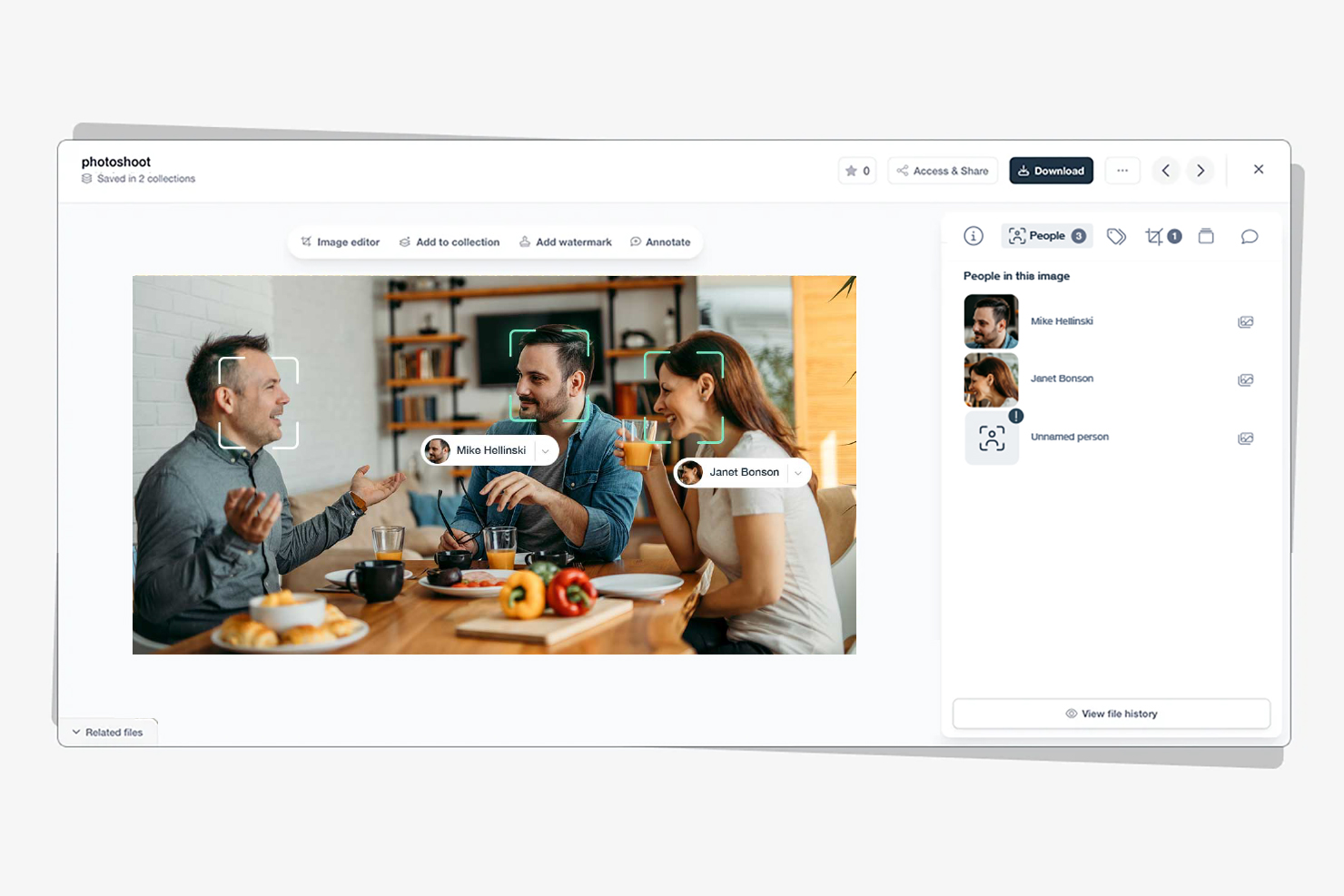  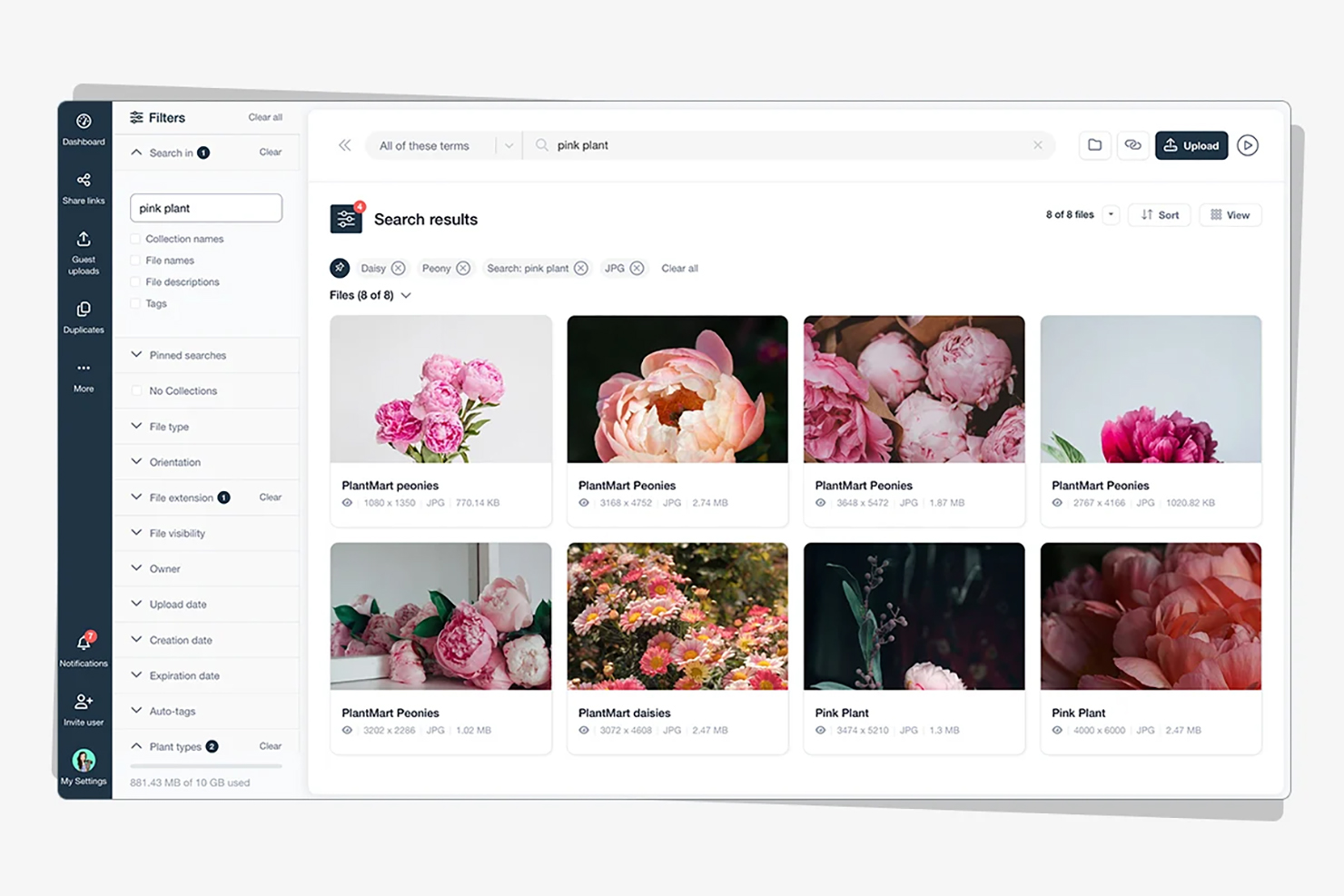 |

