Affinity Designer vs. DesignWiz

Overview
ProductRatingMost Used ByProduct SummaryStarting Price
Affinity Designer
Score 9.1 out of 10
N/A
Affinity Designer is a vector graphics software developed by Serif (Europe) Ltd, replacing the former Serif DrawPlus. It is designed for professional illustrators, web designers, game developers, and other creatives.N/A
DesignWiz
Score 0.0 out of 10
Small Businesses (1-50 employees)
DesignWiz is a cloud-based flyer design platform tailored for users who need marketing visuals without complex tools or prior design experience. An editor and a library of over 20,000 ready-to-use templates enable businesses, marketers, and event organizers to create flyers in just a few clicks. DesignWiz also offers AI-powered design suggestions, branding tools, and export options optimized for both print and digital use. Use cases might include promoting a product, announcing an event, or…
$9
per month per user
Pricing
Affinity DesignerDesignWiz
Editions & Modules
No answers on this topic
PRO - Monthly
$9
per month per user
PRO - Yearly
$49
per year per user
Offerings
Pricing Offerings
Affinity DesignerDesignWiz
Free Trial
NoNo
Free/Freemium Version
NoYes
Premium Consulting/Integration Services
NoNo
Entry-level Setup FeeNo setup feeNo setup fee
Additional Details
More Pricing Information
Community Pulse
Affinity DesignerDesignWiz
Considered Both Products
Affinity Designer
Chose Affinity Designer
A GREAT alternative to Illustrator and Inkscape, especially given the software's cost and robustness.
Chose Affinity Designer
Every app has something to offer. Affinity Designer is a great alternative to the high price and usage limitation of Adobe apps and Clip Studio's convoluted pricing/installation pricing.

If you want a quick and easy to use app to get started on your art, then Affinity Designer …
Chose Affinity Designer
First, Affinity has a much more attractive licensing model for users: Buy it once, use it forever. That's great and means one less recurring cost for a company. But I can go further, and as I've mentioned in other questions, Affinity has a very refined and polished interface, …
Chose Affinity Designer
Honestly because it was around $70 for the entire suite when I bought V2 a few years ago before being acquired by Canva. I really wanted the flexibility of full featured apps on iPad.
Chose Affinity Designer
Affinity Designer stacks up really well against Illustrator, especially for the kind of work I do. While Illustrator might have more niche features that Affinity does not but It does covers the core functionality I need for vector design. And without the ongoing subscription …
Chose Affinity Designer
The product appears to be just as powerful for what I need. Affinity is easier to use, and the results I get are phenomenal. The tools are inexpensive, so my colleagues can also purchase them to use with me. Right now, I am a pleased and excited Affinity user. Also, I have …
DesignWiz

No answer on this topic

Best Alternatives
Affinity DesignerDesignWiz
Small Businesses
CorelDRAW Graphics Suite
Score 7.5 out of 10
CorelDRAW Graphics Suite
Score 7.5 out of 10
Medium-sized Companies
GIMP
GIMP
Score 7.9 out of 10
GIMP
GIMP
Score 7.9 out of 10
Enterprises
CorelDRAW Graphics Suite
Score 7.5 out of 10
CorelDRAW Graphics Suite
Score 7.5 out of 10
All AlternativesView all alternativesView all alternatives
User Ratings
Affinity DesignerDesignWiz
Likelihood to Recommend
9.2
(0 ratings)
-
(0 ratings)
Usability
8.6
(0 ratings)
-
(0 ratings)
Support Rating
10.0
(0 ratings)
-
(0 ratings)
User Testimonials
Affinity DesignerDesignWiz
Likelihood to Recommend
For graphic design work, it’s certainly the best that Affinity Designer has to offer. It can compete very well with its competitors and offers a very polished and stable interface for most uses. I’d say it doesn’t do as well with rasterizations and some types of advanced applications when working with vectors, and it lacks some AI integrations, something that’s a hot topic right now.
Read full review
No answers on this topic
Pros
  • EASE OF USE
  • USER INTERFACE
Read full review
No answers on this topic
Cons
  • It's missing a vector trace tool.
Read full review
No answers on this topic
Usability
Definitely a learning curve coming from Adobe. There's also some features missing for now and major orgs/vendors are still locked into Adobe for the foreseeable future. Great to have other more affordable options.
Read full review
No answers on this topic
Support Rating
I have not had much opportunity to go directly to support, but the training modules that are employed by the company are fantastic. I also find that if I need to understand something, there is always another user ready and willing to share their secrets. As this tool becomes more accepted local communities will also start to organize
Read full review
No answers on this topic
Alternatives Considered
Every app has something to offer. Affinity Designer is a great alternative to the high price and usage limitation of Adobe apps and Clip Studio's convoluted pricing/installation pricing. If you want a quick and easy to use app to get started on your art, then Affinity Designer has the tools for you. If you are a professional artist and needs the latest file types for professional clients, then this is the app for you!
Read full review
No answers on this topic
Return on Investment
  • Perfect for professionals. The price is insane for a professional tool.
  • I am able to fit the price of Affinity Designer into our business budget.
Read full review
No answers on this topic
ScreenShots

DesignWiz Screenshots

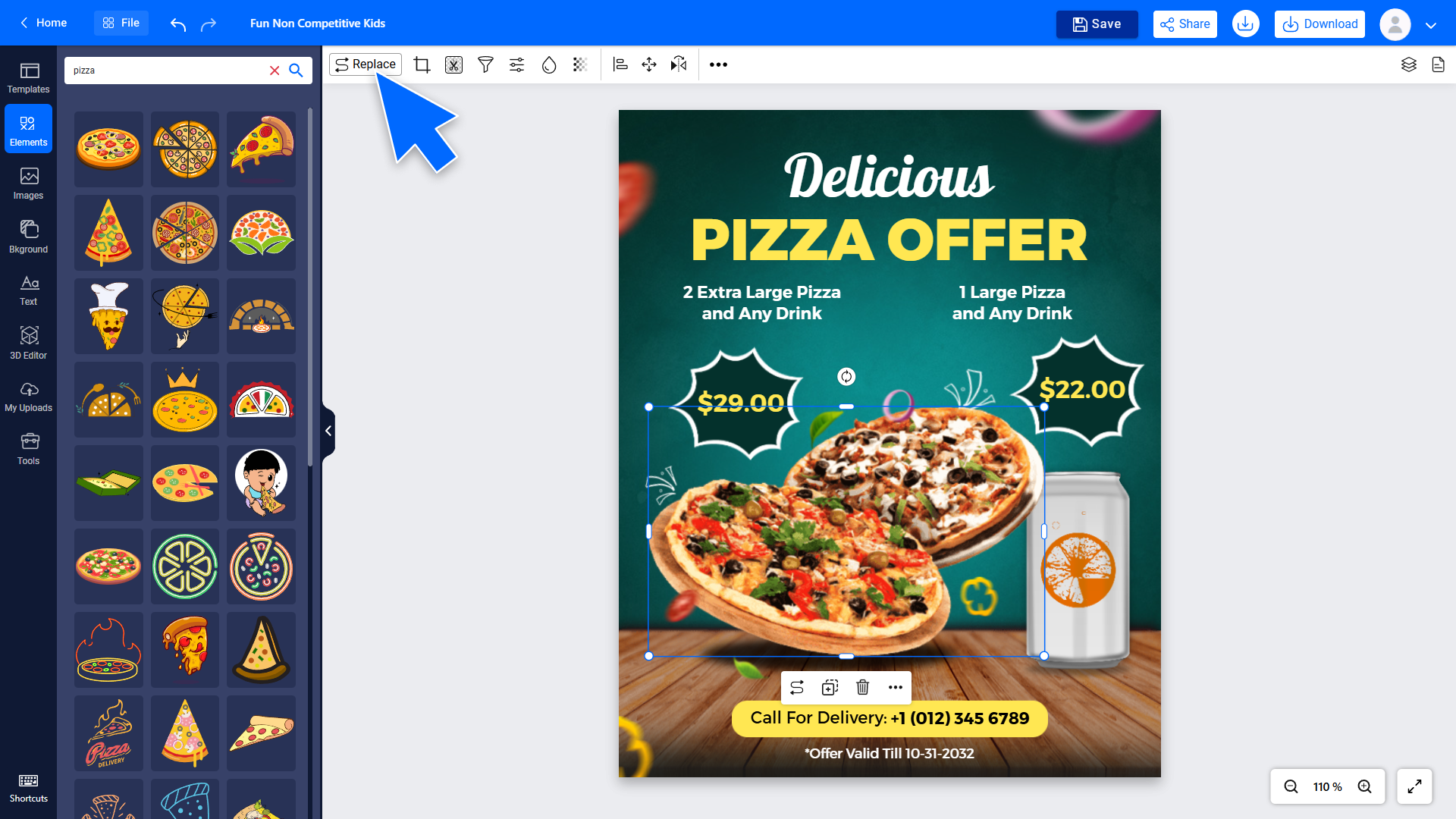
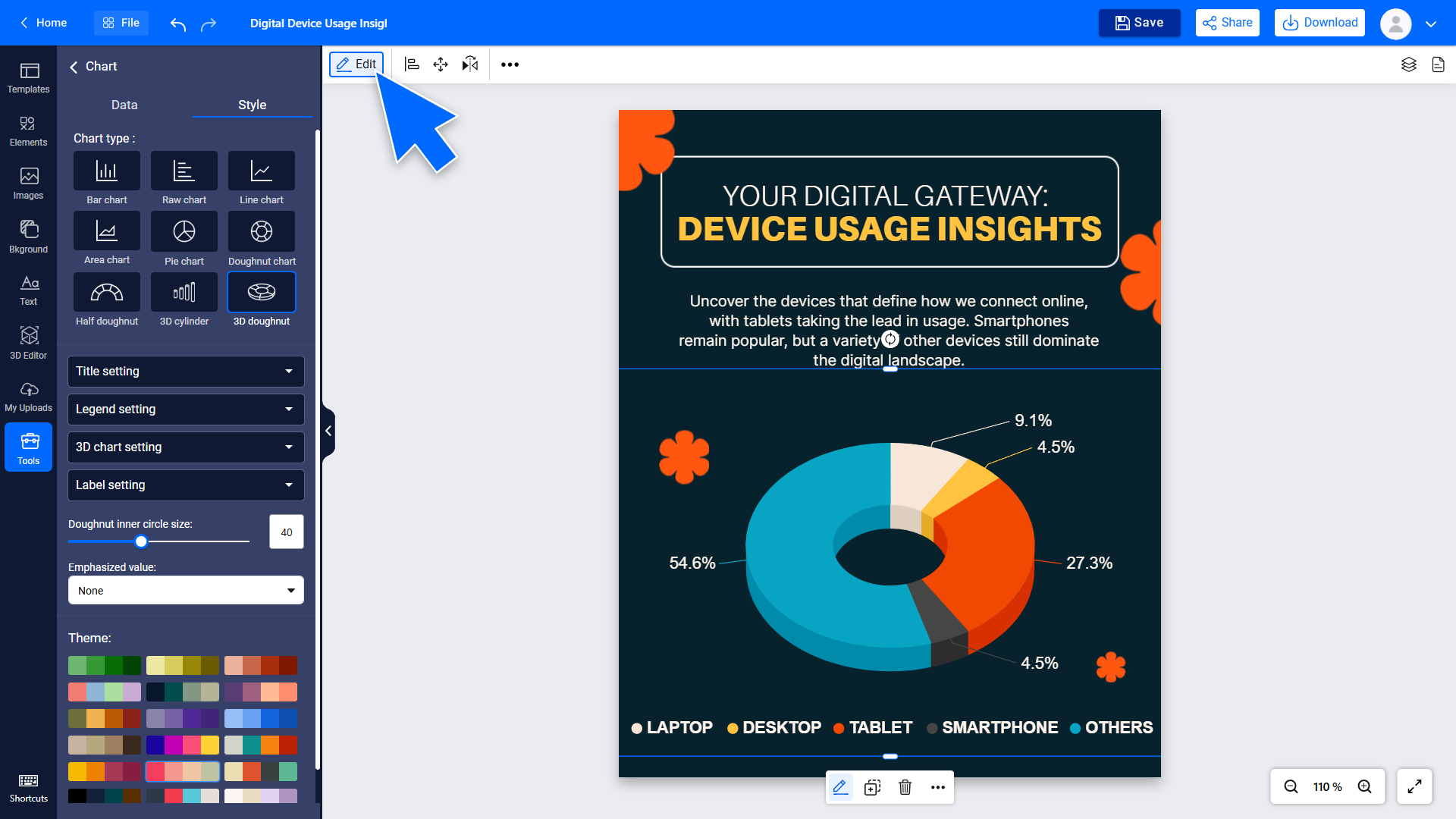
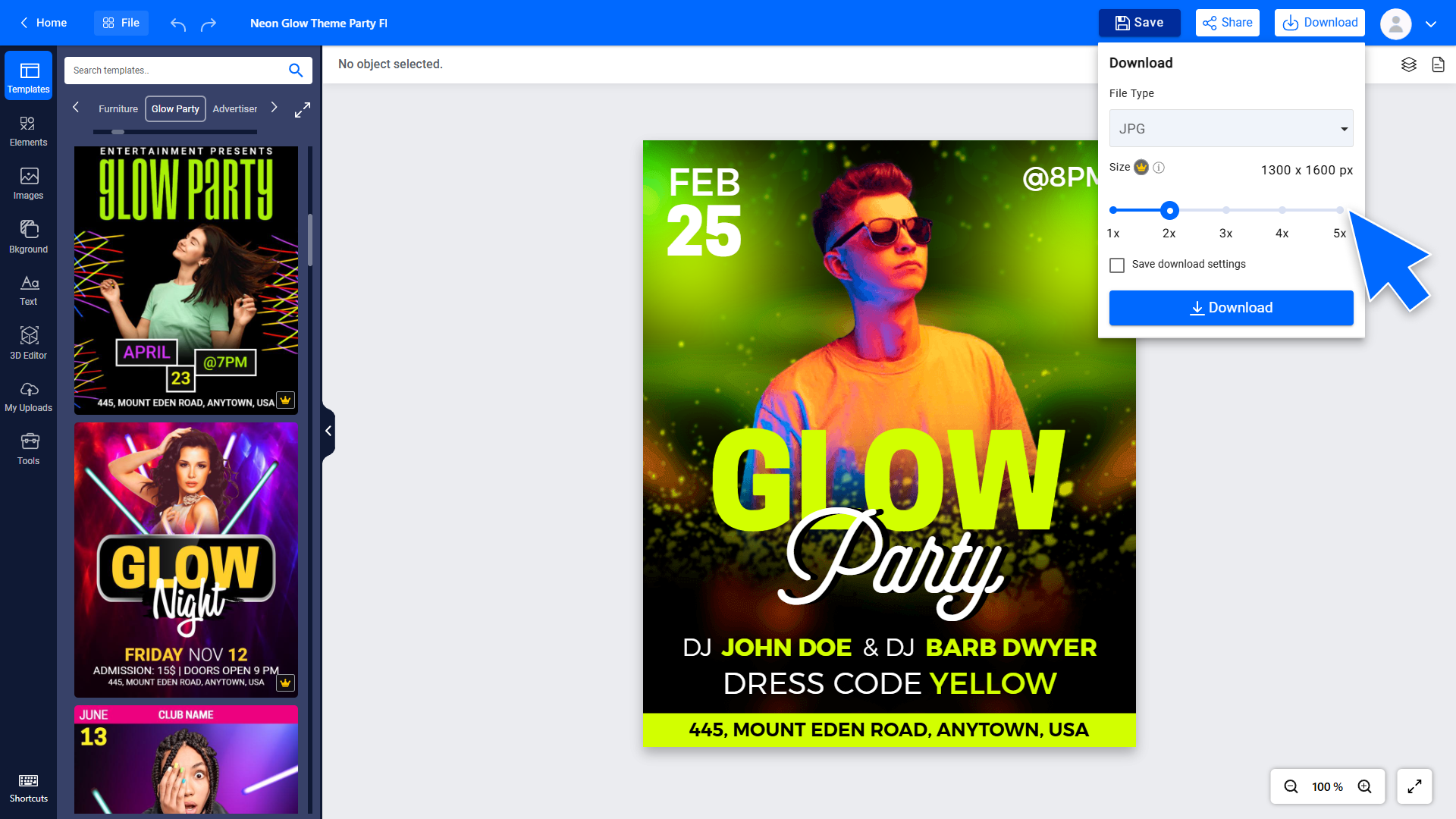
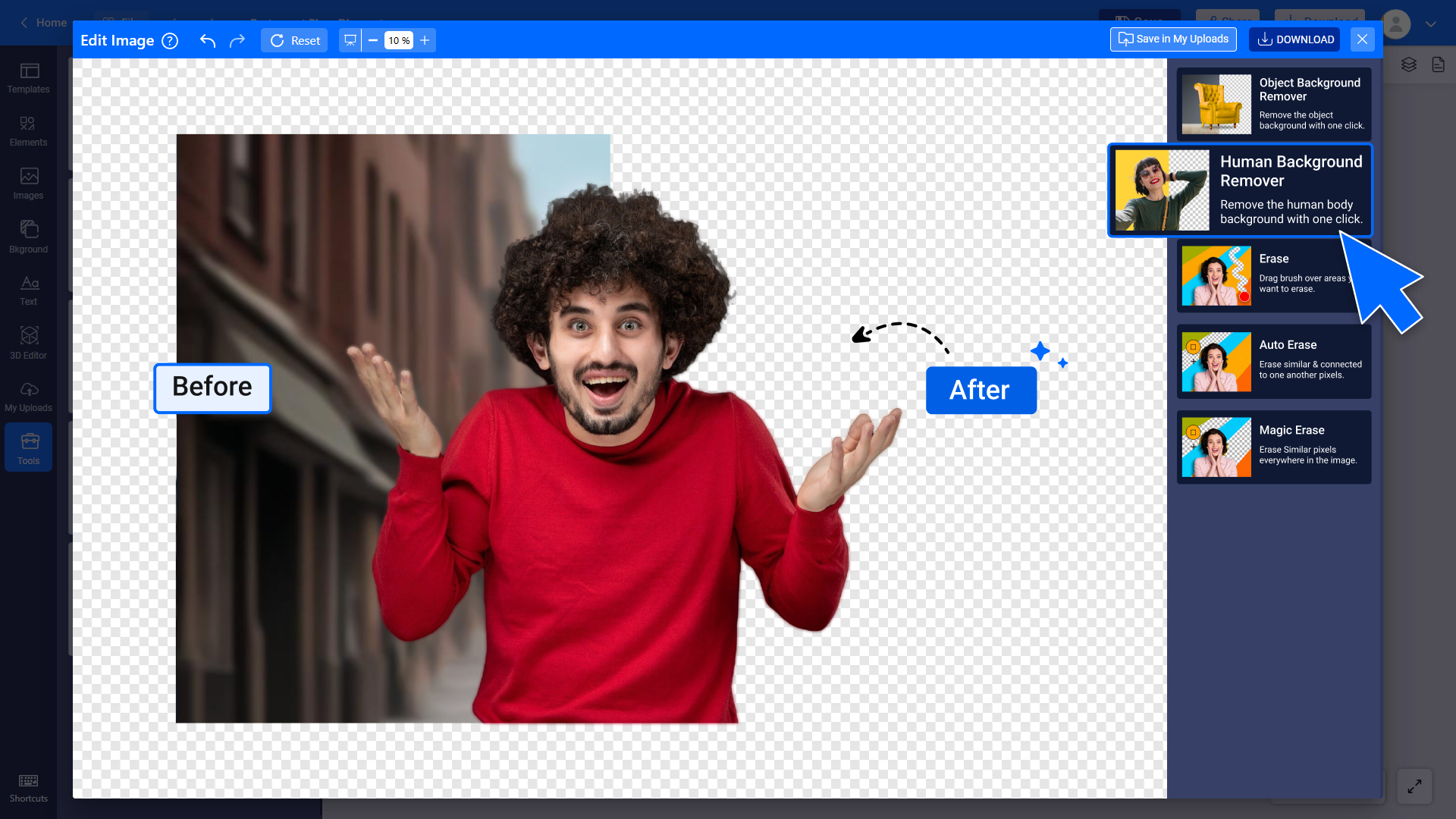
Screenshot of some of the stickers used to customize flyers in just a few clicks.Screenshot of where to add a QR code to a flyer to make it interactive and scannable.Screenshot of visualized data, available from adding charts directly to a flyer.Screenshot of a high resolution flyer, ready for print or digital use.Screenshot of where to remove image backgrounds to create clean, professional designs.