Airtime vs. Ghostprompter

Overview
ProductRatingMost Used ByProduct SummaryStarting Price
Airtime
Score 8.6 out of 10
N/A
Airtime (formerly mmhmm) is an app that, when used as an add-on to a virtual camera, is designed to make video chats, meetings, and presentations more engaging.
$12
per month
Ghostprompter
Score 0.0 out of 10
N/A
GhostPrompter is a specialized desktop utility engineered for professionals, remote presenters, and content creators who need real-time script assistance during video calls, webinars, and live recordings. By integrating advanced customization features directly into the workspace, the software eliminates the traditional friction of public speaking and remote presentation delivery. Key Features and Differentiators Transparent Overlay: Provides a custom-configured,…
$49
one-time fee per installation
Pricing
AirtimeGhostprompter
Editions & Modules
Individual
$12
per month
Team
$12
per month per user
GhostPrompter Pro
$49
one-time fee per installation
Offerings
Pricing Offerings
AirtimeGhostprompter
Free Trial
YesYes
Free/Freemium Version
NoNo
Premium Consulting/Integration Services
NoNo
Entry-level Setup FeeNo setup feeNo setup fee
Additional DetailsDiscount available for annual pricing.GhostPrompter utilizes a straightforward, accessible pricing model designed for individual creators, remote professionals, and small teams. Transparent subscription tiers ensure users only pay for the features they need to streamline their virtual presentations and video call workflows without hidden enterprise setup costs or complex licensing fees.
More Pricing Information
Community Pulse
AirtimeGhostprompter
Considered Both Products
Airtime
Chose Airtime
Of all the platforms out there - believe me, I've tried them all - or try to avoid them whenever I can - mmhmm stands on its own with its unique platform benefits, visualizations, ease of use, sharability, affordability, and overall "Wow" factor that we hope to get from our …
Ghostprompter

No answer on this topic

Best Alternatives
AirtimeGhostprompter
Small Businesses
Canva
Canva
Score 9.1 out of 10
Canva
Canva
Score 9.1 out of 10
Medium-sized Companies
Mentimeter
Mentimeter
Score 8.4 out of 10
Mentimeter
Mentimeter
Score 8.4 out of 10
Enterprises
Mentimeter
Mentimeter
Score 8.4 out of 10
Mentimeter
Mentimeter
Score 8.4 out of 10
All AlternativesView all alternativesView all alternatives
User Ratings
AirtimeGhostprompter
Likelihood to Recommend
10.0
(0 ratings)
-
(0 ratings)
User Testimonials
AirtimeGhostprompter
Likelihood to Recommend
mmhmm is, by far, the absolute best presentation platform I have found - and I have looked a lot and demoed a lot of them. The flexibility, ease of use and visually engaging experience that mmhmm provides has, without fail, been a game changer tool no matter the presentation styles. While it is, hands down, the best virtual presentation platform, I have not been able to level up my in-person experiences to the same degree as I have online. I will continue to explore how and where I can integrate the mmhmm Studio toolsets to pump up my in-person experiences.
Read full review
No answers on this topic
Pros
  • The up front presenter in front of my slides
  • Easily integrates static slides, animations and video without having to have vast technical skills.
  • It's an intuitive application to use. In a few minutes you sign up, start a new presentation and you're underway. It's pretty plug-n-play.
  • I've recommended it to my "non-technical" friends and they love it. They told me it was super easy to use and has made them more excited to create and share their presentations.
Read full review
No answers on this topic
Cons
  • In the future I might like to see a fast-swap handoff to fellow presenters like we do in a live presentation.
  • Getting more updates on the platform advances in emails would be helpful. Like the recent sharing of useful templates was awesome.
  • I'd like to see more user stories shared to see how others are using the platform to make their presentations stand out. These kinds of things are helpful in feeding my ideas and insights for my next meeting, presentation and lessons.
Read full review
No answers on this topic
Alternatives Considered
Of all the platforms out there - believe me, I've tried them all - or try to avoid them whenever I can - mmhmm stands on its own with its unique platform benefits, visualizations, ease of use, sharability, affordability, and overall "Wow" factor that we hope to get from our audiences. No matter what it is we are presenting. To have that ability to integrate and gravitate to our presentations has proven to be a game changer that really did not take a lot for us to do. Even better is the fact that we still may have to - for whatever reason - build a presentation in one of the slide builder apps we can still import them seamlessly into mmhmm and use the mmhmm interface as our camera when we use the other platforms. It's been a complete win, win, win all around.
Read full review
No answers on this topic
Return on Investment
  • We've only seen positive impact since deciding to use mmhmm
  • The ROI is a bazillion-fold. It's not an expensing platform, but the positive impact has been priceless!
  • Even the Powerpoint burnt out team members have taken easily to using mmhmm
  • Our presentations get comments like, "Wow... this is cool." "We really loved this presentation. It was completely engaging." "What are you guys using? This is pretty dang cool!"
Read full review
No answers on this topic
ScreenShots

Ghostprompter Screenshots

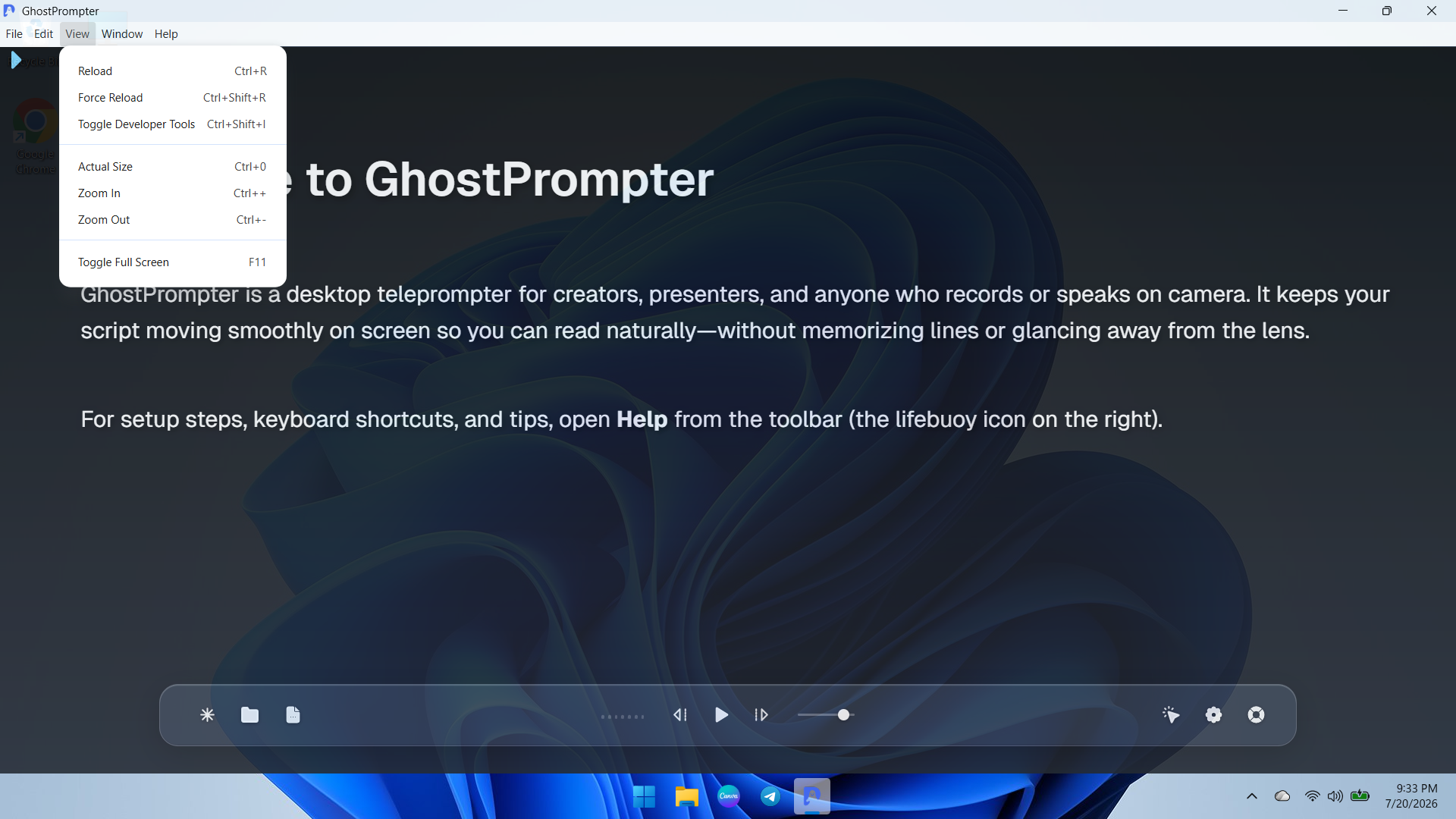
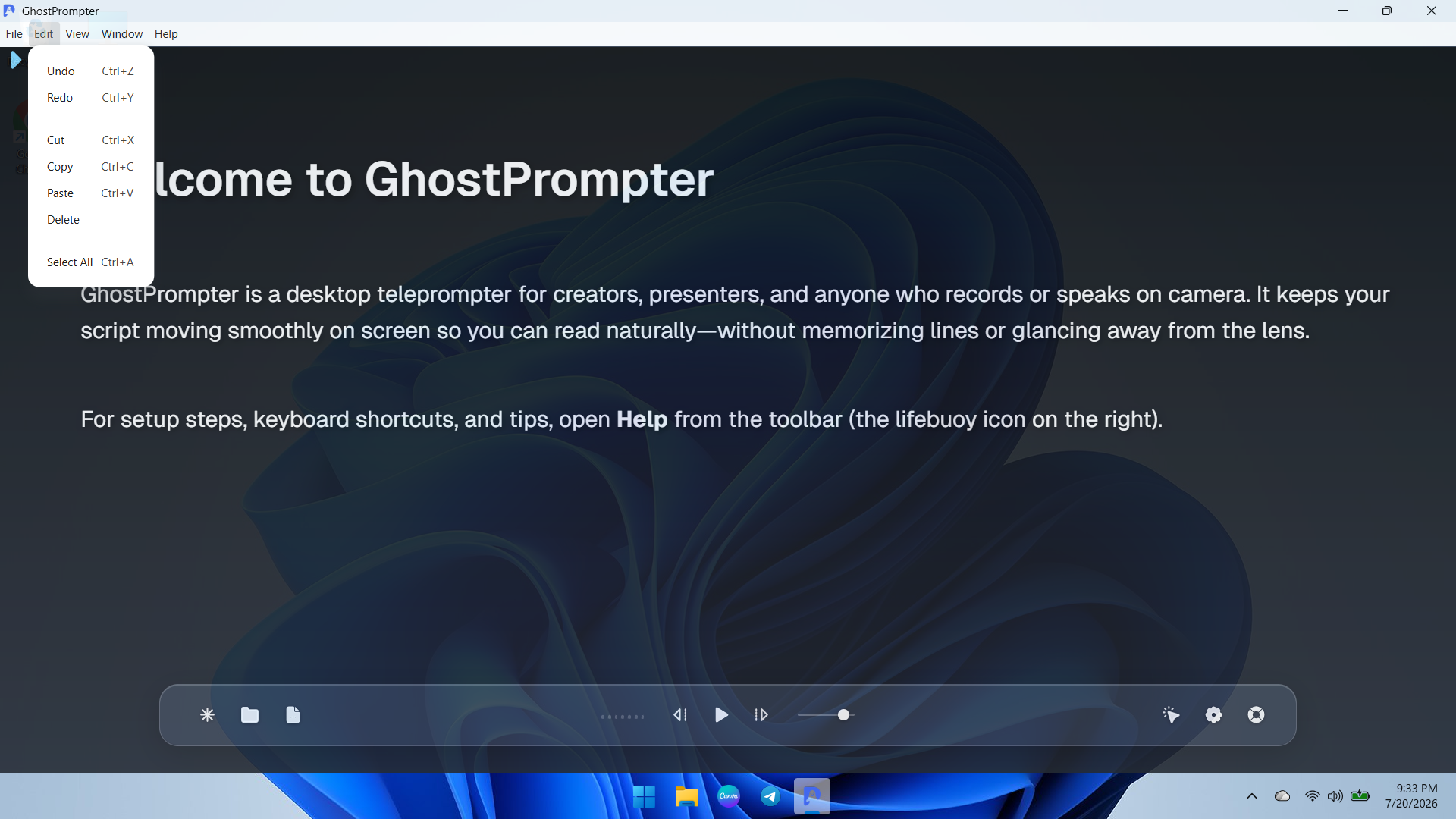
Screenshot of an overview of the GhostPrompter desktop application showing the clean main dashboard, welcome guide, and floating control toolbar with playback options and settings icons.Screenshot of a demonstration of GhostPrompter's adjustable transparent overlay mode seamlessly blending the teleprompter text over the desktop background wallpaper for natural eye-contact presentations.Screenshot of a dropdown view of the application menu showing quick navigation and developer or reload utility options for managing the workspace.Screenshot of ext editing and clipboard management controls menu (Undo, Redo, Cut, Copy, Paste) for fast script updates directly inside the app.Screenshot of the Display Settings panel featuring font size adjustments, reading speed configuration, text color customization, and the essential Ghost Mode (Capture Protection) toggle.Screenshot of the General and General-Audio configuration tab displaying microphone input devices, global hotkeys, mouse controls, and Voice-Activated Scrolling setup.