TrustRadius: an HG Insights company

Save this comparison

Save this comparison

Add Product

Recommended Comparisons

    Overview
    ProductRatingMost Used ByProduct SummaryStarting Price

    Amplenote

    N/AN/AAmplenote is a productivity app combining note-taking, task management, and calendar planning. It is used to capture ideas, organize them with tags and folders, and turn them into actionable plans using its "Task Score" system to prioritize tasks by importance.

    $70.08

    per year per user

    Milanote

    Score9.1 out of 10
    N/AMilanote is a visual Collaboration and Note-taking platform built on an Infinite Canvas architecture. The platform enables the spatial organization of diverse media types, including text, images, and files, to facilitate non-linear creative workflows and project planning.

    $12.50

    per month

    Pricing
    AmplenoteMilanote
    Editions & Modules
    Pro
    $5.84
    per month, billed annually per user
    Unlimited
    $10
    per month, billed annually per user
    Founder
    $20
    per month, billed annually per user
    Pay per person billed annually
    $9.99
    per month
    Pay per person billed monthly
    $12.50
    per month
    Upgrade your team for up to 10 people
    $49
    per month
    Upgrade your team for up to 50 people
    $99
    per month
    Use Milanote for free
    Free
    Offerings
    Pricing Offerings
    AmplenoteMilanote
    Free Trial
    YesNo
    Free/Freemium Version
    YesYes
    Premium Consulting/Integration Services
    NoNo
    Entry-level Setup FeeNo setup feeNo setup fee
    Additional Details
    More Pricing Information
    Best Alternatives
    AmplenoteMilanote
    Small Businesses
    Google Keep
    Score9.2 out of 10
    Google Keep
    Score9.2 out of 10
    Medium-sized Companies
    Google Keep
    Score9.2 out of 10
    Google Keep
    Score9.2 out of 10
    Enterprises
    Google Keep
    Score9.2 out of 10
    Google Keep
    Score9.2 out of 10
    All AlternativesView all alternativesView all alternatives
    User Ratings
    AmplenoteMilanote
    Likelihood to Recommend
    -
    (0 ratings)
    10.0
    (2 ratings)
    Usability
    -
    (0 ratings)
    10.0
    (1 ratings)
    User Testimonials
    AmplenoteMilanote
    Likelihood to Recommend
    Amplenote
    No answers on this topic
    Milanote
    Milanote works great for scheduling work-related trips, events and/or photoshoots. Photoshoots in particular are easier to coordinate with Milanote because of the ability to build a board that functions like a calendar with multiple boards and links inside. The level of collaboration helps my team to organize events and check items off of our checklists in a timely manner.
    Incentivized
    Read full review
    Pros
    Amplenote
    No answers on this topic
    Milanote
    • Mindmapping
    • Creative Presentations
    • Marketing Plans
    • Moodboards
    Incentivized
    Read full review
    Cons
    Amplenote
    No answers on this topic
    Milanote
    • More visually appealing (color + recommended options)
    • Sound desktop notifications when a new task is assigned
    • Slack integration
    Incentivized
    Read full review
    Usability
    Amplenote
    No answers on this topic
    Milanote
    Milanote is extremely user friendly and easy to learn. I have been able to add new users to our plan with little to no training and they were able to easily integrate themselves into the program. Once a user has been able to navigate through the software in its entirety, they are able to use it with little to no training.
    Incentivized
    Read full review
    Alternatives Considered
    Amplenote
    No answers on this topic
    Milanote
    I think Milanote stacks pretty well. Lucidchart is great for outlining processes, whereas Milanote is excellent for creative mind-mapping and marketing presentations.
    Incentivized
    Read full review
    Return on Investment
    Amplenote
    No answers on this topic
    Milanote
    • The positive impact is the ability to outline projects that I share with the team as it saves time from having to use PowerPoint.
    Incentivized
    Read full review
    ScreenShots

    Amplenote Screenshots

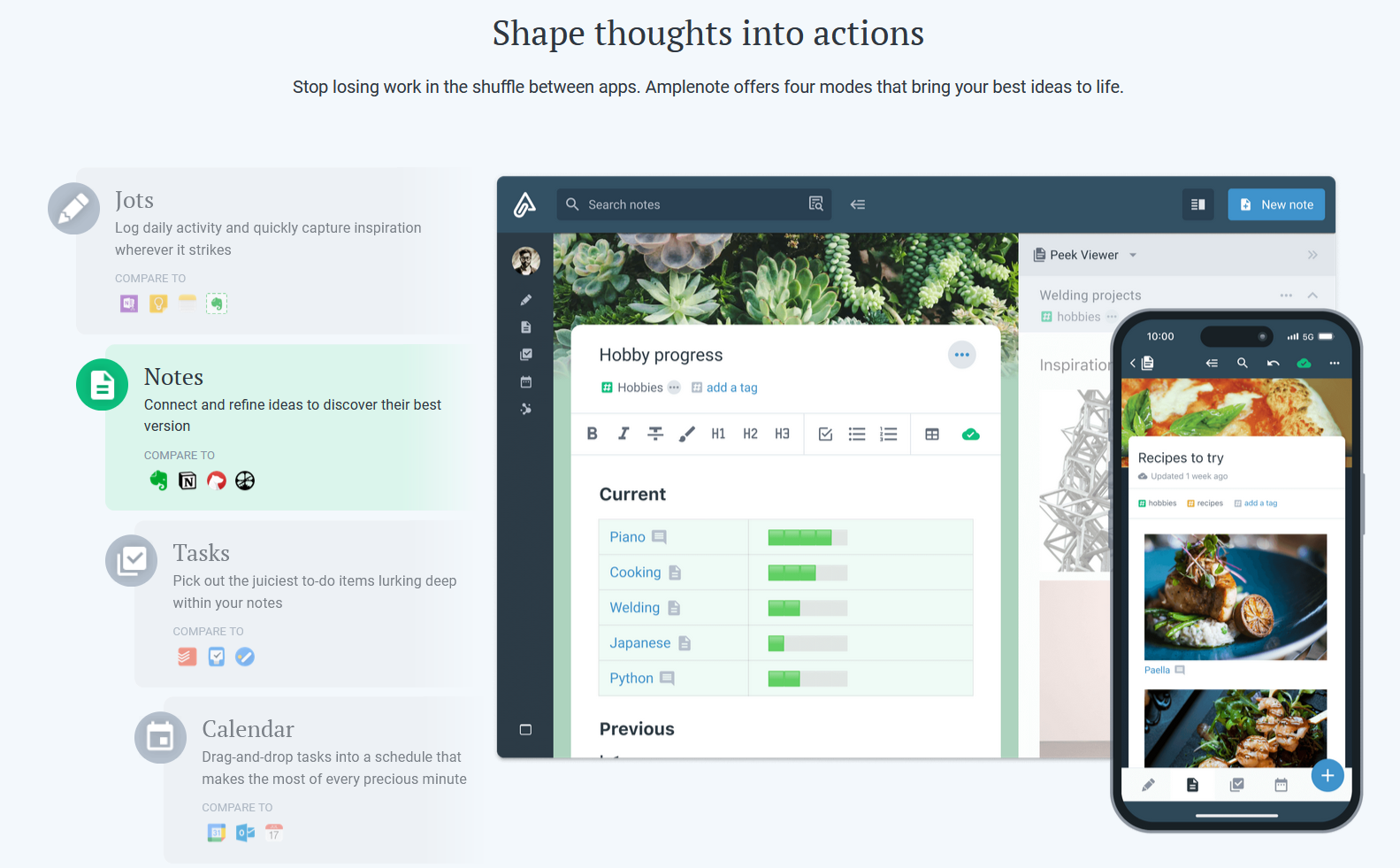
    Screenshot of Jots Mode, a tool to capture ideas. Jots mode can be used for daily notes and capture ideas into a centralized, distraction-free place.Screenshot of Notes Mode, consolidates ideas. Notes can be shared for collaboration or published to the web in under 3 clicks.Screenshot of Tasks Mode turns ideas into actions. The task scoring algorithm suggests what to work on next. The task widget visualizes these tasks.Screenshot of the calendar mode, with task details.Screenshot of the graph view. This visualize linked notes and their relationships with one another.Screenshot of Notes Mode, where the user can categorize notes using hierarchical tagging.