TrustRadius: an HG Insights company

Save this comparison

Save this comparison

Add Product

Recommended Comparisons

    Overview
    ProductRatingMost Used ByProduct SummaryStarting Price

    Annature

    Score9.5 out of 10
    N/AAnnature is an Australian eSignature and client verification provider, established in 2020. They offer digital signing solutions for businesses needing to send documents electronically and conduct client verifications. With strategic partnerships and integrations with various cloud software providers, Annature states they strive to deliver a holistic solution that meets the evolving needs of businesses in Australia and New Zealand.

    $1.75

    one-time fee per envelope

    PDF Sign&Seal

    Score8.2 out of 10
    N/APDF Sign&Seal is a desktop application that is designed to make it easy to apply PDF digital signatures, time-stamps and strong PDF security to business documents. The vendor says it has been carefully designed for busy managers that have ease of use as a priority. The vendor’s value proposition is that by using PDF Sign&Seal anyone can easily create, sign or protect business documents. The vendor says the PDF Sign&Seal application makes PDF signing simple, efficient and easy to…N/A
    Pricing
    AnnaturePDF Sign&Seal
    Editions & Modules
    Pay as you go
    $1.75
    one-time fee per envelope
    No answers on this topic
    Offerings
    Pricing Offerings
    AnnaturePDF Sign&Seal
    Free Trial
    YesYes
    Free/Freemium Version
    NoYes
    Premium Consulting/Integration Services
    NoYes
    Entry-level Setup FeeNo setup fee$95 per user
    Additional Details—PDF Sign&Seal is registered on a per user basis with a node-locked license. We offer discounts for volume purchases of 5 or more seats.
    More Pricing Information
    Best Alternatives
    AnnaturePDF Sign&Seal
    Small Businesses
    BoldSign, by Syncfusion
    Score10 out of 10
    BoldSign, by Syncfusion
    Score10 out of 10
    Medium-sized Companies
    OneSpan Sign
    Score9.6 out of 10
    OneSpan Sign
    Score9.6 out of 10
    Enterprises
    DocuSign
    Score8.7 out of 10
    DocuSign
    Score8.7 out of 10
    All AlternativesView all alternativesView all alternatives
    User Ratings
    AnnaturePDF Sign&Seal
    Likelihood to Recommend
    9.8
    (3 ratings)
    8.0
    (1 ratings)
    Usability
    10.0
    (2 ratings)
    -
    (0 ratings)
    User Testimonials
    AnnaturePDF Sign&Seal
    Likelihood to Recommend
    Annature
    Annature has been exceptionally well suited to our business. It has integrated flawlessly and is a very easy-to-learn product. Our customers appreciate the security it provides and the convenient way to review and sign documents without printing, scanning, and emailing them back to us. It is even suited for sensitive documents because it has the option for multi-factor authorization. The only time it's not suited to us is when we need witness signatures, noting that there is an option to do this, but it's not accepted in our case as wet signatures are usually required.
    Incentivized
    Read full review
    Ascertia
    PDF Sign&Seal is perfect if you have documents that need to be signed electronically. It may not be an excellent choice if you work off a mobile device or are on the road a majority of the time as there are better app alternatives that do a similar job signing docs electronically for you.
    Incentivized
    Read full review
    Pros
    Annature
    • Timeliness - allows signed documents to be returned in a timely manner
    • Security - two factor authentication capabilities
    • Progress of the envelopes are recorded and structured in an easy and visual manner to understand the status of the envelopes at all times
    Incentivized
    Read full review
    Ascertia
    • Easy to use
    • Very intuitive interface
    • Signature looks real and authentic
    Incentivized
    Read full review
    Cons
    Annature
    • Some minor bugs need addressing
    • More integrations
    Incentivized
    Read full review
    Ascertia
    • I'd like to see a stronger mobile interface or app
    • Collaboration type of sharing would be welcome
    • Integration with a Wacom bamboo type of tablet for signing
    Incentivized
    Read full review
    Usability
    Annature
    It is incredibly user-friendly and very easy to learn on the go without specific training. There are a lot of step-by-step guides that help you learn how to use the product, but it's intuitive, and I cannot fault it. I knew it entirely on my own with no guidance; I followed the instructions via the website and figured it out as I went along.
    Incentivized
    Read full review
    Ascertia
    No answers on this topic
    Alternatives Considered
    Annature
    Annature is extremely easy and convenient to use, the range of options and features provided have made it that Annature exceeds that of the other products previous used by our organisation. We previous tested and trialled other ways of electronic signature but Annature proved to be the best in every aspect.
    Incentivized
    Read full review
    Ascertia
    PDF Sign&Seal is very intuitive and does not have a crazy high learning curve. Even a high-level exec who isn't computer savvy can use it without much difficulty. This is why we chose this software ultimately to help expedite getting signatures needed for vendor contracts passed through the right hands in quicker.
    Incentivized
    Read full review
    Return on Investment
    Annature
    • Better value than some other esignature prodivers (DocuSign)
    • Improved turnaround times for signatures ensuring faster sales and service times.
    Incentivized
    Read full review
    Ascertia
    • Saved time reducing extra work, scanning, and emailing
    • Reduces time needed to get signatures from other parties
    • Cost of software was recuperated in a short amount of time
    Incentivized
    Read full review
    ScreenShots

    PDF Sign&Seal Screenshots

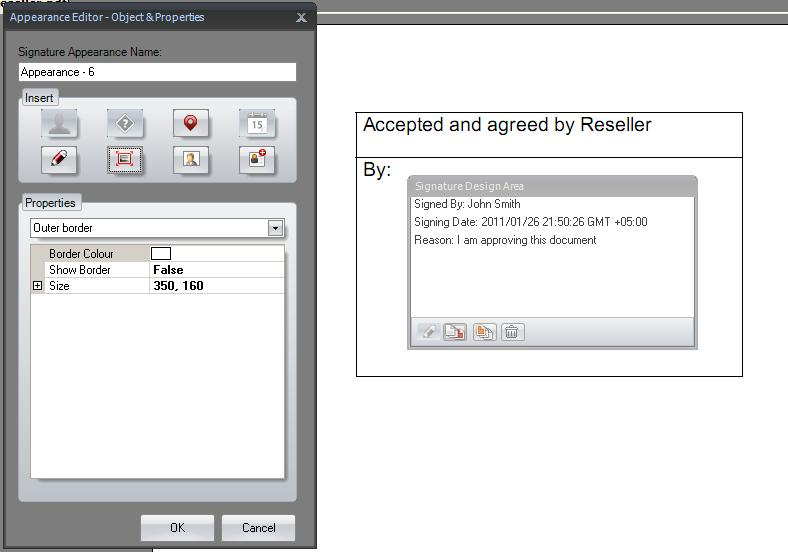
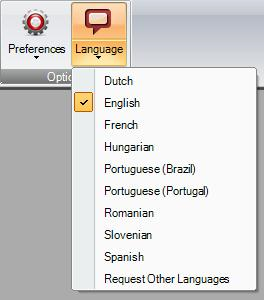
    Screenshot of Signature PaneScreenshot of Digitally Sign Multiple Signature FieldsScreenshot of Designing Signature AppearancesScreenshot of Language ConfigurationsScreenshot of Shell-Integrated