
AudioEye vs. Colour Contrast Analyser (CCA)
AudioEye vs. Colour Contrast Analyser (CCA)
| Product | Rating | Most Used By | Product Summary | Starting Price |
|---|---|---|---|---|
 AudioEye | N/A | AudioEye, headquartered in Tucson, creates technology to make digital content more consumable, and more accessible, for more people. | N/A | |
 Colour Contrast Analyser (CCA) | N/A | TPGi’s free Colour Contrast Analyser (CCA) checks if the contrast ratios on digital content (PDFS, PowerPoints, native desktop apps, websites, etc) is legible to users who are colorblind or have low vision. · Select Colors - Pick a foreground and a background color with the eyedropper tool, raw text entry or RGB sliders. · Check the Contrast Ratio - The CCA reports if the contrast is WCAG AA and AAA compliant, as well as the numerical… | N/A |
| AudioEye | Colour Contrast Analyser (CCA) | |||||||||||||||
|---|---|---|---|---|---|---|---|---|---|---|---|---|---|---|---|---|
| Editions & Modules | No answers on this topic | No answers on this topic | ||||||||||||||
| Offerings |
| |||||||||||||||
| Entry-level Setup Fee | No setup fee | No setup fee | ||||||||||||||
| Additional Details | — | — | ||||||||||||||
| More Pricing Information | ||||||||||||||||
| AudioEye | Colour Contrast Analyser (CCA) |
|---|
| AudioEye | Colour Contrast Analyser (CCA) | |
|---|---|---|
| Small Businesses |  BrowserStack Score 8.5 out of 10 | BrowserStack Score 8.5 out of 10 |
| Medium-sized Companies |  Siteimprove Score 9.0 out of 10 | Siteimprove Score 9.0 out of 10 |
| Enterprises | BrowserStack Score 8.5 out of 10 | BrowserStack Score 8.5 out of 10 |
| All Alternatives | View all alternatives | View all alternatives |
| AudioEye | Colour Contrast Analyser (CCA) | |
|---|---|---|
| Likelihood to Recommend | 9.2 (3 ratings) | - (0 ratings) |
| AudioEye | Colour Contrast Analyser (CCA) | |
|---|---|---|
| Likelihood to Recommend | AudioEye
| TPGi No answers on this topic |
| Pros | AudioEye
| TPGi No answers on this topic |
| Cons | AudioEye
 Dácio Appolinario Content Strategist | TPGi No answers on this topic |
| Alternatives Considered | AudioEye
| TPGi No answers on this topic |
| Return on Investment | AudioEye
| TPGi No answers on this topic |
| ScreenShots | Colour Contrast Analyser (CCA) Screenshots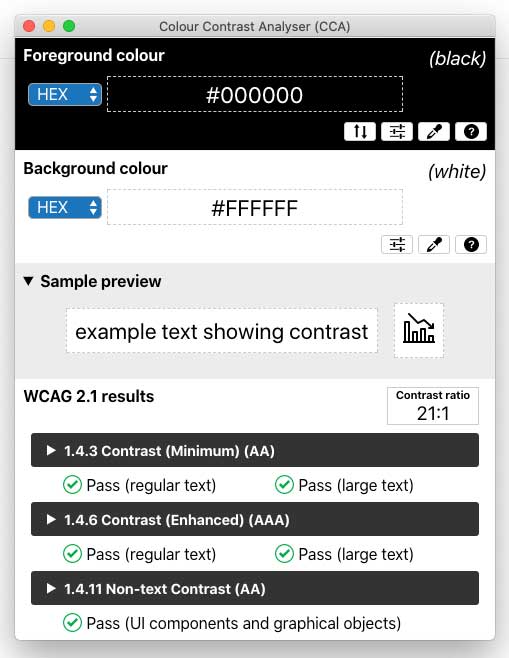 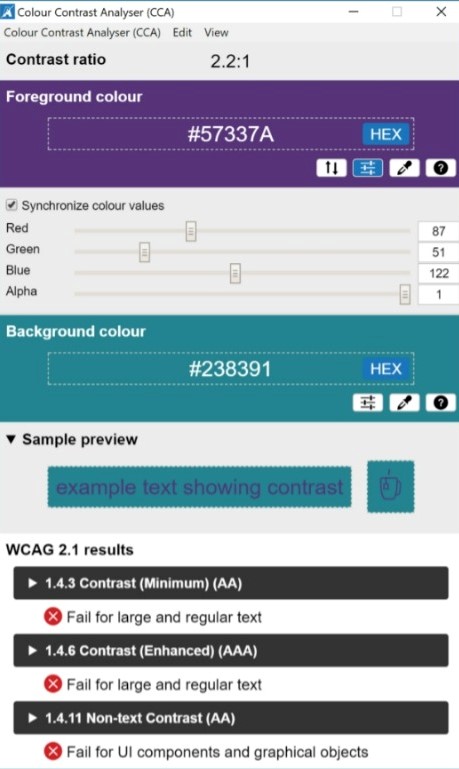 |