AWS CloudTrail vs. GitGuardian

Overview
ProductRatingMost Used ByProduct SummaryStarting Price
AWS CloudTrail
Score 8.8 out of 10
N/A
AWS CloudTrail is a service that enables governance, compliance, operational auditing, and risk auditing of an AWS account. With CloudTrail, users can log, continuously monitor, and retain account activity related to actions across AWS infrastructure. CloudTrail provides event history of AWS account activity, including actions taken through the AWS Management Console, AWS SDKs, command line tools, and other AWS services. This event history simplifies security analysis, resource change tracking,…N/A
GitGuardian
Score 9.0 out of 10
N/A
GitGuardian is an end-to-end NHI security platform designed to help organizations strengthen their Non-Human Identity (NHI) security posture and address compliance standards and regulations. As attackers increasingly target NHIs, such as service accounts, service principals, and applications, protecting and managing these critical assets has become paramount. NHIs rely on “secrets” like API keys and certificates for authentication, and their rapid proliferation has led to significant…
$0
(for individuals or up to 25 devs)
Pricing
AWS CloudTrailGitGuardian
Editions & Modules
No answers on this topic
Small Teams - 1-25 developers
$0
per developer in the perimeter
Standard 26-100 developers
$18
per developer in the perimeter
Standard - 26 to 100 developers
$18
developer per month
Enterprise - above 100 developers
adhoc
developer
Offerings
Pricing Offerings
AWS CloudTrailGitGuardian
Free Trial
YesYes
Free/Freemium Version
YesYes
Premium Consulting/Integration Services
YesNo
Entry-level Setup FeeNo setup feeNo setup fee
Additional DetailsYou can view, filter, and download the most recent 90 days of your account activity for all management events in supported AWS services free of charge. You can set up a trail that delivers a single copy of management events in each region free of charge. Once a CloudTrail trail is set up, Amazon S3 charges apply based on your usage. You will be charged for any data events or additional copies of management events recorded in that region. In addition, you can choose CloudTrail Insights by enabling Insights events in your trails. CloudTrail Insights analyzes write management events, and you are charged based on the number of events that are analyzed in that region.
More Pricing Information
Community Pulse
AWS CloudTrailGitGuardian
Best Alternatives
AWS CloudTrailGitGuardian
Small Businesses
Armor
Armor
Score 6.0 out of 10
GitLab
GitLab
Score 8.8 out of 10
Medium-sized Companies
Druva Security Cloud
Score 9.4 out of 10
Veracode
Veracode
Score 8.8 out of 10
Enterprises
Druva Security Cloud
Score 9.4 out of 10
Veracode
Veracode
Score 8.8 out of 10
All AlternativesView all alternativesView all alternatives
User Ratings
AWS CloudTrailGitGuardian
Likelihood to Recommend
8.0
(4 ratings)
9.0
(23 ratings)
User Testimonials
AWS CloudTrailGitGuardian
Likelihood to Recommend
Amazon AWS
It is necessary to enable [AWS] Cloudtrail when using AWS in a production environment, otherwise you will not have any idea what is happening within your accounts. Third party monitoring applications will all require [AWS] CloudTrail to be enabled as well. I would not recommend it solely as a monitoring tool, to get the most out of it you must send the logs elsewhere. Either to Cloudwatch logs or a third party product.
Read full review
GitGuardian
I do think it'll absolutely fit everyone who codes integrates with another platform or services. We all forget that one credentials one in a while, and especially those who managed public repository, it is important to keep an eye on accidentally committed credentials. While I think you don't really needs it for personal project, it's a nice to have, you don't want to waie up to 50k USD of sudden surcharge on resources you don't use.
Read full review
Pros
Amazon AWS
  • API Log
  • User activity tracking
  • Real-time alerts
Read full review
GitGuardian
  • GitGuardian monitors every public or private GitHub commit ( that have GitGuardian installed) and event in real-time for secrets and sensitive data. In a leak scenario it immediately notifies us.
  • It uses sophisticated pattern matching techniques to detect credentials that cannot be strictly defined with a distinctive pattern (like unprefixed credentials)
  • It covers several API providers, database connection strings, private keys, certificates, usernames and passwords etc
  • GitGuardian have high True Positive Rate of around 91% and reduces alert fatigue with smart occurrences regrouping
Read full review
Cons
Amazon AWS
  • [In my experience] Cost can easily get out of control with multiple trails on full logging
  • Logs can be difficult to decipher
Read full review
GitGuardian
  • Improved user interface: It would be beneficial to have a more intuitive and user-friendly interface for Internal Monitoring on GitGuardian. This would make it easier for users to quickly access the data they need and understand the results of their scans.
  • Automated alerts: It would be helpful to have automated alerts when certain conditions are met, such as when a scan reveals sensitive data or when a new repository is created. This would help users stay informed and take action in a timely manner.
  • More detailed reports: Currently, Internal Monitoring reports are limited in terms of the depth of information they provide. It would be useful to have more detailed reports that include additional metrics, such as the number of repositories scanned and the types of sensitive data found.
  • Faster scan times: Scan times can be slow at times, making it difficult to stay on top of changes in repositories quickly. It would be beneficial to have faster scan times so that users can take action quickly when needed.
Read full review
Alternatives Considered
Amazon AWS
I think in the end, CloudTrail has more features and you can dive deeper inside the logs so it depends on your usage and what you expect in the end to make the right choice, I would say that both tools are really useful and bring a lot of benefits to I.T. companies.
Read full review
GitGuardian
I've evaluated quite a few other tools, like git-secrets, Git-leaks, scan, and maybe a few more. They're all great but quite surprisingly none of them detected Github OAuth Secrets for us. A lot of the FOSS tools out there focus on much simpler, generic secrets, which is good in itself but with GitGuardian, it was dead simple from day one. I just connected our Github Account and set up the gg-shield cli and that was all.
Read full review
Return on Investment
Amazon AWS
  • Allows us to investigate any strange api actions
  • Increases security
  • Audit trail of changes made in AWS
Read full review
GitGuardian
  • GitGuardian Internal Monitoring has had a positive impact on our overall business objectives. By providing visibility into our code repositories and alerting us to potential security risks, we have been able to identify and mitigate security issues before they become a problem. This has allowed us to focus more on developing our product and less on responding to security incidents. We have also seen an increase in customer confidence in our product as a result of using GitGuardian Internal Monitoring, which has led to increased customer loyalty and retention. Overall, the ROI of using GitGuardian Internal Monitoring has been very positive for our business.
  • We have seen an increase in the security of our codebase, as well as an improvement in the speed and accuracy of our code reviews. This has enabled us to quickly identify and address any potential security issues before they become a problem. Additionally, we have seen an increase in our ROI as a result of using GitGuardian Internal Monitoring, as it has allowed us to save time and money by preventing costly security breaches.
  • No more.
Read full review
ScreenShots

AWS CloudTrail Screenshots

Screenshot of CloudTrail Insights: Identify and respond to unusual operational activity
•Unexpected spikes in resource provisioning
•Bursts of IAM management actions
•Gaps in periodic maintenance activity
•Automatic analysis of API calls and usage patterns
•Alerts when unusual activity is detected

GitGuardian Screenshots

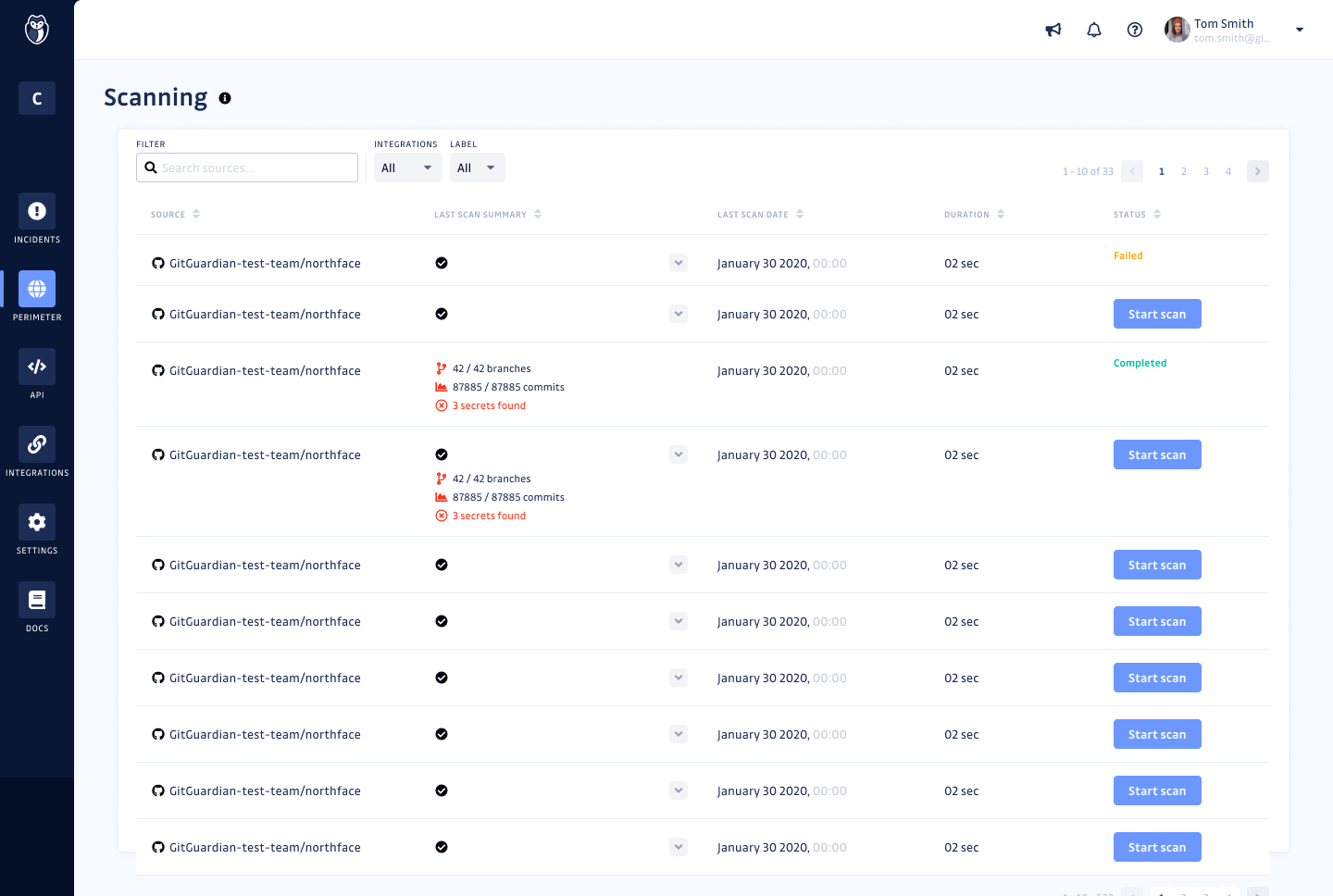
Screenshot of GitGuardian Internal Monitoring - Monitoring ScreenScreenshot of GitGuardian Internal Monitoring - Secrets detailsScreenshot of GitGuardian Internal Monitoring - Scanning screen