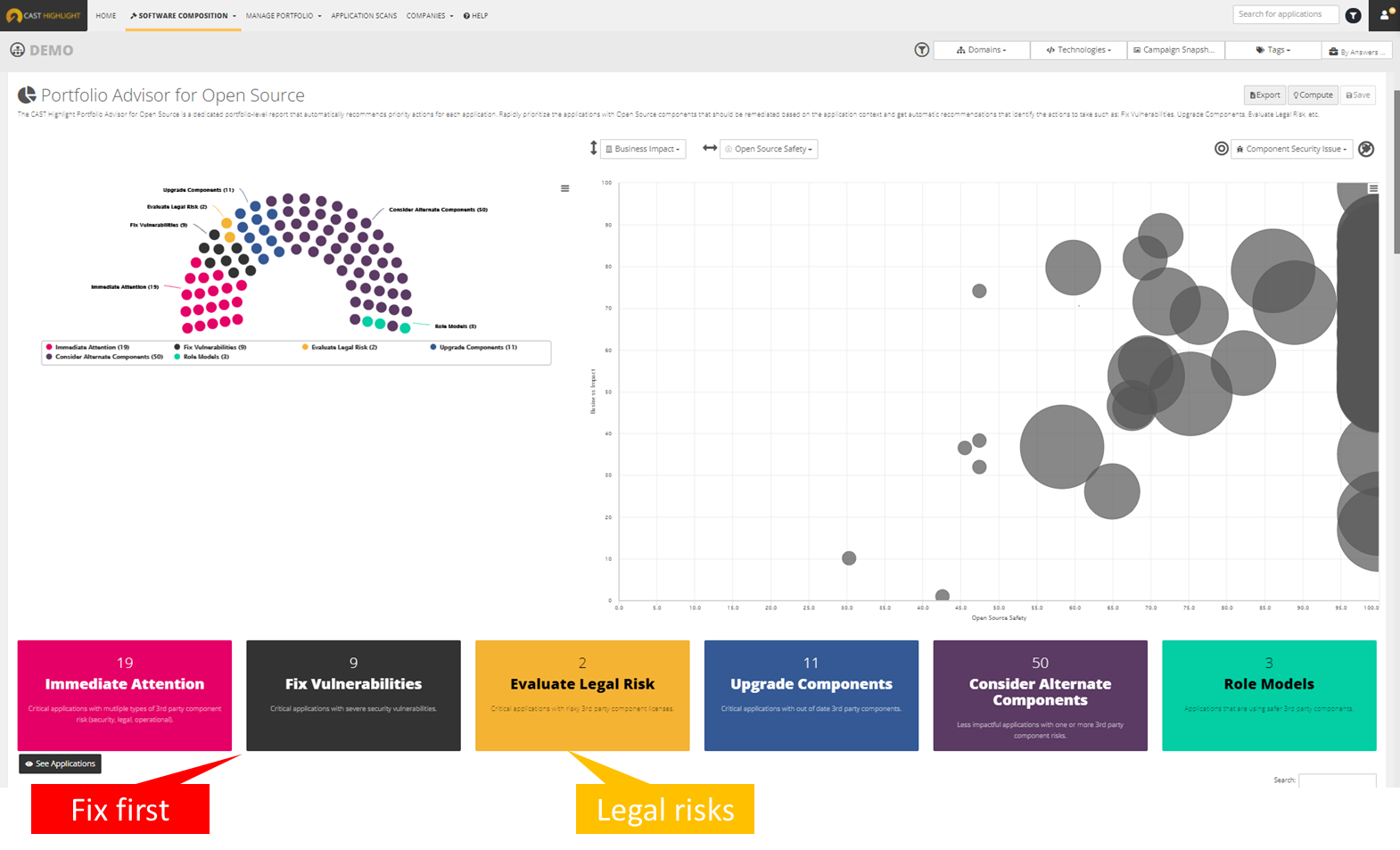
CAST headquartered in New York offers Highlight, an application portfolio management solution providing software component analysis , application security, application benchmarking, and technical due diligence.
$25,000
per year
SonarQube for IDE
Score8.1 out of 10
N/A
SonarQube for IDE is a free IDE plugin that helps developers by detecting and highlighting issues in their code in real time. Like a spell checker, SonarLint detects Bugs, code smells, and Security Vulnerabilities as code is written, and offers guidance.
I think CAST is a great tool to give insight into your applications. The tool can be met with resistance from team members as the tool is going to expose defects that should be addressed. Out of the box, it may need some tailoring to focus on certain areas so that you are not overwhelmed with defects the first time you scan your code. But ultimately, you will want to eliminate all defects in the code and have all violations turned on.
A de minimis incentive was given to thank the reviewer for their time. The incentive was not used to bias or drive a particular response, nor was the incentive contingent on a positive endorsement. More Info
A de minimis incentive was given to thank the reviewer for their time. The incentive was not used to bias or drive a particular response, nor was the incentive contingent on a positive endorsement. More Info
SonarLint highlights all the issues in our codes and also displays the severity of each issue.
SonarLint also provides suggestions for how to fix those code issues which are highlighted.
SonarLint starts the processing of the file as soon as it is opened and highlights all the issues which it found.
When we fix the issue, we don't even need to create a new build or generate fresh code quality report, as soon as we save the file with the changes, it does the processing again and shows the result if the issue is fixed or not.
SonarLint saves a lot of time and effort by saving us from doing fresh build every time and generating new code quality report every time, thus increasing the efficiency and output which is in return beneficial for the client.
A de minimis incentive was given to thank the reviewer for their time. The incentive was not used to bias or drive a particular response, nor was the incentive contingent on a positive endorsement. More Info
A de minimis incentive was given to thank the reviewer for their time. The incentive was not used to bias or drive a particular response, nor was the incentive contingent on a positive endorsement. More Info
A de minimis incentive was given to thank the reviewer for their time. The incentive was not used to bias or drive a particular response, nor was the incentive contingent on a positive endorsement. More Info
A de minimis incentive was given to thank the reviewer for their time. The incentive was not used to bias or drive a particular response, nor was the incentive contingent on a positive endorsement. More Info
These other tools only do a part of what CAST does. CAST gives a comprehensive view into the code looking at all aspects, code quality, security, maintainability, vulnerability, privacy, reuse, etc. These other tools only focus on one or two dimensions.
A de minimis incentive was given to thank the reviewer for their time. The incentive was not used to bias or drive a particular response, nor was the incentive contingent on a positive endorsement. More Info
A de minimis incentive was given to thank the reviewer for their time. The incentive was not used to bias or drive a particular response, nor was the incentive contingent on a positive endorsement. More Info
I believe once we had the tool working for our code base, we immediately saw positive ROI.
We spent some time getting to where our code code be scanned efficiently but some of that was trying to do things ourselves instead of fully utilizing Cast Professional Services. I highly recommend to do an engagement with CAST to have them help setup the tool in your environment or to run it in the cloud for you.
A de minimis incentive was given to thank the reviewer for their time. The incentive was not used to bias or drive a particular response, nor was the incentive contingent on a positive endorsement. More Info
SonarLint helps in achieving all the business requirements in a more efficient way.
It reduces the manual and redundant work which we would have to do else every time if we did not use SonarLint.
SonarLint helps in maintaining code quality, and thus also highlights the loopholes for the cyber attacks and phishing attacks.
SonarLint makes work easy and helps the developer to invest less time in manual work thereby increasing their capacity to deliver the maximum output to the client.
A de minimis incentive was given to thank the reviewer for their time. The incentive was not used to bias or drive a particular response, nor was the incentive contingent on a positive endorsement. More Info