Cengage MindTap vs. Q10

Overview
ProductRatingMost Used ByProduct SummaryStarting Price
MindTap
Score 9.0 out of 10
N/A
MindTap is an eLearning course management solution from Cengage, a digital learning content and technology provider. For educators, it includes pre-made interactive course materials (such as homework assignments, assessments, etc.), analytics around student engagement and performance, and the ability to customize courses. For students, MindTap offers a mobile app to access eBooks, flashcards, quizzes, grades, and due date reminders.N/A
Q10
Score 0.0 out of 10
Mid-Size Companies (51-1,000 employees)
Q10 offers cloud software that supports academic, administrative and virtual education management, suppoting Universities, Technological Institutes and Continuing Education. The software is used to create a space through which students can access dynamic content, participate in forums, complete assignments, and solve quizzes. Q10 software also support administrative activities, such as student enrollment and registration, as well as curriculum design, financial administration, institutional well…
$980
per year
Pricing
Cengage MindTapQ10
Editions & Modules
No answers on this topic
Basic
$980
per year
Professional
$1,440
per year
Advanced
$2,380
per year
Offerings
Pricing Offerings
MindTapQ10
Free Trial
NoYes
Free/Freemium Version
NoNo
Premium Consulting/Integration Services
NoNo
Entry-level Setup FeeNo setup feeNo setup fee
Additional DetailsQ10 uses a flat-rate annual subscription model per institution, with unlimited students included in all plans. Pricing does not scale with the number of students — institutions pay a fixed annual fee regardless of their size or enrollment volume. Initial data migration, onboarding training, and technical support are included in all plans at no additional cost. Pricing is listed in USD and may vary slightly by country due to local market conditions.
More Pricing Information
Community Pulse
Cengage MindTapQ10
Best Alternatives
Cengage MindTapQ10
Small Businesses

No answers on this topic

No answers on this topic

Medium-sized Companies
Ellucian Banner
Ellucian Banner
Score 5.9 out of 10
Ellucian Banner
Ellucian Banner
Score 5.9 out of 10
Enterprises
PeopleAdmin Higher Ed Platform, from Powerschool
Score 7.0 out of 10
PeopleAdmin Higher Ed Platform, from Powerschool
Score 7.0 out of 10
All AlternativesView all alternativesView all alternatives
User Ratings
Cengage MindTapQ10
Likelihood to Recommend
9.5
(8 ratings)
-
(0 ratings)
Likelihood to Renew
10.0
(2 ratings)
-
(0 ratings)
Usability
10.0
(1 ratings)
-
(0 ratings)
Support Rating
9.9
(3 ratings)
-
(0 ratings)
Implementation Rating
10.0
(1 ratings)
-
(0 ratings)
User Testimonials
Cengage MindTapQ10
Likelihood to Recommend
Cengage
We started using the application optimally at the beginning as a digital learning and consultation platform. In it we imported all kinds of bibliographic material so that students could access them with the ease of a tap. The application is perfect for those instructors who are not beginners in HTML. In that case, the application very practically allows them to create a complete course in the shortest possible time because it has a state-of-the-art instructional design. It was excellent for unifying all the basic course plans between teachers teaching the same subject, giving the advantage that all courses at the same level would have exactly the same information and nothing would be overlooked
Read full review
Q10
No answers on this topic
Pros
Cengage
  • digital textbook platform with accessibility tools (read-aloud, note taking)
  • interactive exercises and practice tools
  • assessments including self-check quizzes and customizable exams
  • LTI integration to pass grade information to learning management system
  • excellent support for faculty
Read full review
Q10
No answers on this topic
Cons
Cengage
  • The biggest issue our first-time users have with Mindtap is that ad/pop-up blockers often stop the tool from opening. (Mindtap typically opens in a new window vs inside the LMS) This leads to a lot of initial frustration amongst the students early in the course.
  • MindTap lacks a really strong set of roles outside of Instructor and Student. There is no Teaching Assistant role or and IT/Course Builder role. Additionally setting up students workers as TAs in one course while they may be a student in another concurrently has been more than a little cumbersome.
  • The UI is a bit dated and it doesn't implement many responsive web design features, though this can typically be worked around by downloading the free app.
  • The mobile app experience is not as strong for Instructors as it is for students.
Read full review
Q10
No answers on this topic
Likelihood to Renew
Cengage
It's hard to imagine not renewing it as the professors would not want to go back to the way their courses were previously populated. The only thing that would cause us to change would be in the textbook changed and the new company offered a better tool
Read full review
Q10
No answers on this topic
Usability
Cengage
Very easy to use.
Read full review
Q10
No answers on this topic
Support Rating
Cengage
The effort from them always feels strong - I'd just recommend they be more prepared for OS (mac) and LMS (blackboard) upgrades
Read full review
Q10
No answers on this topic
Implementation Rating
Cengage
It worked seamlessly with Blackboard
Read full review
Q10
No answers on this topic
Alternatives Considered
Cengage
MindTap is the only learning software I currently use, but in the past I have used Pearson and McGraw Hill learning content. All of these companies are progresses at a similar rate and making great improvements to their educational materials. MindTap, in my opinion has the best customer service support and representatives in the business. Our rep. has been very responsive.
Read full review
Q10
No answers on this topic
Return on Investment
Cengage
  • The positive impact is to help students practice statistics to solve business problems.
  • The negative side is that the pricing might be too high compared to other free options available, even though the free options might not have the same features MindTap has.
Read full review
Q10
No answers on this topic
ScreenShots

Q10 Screenshots

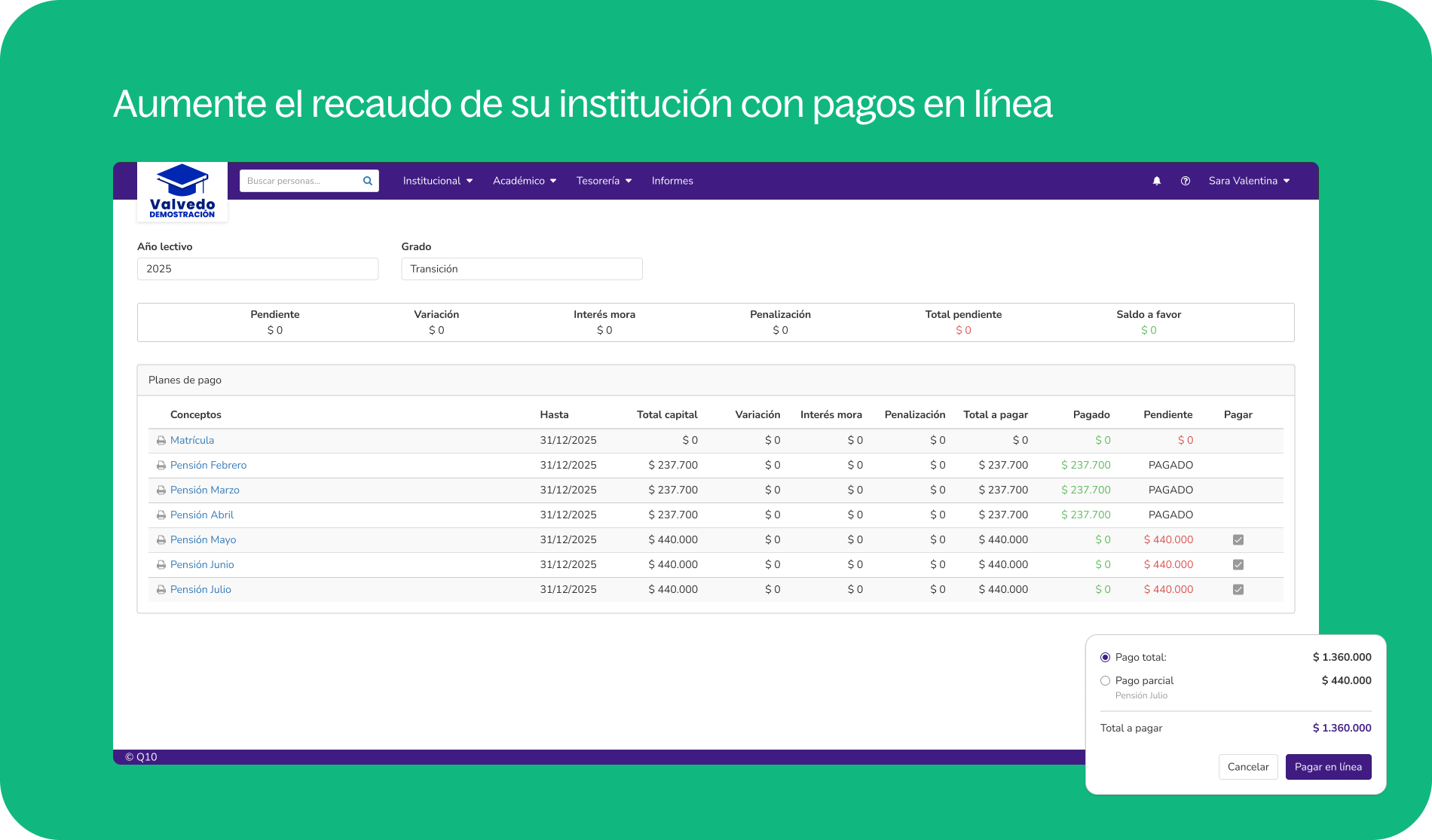
Screenshot of Virtual course content management — organize learning materials by sections with readings, discussion forums, and integrated quizzes, within Q10's built-in virtual classroom — no external LMS required.Screenshot of Academic credit management by program — track credits used and approved per student, view subject status by level, and enroll students individually or in bulk directly from the academic profile.Screenshot of Academic scheduling and timetable management — visualize and manage course schedules by day, week, or month, with faculty assignment, physical and virtual classroom allocation, and real-time session details per subject.Screenshot of Student credit and financial management — track installment plans, outstanding balances, interest, penalties, and scheduled payments per student, with options to freeze, settle, or annotate credits directly from the student profile.Screenshot of Q10 is 100% cloud-based and accessible from any device — desktop, laptop, tablet, and mobile — with no installation or infrastructure required.