TrustRadius: an HG Insights company

Save this comparison

Save this comparison

Add Product

Recommended Comparisons

    Overview
    ProductRatingMost Used ByProduct SummaryStarting Price

    Darktrace

    Score8.3 out of 10
    N/ADarktrace AI interrupts in-progress cyber-attacks, including ransomware, email phishing, and threats to cloud environments. It's able to detect and establish baselines for your organization so it can make the distinction between what is and what isn't normal network activity for your organization. This allows it to tackle complex cyber-attacks as they happen and prevent future cyber-attacks from happening.N/A

    Videolink

    Score9.1 out of 10
    N/AVideolink brings clarity and collaboration to team conversations through video recording, sharing and instant playback. It can be used to record a screen or camera in seconds, send a link, and add visual context to information – whether it’s customer feedback, internal updates, or product walkthroughs. Instead of chasing down details in chat logs or ambiguous tickets, Videolink lets teams share ideas that are clear, direct, and…

    $0

    per active video

    Pricing
    DarktraceVideolink
    Editions & Modules
    No answers on this topic
    Free
    $0
    per month Up to 25 active videos and unlimited users
    Pro
    $20
    per month For 100 active videos and unlimited users
    Advanced
    Custom Plans
    Offerings
    Pricing Offerings
    DarktraceVideolink
    Free Trial
    NoNo
    Free/Freemium Version
    NoYes
    Premium Consulting/Integration Services
    NoNo
    Entry-level Setup FeeNo setup feeOptional
    Additional Details—Only saved videos are counted. If a video is deleted, it only counts for the month it was active — never after. Videolink has no per-seat usage fees. You’re only billed for videos your team actually keeps.
    More Pricing Information
    Community Pulse
    DarktraceVideolink
    Considered Both Products
    Darktrace
    No answer on this topic
    Videolink
    No answer on this topic
    Key User Insights
    Would buy again
    90%
    Would buy again
    9 Answers
    No answers on this topic
    Delivers good value for the price
    86%
    Delivers good value for the price
    6 Answers
    No answers on this topic
    Happy with the feature set
    90%
    Happy with the feature set
    9 Answers
    No answers on this topic
    Lived up to sales and marketing promises
    80%
    Lived up to sales and marketing promises
    8 Answers
    No answers on this topic
    Implementation went as expected
    100%
    Implementation went as expected
    10 Answers
    No answers on this topic
    Best Alternatives
    DarktraceVideolink
    Small Businesses
    No answers on this topic
    Sendspark
    Score10 out of 10
    Medium-sized Companies
    SolarWinds NetFlow Traffic Analyzer (NTA)
    Score8.6 out of 10
    Snagit
    Score9.7 out of 10
    Enterprises
    SolarWinds NetFlow Traffic Analyzer (NTA)
    Score8.6 out of 10
    Snagit
    Score9.7 out of 10
    All AlternativesView all alternativesView all alternatives
    User Ratings
    DarktraceVideolink
    Likelihood to Recommend
    8.0
    (13 ratings)
    9.1
    (2 ratings)
    Likelihood to Renew
    9.7
    (2 ratings)
    -
    (0 ratings)
    Usability
    6.5
    (3 ratings)
    9.1
    (2 ratings)
    Support Rating
    7.0
    (3 ratings)
    -
    (0 ratings)
    User Testimonials
    DarktraceVideolink
    Likelihood to Recommend
    Darktrace
    Darktrace is a product well suited for the vast majority of infrastructures and helps monitoring and responding to threats based on the network in a very elastic way. This is a product based on on-premise infrastructures that hosts its machines locally, of course it can be technically difficult to monitor an entire On-Cloud infrastructure but even there there's room for sensors and monitoring, not to mention the SaaS and mail integration that completes the product.
    Incentivized
    Read full review
    Videolink
    The way we work is evolving. Remote teams — especially after the COVID-19 pandemic — rely more than ever on tools that bridge the gap between distance and real-time collaboration.
    Asynchronous updates have become a key part of solving daily challenges, and we’ve seen the benefits first-hand as an organisation.
    Incentivized
    Read full review
    Pros
    Darktrace
    • Uses it Al model UEBA to detect anomalies in the behaviour of not only the users in a corporate network but also the routers, servers, and endpoints in that network.
    • Provides a visualisation of both egress and outbound network traffics flowing in and out of the organisation.
    • Darktrace comes with it autonomous AI model detection and responses capabilities.
    • Darktrace as an AI next generation NDR solution, prevents ,contains and quarantines malicious traffics from and into the corporate network.
    Read full review
    Videolink
    • Quick video sharing
    • Basic editing
    • Inline comments
    Read full review
    Cons
    Darktrace
    • There are few areas that I would say need to be improved; their customer support portal allows you to log tickets with any suggestions or things you feel the product is missing, and they will generally show you how to achieve what you want, or in some cases, introduce it as a feature in a later update.
    Incentivized
    Read full review
    Videolink
    • More video editing tools
    Incentivized
    Read full review
    Likelihood to Renew
    Darktrace
    It's a powerfull product that help administrators to provide email security to our organization.
    Good metrics about received emails that help us to determine in doubt case if the email is a false positive or it's malware.
    They're improving the product releasing continuous updates and have mobile phone app to manage it.
    Incentivized
    Read full review
    Videolink
    No answers on this topic
    Usability
    Darktrace
    The Darktrace toolset is very expansive, allowing it to handle many different tasks, but this leads to a user interface that is sometimes not at all intuitive. Icons don't always make sense visually, and the associated tool tips do not always provide enough detail on what action the button performs
    Incentivized
    Read full review
    Videolink
    The interface is clean, and features like video requests, in-browser editing, and commenting make the workflow seamless for our team.
    Read full review
    Support Rating
    Darktrace
    Darktrace support is excellent in my experience. They send a competent engineer on-site to provide on-boarding training. They were also very responsive in responding to questions and concerns. Having an individual point of contact who is a competent network and security engineer is not a common experience, at least for me.
    Incentivized
    Read full review
    Videolink
    No answers on this topic
    Alternatives Considered
    Darktrace
    We did NOT select Darktrace. OSSIM/AlienVault is a more mature product and it provided better intelligence and reporting. The end user interface is much easier to use - and you can tell built form engineers who have had to do the work. My suggestion for anyone considering Darktrace, is to get the price upfront; do a 30/60 onsite trail; and do the same thing, at the same time, with AlienVault. AlientVault will win every time. I say that because that's exactly what I did.
    Incentivized
    Read full review
    Videolink
    No answers on this topic
    Return on Investment
    Darktrace
    • One big positive is how it helps us with the security assessments that clients have done on us. They are looking to see if we know how we might have unusual/malicious traffic running on the network.
    • If you have a small network and only need 1 appliance, it can be a good ROI and peace of mind.
    • You could go down a hole in trying to spend time looking at all of your traffic with this software. You need to focus only on what it is showing as potential bad traffic.
    Incentivized
    Read full review
    Videolink
    • Productivity
    • Delivery-driven communication
    Incentivized
    Read full review
    ScreenShots

    Videolink Screenshots

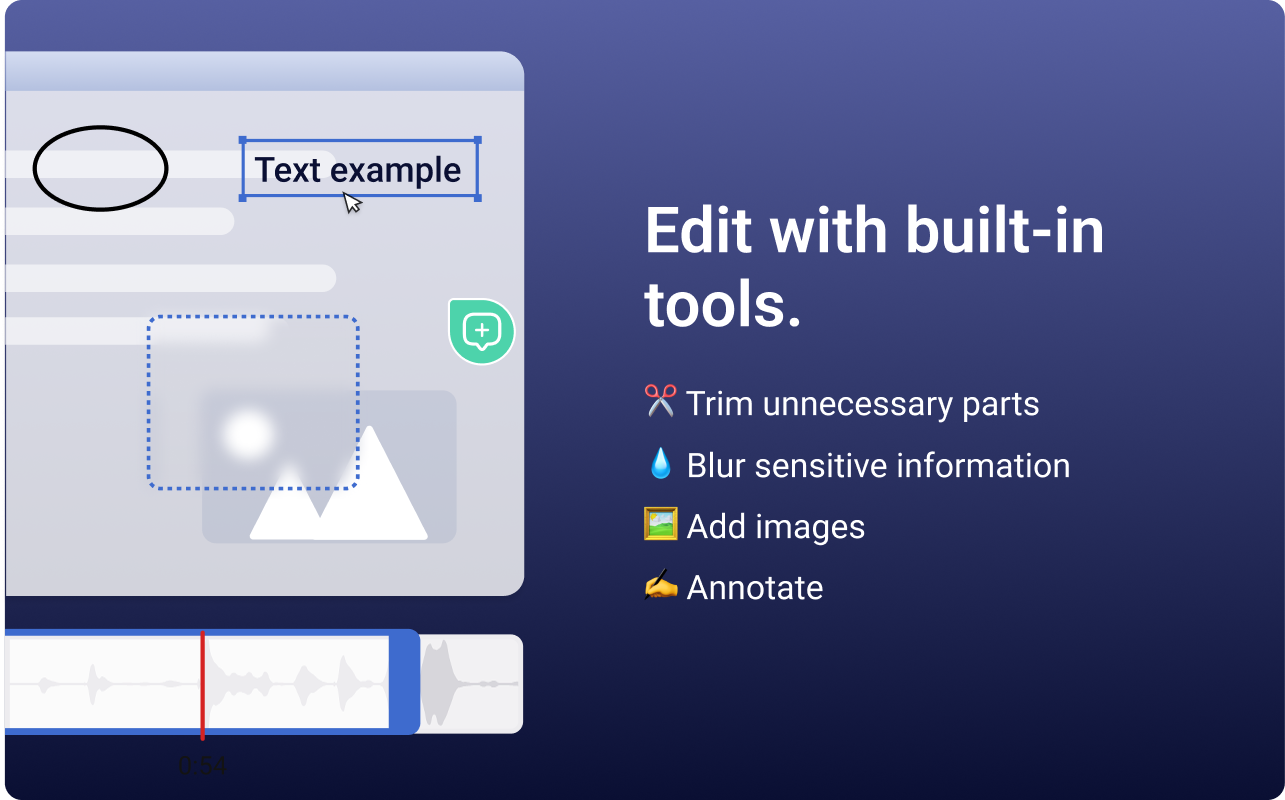
    Screenshot of the Videolink editor, used to trim out excess content, blur sensitive info, annotate key areas, and insert images.Screenshot of a Videolink page, used to create a personal shareable link – like govideolink.com/yourname – that lets anyone send a recorded video directly.Screenshot of single link sharing, so viewers don’t need an account to watch, comment, or provide feedback.