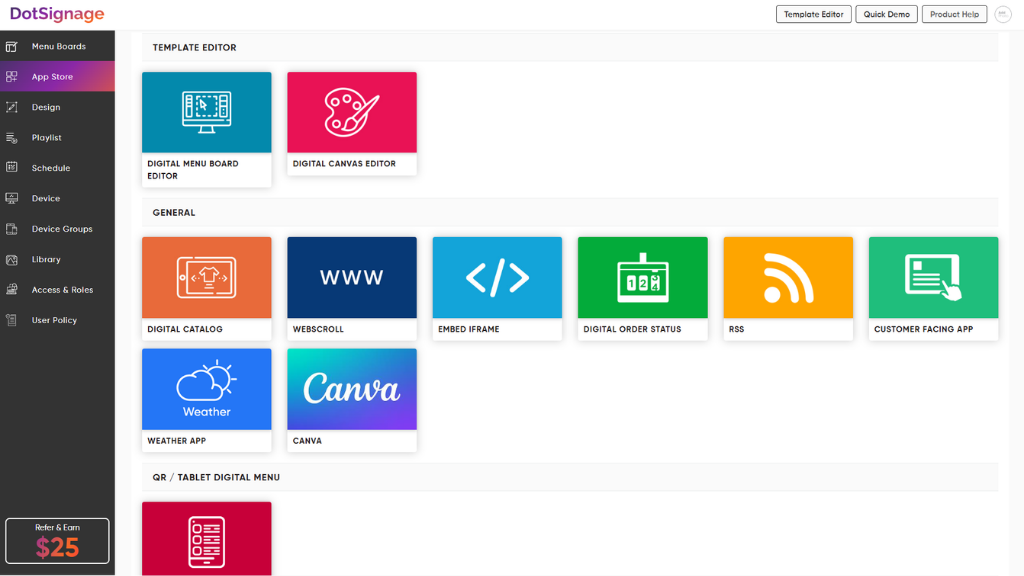
DotSignage is a Software-as-a-Service (SaaS) platform for digital signage management. The solution allows organizations to centralize the creation, scheduling, and remote management of visual content across distributed display networks. Key Capabilities Content Management System (CMS): Features a drag-and-drop editor for publishing visual content without manual coding or technical expertise. Template Library: Includes over 750 animated templates. The vendor…
$12
per month Per screen
OptiSigns
Score 9.0 out of 10
N/A
OptiSigns offers Digital Signage content for in-store screen projection. Content can be assigned and screens can be managed remotely, while playlists can be assigned to individual screens. OptiSigns recommends setting up this software with Amazon Fire TV Stick.
N/A
Pricing
DotSignage
OptiSigns
Editions & Modules
Monthly Subscription
$12
per month Per screen
No answers on this topic
Offerings
Pricing Offerings
DotSignage
OptiSigns
Free Trial
Yes
Yes
Free/Freemium Version
No
No
Premium Consulting/Integration Services
No
No
Entry-level Setup Fee
No setup fee
No setup fee
Additional Details
Discount available for annual subscription.
Starting prices run from $10 to $15 on the monthly plan, and $108 to $162 on yearly subscriptions. Customized Enterprise plans are also available. An Audience Intelligence AI add-on is available for $5 per month or $54 per year (per screen).
More Pricing Information
Community Pulse
DotSignage
OptiSigns
Considered Both Products
DotSignage
Verified User
Anonymous
Chose DotSignage
Support and prompt response was one of the reasons we went with DotSignage. We had fire sticks and TVs already available so we did not need to buy any other hardware. Template editor was again one of the key features we liked. We wanted something very easy to manage and keeps …
We have chosen OptiSigns because Its application's installation instructions are simple and easy to understand.OptiSigns has made it incredibly simple and practical to manage digital signs. The mobile app functions nicely, and video playback is far superior than other signage …
DotSignage is well suited for single or multi location restaurants. Their temple editor is very helpful to design the menus very quickly. We have used their pre designed templates. Recently they have introduced animation which are very eye catchy to highlight deals or promotions. We have 5-6 TVs each store and we display menu boards on 4 TVs and rest two TVs are for promotions playing videos and slideshow.
A specific experience that OptiSign was well suited for my company is when we have clients going into our offices. Having OptiSign in our office made it easy to showcase pricing, company details, etc. The OptiSign software made our office upgraded in that sense. An instance where it was less appropriate was when it was just staff in the office since it just used up a tv.
I believe there is room for improvement. I believe the scheduling should be improved to allow for more spontaneous additions to the schedule.
It would also be helpful if there was a feature that allowed the screen to turn on and off according to a timetable. The sync play feature may be improved.
I find it annoying that YouTube playlists must be timed to exactly match their duration to appear correctly and also the mobile app should get an emergency message feature.
Support and prompt response was one of the reasons we went with DotSignage. We had fire sticks and TVs already available so we did not need to buy any other hardware. Template editor was again one of the key features we liked. We wanted something very easy to manage and keeps everything consistent.
We have chosen OptiSigns because Its application's installation instructions are simple and easy to understand.OptiSigns has made it incredibly simple and practical to manage digital signs. The mobile app functions nicely, and video playback is far superior than other signage software competitors. Another reason Time and money saving is another reason why we have chosen OptiSigns over the other competitors of present age signage software.
Its application's installation instructions are simple and easy to understand. Easy installation and configuration so everyone in our team can set up the installation and configuration.
The system's simplicity of use and cloud compatibility is what I like best. It is incredibly simple and intuitive to upload files and switch screens.
spending around half or less than that as much as we did under our old system, we are making financial savings. Because it is so simple to use, we can communicate company news to our staff more rapidly.