eResource Scheduler vs. Ganttic

Overview
ProductRatingMost Used ByProduct SummaryStarting Price
eResource Scheduler
Score 8.0 out of 10
N/A
eResource Scheduler is a project management software built around employee management, scheduling management, and forecasting.
$6.25
per month per resource
Ganttic
Score 10.0 out of 10
Small Businesses (1-50 employees)
Ganttic is an online platform for resource planning scheduling and management. The tool provides a graphical interface as well as interactive Gantt charts for a company’s real-time collaboration and discussion with unlimited number of users. Ganttic aims to make collaboration quick and easy. It promises to help with scheduling projects, people, facilities, and equipment, with drag-and-drop capabilities.
$0
Max 10 resources
Pricing
eResource SchedulerGanttic
Editions & Modules
Authentication Plus
$2
per month per user
Scheduling Plus
$3
per month per user
Financial Module
$4
per month per user
Timesheet Module
$5
per month per user
Scheduling Module
$6.25
per month per user
Free
$0.00
Max 10 resources
PRO20
$25.00 per month or $250.00 per year
Max 20 resources
PRO50
$59.00 per month or $590.00 per year
Max 50 resources
PRO150
$149.00 per month or $1490.00 per year
Max 150 resources
PRO250
$229.00 per month or $2290.00 per year
Max 250 resources
PRO500
$379.00 per month or $3790.00 per year
Max 500 resources
PRO1000
$599.00 per month or $5990.00 per year
Max 1000 resources
Offerings
Pricing Offerings
eResource SchedulerGanttic
Free Trial
YesYes
Free/Freemium Version
NoYes
Premium Consulting/Integration Services
YesYes
Entry-level Setup FeeNo setup feeNo setup fee
Additional DetailsDiscount available for annual billing.Ganttic has a resource not user based pricing. So an unlimited amount of users can be supported while paying only for the amount of resources used. In Ganttic, anything or anyone that should be planned or booked in order to complete a project is a resource. That means that resources can be employees, meeting rooms, production lines, vehicles, robots etc.
More Pricing Information
Community Pulse
eResource SchedulerGanttic
Best Alternatives
eResource SchedulerGanttic
Small Businesses
Stackby
Stackby
Score 8.9 out of 10
7shifts
7shifts
Score 9.9 out of 10
Medium-sized Companies
InEight
InEight
Score 8.2 out of 10
PowerDMS by NEOGOV
PowerDMS by NEOGOV
Score 7.0 out of 10
Enterprises
InEight
InEight
Score 8.2 out of 10
Zoho People
Zoho People
Score 8.9 out of 10
All AlternativesView all alternativesView all alternatives
User Ratings
eResource SchedulerGanttic
Likelihood to Recommend
-
(0 ratings)
10.0
(1 ratings)
User Testimonials
eResource SchedulerGanttic
Likelihood to Recommend
Enbraun
No answers on this topic
GANTTIC LLC
Whenever you need a simple tool for tracking projects or work shedules. For instance, you might want to manage a team and assign jobs to each of the members, planning the start and end time, and be able to modify this schedule when some modifications are required, assigning the job to a different member or changing the start and end dates
Read full review
Pros
Enbraun
No answers on this topic
GANTTIC LLC
  • Easy modifications of the plans
  • Ease of adding information to the task
  • Nice cathegorization
Read full review
Cons
Enbraun
No answers on this topic
GANTTIC LLC
  • Better graphic interface
  • Activities assigned to multiple users
  • Some bugs while moving a task from one member to another
Read full review
Alternatives Considered
Enbraun
No answers on this topic
GANTTIC LLC
It is a much easier tool to use for simple schedule managements. It is also much cheaper, considering that we are not aiming for a complete project management, but rather to schedule some jobsite interventions assigning them to one of the users and adding some relevant information to them such as customer name or equipment serial number.
Read full review
Return on Investment
Enbraun
No answers on this topic
GANTTIC LLC
  • Easy accessible information for everybody
  • Cheap for the services it provides
  • Simple graphic interface, very easy to read
Read full review
ScreenShots

eResource Scheduler Screenshots

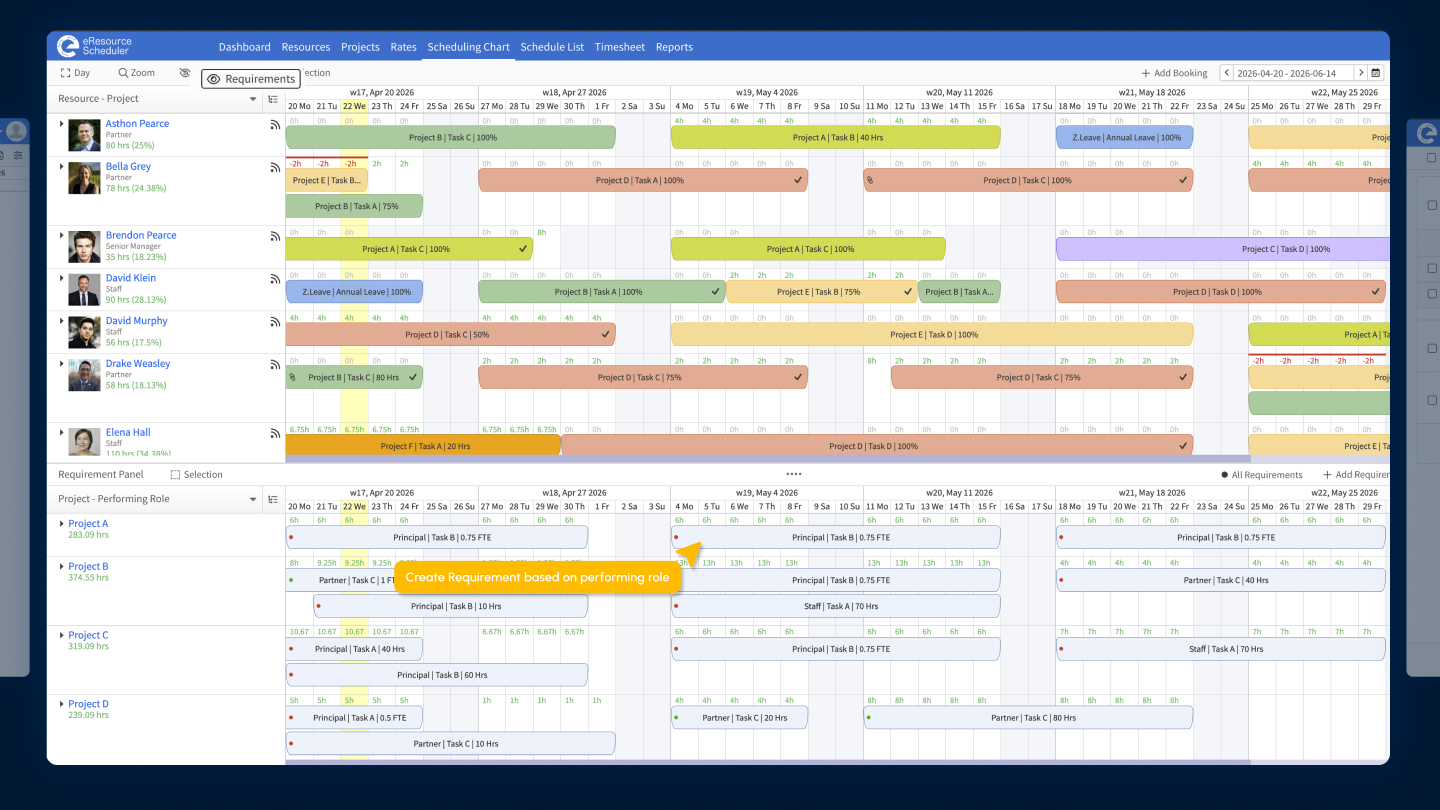
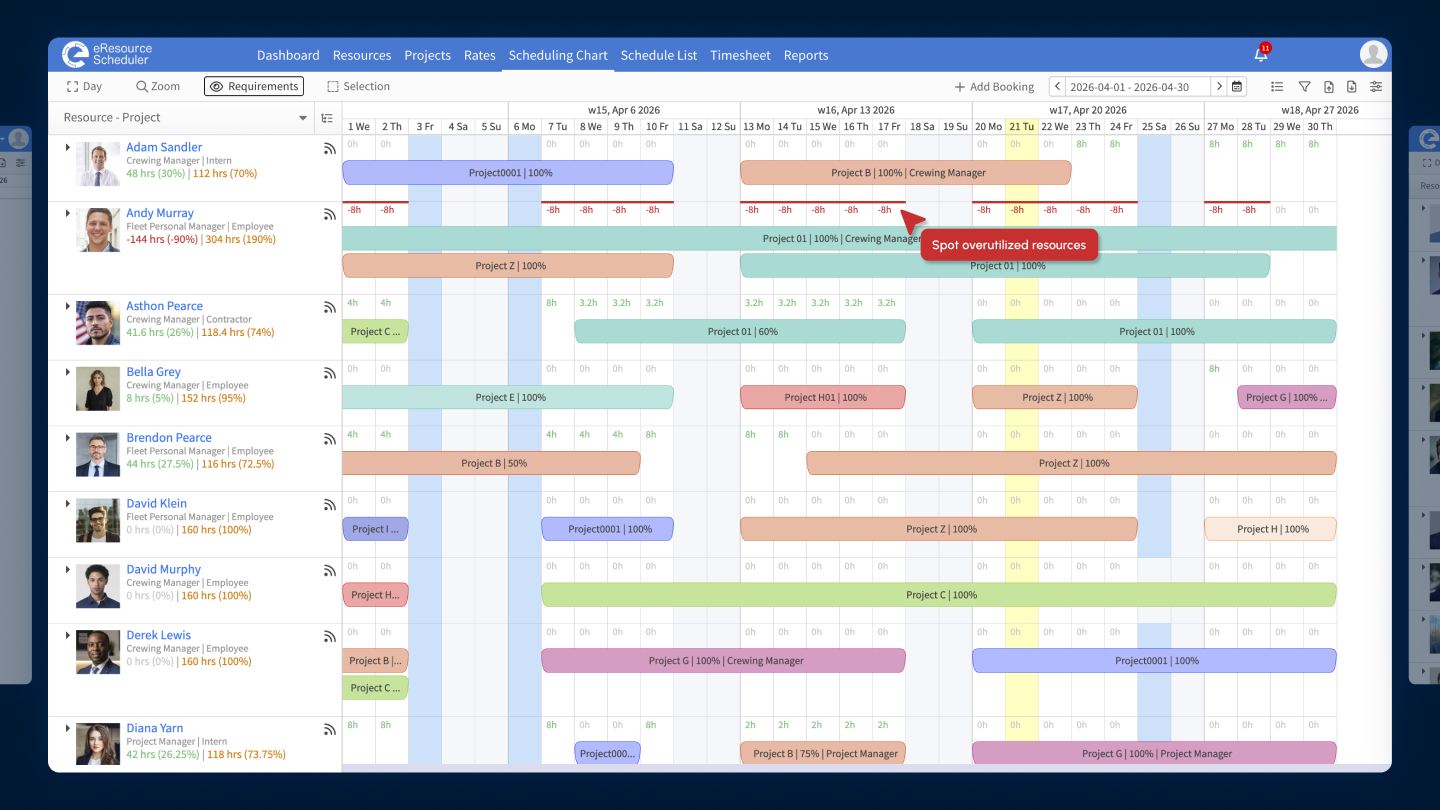
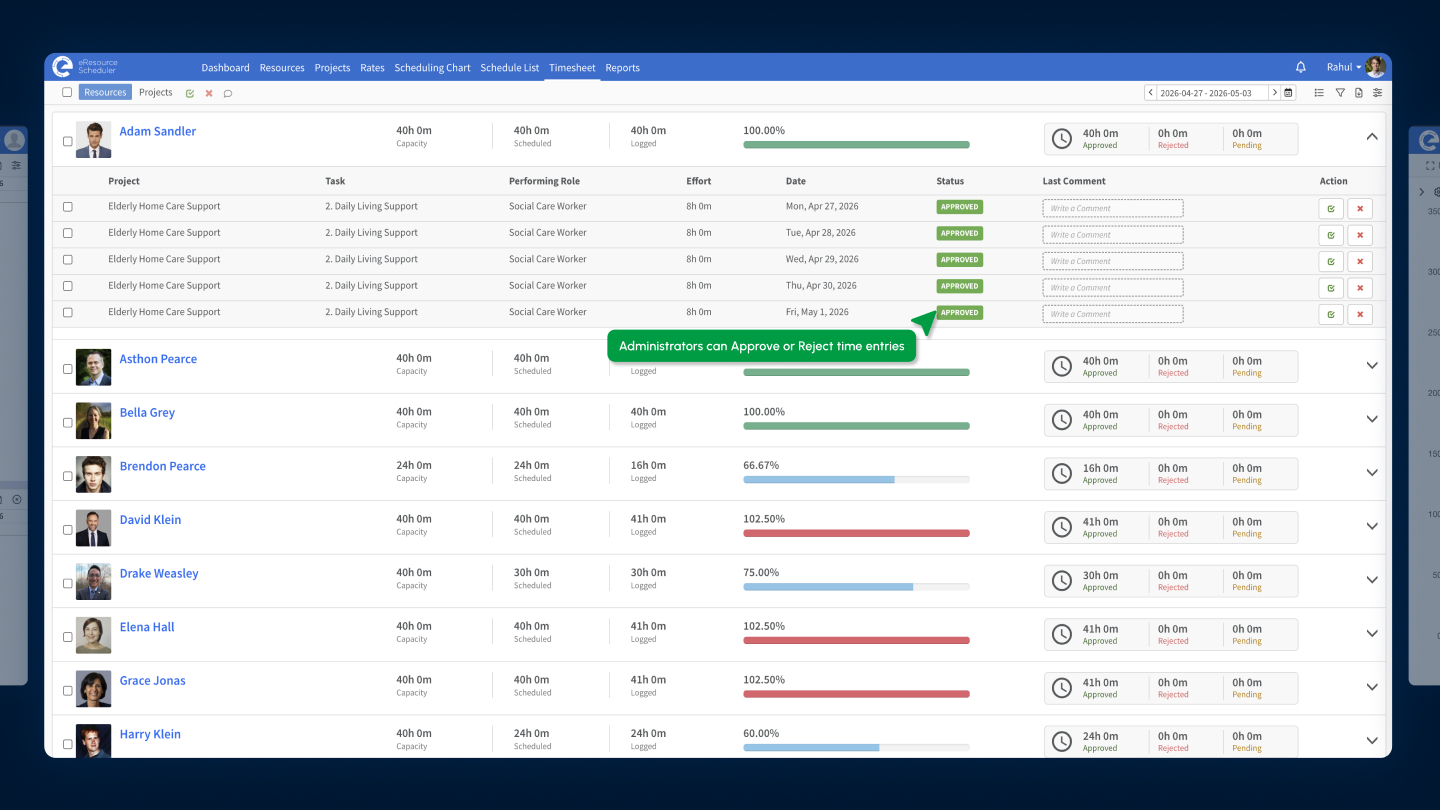
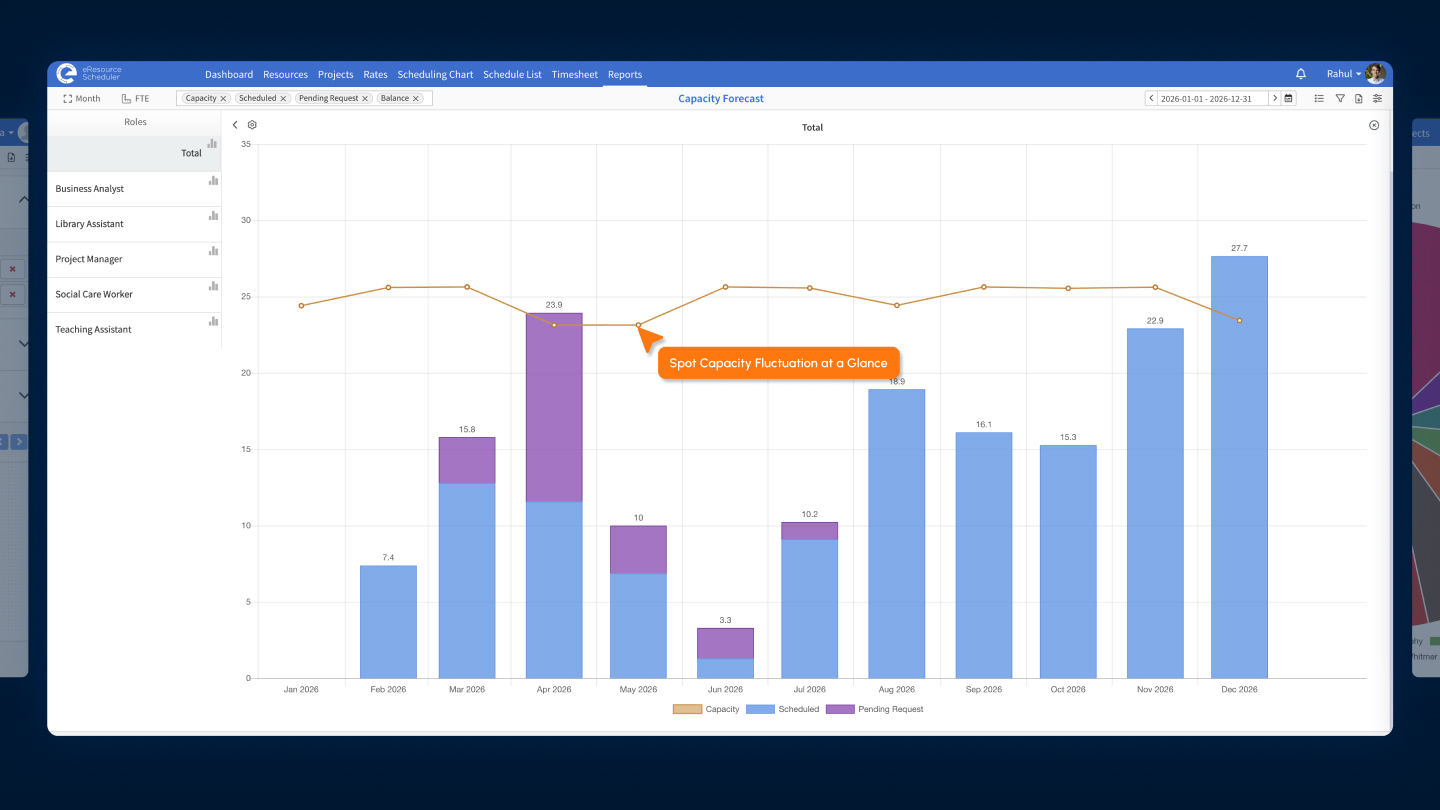
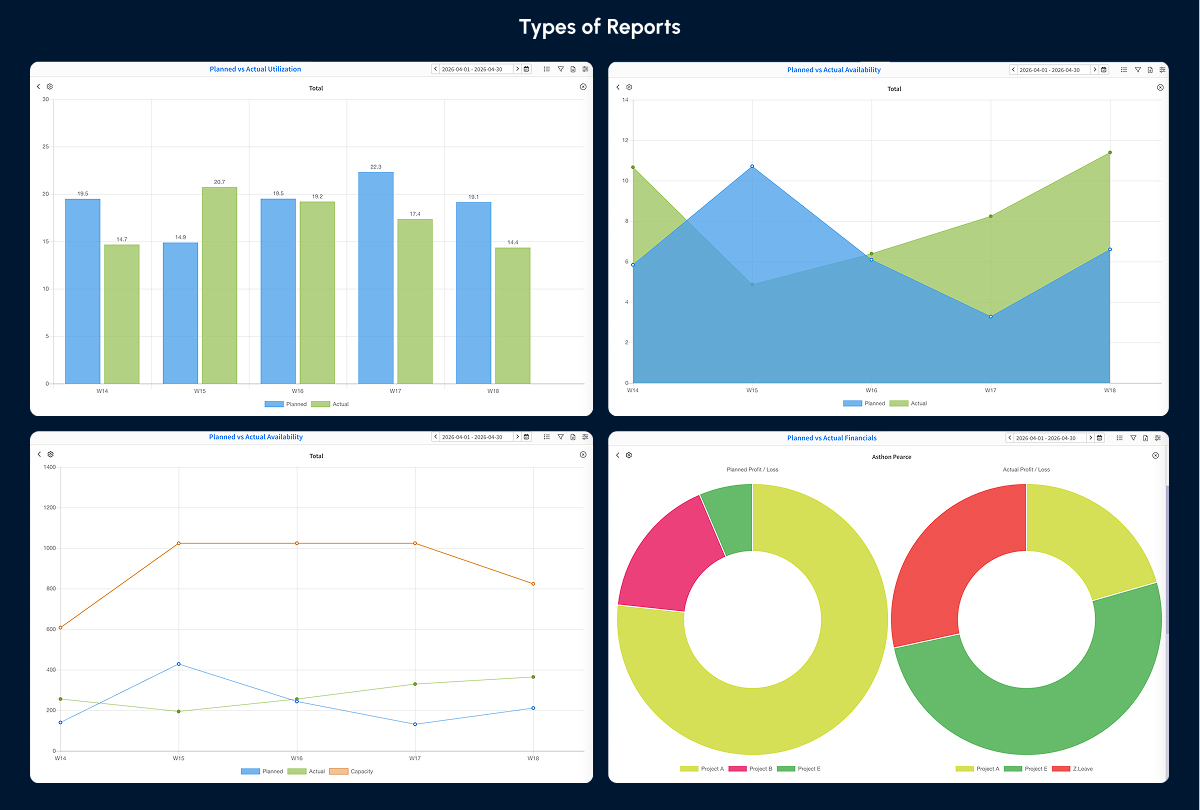
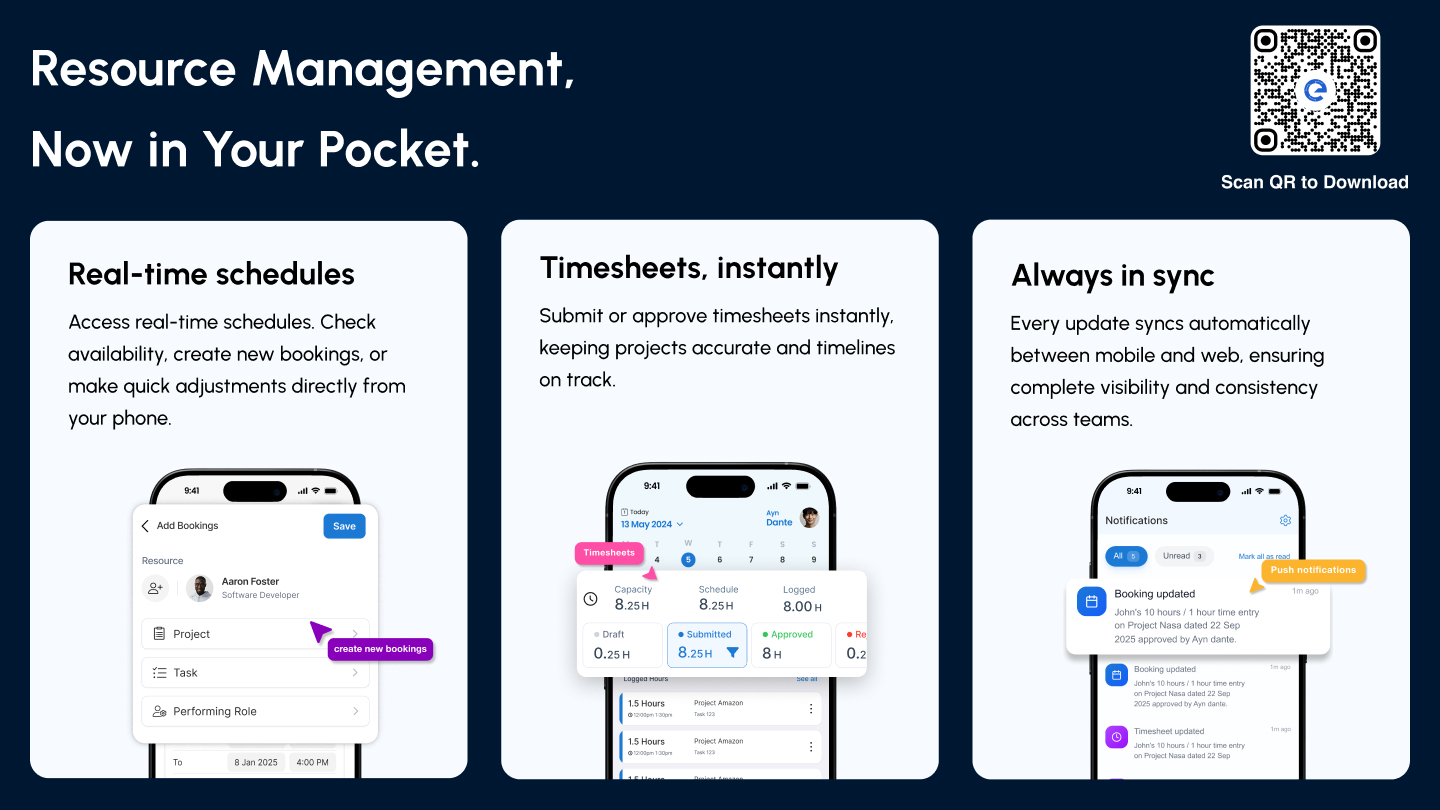
Screenshot of where to create and map resource requirements directly within the scheduling chart to align demand with real capacity in eResource Scheduler.Screenshot of a Gantt-style view of bookings. The scheduling chart is used to track allocations across timelines and quickly spot overutilized resources, so teams can rebalance workloads before it impacts delivery with this resource scheduling software.Screenshot of where to log time against projects and tasks, and compare it with scheduled hours. eResource Scheduler timesheets make it easy to see what’s been worked on, track utilization, and approve or reject entries as needed.Screenshot of a dashboard to track how capacity shifts over time with a visual breakdown of scheduled work, availability, and pending requests. eResource Scheduler makes resource capacity planning more actionable by helping teams spot fluctuations early and adjust allocations before gaps or overloads impact delivery.Screenshot of a view of performance with built-in management reports across utilization, availability, and financials.Screenshot of the eResource Scheduler mobile app, which gives teams real-time visibility and control on the go. Schedule resources, log and approve time entries, and stay updated with instant notifications so work never falls out of sync.

Ganttic Screenshots

Screenshot of Screenshot of Project view.Screenshot of Resource view.Screenshot of Single project view.Screenshot of Ganttic personal settingsScreenshot of User permissions.