TrustRadius: an HG Insights company

Save this comparison

Save this comparison

Add Product

Recommended Comparisons

    Overview
    ProductRatingMost Used ByProduct SummaryStarting Price

    Fenêtre Capture Tool

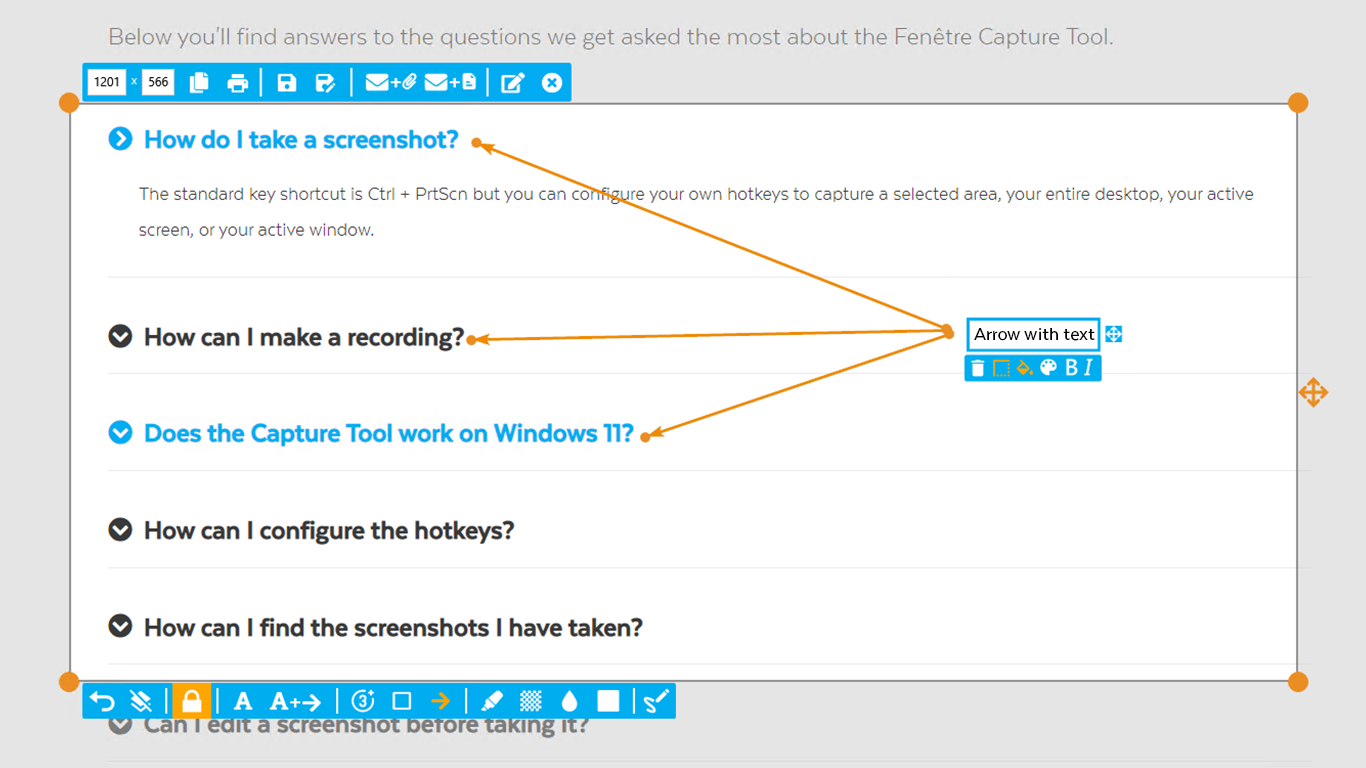
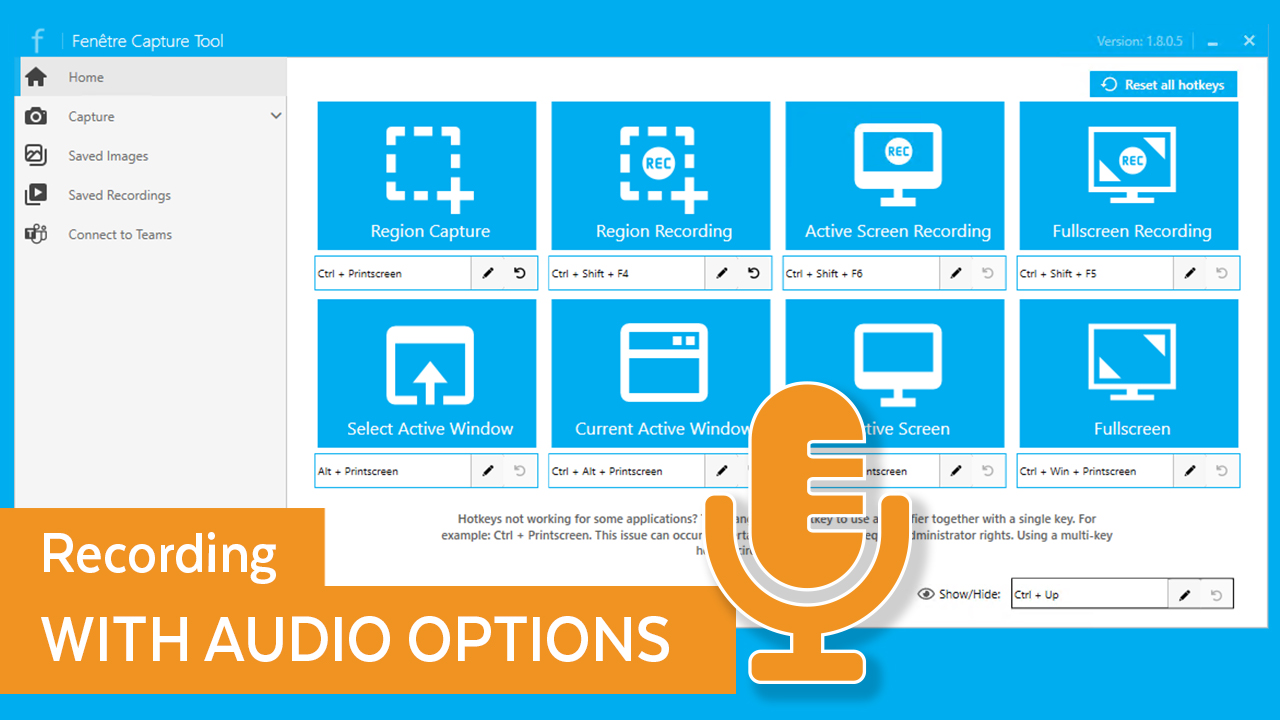
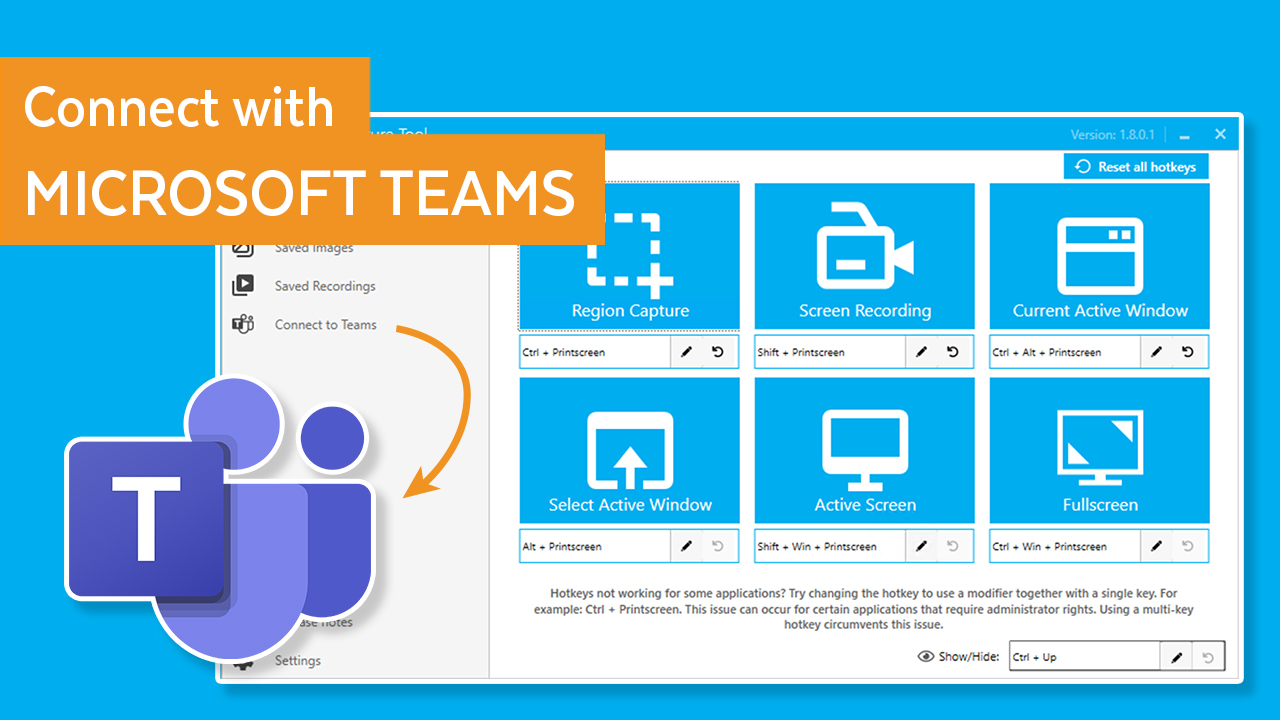
    N/AN/AThe Fenêtre Capture Tool offers features to use in making professional screenshots and screen recordings. It is presented as ideal for anyone, but especially for people who are looking for an advanced function oriented Capture Tool, and because it can be connected with Microsoft Teams it is also functional in the office as well. Features of the Fenêtre Capture Tool include: Screenshot annotation Precise recording areas by pixels Arrow with text…

    $0

    Final Cut Pro

    Score8.8 out of 10
    N/AApple offers Final Cut Pro, a video editing platform featuring optimized for a high performance machines and supporting a wide range of quality effects.

    $299.99

    per license

    Pricing
    Fenêtre Capture ToolFinal Cut Pro
    Editions & Modules
    No answers on this topic
    Final Cut Pro X
    $299.99
    per license
    Offerings
    Pricing Offerings
    Fenêtre Capture ToolFinal Cut Pro
    Free Trial
    YesYes
    Free/Freemium Version
    YesNo
    Premium Consulting/Integration Services
    NoNo
    Entry-level Setup FeeNo setup feeNo setup fee
    Additional DetailsThe Capture Tool is free to use software
    More Pricing Information
    Community Pulse
    Fenêtre Capture ToolFinal Cut Pro
    Considered Both Products
    Fenêtre Online Solutions
    No answer on this topic
    Apple
    No answer on this topic
    Key User Insights
    Would buy again
    No answers on this topic
    95%
    Would buy again
    19 Answers
    Delivers good value for the price
    No answers on this topic
    100%
    Delivers good value for the price
    20 Answers
    Happy with the feature set
    No answers on this topic
    95%
    Happy with the feature set
    19 Answers
    Lived up to sales and marketing promises
    No answers on this topic
    100%
    Lived up to sales and marketing promises
    17 Answers
    Implementation went as expected
    No answers on this topic
    95%
    Implementation went as expected
    18 Answers
    Best Alternatives
    Fenêtre Capture ToolFinal Cut Pro
    Small Businesses
    Sendspark
    Score10 out of 10
    iMovie
    Score10 out of 10
    Medium-sized Companies
    Snagit
    Score9.7 out of 10
    iMovie
    Score10 out of 10
    Enterprises
    Snagit
    Score9.7 out of 10
    Adobe Premiere Pro
    Score9.2 out of 10
    All AlternativesView all alternativesView all alternatives
    User Ratings
    Fenêtre Capture ToolFinal Cut Pro
    Likelihood to Recommend
    -
    (0 ratings)
    8.7
    (37 ratings)
    Likelihood to Renew
    -
    (0 ratings)
    10.0
    (1 ratings)
    Usability
    -
    (0 ratings)
    8.7
    (9 ratings)
    Support Rating
    -
    (0 ratings)
    8.8
    (5 ratings)
    In-Person Training
    -
    (0 ratings)
    9.0
    (1 ratings)
    Online Training
    -
    (0 ratings)
    10.0
    (1 ratings)
    Implementation Rating
    -
    (0 ratings)
    10.0
    (1 ratings)
    Configurability
    -
    (0 ratings)
    10.0
    (1 ratings)
    User Testimonials
    Fenêtre Capture ToolFinal Cut Pro
    Likelihood to Recommend
    Fenêtre Online Solutions
    No answers on this topic
    Apple
    The best scenarios for using Final Cut Pro are any and every scenario where you want to have the greatest control over your editorial needs without the complexity or useless slop that other platforms throw in to seemingly look stronger. Final Cut Pro keeps the editorial experience clean, uncluttered and exactly what it should be - intuitive. That's one word we often come back to because it's one of those things where you really shouldn't have to 'think' about where you can find the right tool to use for your edits... it should be 'right there' where you would think it should be - and in Final Cut Pro, that's almost always where we find it.
    Incentivized
    Read full review
    Pros
    Fenêtre Online Solutions
    No answers on this topic
    Apple
    • Adheres to the conceptually easy timeline model, thus making simple onboarding.
    • Feature-rich toolset which allows for incredible product manipulation from the get-go
    • Expandability via a vibrant plugin ecosystem. Final Cut plugins are broadly developed.
    • Rich integration with studio products: Motion, Compressor
    • Version updates exhibit a product team in touch with what the market needs
    Incentivized
    Read full review
    Cons
    Fenêtre Online Solutions
    No answers on this topic
    Apple
    • The tool palettes and toolbars are sometime difficult to decipher.
    • Some advanced features are not easy to find.
    • Floating descriptive menu whenever the mouse moves on the tool might help.
    • So many tools that a novice is easily lost.
    • A menu of all the keyboard shortcuts would be useful.
    Incentivized
    Read full review
    Usability
    Fenêtre Online Solutions
    No answers on this topic
    Apple
    Fast shortcuts and editing tools make this an efficient piece of software for any skilled video editor. From newbies to experienced editors, FCPX can be used by almost anyone. It is easy to learn but takes time to master. Add Motion for even more effects and punchouts on your videos.
    Incentivized
    Read full review
    Support Rating
    Fenêtre Online Solutions
    No answers on this topic
    Apple
    Most of the support I need, I find online. While Apple has a Q/A section on their site, it's not always beneficial in answering the questions that I have. With that said, they regularly update the software, and when updates lead to crashes, they usually have another update not far behind.
    Incentivized
    Read full review
    Implementation Rating
    Fenêtre Online Solutions
    No answers on this topic
    Apple
    Implementing Final Cut Pro into the organization was a smooth transition from what we didn't had. We felt we went from zero to hero with this software, due to all the great features that we learned. We took some time in training staff on how to use the software but at the end, this was very useful and important.
    Incentivized
    Read full review
    Alternatives Considered
    Fenêtre Online Solutions
    No answers on this topic
    Apple
    Premiere and Final Cut are very similar is usage. Final Cut has less crashing and lag, but does not work well with Adobe products. You'd basically have to use all different softwares to use it best. Davinci is a different beast with a color grading portion that is unmatched by any other product. Although DaVinci is non-linear editing, so you essentially have to unlearn everything you know from Final Cut and Premiere.
    Incentivized
    Read full review
    Return on Investment
    Fenêtre Online Solutions
    No answers on this topic
    Apple
    • We are regularly lauded for our high-quality videos by donors and prospects, which greatly improves our standing in their eyes.
    • Our Final Cut Pro X-created videos have contributed to our receiving large grant awards.
    • Our videos have been shared and promoted by similar organizations, which has improved our standing in our field and adjacent fields.
    Incentivized
    Read full review
    ScreenShots

    Fenêtre Capture Tool Screenshots

    Screenshot of The interface of the appScreenshot of Example of the arrow with textScreenshot of recording a screen with a microphone or device audioScreenshot of the Connect with Teams and share through Outlook capabilitiesScreenshot of screen annotation while recordingScreenshot of multiple screenshot capture and editing