Flexmonster Pivot Table & Charts Component vs. Syncfusion Essential Studio

Overview
ProductRatingMost Used ByProduct SummaryStarting Price
Flexmonster Pivot Table & Charts Component
Score 10.0 out of 10
Mid-Size Companies (51-1,000 employees)
Flexmonster Pivot Table & Charts is a component for interactive pivot reports that can be inserted into a web page or a web application. It’s a JavaScript tool that enables a user to visualize their business data. This solution supports Microsoft Analysis Services OLAP cubes, Mondrian, icCube, JSON, SQL (MS SQL, MySQL and others) databases or static JSON or CSV files. According to the vendor, this solution allows users to work extremely quickly with really large data…
$0
Annual SaaS Subscription
Syncfusion Essential Studio
Score 6.6 out of 10
N/A
Since 2002, Essential Studio® has supported the development of software applications across industries and economic sectors, in both public and private enterprises. UI components Today, Essential Studio presents a two-part development solution. The first is a collection of more than 1,600 UI components for developers who need to ship but don’t have the budget to build an entire front end from scratch. Regardless of the target platform—mobile, web,…
$0
(for 5 or fewer developers)
Pricing
Flexmonster Pivot Table & Charts ComponentSyncfusion Essential Studio
Editions & Modules
Pivot Table for SQL/CSV/JSON Unlimited
$0
Annual SaaS Subscription
Pivot Table for Pentaho Mondrian
$0
Annual SaaS Subscription
Pivot Table for MS Analysis Services
$0
Annual SaaS Subscription
Pivot Table for SQL/CSV/JSON Basic
$299
Annual subscription
Pivot Table for Pentaho Mondrian
$799
Annual subscription
Pivot Table for SQL/CSV/JSON Unlimited
$799
Annual subscription
Pivot Table for MS Analysis Services
$799
Annual subscription
1 - Essential Studio - Unlimited License - Project
Customized Quote
per year
More than a team of 10*
Customized Quote
2 - Essential Studio - Unlimited License - Division
Customized Quote
per year
3 - Essential Studio - Unlimited License - Global
Customized Quote
per year
4 - Essential Studio - UI Component Suite - Starter
Customized Quote
per year
5 - Essential Studio - UI Component Suite - Growth
Customized Quote
per year
6 - Essential Studio - UI Component Suite - Business
Customized
per year
7 - Essential Studio - Document Solutions - Document SDK
Customized Quote
per year
8 - Essential Studio - Document Solutions - PDF Viewer SDK
Customized Quote
per year
9 - Essential Studio - Document Solutions - DOCX Editor SDK
Customized Quote
per year
Essential Studio - Document Solutions - Spreadsheet Editor SDK
Customized Quote
per year
Offerings
Pricing Offerings
Flexmonster Pivot Table & Charts ComponentSyncfusion Essential Studio
Free Trial
YesYes
Free/Freemium Version
NoYes
Premium Consulting/Integration Services
YesNo
Entry-level Setup FeeNo setup feeNo setup fee
Additional Details
More Pricing Information
Community Pulse
Flexmonster Pivot Table & Charts ComponentSyncfusion Essential Studio
Features
Flexmonster Pivot Table & Charts ComponentSyncfusion Essential Studio
BI Standard Reporting
Comparison of BI Standard Reporting features of Product A and Product B
Flexmonster Pivot Table & Charts Component
10.0
1 Ratings
20% above category average
Syncfusion Essential Studio
-
Ratings
Report Formatting Templates10.01 Ratings00 Ratings
Ad-hoc Reporting
Comparison of Ad-hoc Reporting features of Product A and Product B
Flexmonster Pivot Table & Charts Component
9.5
1 Ratings
17% above category average
Syncfusion Essential Studio
-
Ratings
Formatting capabilities9.01 Ratings00 Ratings
Report sharing and collaboration10.01 Ratings00 Ratings
Report Output and Scheduling
Comparison of Report Output and Scheduling features of Product A and Product B
Flexmonster Pivot Table & Charts Component
10.0
1 Ratings
19% above category average
Syncfusion Essential Studio
-
Ratings
Publish to PDF10.01 Ratings00 Ratings
Mobile Capabilities
Comparison of Mobile Capabilities features of Product A and Product B
Flexmonster Pivot Table & Charts Component
10.0
1 Ratings
25% above category average
Syncfusion Essential Studio
-
Ratings
Responsive Design for Web Access10.01 Ratings00 Ratings
Best Alternatives
Flexmonster Pivot Table & Charts ComponentSyncfusion Essential Studio
Small Businesses
Yellowfin
Yellowfin
Score 8.7 out of 10
React (React.js)
React (React.js)
Score 8.8 out of 10
Medium-sized Companies
Reveal
Reveal
Score 10.0 out of 10
React (React.js)
React (React.js)
Score 8.8 out of 10
Enterprises
Kyvos Semantic Layer
Score 9.5 out of 10
React (React.js)
React (React.js)
Score 8.8 out of 10
All AlternativesView all alternativesView all alternatives
User Ratings
Flexmonster Pivot Table & Charts ComponentSyncfusion Essential Studio
Likelihood to Recommend
10.0
(1 ratings)
8.6
(31 ratings)
Likelihood to Renew
-
(0 ratings)
8.2
(2 ratings)
Usability
9.0
(1 ratings)
8.4
(5 ratings)
Support Rating
10.0
(1 ratings)
8.4
(4 ratings)
Implementation Rating
-
(0 ratings)
8.2
(1 ratings)
User Testimonials
Flexmonster Pivot Table & Charts ComponentSyncfusion Essential Studio
Likelihood to Recommend
Flexmonster
Fantastic product to embed in any SaaS solution for reporting and data exports. Excellent performance, ability to customize fields and tons of other features out of the box that makes it a well-rounded tool that is easy to use. To top it off their support is amazing for answering technical questions quickly and they provide great examples to learn how to interact with the code. We are very happy with our choice to use Flexmonster!
Read full review
Syncfusion
The datagrid is probably their most popular control I would think. It is so flexible and configurable. Most of mine are plain views in ASP.NET Core, but I have a whole bunch that are dynamically created at runtime in my controller. That is so powerful.
Read full review
Pros
Flexmonster
No answers on this topic
Syncfusion
  • Integrates well into Microsoft tech stack. i.e. ASP.NET, Blazor etc. So it acts as a plug-n-play, which is great!
  • Shrinks the development cycle without adding too much of its own ecosystem overhead.
  • Provides different UI skins so the controls don't appear as "stitched".
Read full review
Cons
Flexmonster
No answers on this topic
Syncfusion
  • Sometimes links point to dead addresses in the documentation.
  • Some components have a difficult learning curve but that is usually due to the complexity of the control.
  • Minor version changes introduce breaking changes, for example updating from 20.1.x to 20.2.x gives us licensing errors, which in my opinion is a kind of breaking change as it requires all users to update their licenses.
  • Theming with CSS variables is not possible. Access to Theme Studio code is not possible. So a fully custom solution is needed to make Syncfusion Essential Studio Enterprise Edition components themeable with CSS variables.
Read full review
Likelihood to Renew
Flexmonster
No answers on this topic
Syncfusion
It takes effort to include a new component library into existing software, especially in our case where we have 5 large applications that are written and maintained by about 100 developers. So changing such a core thing comes with a lot of effort. The other reason we will very likely renew our use of Syncfusion Essential Studio Enterprise Edition is that it works really well and has helped us to speed up the development process.
Read full review
Usability
Flexmonster
Checks all the boxes! Easy to use, great out of the box feature set and fantastic support team
Read full review
Syncfusion
I would rate Syncfusion® Essential Studio® a 10 out of 10 for overall usability. The components are intuitive to implement, with clear APIs and consistent design patterns across the suite. This makes it easy for developers to get started quickly and reduces the learning curve even when working with new controls.
In addition, the documentation and sample projects provide practical guidance that helps accelerate development. The built-in customization options also allow us to adapt the components to fit our branding and business requirements without excessive effort. Overall, the usability is one of the key reasons why Syncfusion has become an essential part of our development toolset.
Read full review
Support Rating
Flexmonster
Quick response to questions and feedback, excellent documentation for learning about the product and tons of examples to leverage.
Read full review
Syncfusion
Although I have decades of software development experience, I had never created a website from scratch before, and my html and css skills are not particularly strong. Between documentation and incredible dedication from the support team they helped me overcome all of my challenges. It's amazing that they typically create sample code for most of the issues that I submitted. On rare occasions where I uncovered a defect they kept me informed as to its status, and typically resolved it in a short-term release, and/or gave me a reasonable workaround. They hopped on zoom calls with me on multiple occasions when necessary.
Read full review
Implementation Rating
Flexmonster
No answers on this topic
Syncfusion
Feedback from the team has been very positive.
Read full review
Alternatives Considered
Flexmonster
No answers on this topic
Syncfusion
Firstly, there is a free version for small businesses and it allows you to jump start without risk. I found one of the other products a bit short in the number of out-of-the-box supported events handlers for each control and, although you can manually add them, I feel more comfortable to just have them ready. After using the free version I just felt in love with Syncfusion Essential Studio Enterprise Edition controls and decided to stay with them; they have all I need and more. The usage of Syncfusion Essential Studio Enterprise Edition controls is straightforward and intuitive. Support is world-class even for the free version; you get answers in 24 hours at most. Also, the support team is ready to remotely connect to your project in case it is needed; we have had one situation like this, and the issue was solved.
Read full review
Return on Investment
Flexmonster
No answers on this topic
Syncfusion
  • First of all, I think the best positive impact is the reduce of time development. I do not know exactly how much time, but certainly, using the framework we save a lot of effort and time.
  • About negative impact, sometimes using the controls of the framewrok have a signifcant impact in the execution time and page load.
  • And of course, the use of Syncfusion Essential Studio Enterprise Edition has a significant impact of the learning of javascript and JQUERY.
Read full review
ScreenShots

Flexmonster Pivot Table & Charts Component Screenshots

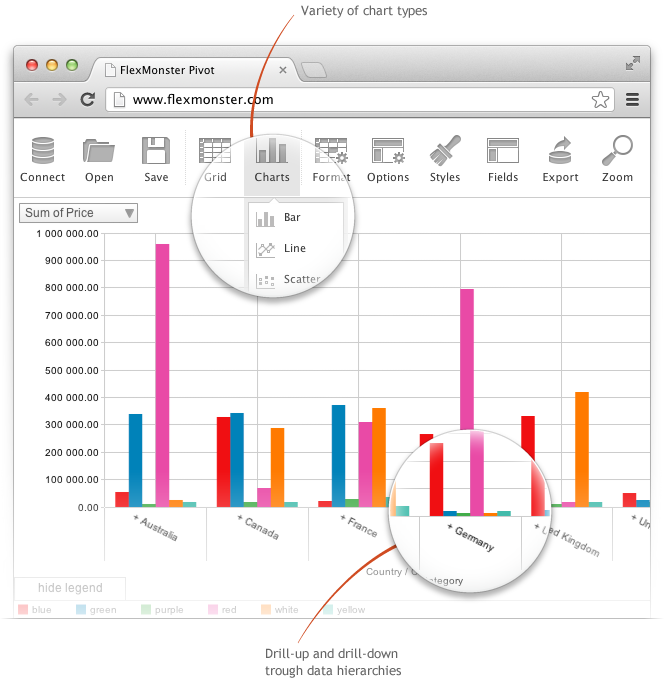
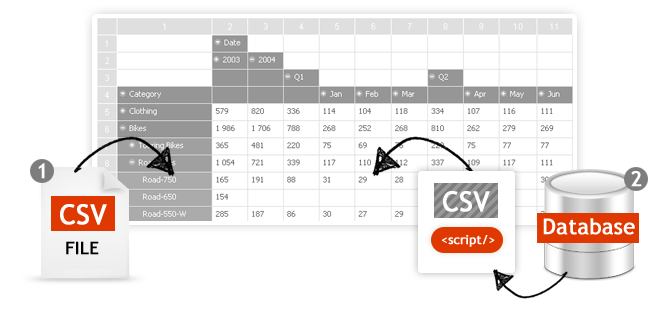
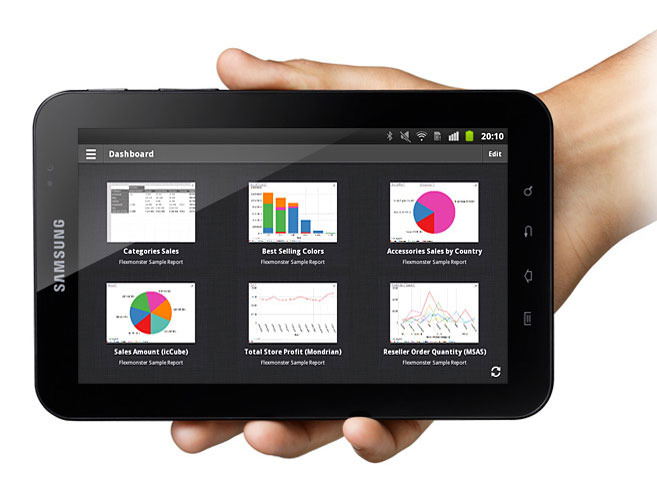
Screenshot of Pivot Component supports the printing of the Pivot view. Additionally users can export the reports into a variety of formats.Screenshot of Pivot Table Component helps you to create interactive pivot tables and charts reports for web and Flex applications. Pivot Component will provide your customers with an extremely intuitive end-user experience while creating and analyzing reports.Screenshot of Pivot Charts provide an alternative, interactive way to visualize data.Screenshot of The component will connect to any database: MS SQL, MySQL, Oracle, PostgreSQL - using simple script generating CSV output to enable real-time business analysis. Pivot Component is full browser-side component, thus you can use any desired server-side to generate CSV data.Screenshot of Pivot Table Component can connect to OLAP cubes via XMLA protocol. XMLA is XML for Analysis - an industry standard for data access in analytical systems, such as OLAP and Data Mining.Screenshot of Start mobile business reporting with the Flexmonster mobile application. It can be downloaded to your tablets from Google Play or Apple App Store.

Syncfusion Essential Studio Screenshots
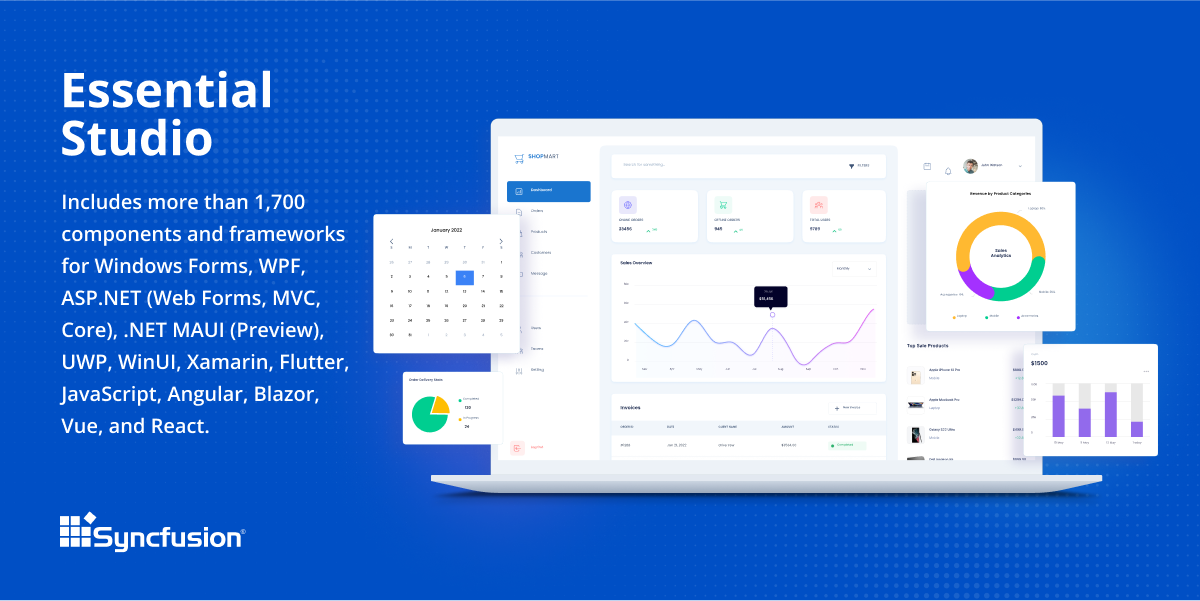
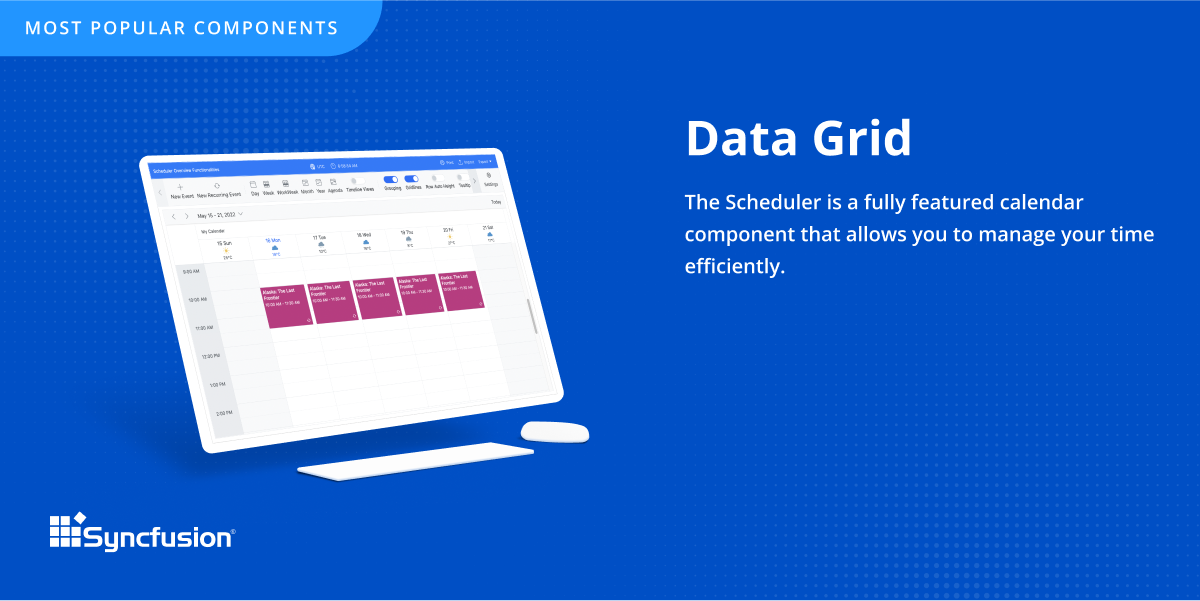
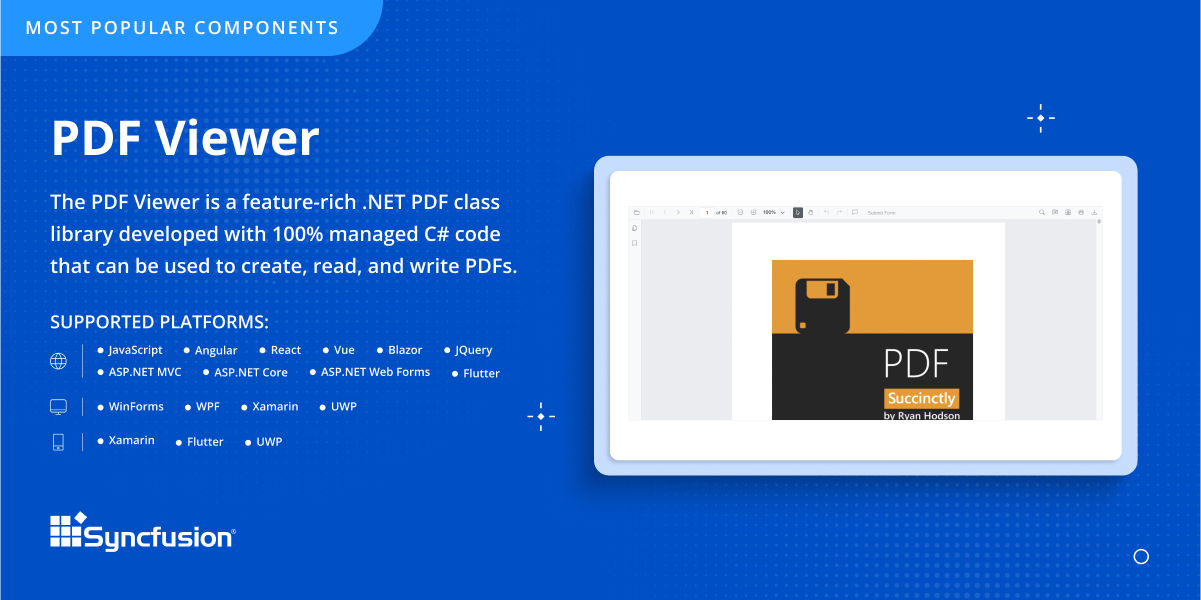
Screenshot of an overview of Syncfusion® Essential Studio®, which is a software package that includes more than 1,600 components and frameworks for WinForms, WPF, ASP.NET (Web Forms, MVC, Core), UWP, WinUI, Flutter, Blazor, JavaScript, Angular, Vue, and React.Screenshot of the DataGrid control, which is a grid component that helps display and manipulate large amounts of data in a tabular format. Its feature set includes functionalities like data binding, sorting, grouping, editing, filtering, swiping, dragging, resizing, loading more items, pull-to-refresh, and exporting to Excel and PDF file formats.Screenshot of the PDF Viewer, which is .NET PDF class library developed with 100% managed C# code that can be used to create, read, and write PDFs.