Google Cloud CLI vs. Serverless360

Overview
ProductRatingMost Used ByProduct SummaryStarting Price
gcloud CLI
Score 8.9 out of 10
N/A
The Google Cloud CLI is a set of tools to create and manage Google Cloud resources. Its tools can be used to perform many common platform tasks from the command line or through scripts and other automation.N/A
Serverless360
Score 10.0 out of 10
Enterprise companies (1,001+ employees)
Serverless360 is a platform to manage and monitor Azure Serverless components related to enterprise integration. In a real-time scenario, the integrated cloud applications are not built with a single technology stack, it typically involves at least 3 or 4 different Azure Services. Currently, Azure Portal is designed more on vertical technology silos and it's difficult to visualize and manage such connected solutions. So Serverless360 is presented by the vendor as a tool that users can depend on…N/A
Pricing
Google Cloud CLIServerless360
Editions & Modules
No answers on this topic
Offerings
Pricing Offerings
gcloud CLIServerless360
Free Trial
NoYes
Free/Freemium Version
NoNo
Premium Consulting/Integration Services
NoYes
Entry-level Setup FeeNo setup feeNo setup fee
Additional Details
More Pricing Information
Community Pulse
Google Cloud CLIServerless360
Features
Google Cloud CLIServerless360
Cloud Management
Comparison of Cloud Management features of Product A and Product B
Google Cloud CLI
8.6
1 Ratings
2% below category average
Serverless360
9.9
6 Ratings
12% above category average
Cloud Management Security7.01 Ratings00 Ratings
Automation and Orchestration9.01 Ratings00 Ratings
Cost Management7.01 Ratings9.96 Ratings
Cloud Management Performance Monitoring10.01 Ratings9.96 Ratings
Governance and Compliance8.01 Ratings9.95 Ratings
Resource Management9.01 Ratings9.95 Ratings
Systems Integration10.01 Ratings9.96 Ratings
Best Alternatives
Google Cloud CLIServerless360
Small Businesses
VMware Cloud Director
Score 8.5 out of 10
VMware Cloud Director
Score 8.5 out of 10
Medium-sized Companies
IBM Turbonomic
IBM Turbonomic
Score 9.0 out of 10
IBM Turbonomic
IBM Turbonomic
Score 9.0 out of 10
Enterprises
VMware Cloud Director
Score 8.5 out of 10
VMware Cloud Director
Score 8.5 out of 10
All AlternativesView all alternativesView all alternatives
User Ratings
Google Cloud CLIServerless360
Likelihood to Recommend
8.0
(1 ratings)
10.0
(7 ratings)
Usability
7.0
(1 ratings)
10.0
(1 ratings)
User Testimonials
Google Cloud CLIServerless360
Likelihood to Recommend
Google
it is great for automating tasks like deploying VMs, running BigQuery and managing cloud resources at scale. It is much faster than the UI for repetitive actions and allows you to easily script and scale progress. However it is not ideal for beginners
Read full review
Kovai.co
Serverless360 is a great tool for managing complex Azure serverless environments>it offers comprehensive monitoring,alerting, and automation features that are essential for maintaining the health and performance of our applications.However, for organizations with simpler setups or minimal Azure serverless usage, the advanced capabilities of Serverless360 may not be necessary. Overall it's been a valuable addition to our tool kit
Read full review
Pros
Google
No answers on this topic
Kovai.co
  • It provides comprehensive visibility of azure apps and manages several azure services in a safe way.
  • It identifies and solves incidents efficiently and also pinpoints the root cause.
  • Keeps track of enterprise wide information across integrations.
Read full review
Cons
Google
No answers on this topic
Kovai.co
  • Requires some initial configuration to make sure Azure resources are monitored correctly.
  • Needs flexibility in the type of alerts you can setup.
  • It maybe good to have more customized options.
Read full review
Usability
Google
While it offers powerful features and streamlines many cloud management tasks, its learning curve can be steep for beginners. The complexity of commands and flags may be intimidating, especially for users who are not familiar with command-line tools. However, once you get past the initial hurdle, it becomes a very efficient and flexible tool for managing Google Cloud resources.
Read full review
Kovai.co
Turbo360 (formerly Serverless360) is the best software intelligence tool out there in market saving us time as it is easy to see data instantly. The software provides business and traffic data information helping our organization make scalability decisions.
Read full review
Alternatives Considered
Google
No answers on this topic
Kovai.co
Metric monitoring in Serverless360 is the best. It eliminates the lengthy process of manually looking through error logs and immediately performs root cause analysis on problems as they arise giving insight into the Azure environment. The team can foresee and fix issues. Our team could safely transfer the less valued support task to the L1 support person and free up the skilled Azure resources to focus on the development of the business.
Read full review
Return on Investment
Google
No answers on this topic
Kovai.co
  • Serverless360 has greatly improved our business operations.
  • it helps us detect and solve issues faster leading to happier customer and increased productivity.
  • it help us save money by optimizing our cloud resources
Read full review
ScreenShots

Serverless360 Screenshots

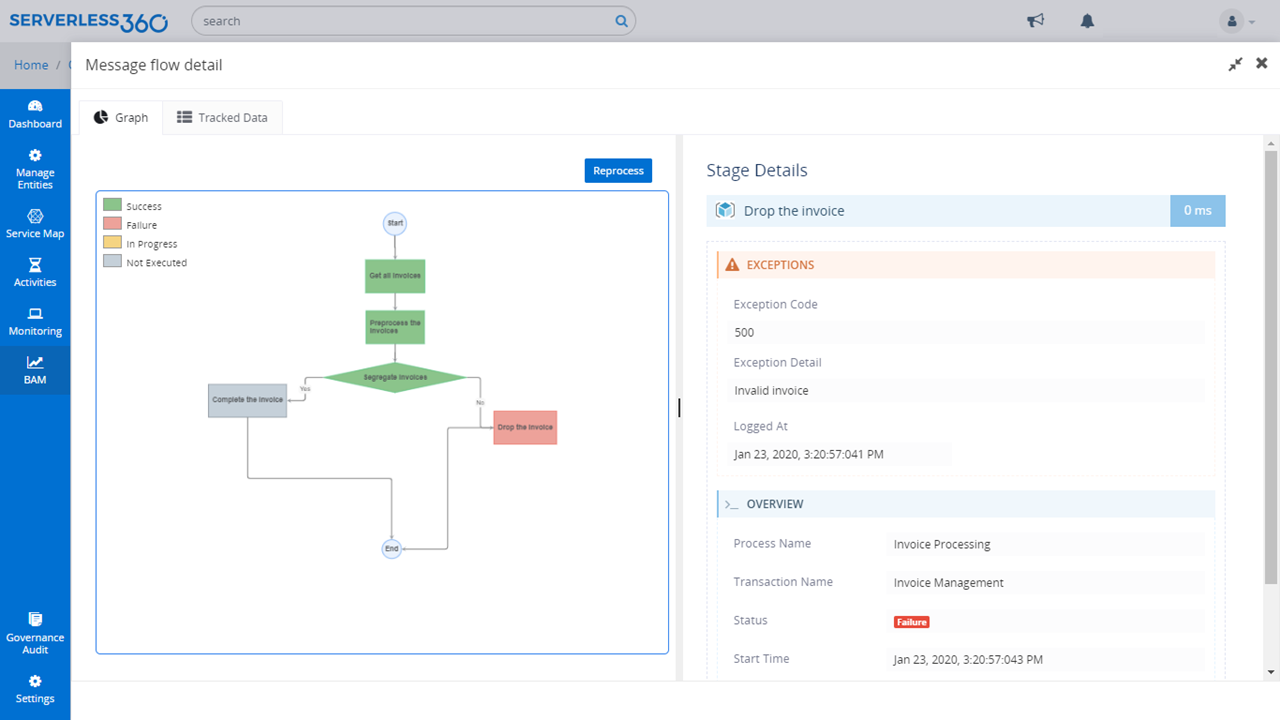
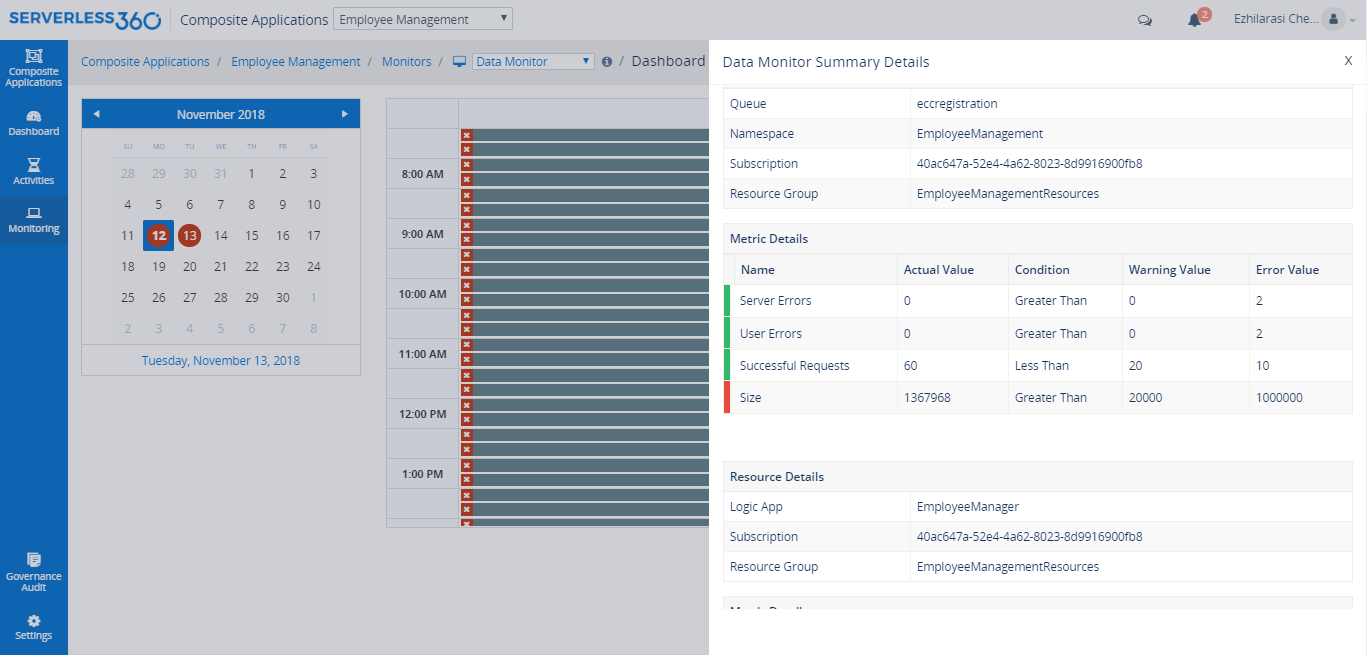
Screenshot of Composite Application logically groups together various resources from Azure Subscriptions (same or multiple subscriptions) and namespaces that represent a Line of Business (LoB) application in your application architecture.Screenshot of Business Activity Monitoring (BAM) gives full visibility of your end-to-end business process flow across your Azure resources.Screenshot of Day wise Cost spent on a specific resource or resource type or environment can be attained by choosing the line chartScreenshot of Cost visualisation capability in Resouce Map feature of Serverless360 comes in to provide the required clarity on the spending in your Azure subscription in fact across subscriptions.Screenshot of A physical representation of the architecture, the user can derive relationships between the resources that constitute the composite applicationScreenshot of Data Monitoring helps to assess historical data and generating alerts based on expected criteria.