Flutter is an open-source mobile application development framework created by Google. It is used to develop applications for Android and iOS, as well as being the primary method of creating applications for Google Fuchsia.
$0
Swiftify
Score9 out of 10
Small Businesses (1-50 employees)
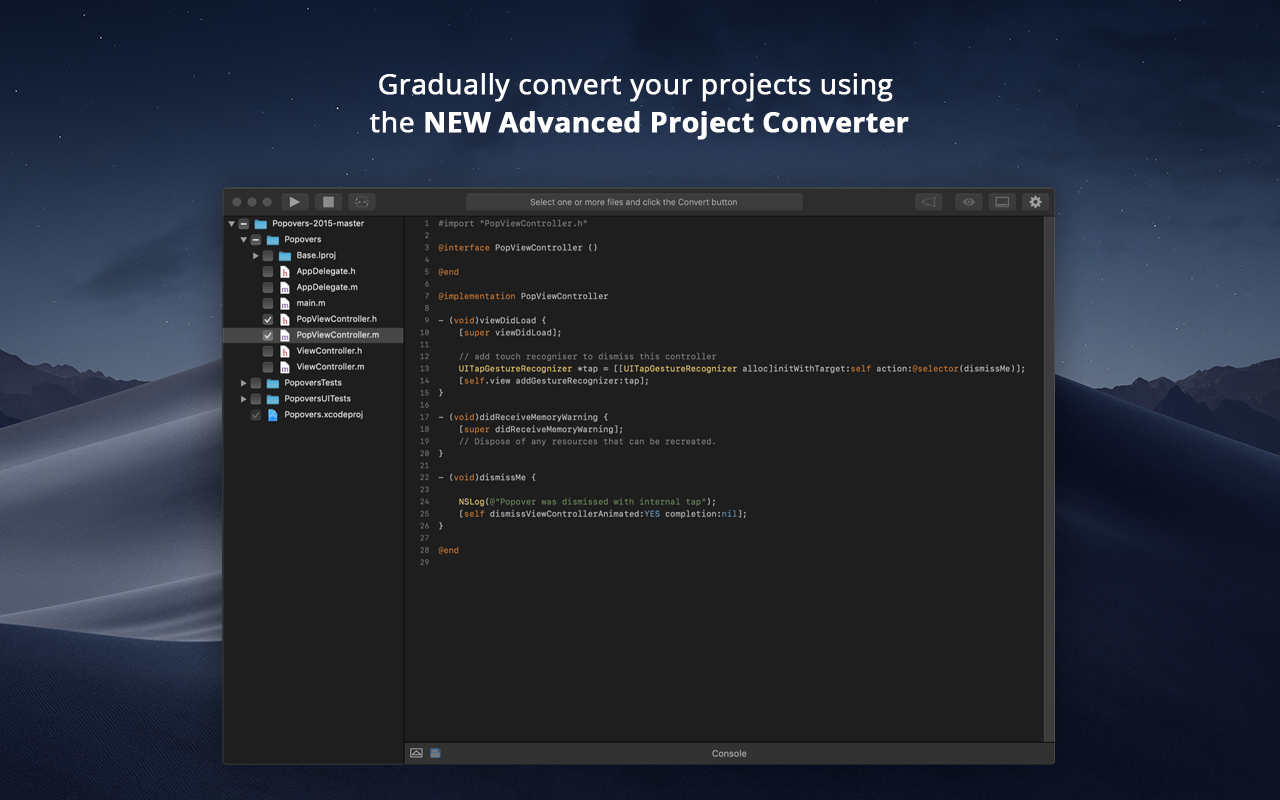
When Apple rolled out Swift back in 2014, Objective-C was set to be replaced. Even nowadays, however, there are plenty of apps and projects that still use Objective-C, and developers are faced with the prospect of either starting again from scratch or attempting to convert them to Swift. Swiftify for Xcode is designed to automate much of the conversion process, handling the task of replacing syntax while letting you focus on other aspects of migrating your project to…
Flutter by Google is well suited where you have to make an app across multiple platforms like iOS, Android, Web, Desktop and you don't have the bandwidth to create multiple teams for the Native app. This makes sure you have a faster development and you don't have to worry about how your product will look across different platforms. It is also very smooth/fast in response, making it close to feel like a Native app, this makes it an easy pick for a Fintech product where speed matters. Flutter by Google also has a huge library of Components, which are well tested and developed by Google's Flutter by Google team itself, making the development even more fast since the majority of required components are already available.
A de minimis incentive was given to thank the reviewer for their time. The incentive was not used to bias or drive a particular response, nor was the incentive contingent on a positive endorsement. More Info
It is recommended to use Swiftify in any situation that requires iOS development because even if you develop just in Swift or just in Objective-C, it could be helpful for researching and investigating purposes. Additionally, if you need to convert big quantities of code from Objective-C to Swift, this tool will optimise that work. It will not translate a whole class of 2000 lines perfectly, but after converting it you can review the code and modify the lines that have not been properly converted, making you save more than the 50% of the time in that case. I've not been able to test it properly as I only used the trial version and it is really limited.
A de minimis incentive was given to thank the reviewer for their time. The incentive was not used to bias or drive a particular response, nor was the incentive contingent on a positive endorsement. More Info
A de minimis incentive was given to thank the reviewer for their time. The incentive was not used to bias or drive a particular response, nor was the incentive contingent on a positive endorsement. More Info
A de minimis incentive was given to thank the reviewer for their time. The incentive was not used to bias or drive a particular response, nor was the incentive contingent on a positive endorsement. More Info
Occasionally updates to the Flutter SDK result in wide-sweeping changes that seem to not be thoroughly tested and considered. Flutter sometimes evolves too fast for its own good.
While the 3rd-party Flutter package ecosystem is vast and rich, 1st-party support for basic things (audio/video playback, battery information, Bluetooth services, etc.) are lacking. You are occasionally forced to rely on an open-source package for use-cases that other platforms have native support for.
Documentation, particularly around testing, is lacking. While there are some great docs, like the Dart Style Guide, many Flutter-focused support documents are lacking in quality and real-world usability.
Flutter allows you to architect an app however you want. While this is a great feature, it also adds complexity and leads to the current state of Flutter's state management, where there are 50+ options on how to organize your app, with very little official guidance or recommendations from the Flutter team. For a beginner, this can create decision paralysis.
A de minimis incentive was given to thank the reviewer for their time. The incentive was not used to bias or drive a particular response, nor was the incentive contingent on a positive endorsement. More Info
A de minimis incentive was given to thank the reviewer for their time. The incentive was not used to bias or drive a particular response, nor was the incentive contingent on a positive endorsement. TR verified that a representative sample of customers was invited. More Info
Flutter by Google is very easy to start with. The initial setup they provide is very helpful and easy to understand. The default project setup is also good and can be deployed to production without changing much. Flutter by Google provides a huge library of components, which are created and tested by their own team, making the development of application much faster and robust. Flutter by Google also has a huge community support where we can find components built by the community and we can contribute our own components as well, which helps in faster dev time. Applications developed using Flutter by Google are very smooth, almost feels like native, which helps in creating good impression on customers/clients.
A de minimis incentive was given to thank the reviewer for their time. The incentive was not used to bias or drive a particular response, nor was the incentive contingent on a positive endorsement. More Info
I have experience with react and React Native. I would say that the idea behind all those frameworks are quite similar. However, I found the javascript-based frameworks a bit more accessible as you could utilise your javascript knowledge. Here, Flutter works with its own language. This has advantages and disadvantages sometimes. I found the community around javascript frameworks bigger and therefore sometimes more helpful. However, Flutter does a good job here as well. I think the main argument for Flutter is its usability for less experienced developers. If you do not have knowledge in javascript or other programming languages then I think it is much easier to start with Flutter than with another framework like react. I think the package that you get form scratch is better than in the other frameworks were you have to set up and learn a lot more before you can start.
A de minimis incentive was given to thank the reviewer for their time. The incentive was not used to bias or drive a particular response, nor was the incentive contingent on a positive endorsement. More Info
There's not much to compare - we haven't found any proprietary like it. Existing OpenSource solutions are unmaintained and Swiftify supports the latest versions of Swift.
The rapid development capabilities of Flutter allow us to build apps we could not have previously considered commercially viable, opening new revenue streams.
Free and open licensing made adoption very easy (ie. free/low cost!).
In comparison to Qt, our time spent arguing with build tools and perfecting development environments has decreased substantially.
A de minimis incentive was given to thank the reviewer for their time. The incentive was not used to bias or drive a particular response, nor was the incentive contingent on a positive endorsement. More Info
For now the impact has been small, considering that I used the trial version, it was helpful for small conversions. Summarising: Saving time on researching process
A de minimis incentive was given to thank the reviewer for their time. The incentive was not used to bias or drive a particular response, nor was the incentive contingent on a positive endorsement. More Info