Grafana vs. Lightning Tools Data Viewer

Overview
ProductRatingMost Used ByProduct SummaryStarting Price
Grafana
Score 8.7 out of 10
N/A
Grafana is a data visualization tool developed by Grafana Labs in New York. It is available open source, managed (Grafana Cloud), or via an enterprise edition with enhanced features. Grafana has pluggable data source model and comes bundled with support for popular time series databases like Graphite. It also has built-in support for cloud monitoring vendors like Amazon Cloudwatch, Microsoft Azure and SQL databases like MySQL. Grafana can combine data from many places into a single dashboard.
$0
Lightning Tools Data Viewer
Score 9.1 out of 10
Mid-Size Companies (51-1,000 employees)
The Data Viewer provides data visualization in the form of reports or charts that can be created and customized to suit a business's needs. Silos of data exist in most organizations and yet contain valuable insights into how well the organization is performing and where action is needed. Those silos often include Microsoft Excel workbooks, Microsoft SQL Azure databases, On-Premises data sources accessible through OData or Business Connectivity Services and even SharePoint Lists. These data…
$2,200
per year per installation
Pricing
GrafanaLightning Tools Data Viewer
Editions & Modules
Grafana Cloud - Pro
$8
per month up to 1 active user
Grafana Cloud - Free
Free
10k metrics + 50GB logs + 50GB traces up to 3 active users
Grafana Cloud - Advanced
Volume Discounts
custom data usage custom active users
Grafana - Enterprise Stack
Custom Pricing
Data Viewer OnPrem
$1,000
per year Per installation, 1 x WFE
Data Viewer Online
$2,200
per year per installation
Data Viewer OnPrem Enterprise Edition
POA
per year Per installation, 4+ WFE
Data Viewer Online Enterprise Edition
POA
per year per installation
Offerings
Pricing Offerings
GrafanaLightning Tools Data Viewer
Free Trial
YesYes
Free/Freemium Version
YesNo
Premium Consulting/Integration Services
NoYes
Entry-level Setup FeeNo setup feeNo setup fee
Additional DetailsPrices stated are minimum per installation for "stock" products. $2.20 per user / year on top of base price. Enterprise editions can be amended to suit business needs if deemed necessary, additional costs incurred and TBD. All packages include free technical support. Free upgrades available to latest versions of tool as they are released. (online version)
More Pricing Information
Community Pulse
GrafanaLightning Tools Data Viewer
Features
GrafanaLightning Tools Data Viewer
BI Standard Reporting
Comparison of BI Standard Reporting features of Product A and Product B
Grafana
8.2
7 Ratings
1% above category average
Lightning Tools Data Viewer
9.1
1 Ratings
12% above category average
Pixel Perfect reports7.77 Ratings00 Ratings
Customizable dashboards8.67 Ratings9.11 Ratings
Report Formatting Templates8.37 Ratings9.11 Ratings
Ad-hoc Reporting
Comparison of Ad-hoc Reporting features of Product A and Product B
Grafana
7.9
6 Ratings
1% above category average
Lightning Tools Data Viewer
8.2
1 Ratings
5% above category average
Drill-down analysis7.86 Ratings6.41 Ratings
Formatting capabilities8.36 Ratings9.11 Ratings
Integration with R or other statistical packages7.56 Ratings00 Ratings
Report sharing and collaboration8.05 Ratings9.11 Ratings
Report Output and Scheduling
Comparison of Report Output and Scheduling features of Product A and Product B
Grafana
8.4
6 Ratings
2% above category average
Lightning Tools Data Viewer
-
Ratings
Publish to Web8.16 Ratings00 Ratings
Publish to PDF8.76 Ratings00 Ratings
Report Versioning8.36 Ratings00 Ratings
Report Delivery Scheduling8.46 Ratings00 Ratings
Delivery to Remote Servers8.76 Ratings00 Ratings
Data Discovery and Visualization
Comparison of Data Discovery and Visualization features of Product A and Product B
Grafana
8.5
6 Ratings
9% above category average
Lightning Tools Data Viewer
3.6
1 Ratings
73% below category average
Pre-built visualization formats (heatmaps, scatter plots etc.)8.66 Ratings3.61 Ratings
Location Analytics / Geographic Visualization9.06 Ratings00 Ratings
Predictive Analytics8.46 Ratings00 Ratings
Pattern Recognition and Data Mining8.14 Ratings00 Ratings
Best Alternatives
GrafanaLightning Tools Data Viewer
Small Businesses
Supermetrics
Supermetrics
Score 9.9 out of 10
Supermetrics
Supermetrics
Score 9.9 out of 10
Medium-sized Companies
Supermetrics
Supermetrics
Score 9.9 out of 10
Supermetrics
Supermetrics
Score 9.9 out of 10
Enterprises
IBM Analytics Engine
Score 8.5 out of 10
IBM Analytics Engine
Score 8.5 out of 10
All AlternativesView all alternativesView all alternatives
User Ratings
GrafanaLightning Tools Data Viewer
Likelihood to Recommend
9.4
(7 ratings)
9.1
(1 ratings)
Usability
9.6
(3 ratings)
-
(0 ratings)
User Testimonials
GrafanaLightning Tools Data Viewer
Likelihood to Recommend
Grafana Labs
Just about any organization with more than one server and more than one cluster as it scales very well. Configuration of the application takes time and finesse to fine tune to where the balance of load time and getting data quickly meets. The plugins add load time but fine tuning for the application to meet demand needs nailed down at implementation
Read full review
Lightning Tools
Lightning Tools Data Viewer is well suited for re-surfacing data and customizing its look and feel.
Read full review
Pros
Grafana Labs
  • Alerting through many different medium as Slack, Email, Webhook etc
  • Beautiful and unlimited number of dashboards to view your metrics and tweak them as you please
  • Log aggregation and powerful Logql to filter and view your logs
  • Microservices monitoring
  • Large number of plugins and data sources to collect your metrics from almost anywhere
Read full review
Lightning Tools
  • Shows Lists created on different sites to be seen and controlled on another site in a Tenant
  • Allows selection of layouts and coloring way beyond what other programs do.
  • Easy to learn and very functional.
Read full review
Cons
Grafana Labs
  • There are some settings which we can't configure from UI (Web Console).
  • We've open[ed] up configuration files in command line text editors and manually do the settings e.g. LDAP/SSO configuration.
  • In terms of visualization, it's best, but it doesn't support log analysis otherwise it could destroy business of all other visualization tools.
Read full review
Lightning Tools
  • Data Viewer has a graph feature that is old school flat design. We loved the In House real 3D graph Lightning Tools program.
Read full review
Usability
Grafana Labs
It is infinitely flexible. If you can imagine it, Grafana can almost certainly do it. Usability may be in the eye of the beholder however, as there is time needed to curate the experience and get the dashboards customized to how it makes sense to you. I know one thing they are working on are more templates, based on data sources
Read full review
Lightning Tools
No answers on this topic
Alternatives Considered
Grafana Labs
Grafana blows Nagios out of the water when it comes to customization. The ability to feed almost any data source makes it very versatile and the cost is great.
Read full review
Lightning Tools
Lightning Tools Data Viewer is much easier and more powerful than Infowise similar viewer in their lineup. In this case, we use Data Viewer over the one offered by Infowise.
Read full review
Return on Investment
Grafana Labs
  • Grafana has replaced many higher priced tools
  • The integrations are seemless with multiple backends
  • Combining graphs and dashboards from multiple data sources is a game changer
Read full review
Lightning Tools
  • It allows us to do things that would take a great deal more time to duplicate in SharePoint
  • It cuts down on ugly looking built in SP list layouts
  • Users find it easy to access, thus this product is more productive
Read full review
ScreenShots

Lightning Tools Data Viewer Screenshots
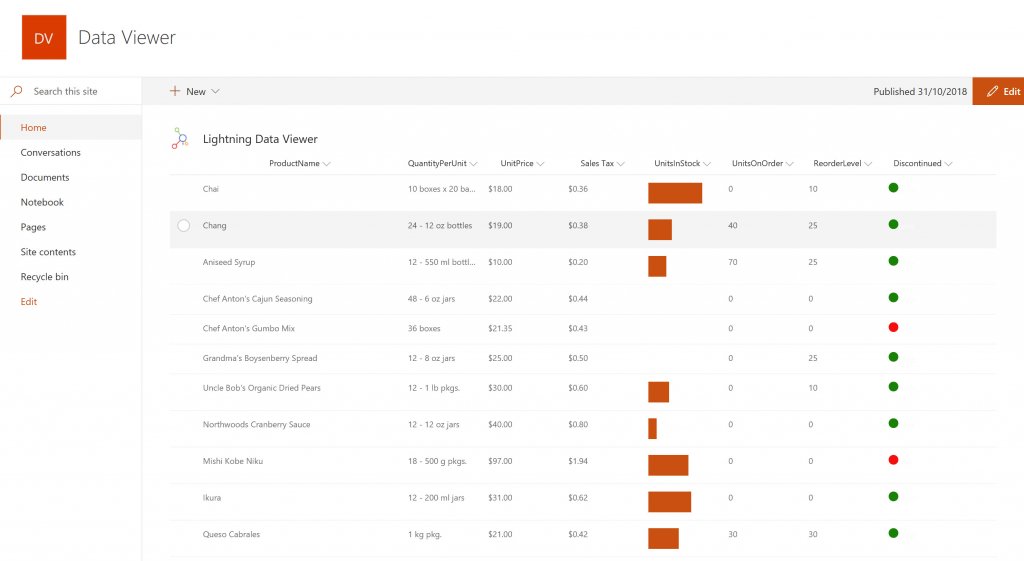
Screenshot of DISPLAYING EXTERNAL DATA WITHIN SHAREPOINT OR MICROSOFT TEAMS
The Data Viewer Client Side Web Part can be configured by Business Users within a few minutes to display Line of Business Data from Data Sources such as Excel,  SQL Azure, Business Connectivity Services, OData and SharePoint Lists.  Connections to an organizations data such as Customer Relationship Management Systems, Accounting Systems, or Custom Databases can be connected, giving business users a live up-to-date view of business information within the context of their SharePoint Team Sites or Microsoft Teams Tabs.Screenshot of HIGHLIGHTING KEY BUSINESS DATA (NO CODE)
Conditional formatting can be used to highlight key business data. Overdue Tasks, Low Stock, Currency Exchange Rates, Sales Revenue are examples of data to highlight visually allowing for a quick reaction time. Key Financial Indicators and Key Performance Indicators can be configured with a simple dialog and no need to write any code. Choose colours, icons or data bars to highlight key data.Screenshot of SELECTING AND STYLING ICONS
Icons can be chosen as part of the conditional formatting to make data stand out. The Office 365 Fabric icons can be selected and styled and applied to cell values. Pepper pots, Smileys, Envelopes and more icons are available. There are hundreds of options to choose from to highlight data that needs to be acted upon.Screenshot of DATA VIEWER CAN BE A GRID OF DATA OR A CHART IN SHAREPOINT OR MICROSOFT TEAMS
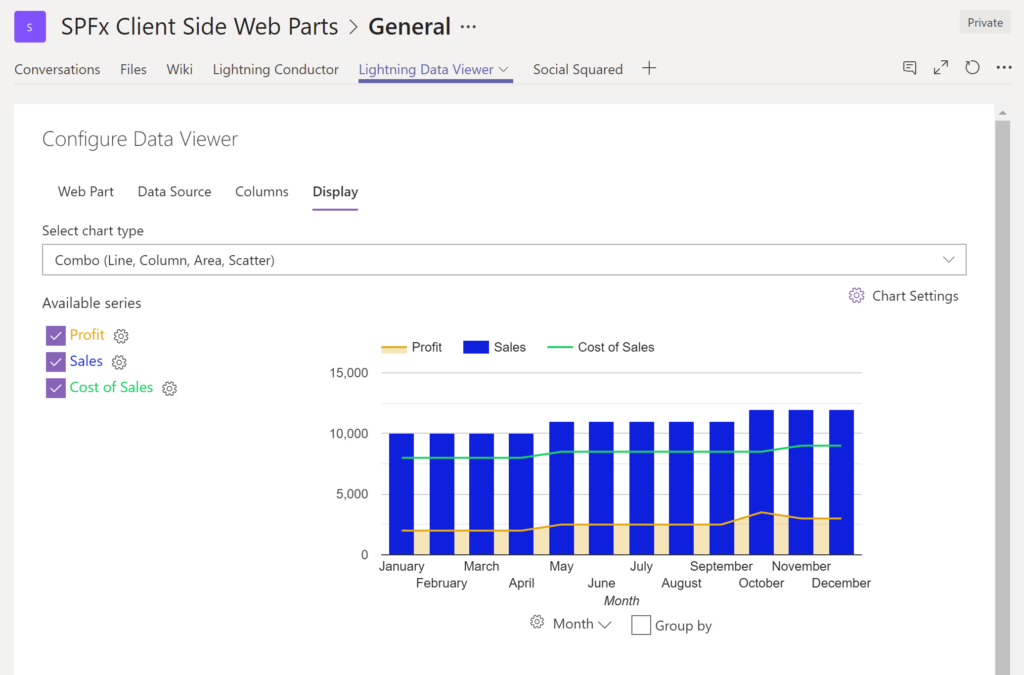
The Data Viewer can be used within Microsoft SharePoint Modern Sites or Microsoft Teams Tabs as a Grid of Data with styling or as a Chart which can be configured. The Charting Feature allows for Pie, Donut, Column, Line, Area, and Scatter Charts which can all be configured and displayed in 2D or 3D.Screenshot of TREEMAPS
summary information can be displayed within a TreeMap next to the detail. Users will be able to see trends, and how the business is performing  using the TreeMap view of data.Screenshot of CHARTS AND GAUGES
The Data Viewer is used to represent data in multiple ways using Gauges, TreeMaps, Multiple Series Charts, and Pie Charts.