Grafana vs. minware

Overview
ProductRatingMost Used ByProduct SummaryStarting Price
Grafana
Score 8.5 out of 10
N/A
Grafana is a data visualization tool developed by Grafana Labs in New York. It is available open source, managed (Grafana Cloud), or via an enterprise edition with enhanced features. Grafana has pluggable data source model and comes bundled with support for popular time series databases like Graphite. It also has built-in support for cloud monitoring vendors like Amazon Cloudwatch, Microsoft Azure and SQL databases like MySQL. Grafana can combine data from many places into a single dashboard.
$0
minware
Score 0.0 out of 10
N/A
minware's software development observability platform is a fully managed system that ingests, enriches, and integrates development data so users can generate virtually any report they envision in minutes. The service provides automated insights to enhance software process maturity, productivity, predictability, and quality. With minware’s template library, the user can view and customize reports used by other leaders to manage their teams, or create custom reports using the indata…
$0
core features for 1-5 contributors
Pricing
Grafanaminware
Editions & Modules
Grafana Cloud - Pro
$8
per month up to 1 active user
Grafana Cloud - Free
Free
10k metrics + 50GB logs + 50GB traces up to 3 active users
Grafana Cloud - Advanced
Volume Discounts
custom data usage custom active users
Grafana - Enterprise Stack
Custom Pricing
Business
$25
per month per contributor
Offerings
Pricing Offerings
Grafanaminware
Free Trial
YesYes
Free/Freemium Version
YesYes
Premium Consulting/Integration Services
NoNo
Entry-level Setup FeeNo setup feeNo setup fee
Additional Details
More Pricing Information
Community Pulse
Grafanaminware
Features
Grafanaminware
BI Standard Reporting
Comparison of BI Standard Reporting features of Product A and Product B
Grafana
8.3
7 Ratings
3% above category average
minware
-
Ratings
Pixel Perfect reports8.07 Ratings00 Ratings
Customizable dashboards8.47 Ratings00 Ratings
Report Formatting Templates8.47 Ratings00 Ratings
Ad-hoc Reporting
Comparison of Ad-hoc Reporting features of Product A and Product B
Grafana
8.1
6 Ratings
4% above category average
minware
-
Ratings
Drill-down analysis8.06 Ratings00 Ratings
Formatting capabilities8.46 Ratings00 Ratings
Integration with R or other statistical packages7.86 Ratings00 Ratings
Report sharing and collaboration8.05 Ratings00 Ratings
Report Output and Scheduling
Comparison of Report Output and Scheduling features of Product A and Product B
Grafana
8.4
6 Ratings
3% above category average
minware
-
Ratings
Publish to Web8.26 Ratings00 Ratings
Publish to PDF8.66 Ratings00 Ratings
Report Versioning8.26 Ratings00 Ratings
Report Delivery Scheduling8.46 Ratings00 Ratings
Delivery to Remote Servers8.66 Ratings00 Ratings
Data Discovery and Visualization
Comparison of Data Discovery and Visualization features of Product A and Product B
Grafana
8.7
6 Ratings
11% above category average
minware
-
Ratings
Pre-built visualization formats (heatmaps, scatter plots etc.)8.66 Ratings00 Ratings
Location Analytics / Geographic Visualization9.06 Ratings00 Ratings
Predictive Analytics8.66 Ratings00 Ratings
Pattern Recognition and Data Mining8.44 Ratings00 Ratings
Best Alternatives
Grafanaminware
Small Businesses
Supermetrics
Supermetrics
Score 9.8 out of 10
InfluxDB
InfluxDB
Score 8.8 out of 10
Medium-sized Companies
Supermetrics
Supermetrics
Score 9.8 out of 10
Sumo Logic
Sumo Logic
Score 8.8 out of 10
Enterprises
IBM Analytics Engine
Score 7.1 out of 10
NetBrain Technologies
Score 8.9 out of 10
All AlternativesView all alternativesView all alternatives
User Ratings
Grafanaminware
Likelihood to Recommend
9.4
(7 ratings)
-
(0 ratings)
Usability
9.6
(3 ratings)
-
(0 ratings)
User Testimonials
Grafanaminware
Likelihood to Recommend
Grafana Labs
Just about any organization with more than one server and more than one cluster as it scales very well. Configuration of the application takes time and finesse to fine tune to where the balance of load time and getting data quickly meets. The plugins add load time but fine tuning for the application to meet demand needs nailed down at implementation
Read full review
minware
No answers on this topic
Pros
Grafana Labs
  • Alerting through many different medium as Slack, Email, Webhook etc
  • Beautiful and unlimited number of dashboards to view your metrics and tweak them as you please
  • Log aggregation and powerful Logql to filter and view your logs
  • Microservices monitoring
  • Large number of plugins and data sources to collect your metrics from almost anywhere
Read full review
minware
No answers on this topic
Cons
Grafana Labs
  • There are some settings which we can't configure from UI (Web Console).
  • We've open[ed] up configuration files in command line text editors and manually do the settings e.g. LDAP/SSO configuration.
  • In terms of visualization, it's best, but it doesn't support log analysis otherwise it could destroy business of all other visualization tools.
Read full review
minware
No answers on this topic
Usability
Grafana Labs
It is infinitely flexible. If you can imagine it, Grafana can almost certainly do it. Usability may be in the eye of the beholder however, as there is time needed to curate the experience and get the dashboards customized to how it makes sense to you. I know one thing they are working on are more templates, based on data sources
Read full review
minware
No answers on this topic
Alternatives Considered
Grafana Labs
Grafana blows Nagios out of the water when it comes to customization. The ability to feed almost any data source makes it very versatile and the cost is great.
Read full review
minware
No answers on this topic
Return on Investment
Grafana Labs
  • Grafana has replaced many higher priced tools
  • The integrations are seemless with multiple backends
  • Combining graphs and dashboards from multiple data sources is a game changer
Read full review
minware
No answers on this topic
ScreenShots

minware Screenshots

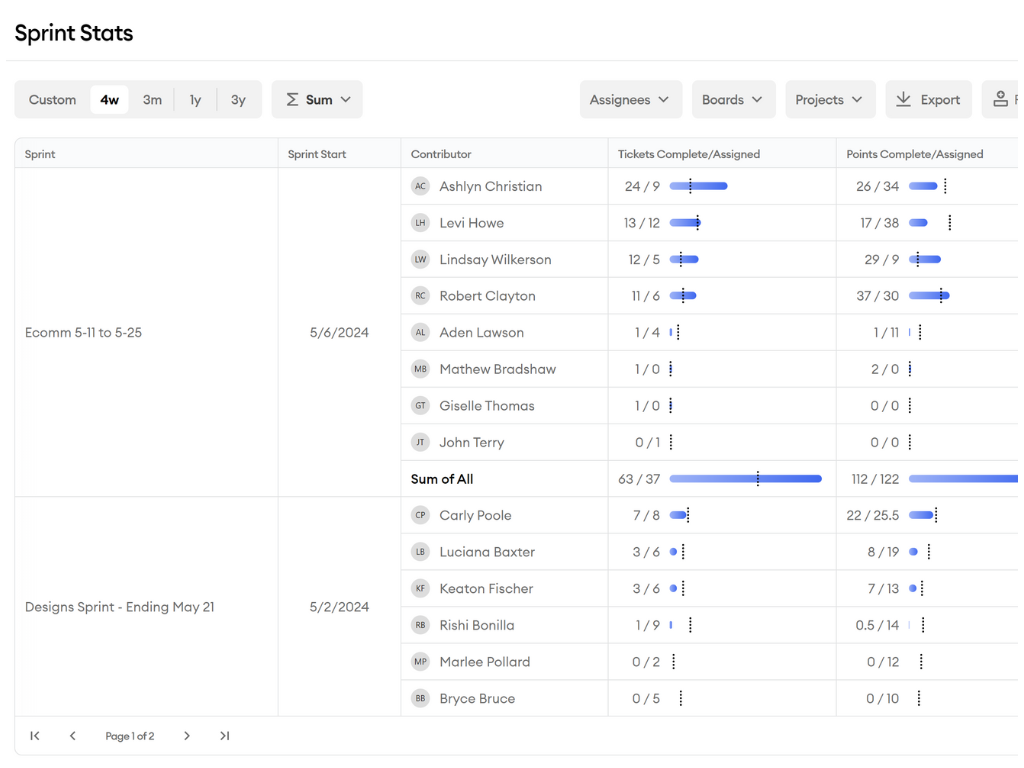
Screenshot of the hour-by-hour work timeline using commit, pull request, and ticket data that display where time went without manual tracking.Screenshot of the benchmarking of flag pull requests, tickets, sprints, projects, and more that aren't up to standard.Screenshot of ticket tracking.Screenshot of an example report.Screenshot of a visualization of ticket data.