
Haltdos DNS Firewall vs. Securly Filter
| Product | Rating | Most Used By | Product Summary | Starting Price |
|---|---|---|---|---|
 Haltdos DNS Firewall | N/A | N/A | Haltdos DNS is a cloud-based Domain Name System (DNS) web service. It provides a way for businesses and developers to route end users to Internet applications. It does this by decoding names such as www.example.com into IP addresses like 192.168.0.23 that computers use to establish connections. Haltdos DNS is also compliant with IPv6. Haltdos DNS is powered by a global AnyCast network, which boasts 100%… | N/A |
 Securly Filter | Score8 out of 10 | N/A | Cloud-based web filtering for K-12 Schools | Parental controls for families | Manage screen time. Any device, anywhere. Securly's technology allows schools and parents to keep kids safe in an increasingly digital world. The vendor states their goal is not to censor the Internet, but to mitigate the negative effects it can have on children with the goal of creating a safer world for kids. Their cloud-based web filter is designed to keep… | N/A |
| Haltdos DNS Firewall | Securly Filter | |||||||||||||||
|---|---|---|---|---|---|---|---|---|---|---|---|---|---|---|---|---|
| Editions & Modules | No answers on this topic | No answers on this topic | ||||||||||||||
| Offerings |
| |||||||||||||||
| Entry-level Setup Fee | No setup fee | No setup fee | ||||||||||||||
| Additional Details | — | — | ||||||||||||||
| More Pricing Information | ||||||||||||||||
| Haltdos DNS Firewall | Securly Filter | |
|---|---|---|
| Likelihood to Recommend | - | 8.5 |
| Likelihood to Renew | - | 10.0 |
| Support Rating | - | 8.2 |
| Haltdos DNS Firewall | Securly Filter | |
|---|---|---|
| Likelihood to Recommend | No answers on this topic |
|
| Pros | No answers on this topic |
|
| Cons | No answers on this topic |
|
| Likelihood to Renew | No answers on this topic |
|
| Support Rating | No answers on this topic |
|
| Alternatives Considered | No answers on this topic |
|
| Return on Investment | No answers on this topic |
|
| ScreenShots | Securly Filter Screenshots 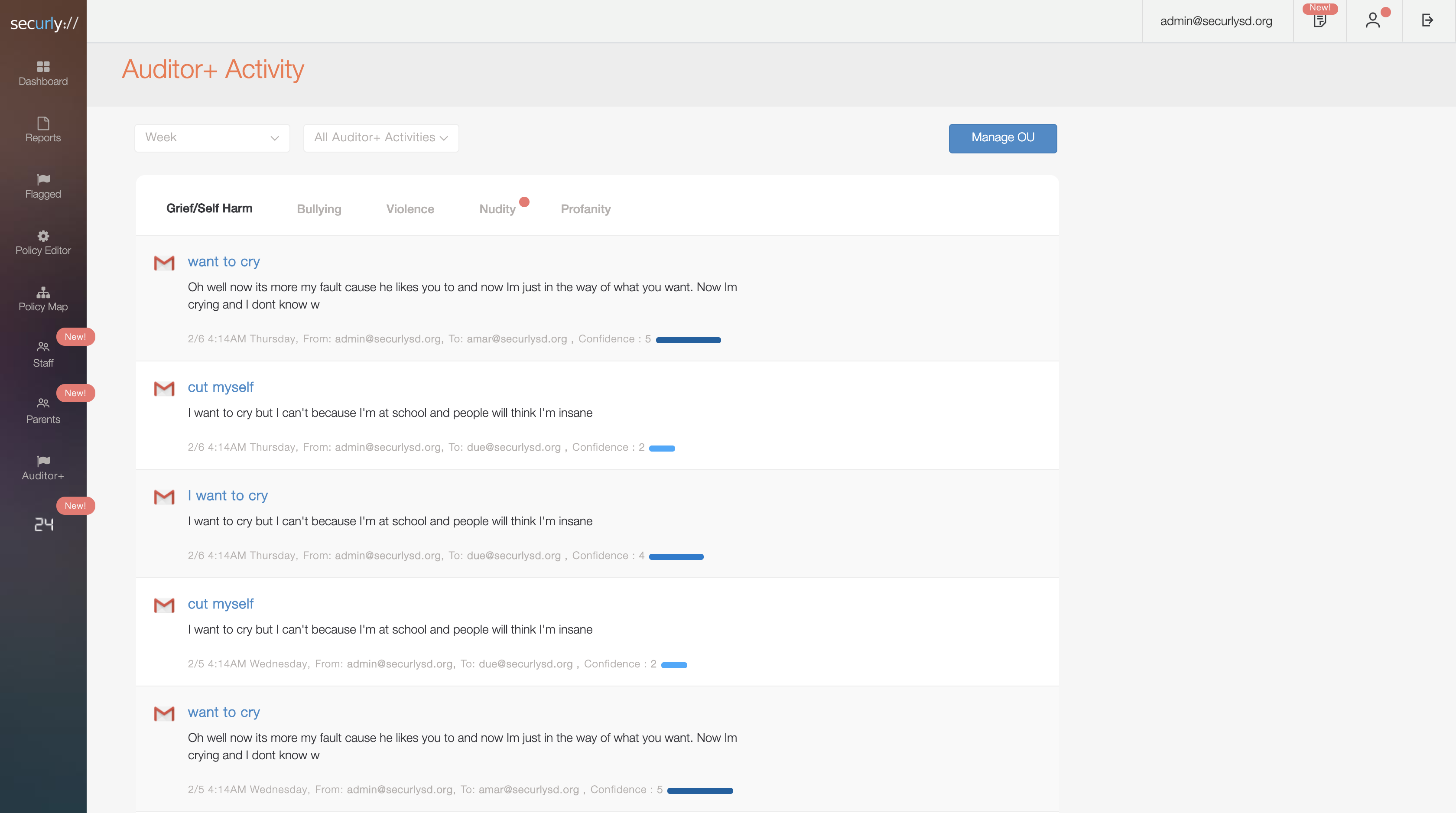     |
