TrustRadius: an HG Insights company

Save this comparison

Save this comparison

Add Product

Recommended Comparisons

    Overview
    ProductRatingMost Used ByProduct SummaryStarting Price

    Hyperglance

    Score7.8 out of 10
    Enterprise companies (1,001+ employees)
    Hyperglance is an enterprise cloud architecture software solution designed to enable users to take control of the enterprise's cloud documentation, cost, security & compliance. Automatic diagrams, cost analysis, security, and compliance across AWS, Azure, and K8s.

    $899

    per month up to 500 resources

    VMware Tanzu CloudHealth

    Score8.6 out of 10
    N/ATanzu CloudHealth (formerly VMware Aria Cost Powered by CloudHealth) simplifies financial management, streamlines operations, and improves organizational collaboration across your multi-cloud environment.N/A
    Pricing
    HyperglanceVMware Tanzu CloudHealth
    Editions & Modules
    Up to 500 resources
    $899
    per month
    Up to 1,000 resources
    $1,459
    per month
    Up to 3,000 resources
    $3,144
    per month
    Up to 5,000 resources
    $4,492
    per month
    More than 5,000 resources
    POA
    per year
    No answers on this topic
    Offerings
    Pricing Offerings
    HyperglanceVMware Tanzu CloudHealth
    Free Trial
    YesYes
    Free/Freemium Version
    NoYes
    Premium Consulting/Integration Services
    YesYes
    Entry-level Setup FeeNo setup feeNo setup fee
    Additional DetailsHyperglance pricing is based on the number of cloud resources ingested and inventoried, not a percentage of the overall cloud bill, so that costs stay predictable, even as spend changes. The license includes unlimited users and works across single or multi-cloud environments.—
    More Pricing Information
    Community Pulse
    HyperglanceVMware Tanzu CloudHealth
    Considered Both Products
    Hyperglance
    No answer on this topic
    VMware by Broadcom
    No answer on this topic
    Key User Insights
    Would buy again
    100%
    Would buy again
    5 Answers
    No answers on this topic
    Delivers good value for the price
    100%
    Delivers good value for the price
    5 Answers
    No answers on this topic
    Happy with the feature set
    100%
    Happy with the feature set
    5 Answers
    No answers on this topic
    Lived up to sales and marketing promises
    No answers on this topic
    No answers on this topic
    Implementation went as expected
    No answers on this topic
    No answers on this topic
    Best Alternatives
    HyperglanceVMware Tanzu CloudHealth
    Small Businesses
    No answers on this topic
    Rackspace Fabric
    Score6.3 out of 10
    Medium-sized Companies
    No answers on this topic
    IBM Turbonomic
    Score8.4 out of 10
    Enterprises
    No answers on this topic
    IBM Turbonomic
    Score8.4 out of 10
    All AlternativesView all alternativesView all alternatives
    User Ratings
    HyperglanceVMware Tanzu CloudHealth
    Likelihood to Recommend
    7.6
    (5 ratings)
    -
    (0 ratings)
    Usability
    7.3
    (5 ratings)
    -
    (0 ratings)
    User Testimonials
    HyperglanceVMware Tanzu CloudHealth
    Likelihood to Recommend
    Hyperglance
    Multi-cloud environments: Hyperglance works across all Cloud Service Providers (AWS, Azure, GCP). Its visual relationship mapping is ideal for troubleshooting component failures across multiple cloud services (e.g., network issues). Lastly, companies that cannot use SaaS FinOps tools will find Hyperglance a good fit, as it deploys and runs within the customer's VPC.
    Incentivized
    Read full review
    VMware by Broadcom
    No answers on this topic
    Pros
    Hyperglance
    • Cost Visualization.
    • Mapping of Cloud object topology.
    • Ease of deployment.
    Incentivized
    Read full review
    VMware by Broadcom
    No answers on this topic
    Cons
    Hyperglance
    • Minimal dashboard config options.
    • Performance of UI when dealing with thousands of objects.
    • Minimal 3rd party integrations.
    Incentivized
    Read full review
    VMware by Broadcom
    No answers on this topic
    Usability
    Hyperglance
    Easy to navigate, very useful for visualizing infrastructure, although some technical features may be simplified for non-technical users.
    Incentivized
    Read full review
    VMware by Broadcom
    No answers on this topic
    Alternatives Considered
    Hyperglance
    We also used Datadog in the start for monitoring and getting information about health of our systems, it is also very good for alerts and metrics, while we got to see our cloudsetup and relationship between different resources, these are like add ons to what Datadog is giving , and also cost is less compared to Datadog.
    Read full review
    VMware by Broadcom
    No answers on this topic
    Return on Investment
    Hyperglance
    • I would say time , we can save lot of time, if we dont have Hyperglance we have check all the services and resources, which we now have in a single place.
    • we can Save money, Because it helps us very easy to find unused resources.
    • One downside i think is , it will take sometime to understand all the features when u start using it.Once you understand everything i would say there is no going back.
    Read full review
    VMware by Broadcom
    No answers on this topic
    ScreenShots

    Hyperglance Screenshots

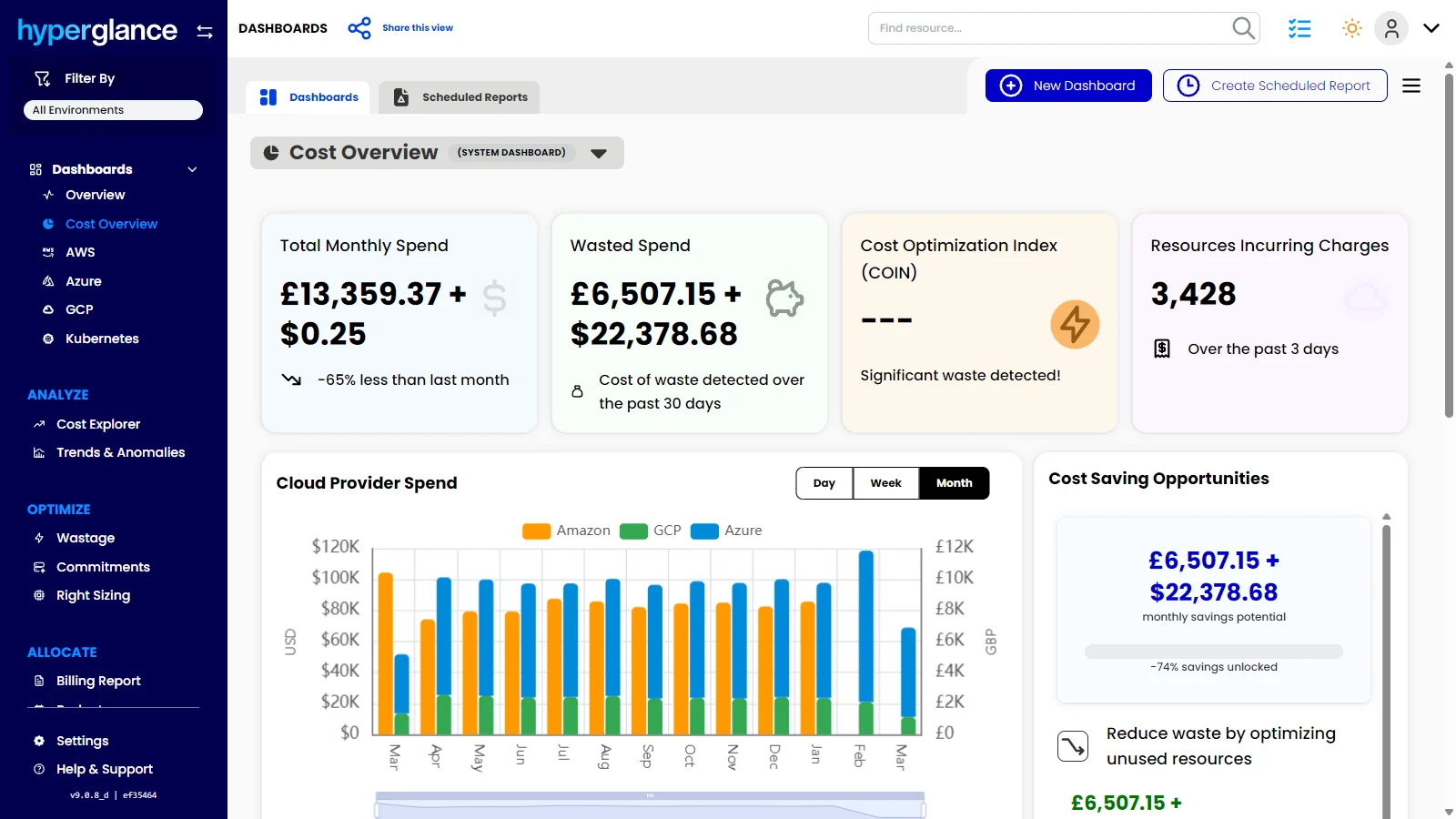
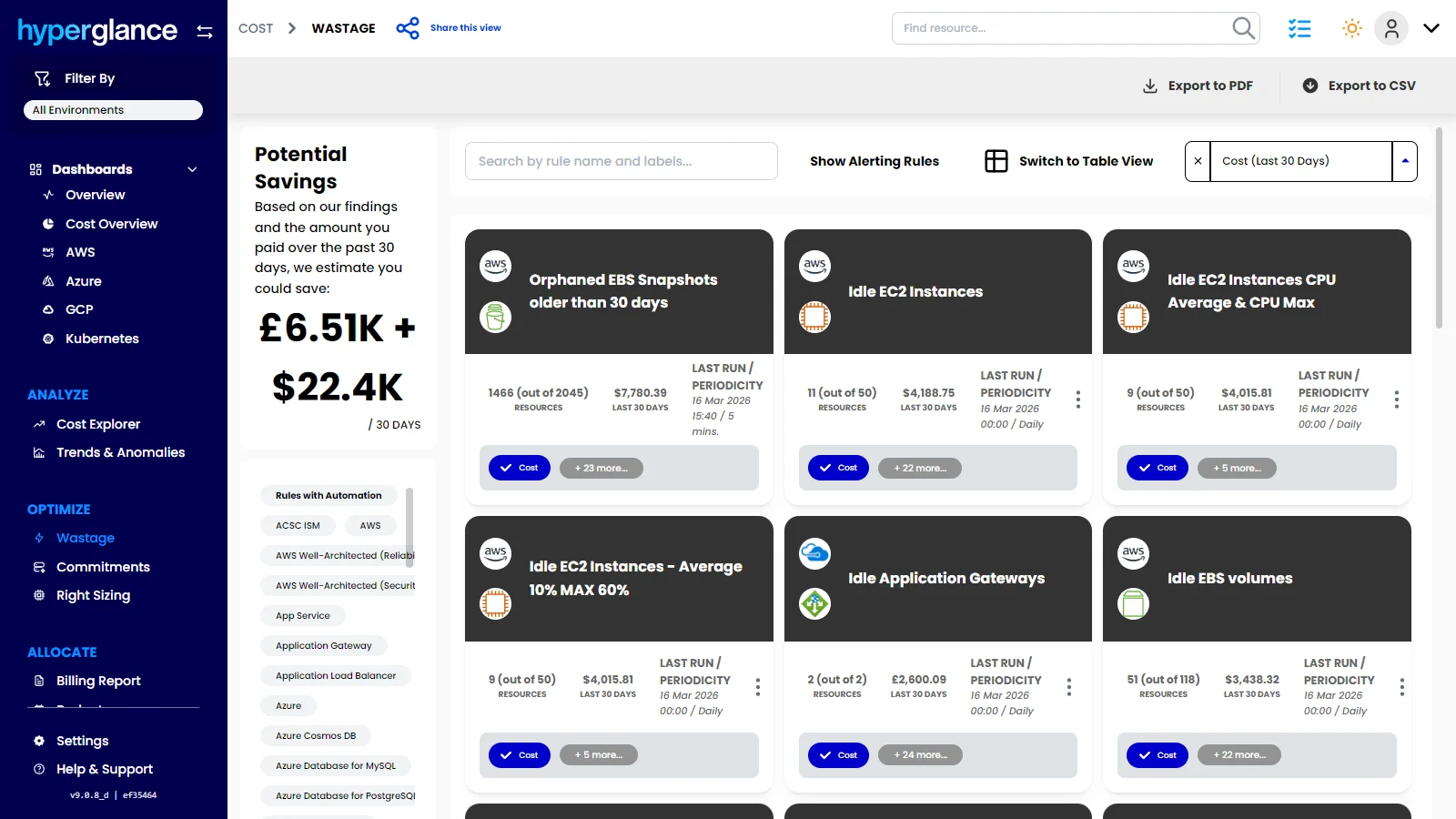
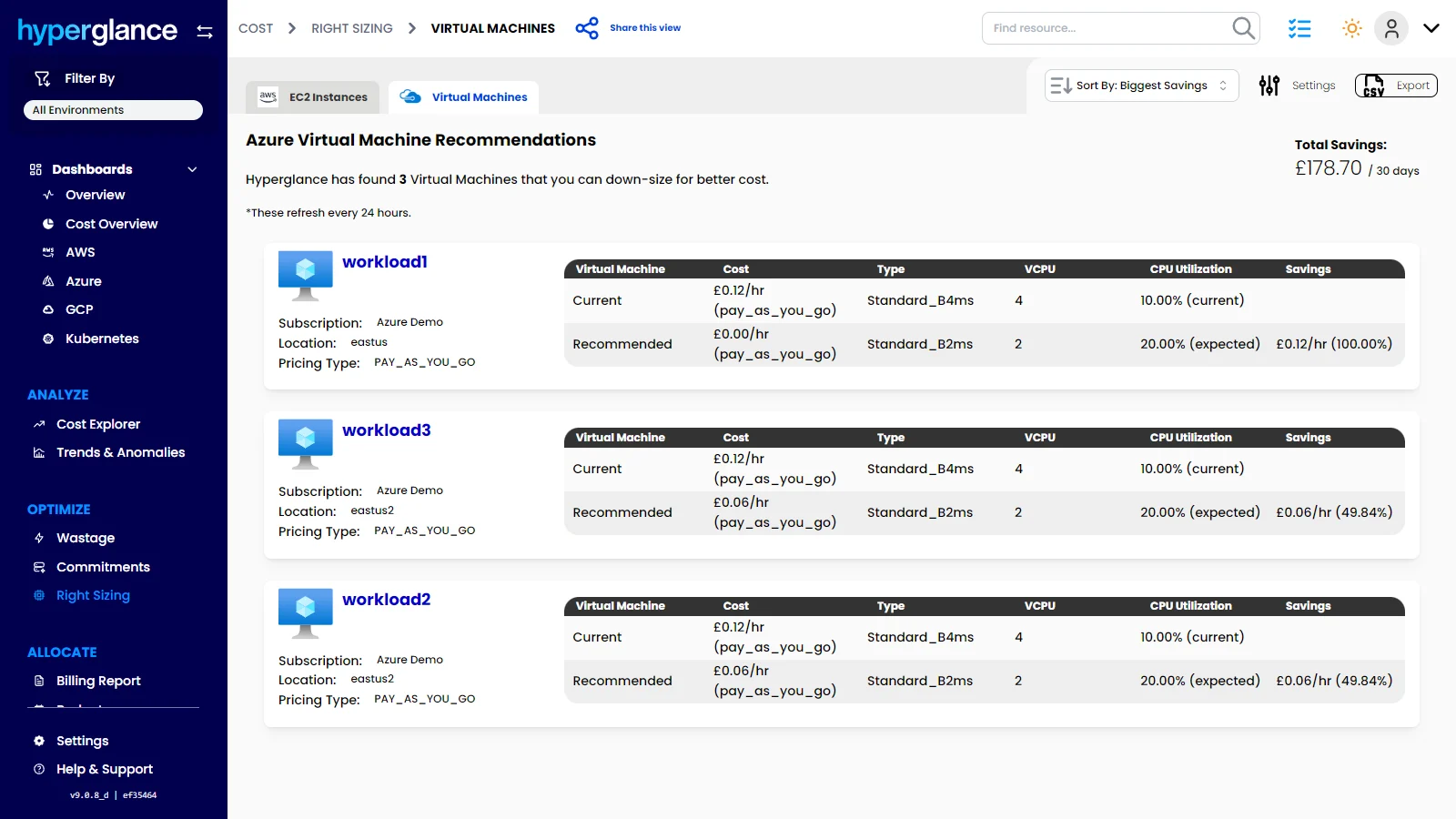
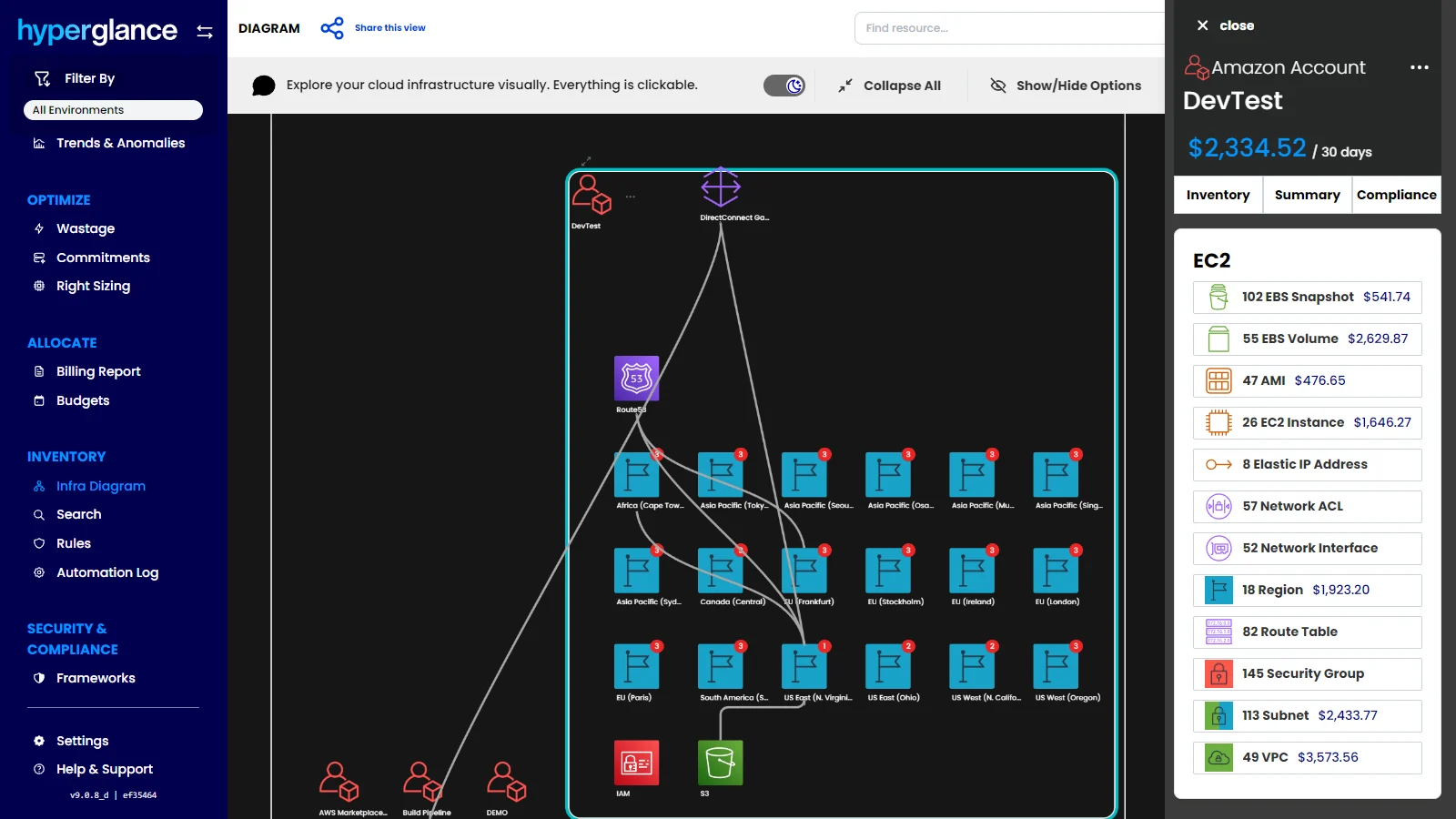
    Screenshot of the dashboard that offers a clear view of total cloud spend, wasted spend, savings opportunities, and provider trends. Hyperglance helps teams spot cost issues faster, prioritize optimization work, and turn cloud visibility into measurable savings.Screenshot of where to surface idle, orphaned, and underused resources across AWS, Azure, GCP, and Kubernetes. Hyperglance helps teams uncover waste quickly, quantify savings potential, and focus optimization efforts where they will have the biggest impact.Screenshot of the dashboard to monitor cloud spend over time, break costs down by service or dimension, and catch unusual changes before they turn into bigger budget problems. Hyperglance helps teams understand spend patterns, improve forecasting, and stay ahead of unexpected cloud costs.Screenshot of where to identify oversized cloud resources, as well as compare current and recommended configurations. Hyperglance helps teams make smarter sizing decisions, cut unnecessary spend, and improve cloud efficiency across AWS, Azure & GCP.Screenshot of the dashboard to drill into cloud costs by platform, account, region, service, and resource, then compare actual spend against budget in one place. Hyperglance helps teams understand where money is going, investigate changes faster, and stay in control of cloud budgets before overspend becomes a bigger issue.Screenshot of where to see how any cloud environment is connected, explore resources visually, and understand spend in context. Hyperglance combines interactive infrastructure diagrams with cost and inventory data, helping teams spot issues that are easy to miss in static lists.

    VMware Tanzu CloudHealth Screenshots

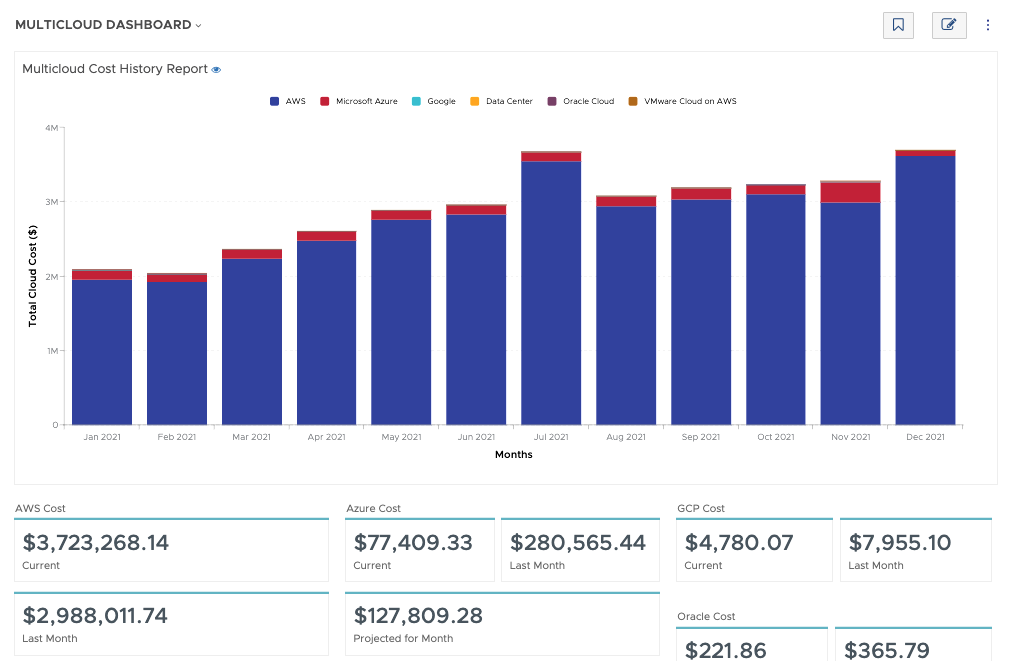
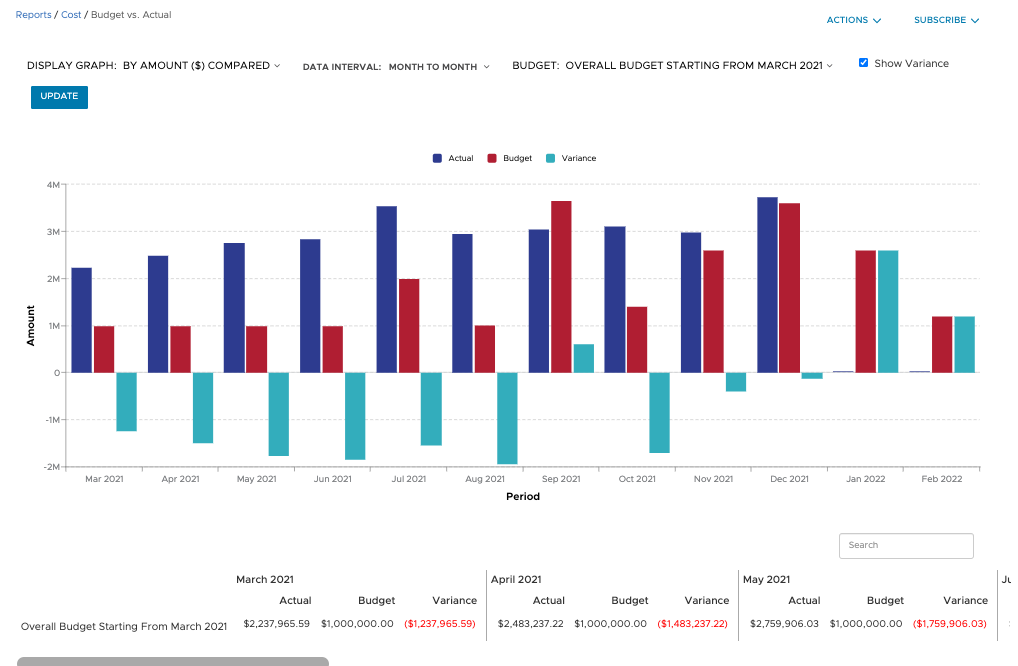
    Screenshot of Filter and refine out-of-the-box graphical and tabular reports to correlate datasets for analysis against your business objectives. Create custom dashboards across clouds and easily build detailed reports from scratch, known as CloudHealth FlexReports, across various dimensions to perform more granular analysis on cost, usage, and asset data.Screenshot of Configure budgets to visualize your expected costs for the year in advance and compare it with actual spend as the year progresses. Create as many overall and categorized budgets as you need to run your business, aligned to your company’s fiscal year. Proactively alert stakeholders when costs are forecasted to exceed pre-defined budgets. Toggle on forecasting for reports to predict future values based on historical data for the interval you define.Screenshot of Use CloudHealth’s dynamic policy engine to drive consistent operations and continuously monitor your environment. Quickly identify opportunities to proactively reduce spend, remediate risks, and streamline configuration. Get alerted when conditions deviate from your desired state and enable automated actions to execute changes in your environment—stop, start, resize, or terminate infrastructure—all at the frequency you define.Screenshot of Align cloud data to your business with CloudHealth FlexOrgs and benefit from greater control over user access, sharing, and delegation across multiple levels of organizational hierarchy. Further fine tune the platform by dynamically allocating assets to business groups known as CloudHealth Perspectives. View and analyze your cloud environment by project, application, line of business, cost center, and more, to drive accountability for cost and usage.