TrustRadius: an HG Insights company

Save this comparison

Save this comparison

Add Product

Recommended Comparisons

    Overview
    ProductRatingMost Used ByProduct SummaryStarting Price

    Leap

    Score7.1 out of 10
    N/AFounded in 2016, Leap is subscription-based software for home service contractors that automates steps in the sales process from estimating, proposals, and contracts to financing, payment capture, and e-signatures.

    $49

    per month per user

    Smappen

    N/AN/ASmappen is a Franchise Territory Mapping solution designed for franchise development teams to create viable and defensible territories without requiring specialized GIS expertise. Capabilities include: Territory Design by Postal Codes, Zip Codes, 3-digit FSAs, Drive Time, Walk Time, or Administrative Boundaries such as Counties and Census Tracts. Viability Validation using Demographic Layers including Population, Age Brackets, Income, and POI…

    $99

    per month

    Pricing
    LeapSmappen
    Editions & Modules
    Pro
    $49
    per month per user
    Premium
    $99
    per month per user
    Enterprise
    $125
    per month per user
    Essential
    $99
    per month
    Pro
    $199
    per month
    Advanced
    $399
    per month
    Offerings
    Pricing Offerings
    LeapSmappen
    Free Trial
    NoNo
    Free/Freemium Version
    NoYes
    Premium Consulting/Integration Services
    NoNo
    Entry-level Setup FeeNo setup feeNo setup fee
    Additional Details——
    More Pricing Information
    Best Alternatives
    LeapSmappen
    Small Businesses
    No answers on this topic
    ArcGIS
    Score7.7 out of 10
    Medium-sized Companies
    No answers on this topic
    ArcGIS
    Score7.7 out of 10
    Enterprises
    No answers on this topic
    ArcGIS
    Score7.7 out of 10
    All AlternativesView all alternativesView all alternatives
    User Ratings
    LeapSmappen
    Likelihood to Recommend
    9.0
    (2 ratings)
    -
    (0 ratings)
    Usability
    8.0
    (1 ratings)
    -
    (0 ratings)
    User Testimonials
    LeapSmappen
    Likelihood to Recommend
    Leap
    Leap (formerly JobProgress) helped us automate and simply our processes. We chose it over competitors because we were able to customize it to the different service offerings we provided - other platforms seem to be designed for one type of service or another making them problematic. We were able to reduce the number of software providers we use and integrate others that we were using separately. It is designed well to track [potential] jobs, but it does not work well for tracking business development opportunities.
    Incentivized
    Read full review
    smappen
    No answers on this topic
    Pros
    Leap
    • Providing proposal viewing
    • Allowing clients to accept proposal terms electronically
    • Tracking project progress and payment status
    Incentivized
    Read full review
    smappen
    No answers on this topic
    Cons
    Leap
    • Reporting
    • Deadlines on updates
    • Lists populate differently (e.g., alphabetical vs. order they were created)
    Incentivized
    Read full review
    smappen
    No answers on this topic
    Usability
    Leap
    Had to reach out to support several times because interface is not intuitive and help files are sparse
    Incentivized
    Read full review
    smappen
    No answers on this topic
    Alternatives Considered
    Leap
    We evaluated close to ten other platforms including Dataforma, Job Nimbus, AccuLynx, Propeller, FCS, etc., but chose Leap (formerly JobProgress) because of the flexibility it offered - customize our service offerings and how jobs flow through our process, automation through the process, integration with other vendors, and ease of use for the office and field.
    Incentivized
    Read full review
    smappen
    No answers on this topic
    Return on Investment
    Leap
    • Multiple staff can access system in office and in the field
    • Can measure project profitability
    • Track follow up with prospective and current clients
    Incentivized
    Read full review
    smappen
    No answers on this topic
    ScreenShots

    Smappen Screenshots

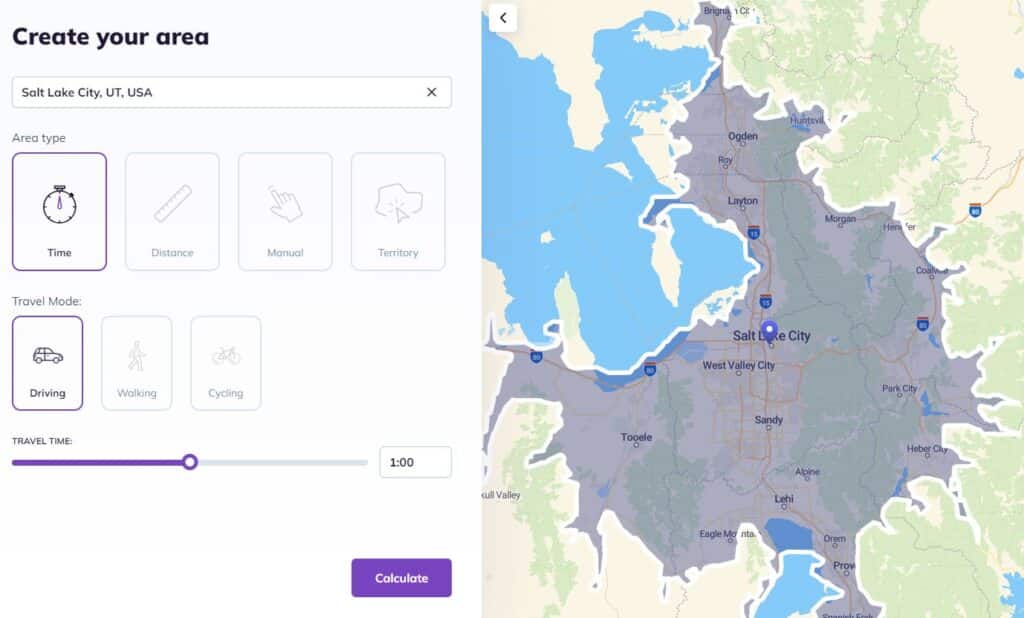
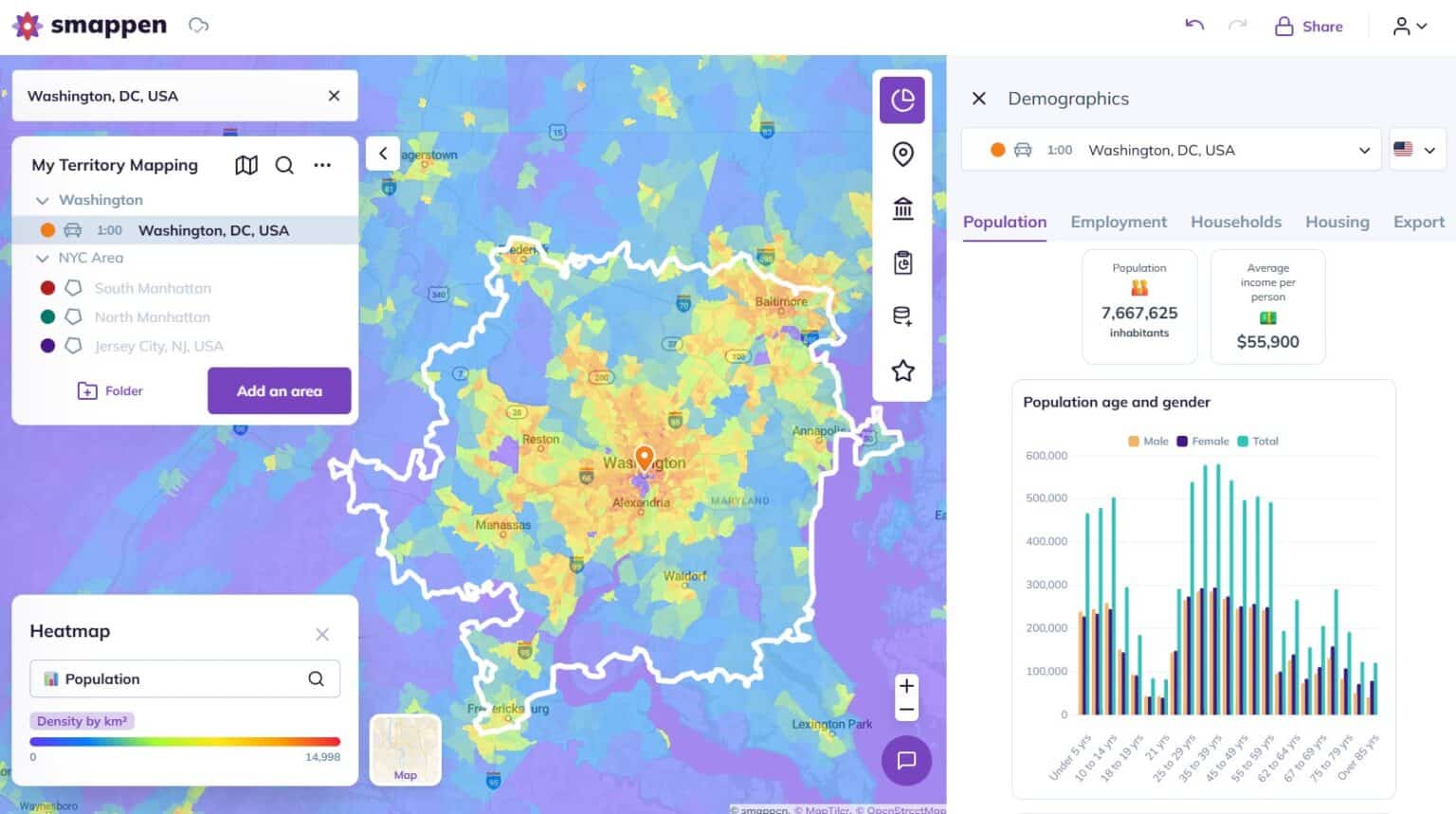
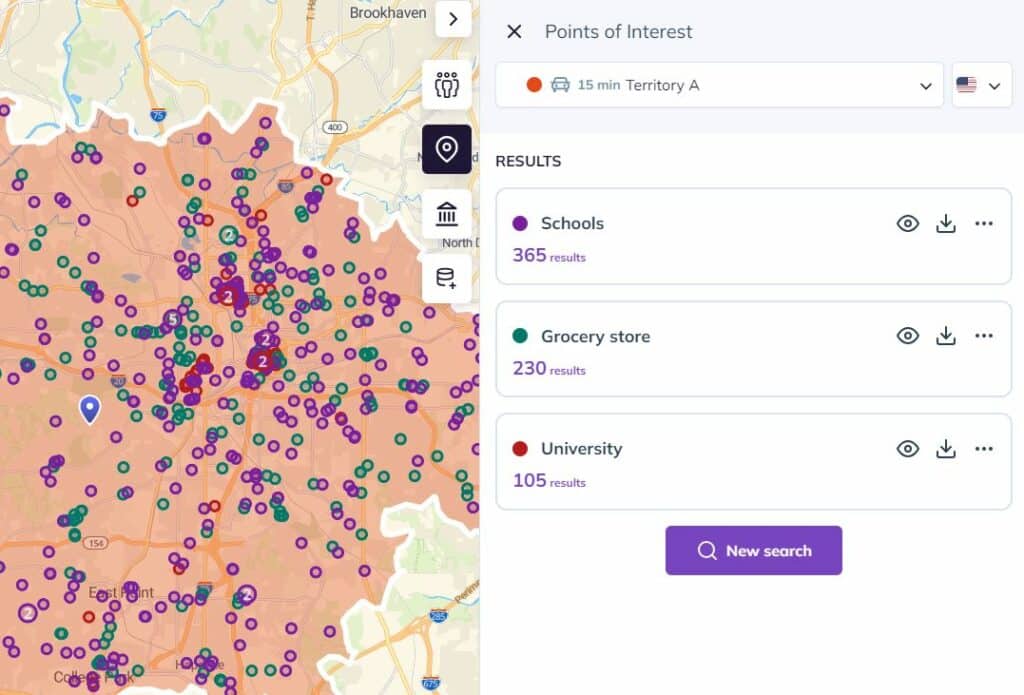
    Screenshot of where to draw territories by drive time, distance, postal code, or freehand. No GIS expertise required. Color-code by status: available, sold, in negotiation, and get an instant view of where a network stands.Screenshot of data, that comes preloaded with each territory: population, household income, age distribution, employment stats, etc. Layer census data on any zone, spot market gaps, and validate potential.Screenshot of where to map demand signals — retail anchors, competitors, healthcare facilities, or any POI category — layered directly on a territory map with Smappen's POI data.Screenshot of an example of branded, shareable reports generated directly from maps: showing market potential in a format prospects can act on immediately.