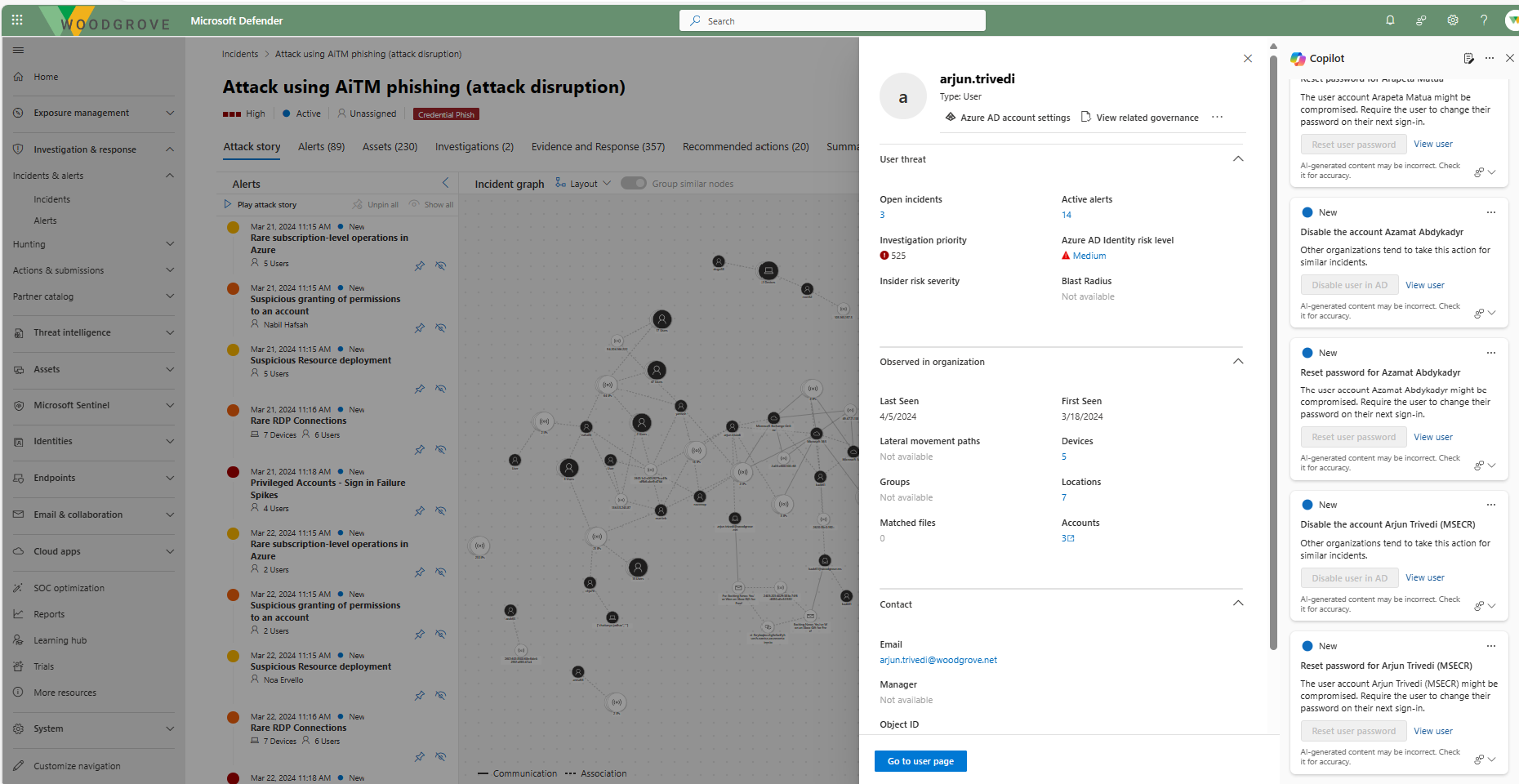
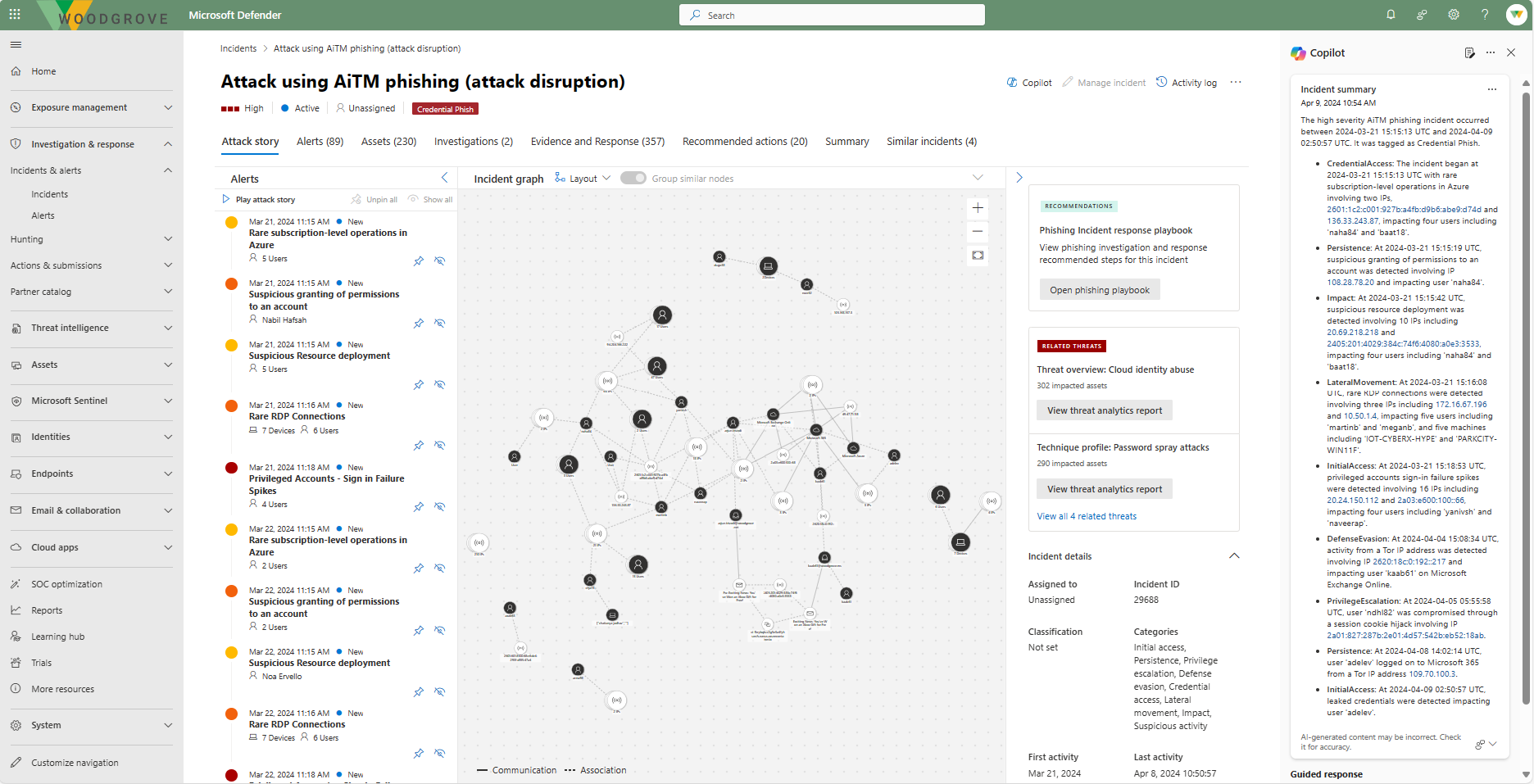
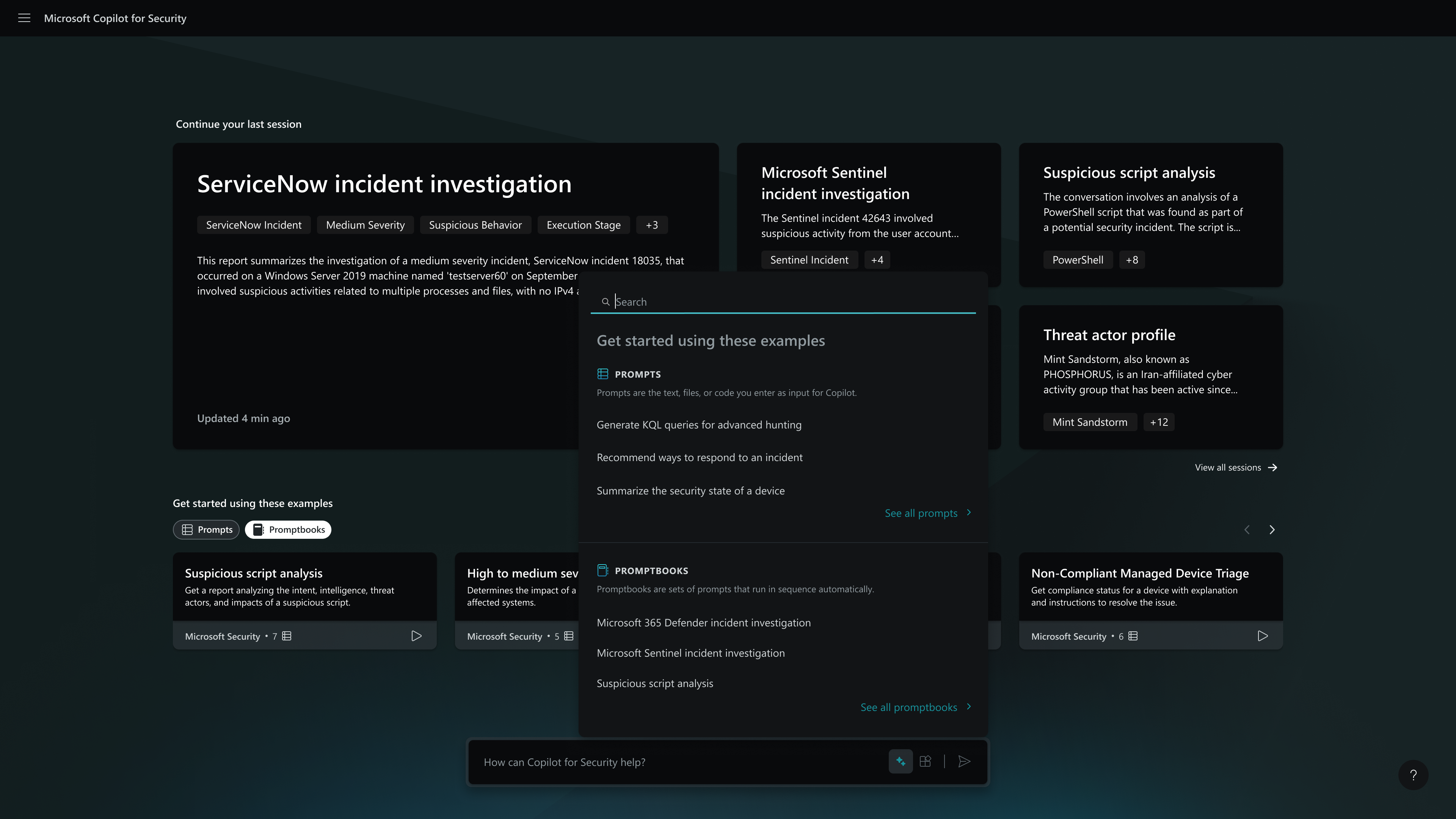
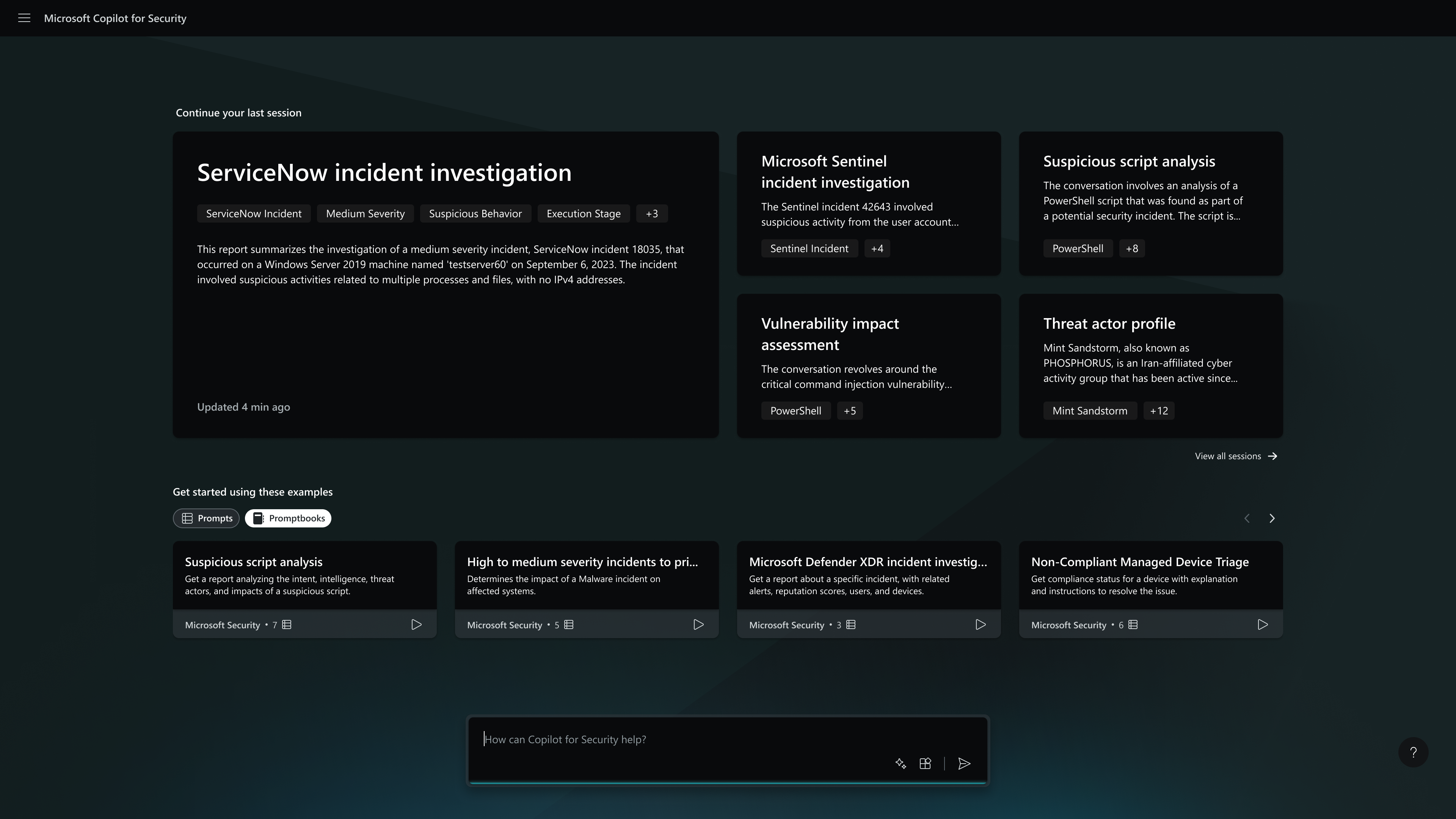
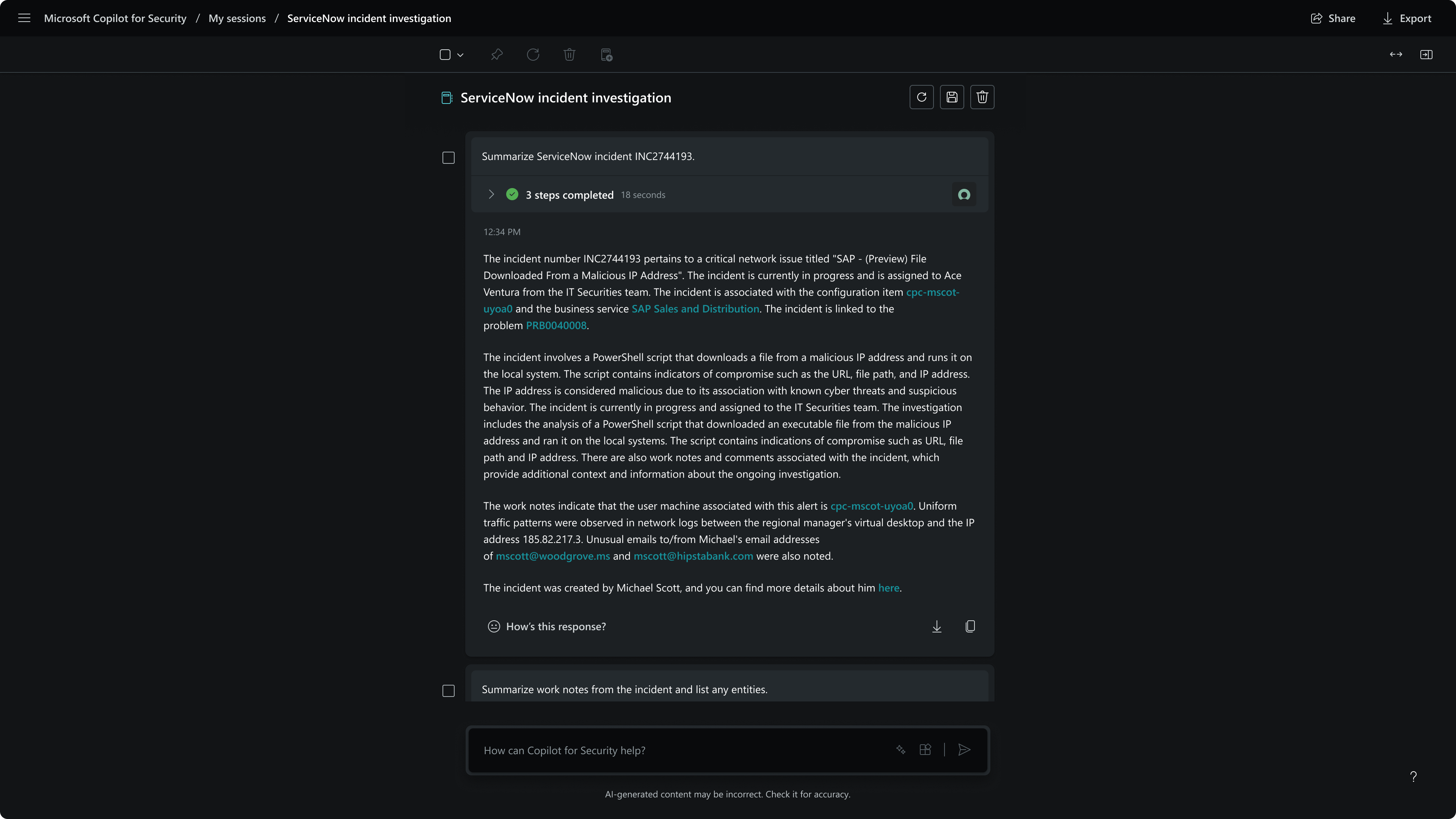
Microsoft Security Copilot helps security and IT teams to protect organizations at the speed and scale of AI. It is available in a standalone experience or embedded into other Microsoft Security products.
In my opinion, this is the bottom of the barrel. Claude and ChatGPT are way better. We use this product because it comes with all of our licensing. So let's kick the tires, and maybe they'll come out with a new model, and it'll fix it. But as of right now, it's usually the last …
A de minimis incentive was given to thank the reviewer for their time. The incentive was not used to bias or drive a particular response, nor was the incentive contingent on a positive endorsement. More Info
VP of Security in Information Technology at Stax Payments (Financial Services, 201-500 employees)
Chose Microsoft Security Copilot
So we use other tools, for example, some agents and some other connections with OpenAI, ChatGPT, or even with AnthropoCloud that for some of those more complex things can connect directly with some other tools that you have in the company and can maybe do more attentive things. …
A de minimis incentive was given to thank the reviewer for their time. The incentive was not used to bias or drive a particular response, nor was the incentive contingent on a positive endorsement. More Info
A de minimis incentive was given to thank the reviewer for their time. The incentive was not used to bias or drive a particular response, nor was the incentive contingent on a positive endorsement. More Info
Verified User
Chose Microsoft Security Copilot
I don't think we've used anything like Microsoft Security Copilot. We haven't really used anything AI-like that. Primarily because we deploy our own, but we are careful about what we hook it into. Because it's already in the Microsoft ecosystem, it has an advantage over pretty …
A de minimis incentive was given to thank the reviewer for their time. The incentive was not used to bias or drive a particular response, nor was the incentive contingent on a positive endorsement. More Info
Verified User
Chose Microsoft Security Copilot
Contact center. The products are being used for the collaboration journey, where we can easily access information to leverage results.
Contact center. Os produtos estão sendo usados para a jornada de colaboração, onde a gente consegue ter as informações facilmente para alavancar …
A de minimis incentive was given to thank the reviewer for their time. The incentive was not used to bias or drive a particular response, nor was the incentive contingent on a positive endorsement. More Info
Verified User
Chose Microsoft Security Copilot
Microsoft Security Copilot is more orientated towards the work I do and business I work for which is Security in Azure or Microsoft Products. Comparing the products has minor differences unless given explicit scenarios. In general use all of the products can fit a need …
A de minimis incentive was given to thank the reviewer for their time. The incentive was not used to bias or drive a particular response, nor was the incentive contingent on a positive endorsement. TR verified that a representative sample of customers was invited. More Info
Verified User
Chose Microsoft Security Copilot
while answers from ChatGPT can be better some times , having Microsoft Security Copilot integrated directly in your stack is something completely different , it has awareness of you environment , EDR and XDR , security incidents in Microsoft sentinel , your entry ID enivrnment …
A de minimis incentive was given to thank the reviewer for their time. The incentive was not used to bias or drive a particular response, nor was the incentive contingent on a positive endorsement. TR verified that a representative sample of customers was invited. More Info
Verified User
Chose Microsoft Security Copilot
My usage of other products is based on SIEM tools. So far, Microsoft Security Copilot is the only product I've seen that works across multiple technologies/products to provide full visibility into security tooling using AI. I know other vendors are working towards this, but …
A de minimis incentive was given to thank the reviewer for their time. The incentive was not used to bias or drive a particular response, nor was the incentive contingent on a positive endorsement. More Info
Verified User
Chose Microsoft Security Copilot
These are all AI tools buy Copilot is integrated with the Microsoft stack so it is already part of the normal workflow. It is also easier to manage because of this.
A de minimis incentive was given to thank the reviewer for their time. The incentive was not used to bias or drive a particular response, nor was the incentive contingent on a positive endorsement. More Info
Verified User
Chose Microsoft Security Copilot
Microsoft is a lot easier to setup and watches for more issues then mcafee does because it monitors the over all server health.
A de minimis incentive was given to thank the reviewer for their time. The incentive was not used to bias or drive a particular response, nor was the incentive contingent on a positive endorsement. More Info
Verified User
Chose Microsoft Security Copilot
I have used mostly ChatGPT and Microsoft Security Copilot. I feel that Microsoft Security Copilot is a little bit better when helping with Microsoft products. I think both products can give you what you want, but Microsoft Security Copilot seems to use a more streamlined …
A de minimis incentive was given to thank the reviewer for their time. The incentive was not used to bias or drive a particular response, nor was the incentive contingent on a positive endorsement. More Info
Verified User
Chose Microsoft Security Copilot
Copilot is already integrated with and built for the Microsoft stack. It lives in it natively, versus integrating with a third-party. You always know where your data is stored and used. The HIPAA compliance aspect is a big factor to as some third parties will not sign a BAA …
A de minimis incentive was given to thank the reviewer for their time. The incentive was not used to bias or drive a particular response, nor was the incentive contingent on a positive endorsement. More Info
Verified User
Chose Microsoft Security Copilot
I think we have other products that we have evaluated. Since it's confidential, I can't share it. One is brand for Microsoft and the second is ease of use.
A de minimis incentive was given to thank the reviewer for their time. The incentive was not used to bias or drive a particular response, nor was the incentive contingent on a positive endorsement. More Info
Verified User
Chose Microsoft Security Copilot
I mostly use it because of the AI. Mitre is more manual process. It's a very old process. So definitely using AI for security is the reason why I went for this product and kind of augmenting my skills is the reason why I chose this.
A de minimis incentive was given to thank the reviewer for their time. The incentive was not used to bias or drive a particular response, nor was the incentive contingent on a positive endorsement. More Info
It's easy to integrate with other tools because it's a native Microsoft solution for generating OAuth tokens and handling other integrations. But as far as querying for data, using the LLM to analyze it and find that needle in the haystack, whatever, I feel it's terrible. In my experience, it just takes so much manipulation to get it to actually do what you want it to do.
A de minimis incentive was given to thank the reviewer for their time. The incentive was not used to bias or drive a particular response, nor was the incentive contingent on a positive endorsement. More Info
Sometimes people don't know how to do a certain feature, especially in Excel, for example. It's a little bit more complex and a community for certain people. And with just a couple of questions about using Microsoft Security Copilot, they can get their answers ready, not having to get support from IT, right? So it eliminates multiple tickets and support from personnel on our team, and they can get the response themselves via this assistant.
A de minimis incentive was given to thank the reviewer for their time. The incentive was not used to bias or drive a particular response, nor was the incentive contingent on a positive endorsement. More Info
I don't have that as of yet. I do like the product for now. I'm sure that as I use it more, I will find things that can be improved. Just understanding how it integrates with the Microsoft ecosystem, it works just fine for what I use it for.
A de minimis incentive was given to thank the reviewer for their time. The incentive was not used to bias or drive a particular response, nor was the incentive contingent on a positive endorsement. More Info
We are not going to stop using M365 and our environment is large enough that there is not enough in-house expertise to handle all aspects of security, even with the help of a MSSP. Security Copilot helps us shore up the knowledge gap and keep our organization's security posture tight.
A de minimis incentive was given to thank the reviewer for their time. The incentive was not used to bias or drive a particular response, nor was the incentive contingent on a positive endorsement. More Info
Anyone can use it. Easy to prompt, also capabilities to become advance with custom agents. It can become custom to your workflow. Many people will have their unique experiences to share and results are generally positive. This is a growth in the product from the effect of community and adoption/usage.
A de minimis incentive was given to thank the reviewer for their time. The incentive was not used to bias or drive a particular response, nor was the incentive contingent on a positive endorsement. TR verified that a representative sample of customers was invited. More Info
A de minimis incentive was given to thank the reviewer for their time. The incentive was not used to bias or drive a particular response, nor was the incentive contingent on a positive endorsement. More Info
My usage of other products is based on SIEM tools. So far, Microsoft Security Copilot is the only product I've seen that works across multiple technologies/products to provide full visibility into security tooling using AI. I know other vendors are working towards this, but Microsoft has definitely taken a lead.
A de minimis incentive was given to thank the reviewer for their time. The incentive was not used to bias or drive a particular response, nor was the incentive contingent on a positive endorsement. More Info
I'd say it was initially negative because it took us time to learn it and understand how to build the workflow around it. But since then, we've been able to speed up and adjust and adapt and move a lot faster. So it's overall.
A de minimis incentive was given to thank the reviewer for their time. The incentive was not used to bias or drive a particular response, nor was the incentive contingent on a positive endorsement. TR verified that a representative sample of customers was invited. More Info