TrustRadius: an HG Insights company

Save this comparison

Save this comparison

Add Product

Recommended Comparisons

    Overview
    ProductRatingMost Used ByProduct SummaryStarting Price

    MineTwin

    Score10 out of 10
    Enterprise companies (1,001+ employees)
    MineTwin is simulation, planning and decision-support software developed for open-pit and underground mining operations. It creates detailed digital representations of mines so that operational plans, fleet configurations, infrastructure investments and new technologies can be tested before resources are committed in the real operation. CORE CAPABILITIES Discrete-event simulation of mining activities, equipment movement,…N/A

    Simulink

    Score10 out of 10
    N/AMathWorks offers the Simulink product family including the Simscape physical modeling suite, simulation, validation, and testing tool set, a 3D animation module, signal processing toolbox for wireless communication, control systems, and event-based monitoring, to aid in the design of complex systems.N/A
    Pricing
    MineTwinSimulink
    Editions & Modules
    No answers on this topic
    No answers on this topic
    Offerings
    Pricing Offerings
    MineTwinSimulink
    Free Trial
    YesNo
    Free/Freemium Version
    NoNo
    Premium Consulting/Integration Services
    NoNo
    Entry-level Setup FeeNo setup feeNo setup fee
    Additional Details
    More Pricing Information
    User Ratings
    MineTwinSimulink
    Likelihood to Recommend
    10.0
    (1 ratings)
    9.0
    (3 ratings)
    Usability
    10.0
    (1 ratings)
    -
    (0 ratings)
    User Testimonials
    MineTwinSimulink
    Likelihood to Recommend
    Amalgama Software Design
    No answers on this topic
    MathWorks
    Thanks to the Simulink program, an electrical and electronics engineer can easily design and have information about the system before applying it. After performing the calculations mathematically, it can be tested with this correct program. One of the biggest advantages of the simulation program is that it gives results close to real results. It is also possible to find many training videos.
    Incentivized
    Read full review
    Pros
    Amalgama Software Design
    No answers on this topic
    MathWorks
    • Control system design for continuous and discrete systems. The control systems toolbox includes many pre-built blocks for common functions, signals and plant models that help you analyse input vs. output responses.
    • Greatly responsive and easy to use graphic based environment ideal for the easy representation of processes using signals that go from one block into another. Most engineering and scientific models including systems of equations can be translated to a Simulink model.
    • Many pre-built toolboxes allow you to save time and facilitate access to create models applicable to many areas of science/engineering like fluid mechanics, robotics, decision making and embedded or electrical systems.
    • Simulink comes bundled within the standard MATLAB package and most of its coding features/packages are compatible and can be used within the Simulink development environment.
    Incentivized
    Read full review
    Cons
    Amalgama Software Design
    No answers on this topic
    MathWorks
    • Simpler codification data
    • Better layout of document usage
    • Option of codification manual
    Incentivized
    Read full review
    Alternatives Considered
    Amalgama Software Design
    No answers on this topic
    MathWorks
    Control blocks and more detailed algorithms can be run in Matlab Simulink. Simulation and PCB drawing of electronic circuit boards are performed in Proteus.
    Incentivized
    Read full review
    Return on Investment
    Amalgama Software Design
    No answers on this topic
    MathWorks
    • Reduced investment to achieve desired outcomes in research projects.
    • Opened the doors for our students to experiment with previously unknown engineering methods.
    • Fostered the adoption of model-based design by a great portion of our faculty, especially in more technical areas.
    Incentivized
    Read full review
    ScreenShots

    MineTwin Screenshots

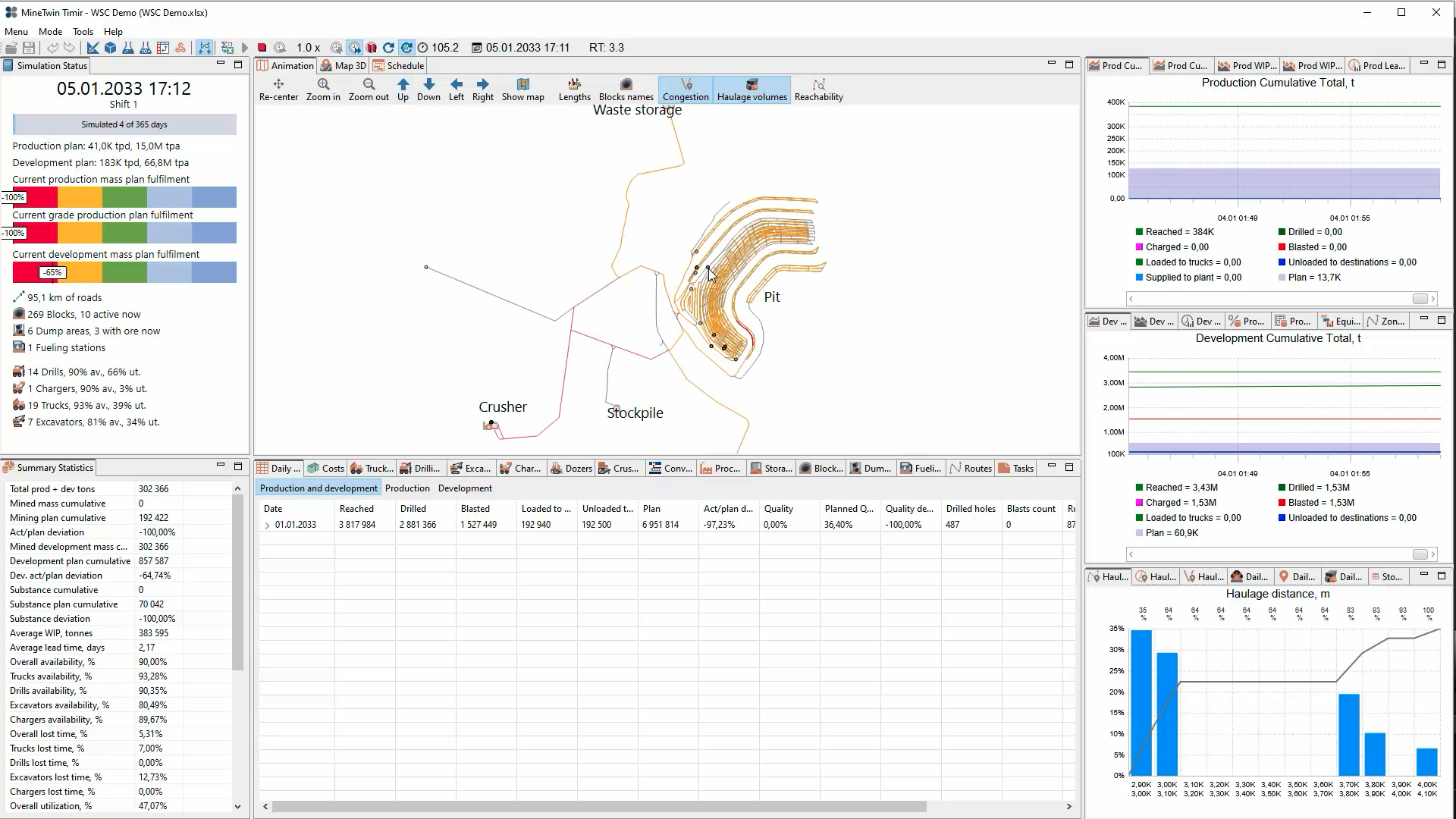
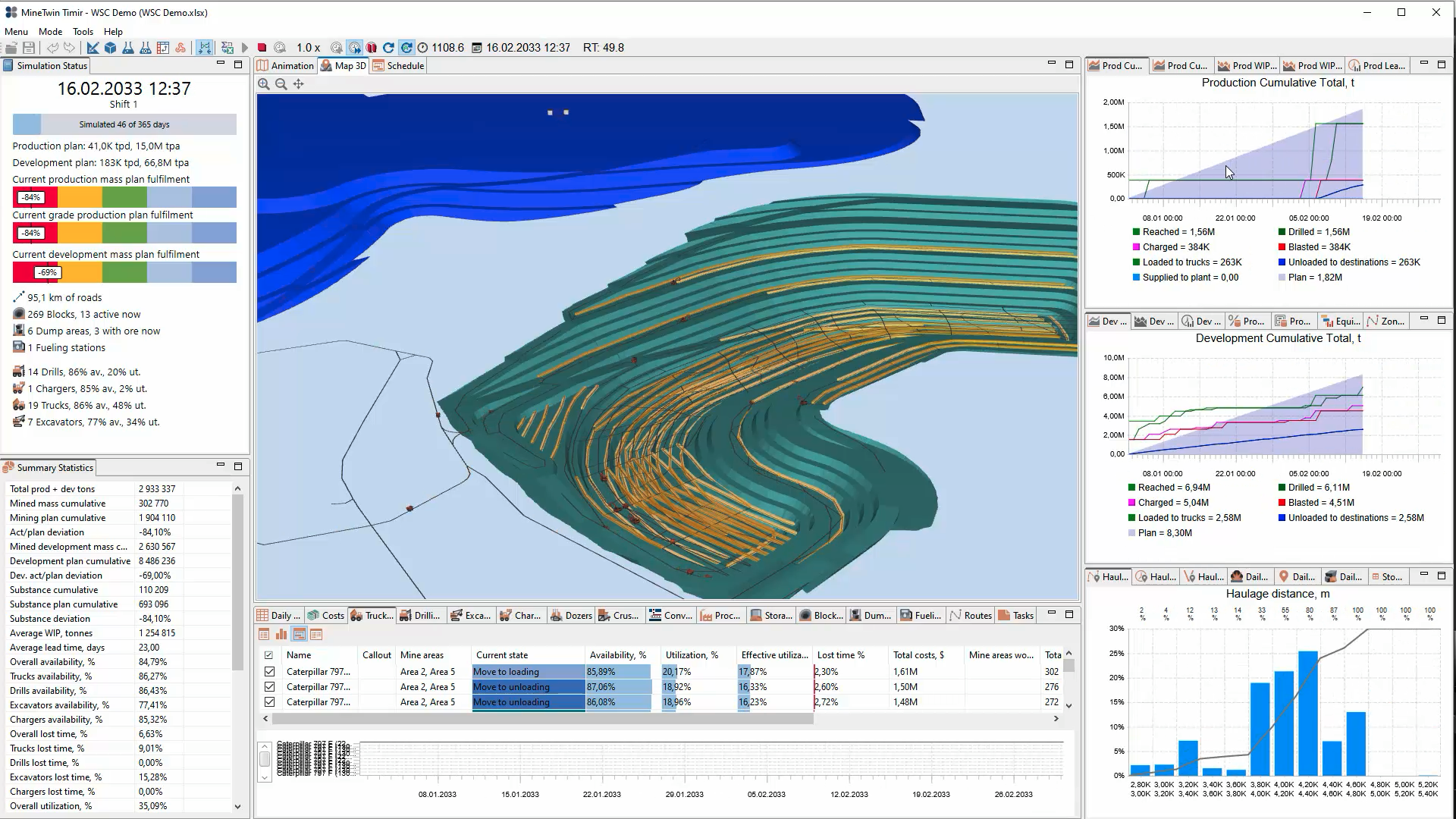
    Screenshot of MineTwin’s 2D open-pit simulation view maps the mine, roads, crusher, stockpile and waste storage while displaying plan fulfilment, equipment availability, production and development results, haulage-distance distributions, and daily operating statistics.Screenshot of MineTwin’s 3D open-pit simulation view combines an animated mine model with plan-fulfilment indicators, equipment availability and utilization, cumulative production and development charts, haulage analysis, costs, and detailed summary statistics at once.Screenshot of MineTwin’s schedule-execution Gantt chart shows loader and truck activities over time, including travel, loading, unloading, waiting, haulage and downtime. Colour-coded states make delays, interactions, utilization and schedule feasibility easy to assess.Screenshot of MineTwin’s 3D scenario editor visualizes a complex underground mine network while organizing stopes, ore passes, crushers, conveyors, equipment, schedules, tasks and plans in a structured tree. Detailed property panels support precise model configuration.