TrustRadius: an HG Insights company

OpenLM for Engineering Licensing vs. Solutions2Share External User Manager

Save this comparison

Save this comparison

Add Product

Recommended Comparisons

    Overview
    ProductRatingMost Used ByProduct SummaryStarting Price

    OpenLM for Engineering Licensing

    Score8 out of 10
    N/AOpenLM for Engineering Licensing provides essential engineering software license tracking capabilities and reports. Users can optimize software inventory, helping to stretch expensive software licenses to their limit. Works with a wide range of license managers including Flexera, DSLS, Reprise and Sentinel RMS. Handles allN/A

    External User Manager

    Score7.7 out of 10
    Mid-Size Companies (51-1,000 employees)
    IT administrators can keep control of external users in Microsoft 365 with External User Manager. External User Manager is used for inviting guests, automated access reviews and lifecycles in Microsoft Teams and Microsoft 365 Groups. Key Features: •External users dashboard and reports •Request & approval workflow for guests •Lifecycles for external guests •Regular automated access…

    $1.60

    per year

    Pricing
    OpenLM for Engineering LicensingExternal User Manager
    Editions & Modules
    No answers on this topic
    Extra Large (4000+ users)
    $1.60
    per year per user
    Small (up to 249 users)
    1,599
    per year per installation
    Medium (up to 999 users)
    4,049
    per year per installation
    Large (up to 4000 users)
    6,499
    per year per installation
    Offerings
    Pricing Offerings
    OpenLM for Engineering LicensingExternal User Manager
    Free Trial
    YesYes
    Free/Freemium Version
    YesNo
    Premium Consulting/Integration Services
    YesYes
    Entry-level Setup FeeOptionalOptional
    Additional Details—Prices are starting prices. Not listed here are the different support and service packages.
    More Pricing Information
    Best Alternatives
    OpenLM for Engineering LicensingExternal User Manager
    Small Businesses
    No answers on this topic
    Teams Manager
    Score8 out of 10
    Medium-sized Companies
    No answers on this topic
    Teams Manager
    Score8 out of 10
    Enterprises
    No answers on this topic
    Teams Manager
    Score8 out of 10
    All AlternativesView all alternativesView all alternatives
    User Ratings
    OpenLM for Engineering LicensingExternal User Manager
    Likelihood to Recommend
    8.2
    (1 ratings)
    10.0
    (1 ratings)
    User Testimonials
    OpenLM for Engineering LicensingExternal User Manager
    Likelihood to Recommend
    OpenLM
    OpenLM can simplify the reporting of complex licenses with multiple toolboxes or products on one server. It covers most of our license server types, but not all. The academic version is reasonably priced (e.g. for educational institutions) giving 90% of the features, however setting it up on-premise was more complex than our original pilot would suggest. We couldn't do without it now.
    Read full review
    Solutions2Share
    I can depend on it to work and be there when I need it. It is very intuitive and easy to use and even first time users have little to no issues with it. I can have small or large meetings with it and utilize the functionality i need to depending on the situation
    Incentivized
    Read full review
    Pros
    OpenLM
    • Peak concurrent license use for any period of time, often less than expected, saves unnecessary over purchase.
    • Denials of license, can quickly see where a license is not working, say, after an upgrade.
    • Comparison of license utilisation (% when near the limit).
    • Quick check of expiring licenses.
    Read full review
    Solutions2Share
    • Group meetings
    • Audio controls
    • control over external users
    Incentivized
    Read full review
    Cons
    OpenLM
    • You can share a link to a dynamic report (e.g. the last 365 days). The URL is very long but it can be used with a 3rd party short URL utility and shared with users.
    • Upgrading to the latest version took a long time to troubleshoot, which left a short gap in the saved data.
    Read full review
    Solutions2Share
    • Not aware of any shortcomings with my use of this tool
    Incentivized
    Read full review
    Alternatives Considered
    OpenLM
    X-Formation, OpenIT, JTB, Sassafras either more expensive for the particular task of managing and monitoring concurrent licenses, or they had a different set of features (such as Sassafras K2/Keyserver also for remote access)
    Read full review
    Solutions2Share
    No answers on this topic
    Return on Investment
    OpenLM
    • The academic version has paid for itself handsomely, including our setup costs. The ongoing strategic information saves costs.
    Read full review
    Solutions2Share
    • Saves time!
    • Improves efficiency with getting projects done faster
    • Great for product demos and training
    Incentivized
    Read full review
    ScreenShots

    OpenLM for Engineering Licensing Screenshots
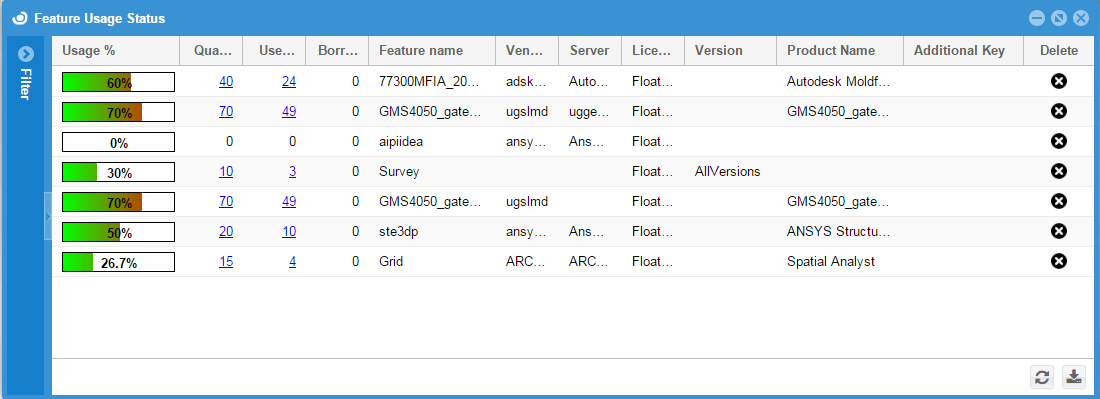
    Screenshot of Feature Usage statusScreenshot of OpenLM ReportsScreenshot of License ActivityScreenshot of License UsageScreenshot of FeaturesScreenshot of Feature usage per user

    External User Manager Screenshots

    Screenshot of External User Manager's dashboard and reports display an overview of all external users and guests.Screenshot of Guest users in Microsoft 365 and Microsoft Teams management: request and approval workflow, onboarding & compliance portal, lifecycle for access reviews, and reporting.Screenshot of Users can request access for new guests with an automated request & approval workflow. Team owners or administrators can then approve the requests.Screenshot of Regular automated access reviews and guest lifecycles can be set so that if the guest users do not require further access, they can be removed automatically from the tenant.Screenshot of In the Onboarding & Compliance Portal, the user can ask new guests for additional information as metadata and have them read or even sign non-disclosure agreements, GDPR rules etc.Screenshot of the guest import feature, with which the administrator can crawl external users that have been created without External User Manager and import them to apply governance policies, lifecycles, etc.