TrustRadius: an HG Insights company

Save this comparison

Save this comparison

Add Product

Recommended Comparisons

    Overview
    ProductRatingMost Used ByProduct SummaryStarting Price

    Procreate

    Score9 out of 10
    N/ASavage, headquartered in North Hobart, Tasmania, is dedicated to making exceptional creative tools. They are the creators of Procreate, a digital art and illustration app for iPad. Offering 100s of handmade brushes, a suite of artistic tools, advanced layer system, and its Valkyrie graphics engine — Procreate is designed to enable the creation of expressive sketches, rich paintings, gorgeous illustrations and beautiful animations.

    $9.99

    one-time fee

    VistaCreate

    Score8.1 out of 10
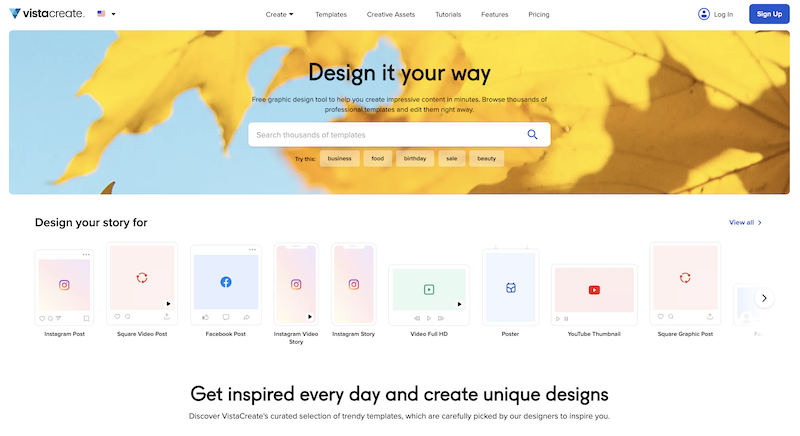
    N/AWhat is VistaCreate (ex-Crello)? VistaCreate is an online visual editing tool for creating videos, animations, graphic designs for social media, print, websites, or virtually any kind of static and animated design for commercial, business, or personal needs. On October 27, 2021 Crello joined the Vista group of companies and changed its brand name to VistaCreate. It includes 50,000 professionally designed templates that are already preformatted and…N/A
    Pricing
    ProcreateVistaCreate
    Editions & Modules
    No answers on this topic
    No answers on this topic
    Offerings
    Pricing Offerings
    ProcreateVistaCreate
    Free Trial
    NoYes
    Free/Freemium Version
    NoYes
    Premium Consulting/Integration Services
    NoNo
    Entry-level Setup FeeNo setup feeNo setup fee
    Additional Details——
    More Pricing Information
    Best Alternatives
    ProcreateVistaCreate
    Small Businesses
    GIMP
    Score8 out of 10
    GIMP
    Score8 out of 10
    Medium-sized Companies
    Adobe Illustrator
    Score9.3 out of 10
    Adobe Illustrator
    Score9.3 out of 10
    Enterprises
    Adobe PhotoShop
    Score9.2 out of 10
    Adobe PhotoShop
    Score9.2 out of 10
    All AlternativesView all alternativesView all alternatives
    User Ratings
    ProcreateVistaCreate
    Likelihood to Recommend
    7.1
    (3 ratings)
    9.1
    (3 ratings)
    Usability
    7.7
    (2 ratings)
    9.0
    (1 ratings)
    User Testimonials
    ProcreateVistaCreate
    Likelihood to Recommend
    Savage Interactive
    We are using Procreate less and less as Adobe tools catch up with more iPad applications and sketching styles, but Procreate is still superior in flexibility and online tutorials. We are using other, more formal tools more, just because the changing nature of work is less illustrative.
    Incentivized
    Read full review
    VistaCreate (ex- Crello)
    For creative and captivating presentation slides where you are pitching your ideas to the team, for quick and well-presented pamphlets for the event board, irrespective of university or workplace. I would definitely recommend using existing templates from VistaCreate instead of AI-generated images that are messy and crowded, so you connect with the audience better, and also, of course, people will take it seriously as well..
    Incentivized
    Read full review
    Pros
    Savage Interactive
    • Easy-To-Understand Interface
    • Wide Range of Brushes
    • Custom Asset Sizes
    • Animation Options
    • Intuitive Design
    Read full review
    VistaCreate (ex- Crello)
    • Certificate design
    • Social media communications
    • Conversion of designs into various file formats e.g. mp4, jpg, pdf
    • PowerPoint designs
    Incentivized
    Read full review
    Cons
    Savage Interactive
    • It would be nice to make it easier to turn drawing processes into animations.
    Incentivized
    Read full review
    VistaCreate (ex- Crello)
    • Difficult to design content on mobile phone
    • Mobile designs do not sync with desktop app
    Incentivized
    Read full review
    Usability
    Savage Interactive
    Procreate is easy to use and easy to learn for new users.
    Incentivized
    Read full review
    VistaCreate (ex- Crello)
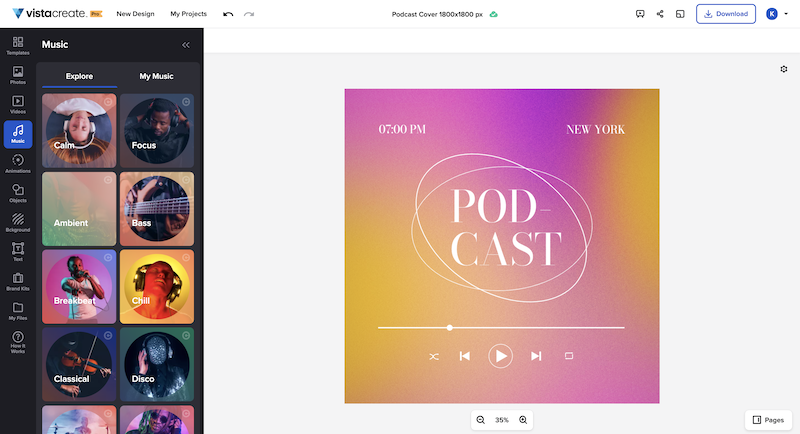
    It's a fantastic tool, be it the free or paid version. You can choose different templates from many listed categories and change styles with palettes, add music to your images, and choose from a variety of fonts. All these features are for free users. You unlock gold if you have a paid version of VistaCreate. Some additional useful features like background remover, AI writer, object remover, resize, and many varieties of templates are only for premium users. I give 9 because additional premium useful features are not available for free users
    Incentivized
    Read full review
    Alternatives Considered
    Savage Interactive
    We broadly use the Adobe suite for other applications, so as Adobe tools have advanced, it is difficult to have an outlier in the toolkit, but Procreate still offers a lot of ease of use and competes with more formal Illustrator tools. We use Illustrator a lot for general design work once they pass initial concepting.
    Incentivized
    Read full review
    VistaCreate (ex- Crello)
    I like to give a chance to other products and try them out. As far as my experience is concerned, I liked the feature of VistaCreate, with palettes, which totally changes the mood and tone of the image. That's something I didn't find in Canva. Additionally, the simplicity and user-friendliness of VistaCreate instead of being crowded with too many features. It's simply the best.
    Incentivized
    Read full review
    Return on Investment
    Savage Interactive
    • Positive impact on delivery times
    • Positive impact on creative to designer communication
    • Positive impact on team to client communication through detailed mockups
    Read full review
    VistaCreate (ex- Crello)
    • Improved communication with staff
    • Improved brand presence on social media
    • Ability to appeal to all age groups
    • Improved staff morale
    Incentivized
    Read full review
    ScreenShots

    VistaCreate Screenshots

    Product screenshotProduct screenshotProduct screenshotProduct screenshot