TrustRadius: an HG Insights company

Save this comparison

Save this comparison

Add Product

Recommended Comparisons

    Overview
    ProductRatingMost Used ByProduct SummaryStarting Price

    SAS Data Management

    Score8 out of 10
    N/AA suite of solutions for data connectivity, enhanced transformations and robust governance. Solutions provide a unified view of data with access to data across databases, data warehouses and data lakes. Connects with cloud platforms, on-premises systems and multicloud data sources.N/A

    Spoom

    Score8 out of 10
    Mid-Size Companies (51-1,000 employees)
    Spoom (formerly Analyza) is a business intelligence solution that is provided by Spoom Software (formerly PIT Business). The vendor provides support services in Luxembourg, Belgium, France, and other parts of Europe. Spoom allows users to: Build several indicators and dashboards Build ad-hoc analysis without IT knowledge Navigate through data via drill-down and filtering Schedule reports and send results by mail or to external…N/A
    Pricing
    SAS Data ManagementSpoom
    Editions & Modules
    No answers on this topic
    Grow
    Contact Sales
    per installation (including licences and maintenance for 3 years)
    Premium
    Contact Sales
    per installation (including licences and maintenance for 3 years)
    Offerings
    Pricing Offerings
    SAS Data ManagementSpoom
    Free Trial
    NoYes
    Free/Freemium Version
    NoNo
    Premium Consulting/Integration Services
    NoYes
    Entry-level Setup FeeNo setup fee$15,000 per installation (including licences and maintenance for 3 years)
    Additional Details—The On-Premise or SaaS solutions are the same price; we provide a dedicated machine or virtual machine for both. For 10 users, the budget is from $15,000 to $90,000 for a full Business Intelligence solution (including licenses and maintenance for 3 years). The installation and configuration cost depends on customer's data architecture, volume and number of sources. It also depends on customizations required (i.e.: exporting pixel to pixel PDF files to a SharePoint platform).
    More Pricing Information
    Community Pulse
    SAS Data ManagementSpoom
    Considered Both Products
    SAS
    No answer on this topic
    Spoom Software
    No answer on this topic
    Key User Insights
    Would buy again
    100%
    Would buy again
    5 Answers
    No answers on this topic
    Delivers good value for the price
    80%
    Delivers good value for the price
    4 Answers
    No answers on this topic
    Happy with the feature set
    100%
    Happy with the feature set
    5 Answers
    No answers on this topic
    Lived up to sales and marketing promises
    100%
    Lived up to sales and marketing promises
    5 Answers
    No answers on this topic
    Implementation went as expected
    No answers on this topic
    No answers on this topic
    Features
    SAS Data ManagementSpoom
    Data Source Connection
    Comparison of Data Source Connection features of SAS Data Management and Spoom
    Feature
    SAS Data Management
    8.3
    10 Ratings
    1% below category average
    Spoom
    -
    Ratings
    Connect to traditional data sources8.610 Ratings00 Ratings
    Connecto to Big Data and NoSQL8.19 Ratings00 Ratings
    Data Transformations
    Comparison of Data Transformations features of SAS Data Management and Spoom
    Feature
    SAS Data Management
    6.7
    8 Ratings
    19% below category average
    Spoom
    -
    Ratings
    Simple transformations6.18 Ratings00 Ratings
    Complex transformations7.48 Ratings00 Ratings
    Data Modeling
    Comparison of Data Modeling features of SAS Data Management and Spoom
    Feature
    SAS Data Management
    6.7
    8 Ratings
    17% below category average
    Spoom
    -
    Ratings
    Data model creation5.56 Ratings00 Ratings
    Metadata management7.47 Ratings00 Ratings
    Business rules and workflow6.67 Ratings00 Ratings
    Collaboration7.07 Ratings00 Ratings
    Testing and debugging6.17 Ratings00 Ratings
    Data Governance
    Comparison of Data Governance features of SAS Data Management and Spoom
    Feature
    SAS Data Management
    7.9
    9 Ratings
    2% below category average
    Spoom
    -
    Ratings
    Integration with data quality tools7.69 Ratings00 Ratings
    Integration with MDM tools8.27 Ratings00 Ratings
    BI Standard Reporting
    Comparison of BI Standard Reporting features of SAS Data Management and Spoom
    Feature
    SAS Data Management
    -
    Ratings
    Spoom
    7.6
    1 Ratings
    1% above category average
    Pixel Perfect reports00 Ratings7.31 Ratings
    Customizable dashboards00 Ratings8.21 Ratings
    Report Formatting Templates00 Ratings7.31 Ratings
    Ad-hoc Reporting
    Comparison of Ad-hoc Reporting features of SAS Data Management and Spoom
    Feature
    SAS Data Management
    -
    Ratings
    Spoom
    8.4
    1 Ratings
    8% above category average
    Drill-down analysis00 Ratings9.11 Ratings
    Formatting capabilities00 Ratings8.21 Ratings
    Integration with R or other statistical packages00 Ratings8.21 Ratings
    Report sharing and collaboration00 Ratings8.21 Ratings
    Report Output and Scheduling
    Comparison of Report Output and Scheduling features of SAS Data Management and Spoom
    Feature
    SAS Data Management
    -
    Ratings
    Spoom
    8.9
    1 Ratings
    12% above category average
    Publish to Web00 Ratings8.21 Ratings
    Publish to PDF00 Ratings9.11 Ratings
    Report Versioning00 Ratings9.11 Ratings
    Report Delivery Scheduling00 Ratings9.11 Ratings
    Data Discovery and Visualization
    Comparison of Data Discovery and Visualization features of SAS Data Management and Spoom
    Feature
    SAS Data Management
    -
    Ratings
    Spoom
    7.3
    1 Ratings
    1% below category average
    Pre-built visualization formats (heatmaps, scatter plots etc.)00 Ratings7.31 Ratings
    Predictive Analytics00 Ratings7.31 Ratings
    Access Control and Security
    Comparison of Access Control and Security features of SAS Data Management and Spoom
    Feature
    SAS Data Management
    -
    Ratings
    Spoom
    7.7
    1 Ratings
    9% below category average
    Multi-User Support (named login)00 Ratings7.31 Ratings
    Multiple Access Permission Levels (Create, Read, Delete)00 Ratings8.21 Ratings
    Mobile Capabilities
    Comparison of Mobile Capabilities features of SAS Data Management and Spoom
    Feature
    SAS Data Management
    -
    Ratings
    Spoom
    8.2
    1 Ratings
    10% above category average
    Responsive Design for Web Access00 Ratings9.11 Ratings
    Dashboard / Report / Visualization Interactivity on Mobile00 Ratings7.31 Ratings
    Best Alternatives
    SAS Data ManagementSpoom
    Small Businesses
    Skyvia
    Score10 out of 10
    No answers on this topic
    Medium-sized Companies
    IBM InfoSphere Information Server
    Score10 out of 10
    IBM Planning Analytics
    Score8.5 out of 10
    Enterprises
    SolarWinds Task Factory
    Score8.3 out of 10
    Oracle Fusion Cloud Enterprise Performance Management
    Score7.2 out of 10
    All AlternativesView all alternativesView all alternatives
    User Ratings
    SAS Data ManagementSpoom
    Likelihood to Recommend
    7.6
    (11 ratings)
    8.2
    (1 ratings)
    Likelihood to Renew
    9.0
    (2 ratings)
    -
    (0 ratings)
    Usability
    6.0
    (2 ratings)
    -
    (0 ratings)
    Performance
    9.0
    (1 ratings)
    -
    (0 ratings)
    Support Rating
    7.7
    (6 ratings)
    -
    (0 ratings)
    Data Sharing and Collaboration
    -
    (0 ratings)
    8.2
    (1 ratings)
    Data Sources
    -
    (0 ratings)
    9.1
    (1 ratings)
    User Testimonials
    SAS Data ManagementSpoom
    Likelihood to Recommend
    SAS
    When data is in a system that needs a complex transformation to be usable for an average user. Such tasks as data residing in systems that have very different connection speeds. It can be integrated and used together after passing through the SAS Data Integration Studio removing timing issues from the users' worries. A part that is perhaps less appropriate is getting users who are not familiar with the source data to set up the load processes.
    Incentivized
    Read full review
    Spoom Software
    It is well suited when you have several sources of data.
    Read full review
    Pros
    SAS
    • SAS/Access is great for manipulating large and complex databases.
    • SAS/Access makes it easy to format reports and graphics from your data.
    • Data Management and data storage using the Hadoop environment in SAS/Access allows for rapid analysis and simple programming language for all your data needs.
    Incentivized
    Read full review
    Spoom Software
    • Easy to use
    • Focus on analyzing and not on finding and loading data
    • "One version of the truth"
    Read full review
    Cons
    SAS
    • Requires third-party drivers to connect to common data sources like SFDC, MS SQL, Postgres.
    • Debugging errors from the logs is a complicated process.
    • E-mail alert system is very primitive and needs customization to make it more modern,
    • Cannot send SMS alerts for jobs.
    Incentivized
    Read full review
    Spoom Software
    • I would like to have more modules. Eg. : supply chain tool.
    Read full review
    Likelihood to Renew
    SAS
    We are happy with the software and its functionality. As a SAS-shop, DataFlux is a logical choice for complex data integration.
    Read full review
    Spoom Software
    No answers on this topic
    Usability
    SAS
    The main negative point is the use of a non-standard language for customizations, as well as the poor integration with non-SAS systems. However, there is no doubt that it is a high-performance and powerful product capable of responding optimally to certain requirements.
    Incentivized
    Read full review
    Spoom Software
    No answers on this topic
    Performance
    SAS
    It worked as expected.
    Incentivized
    Read full review
    Spoom Software
    No answers on this topic
    Support Rating
    SAS
    With SAS, you pay a license fee annually to use this product. Support is incredible. You get what you pay for, whether it's SAS forums on the SAS support site, technical support tickets via email or phone calls, or example documentation. It's not open source. It's documented thoroughly, and it works.
    Incentivized
    Read full review
    Spoom Software
    No answers on this topic
    Alternatives Considered
    SAS
    Because of ease of using SAS DI and data processing speed. There were lots of issues with AWS Redshift on cloud environment in terms of making connections with the data sources and while fetching the data we need to write complex queries.
    Incentivized
    Read full review
    Spoom Software
    Cognos is very expensive and needs heavy IT-team to implement it.
    Read full review
    Return on Investment
    SAS
    • We have more users who can connect to the many different data sources.
    • Our users do have existing SAS programming knowledge and that can carry over.
    • Business functions are starting to rely on SAS Data Integration Studio work product shortly after introduction.
    Incentivized
    Read full review
    Spoom Software
    No answers on this topic
    ScreenShots

    Spoom Screenshots

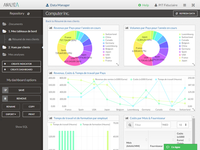
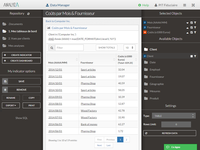
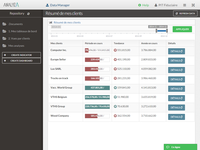
    Screenshot of Dashboard in AnalyzaScreenshot of Table in AnalyzaScreenshot of Vertical chart in AnalyzaScreenshot of Customized table in AnalyzaScreenshot of Data raw export in AnalyzaScreenshot of Authentification in Analyza