
Threadseer vs. Worksoft Connective Automation Platform
| Product | Rating | Most Used By | Product Summary | Starting Price |
|---|---|---|---|---|
 Threadseer | N/A | N/A | Threadseer is a process mining and process intelligence visual built for Microsoft Power BI. It analyzes event-log data and turns it into interactive process maps that show how cases move through a process, including common paths, alternate variants, delays, repeated activities, and deviations from expected behavior. Key capabilities Threadseer includes process discovery, variant analysis, bottleneck analysis, rework analysis, conformance checking, driver… | $20 per month per user |
 Worksoft | Score7.9 out of 10 | N/A | The Worksoft Connective Automation Platform is a suite of products that automates business processes from discovery, to testing to RPA. Worksoft Analyze and Worksoft Capture support automated process discovery. Worksoft Certify allows users to create, maintain, share, and consume automated end-to-end business process tests as part of continuous testing, integration, and delivery cycles. Finally, the Connective RPA is codeless solution to reusing automated processes, moving automation into… | N/A |
| Threadseer | Worksoft | |||||||||||||||
|---|---|---|---|---|---|---|---|---|---|---|---|---|---|---|---|---|
| Editions & Modules |
| No answers on this topic | ||||||||||||||
| Offerings |
| |||||||||||||||
| Entry-level Setup Fee | No setup fee | No setup fee | ||||||||||||||
| Additional Details | Threadseer Community is available at no cost for up to 25,000 input events. Threadseer Professional is $20 per user per month and supports larger-scale analysis and additional capabilities. There are no required setup fees. | — | ||||||||||||||
| More Pricing Information | ||||||||||||||||
| Threadseer | Worksoft | |
|---|---|---|
| Small Businesses | No answers on this topic |  BrowserStack Score8.5 out of 10 |
| Medium-sized Companies | No answers on this topic |  BlazeMeter Score8 out of 10 |
| Enterprises | No answers on this topic |  Tricentis Tosca Score8.8 out of 10 |
| All Alternatives | View all alternatives | View all alternatives |
| Threadseer | Worksoft | |
|---|---|---|
| Likelihood to Recommend | - | 8.0 |
| Threadseer | Worksoft | |
|---|---|---|
| Likelihood to Recommend | No answers on this topic |
|
| Pros | No answers on this topic |
|
| Cons | No answers on this topic |
|
| Alternatives Considered | No answers on this topic |
|
| Return on Investment | No answers on this topic |
|
| ScreenShots | Threadseer Screenshots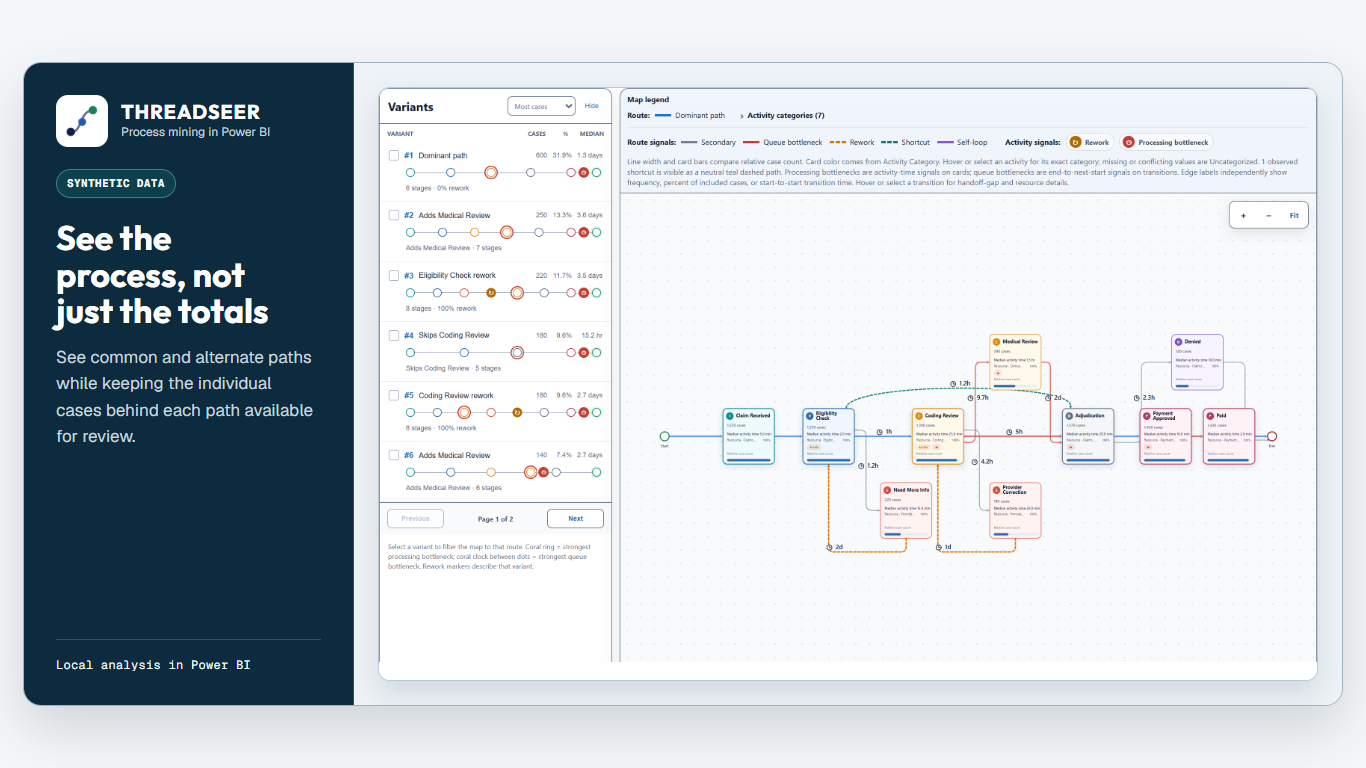   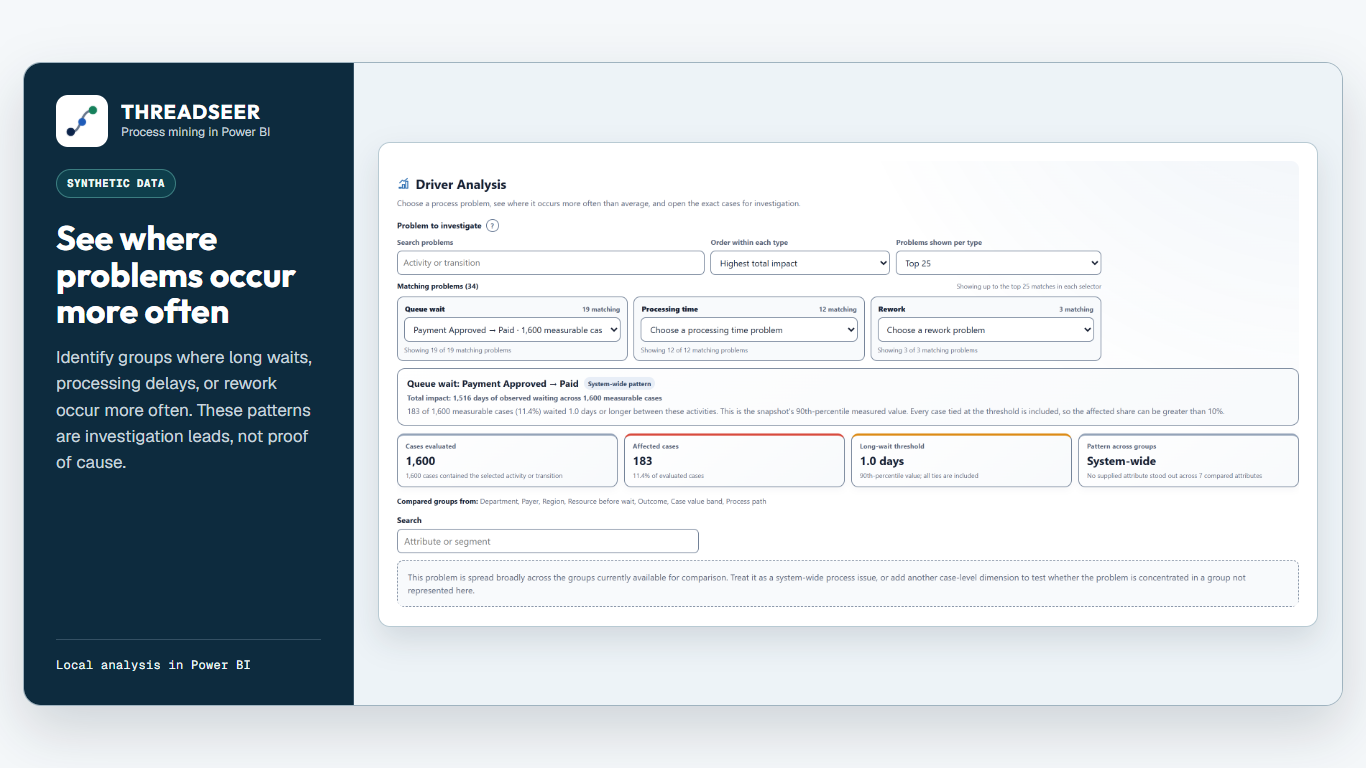  |
