SolarWinds Access Rights Manager (ARM) vs. UserLock

Overview
ProductRatingMost Used ByProduct SummaryStarting Price
SolarWinds Access Rights Manager (ARM)
Score 8.5 out of 10
N/A
SolarWinds Access Rights Manager (ARM) is designed to assist IT and security admins to quickly and easily provision, deprovision, manage and audit user access rights to systems, data, and files. By analyzing user authorizations and access permission you get visualization of who has access to what and when they accessed it. Demonstrate compliance with most regulatory requirements with customized reports. Provision and deprovision users using…N/A
UserLock
Score 8.0 out of 10
N/A
UserLock from IS Decisions is a network access control and identity management solution.N/A
Pricing
SolarWinds Access Rights Manager (ARM)UserLock
Editions & Modules
No answers on this topic
Offerings
Pricing Offerings
SolarWinds Access Rights Manager (ARM)UserLock
Free Trial
YesYes
Free/Freemium Version
NoNo
Premium Consulting/Integration Services
NoNo
Entry-level Setup FeeNo setup feeNo setup fee
Additional Details
More Pricing Information
Community Pulse
SolarWinds Access Rights Manager (ARM)UserLock
Considered Both Products
SolarWinds Access Rights Manager (ARM)
Chose SolarWinds Access Rights Manager (ARM)
The other solutions apps provide diffrent way to manage and organize user access rights. For example in SolarWinds ARM the UI is slick and smooth and you can reach many taps within few clicks. While in other apps it take a lot of configuration and jumping between windows to …
Chose SolarWinds Access Rights Manager (ARM)
I would say SolarWinds Access Rights Manager (ARM) is on the high end of the scale in terms of ability and being user friendly. Very few issues, limitations - The product delivers on a great ticketing system! Love it!
Chose SolarWinds Access Rights Manager (ARM)
ARM has more features
Chose SolarWinds Access Rights Manager (ARM)
I found the installation and configuration to be much easier and more straightforward. What also assisted in the decision to go with Access Rights Manager, was the fact we already made use of Solarwinds products. Knowing from previous experiences with their support staff, meant …
Chose SolarWinds Access Rights Manager (ARM)
While the CatTools are used mainly by a colleague of mine, DameWare is only used periodically and definitely not on a daily base. We chose ARM (when we bought it, it was called 8Man) because it had a good and well fitting set of features for a reasonable price. In addition to …
Chose SolarWinds Access Rights Manager (ARM)
SolarWinds Access Rights Manager, in my opinion, is better than most of its competitors, because it doesn't have alot of bloat. Most alternatives employ very strict zero trust solutions, which may be what is needed, but in our case we can easily maintain those things ourselves. …
Chose SolarWinds Access Rights Manager (ARM)
We looked at Okta, Sailpoint, and some others but they were cost prohibitive and we needed to slap something together quickly and these required a lot of planning before implementation. Planning is a good thing and would certainly have helped but I wasn't given the option of …
Chose SolarWinds Access Rights Manager (ARM)
None
Chose SolarWinds Access Rights Manager (ARM)
Selected Solarwinds arm because we were already heavily invested in Solarwinds products. The brand speaks volumes and ARM did not disappoint. It has performed as expected and been a useful tool in preparing reports for auditors.
Chose SolarWinds Access Rights Manager (ARM)
An AD environment that is easy for admins and end users with AD-reporting and GDPR included.
Chose SolarWinds Access Rights Manager (ARM)
There's actually very few enterprise level products out there providing the coverage that ARM does. We have never previously purchased or really tried any other solutions. We looked at PRTG AD Manager and ManageEngine AD, but we find PRTG products difficult and ManageEngine …
UserLock
Chose UserLock
sorry was quite some time ago and can't remmber specifics but cost was a big factor and this was a very competitively priced product at the time.
Best Alternatives
SolarWinds Access Rights Manager (ARM)UserLock
Small Businesses

No answers on this topic

No answers on this topic

Medium-sized Companies
Cisco Identity Services Engine (ISE)
Score 9.0 out of 10
Cisco Identity Services Engine (ISE)
Score 9.0 out of 10
Enterprises
Cisco Identity Services Engine (ISE)
Score 9.0 out of 10
Cisco Identity Services Engine (ISE)
Score 9.0 out of 10
All AlternativesView all alternativesView all alternatives
User Ratings
SolarWinds Access Rights Manager (ARM)UserLock
Likelihood to Recommend
9.0
(0 ratings)
8.0
(0 ratings)
Likelihood to Renew
9.1
(0 ratings)
-
(0 ratings)
Usability
9.0
(0 ratings)
-
(0 ratings)
Availability
8.2
(0 ratings)
-
(0 ratings)
Performance
7.3
(0 ratings)
-
(0 ratings)
Support Rating
4.5
(0 ratings)
-
(0 ratings)
Implementation Rating
6.4
(0 ratings)
-
(0 ratings)
Configurability
5.5
(0 ratings)
-
(0 ratings)
Ease of integration
1.8
(0 ratings)
-
(0 ratings)
Product Scalability
4.5
(0 ratings)
-
(0 ratings)
Vendor post-sale
4.5
(0 ratings)
-
(0 ratings)
Vendor pre-sale
8.2
(0 ratings)
-
(0 ratings)
User Testimonials
SolarWinds Access Rights Manager (ARM)UserLock
Likelihood to Recommend
SolarWinds ARM is best used for large organiziation with users exceeding 1000 users or employee with varius roles and permissions. Controll access rights and prevening data leakes. Auditing and monitoring users access to see if users are accessing data that they are not supposed to see. Reporting when users rights are expired and degrant permissions
Read full review
UserLock is well suited to easily managing MFA for users of various levels to improve security hardening in a granular manner. It's open ended implementation of the IIS module is good for web authentication of all sorts of sites. Reporting of user's access and notifying of multiple logons is great.
Read full review
Pros
  • SolarWinds Access Rights Manager is easy to set up and configure. We had the first report generated in a few hours.
  • The automated feature for the reports is great. We just set it and forget it and now the reports get emailed on schedule.
Read full review
  • Easy to setup and install for the most part
  • Easy to onboard users
  • Logging and reporting of user's access to devices really good
Read full review
Cons
  • Licensing model when we changed over to SolarWinds was [I feel] a nightmare. It needs to be more streamlined and SolarWinds needs to understand what their customers require. When we changed over to SolarWinds we found it very hard to get answers to what modules we were still licensed for.
  • Our current system is not functioning. We can't login to the application with the accounts we created that were working. The error that appears doesn't help to resolve it. So at present we just renewed licenses for this year and we can't use the system.
Read full review
  • Implementing the agent in IIS scenarios could be easier and more guided
  • IIS upgrade agent upgrade process could be improved upon
  • An overall summary of applied permssions for a particular user would be useful
Read full review
Likelihood to Renew
It is in place and working. No time or money to consider anything else.
Read full review
No answers on this topic
Usability
The GUI is pretty straight forward and easy to learn for new employees. All changes that have been made over the years have not required additional training. Reports generated are easily viewed in Excel, and can be added into our reporting file seamlessly
Read full review
No answers on this topic
Reliability and Availability
On occasion the server will need to be restarted to get things running again
Read full review
No answers on this topic
Performance
Satisfactory performance
Read full review
No answers on this topic
Support Rating
Very slow response times and sometimes I found the solution and ended up sharing it with support
Read full review
No answers on this topic
Implementation Rating
It was my first exposure to this type of product and I wasn’t given the time to figure out how best to implement it. I would say get a plan together of what you are tying to accomplish first
Read full review
No answers on this topic
Alternatives Considered
While the CatTools are used mainly by a colleague of mine, DameWare is only used periodically and definitely not on a daily base. We chose ARM (when we bought it, it was called 8Man) because it had a good and well fitting set of features for a reasonable price. In addition to that, we could quite easily configure some features for our needs. Other products didn't get even close to this feature list for this price.
Read full review
sorry was quite some time ago and can't remmber specifics but cost was a big factor and this was a very competitively priced product at the time.
Read full review
Scalability
No experience with this
Read full review
No answers on this topic
Return on Investment
  • Because it's cut down on the mistakes and time lost creating new user accounts, this has meant there is a reduction in tickets relating to changes needing to be made to user accounts. Whether this was the incorrect spelling of the name, or the need to add/remove security groups. With ARM now doing the user creation along with the templates we've created, this has dramatically cut down the number of support tickets regarding user accounts, meaning our team now has more time to tend to other pending tickets.
Read full review
  • Sometimes does not unlock task manager access when it pops up with MFA prompt, can be a pain to have to undo
  • It's great value for money compared to more high end products
  • Generally reliable and has improved security hardening
Read full review
ScreenShots

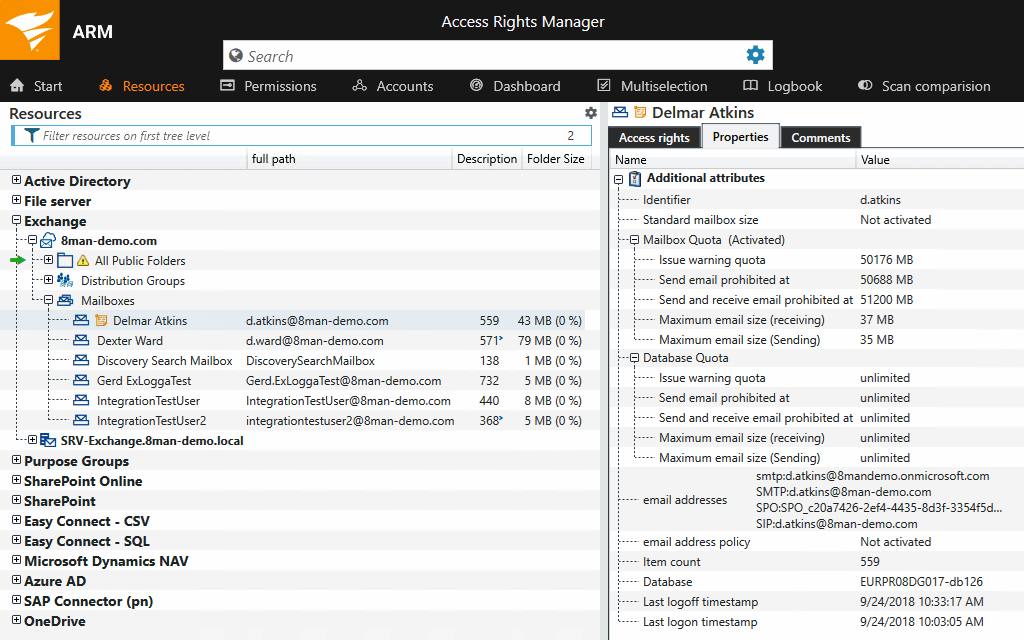
SolarWinds Access Rights Manager (ARM) Screenshots
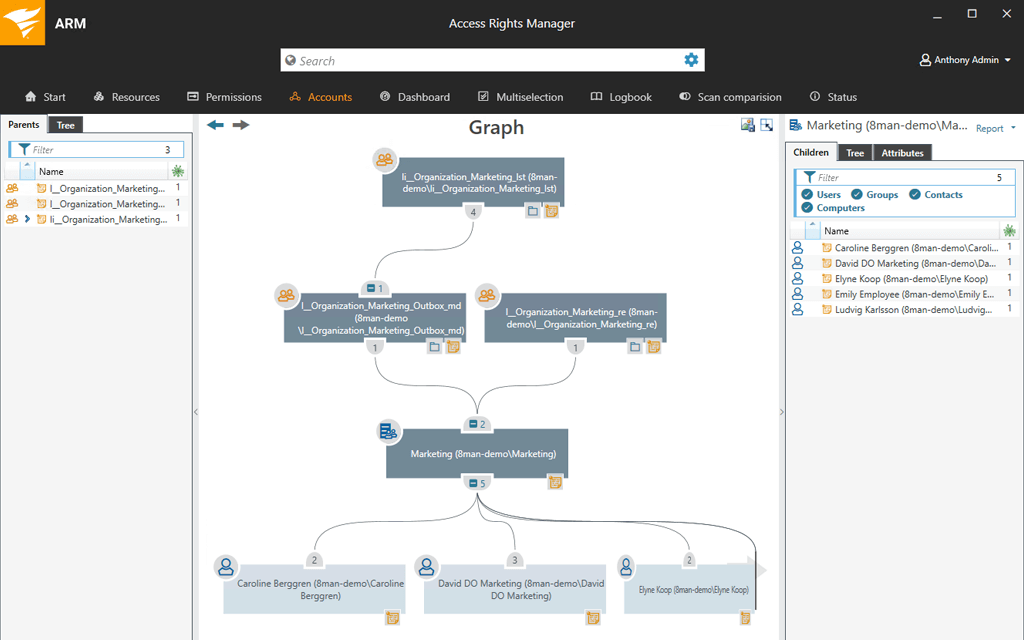
Screenshot of Active Directory graphical analysisScreenshot of Create userScreenshot of Exchange Distribution Group propertiesScreenshot of File server permissions analysisScreenshot of Screenshot of Report configuration

UserLock Screenshots

Screenshot of Limit concurrent loginsScreenshot of Monitor user logon and logoffScreenshot of Remotely block userScreenshot of Restrict user logon hoursScreenshot of History report