TrustRadius: an HG Insights company

Save this comparison

Save this comparison

Add Product

Recommended Comparisons

    Overview
    ProductRatingMost Used ByProduct SummaryStarting Price

    Actionstep

    Score8.4 out of 10
    N/AActionstep in Richmond offers their flagship legal practice management software as an end-to-end solution, containing both matter management tools and business administration automation, with an internal billing and accounting system.N/A

    NuLaw

    N/AN/ANuLaw aims to help attorneys and firms of all sizes run their practices more efficiently by leveraging the best in class Law Firm Practice suite. Increase Your Case Volume - NuLaw automates manual tasks, standardizes steps in your intake and matters management, creates case milestones, checklists, advanced calendaring, hours tracking, generate invoices, process payments so you can get paid faster. Get Back to What Matters - Leverage the document library, integrate research tools…N/A
    Pricing
    ActionstepNuLaw
    Editions & Modules
    No answers on this topic
    No answers on this topic
    Offerings
    Pricing Offerings
    ActionstepNuLaw
    Free Trial
    NoYes
    Free/Freemium Version
    NoNo
    Premium Consulting/Integration Services
    NoYes
    Entry-level Setup FeeNo setup feeRequired
    Additional Details
    More Pricing Information
    User Ratings
    ActionstepNuLaw
    Likelihood to Recommend
    9.0
    (1 ratings)
    -
    (0 ratings)
    User Testimonials
    ActionstepNuLaw
    Likelihood to Recommend
    Actionstep
    ActionStep is a powerful CRM and matter management tool. It provides many other good benefits too. For example powerful accounting and billing, time tracking and document management. Only in highly specific areas, like multiple many to many contact relations has it fallen short. But even in this highly specialized area, so many other benefits are provided that it hardly matters.
    Read full review
    Selas Technologies
    No answers on this topic
    Pros
    Actionstep
    • The workflows are great to automate simple tasks like notifying people when an engagement letter is signed.
    • Mobility. Because it's in the cloud it's easy to access from anywhere.
    • The scratch pad is a good way to take quick notes.
    • ActionStep lets you create custom fields so you can make sure the data you need is collected.
    Read full review
    Selas Technologies
    No answers on this topic
    Cons
    Actionstep
    • ActionStep is difficult to setup. I suggest working with a consultant which increases cost.
    • Needs mobile app.
    • One of our practice areas, Property Law, request we have a many to many contact relation. ActionStep cannot accommodate this. However, no other software I have reviewed can do this either. ActionStep is the most robust that I have seen and comes closest to making this work.
    Read full review
    Selas Technologies
    No answers on this topic
    Alternatives Considered
    Actionstep
    I have worked with a lot of software. Each one has a different focus. ActionStep is better at workflow and task automation that the items above, in my opinion. However, having gone through many different deployments, what really matters is identifying your key requirements and needs. Then evaluation software against those. Once you have your requirements and software, focus on using that software to fix issues in existing workflow. This, when compared with ongoing training, is what it means to invest in software. Simply purchasing ActionStep or any software without identifying needs, problems in workflow or an investment in training is not a good plan. Neither is comparing the vendors to one another without knowing all of your specific needs.
    Read full review
    Selas Technologies
    No answers on this topic
    Return on Investment
    Actionstep
    • I love the workflows that can be deployed for practice areas to ensure consistency. This has reduced new employee onboarding time and increased the speed at which we can complete matters.
    • Since ActionStep lives in the cloud, and we have O365 our firm is very mobile without spending lots of money in TS or other such infrastructure.
    • Creating the workflows is a bit complex, so this increases the overall cost and makes an ROI take longer. I suggest spending a bit more initially to get everything setup and working with a consultant to learn how to do this on your own during that initial setup.
    Read full review
    Selas Technologies
    No answers on this topic
    ScreenShots

    NuLaw Screenshots

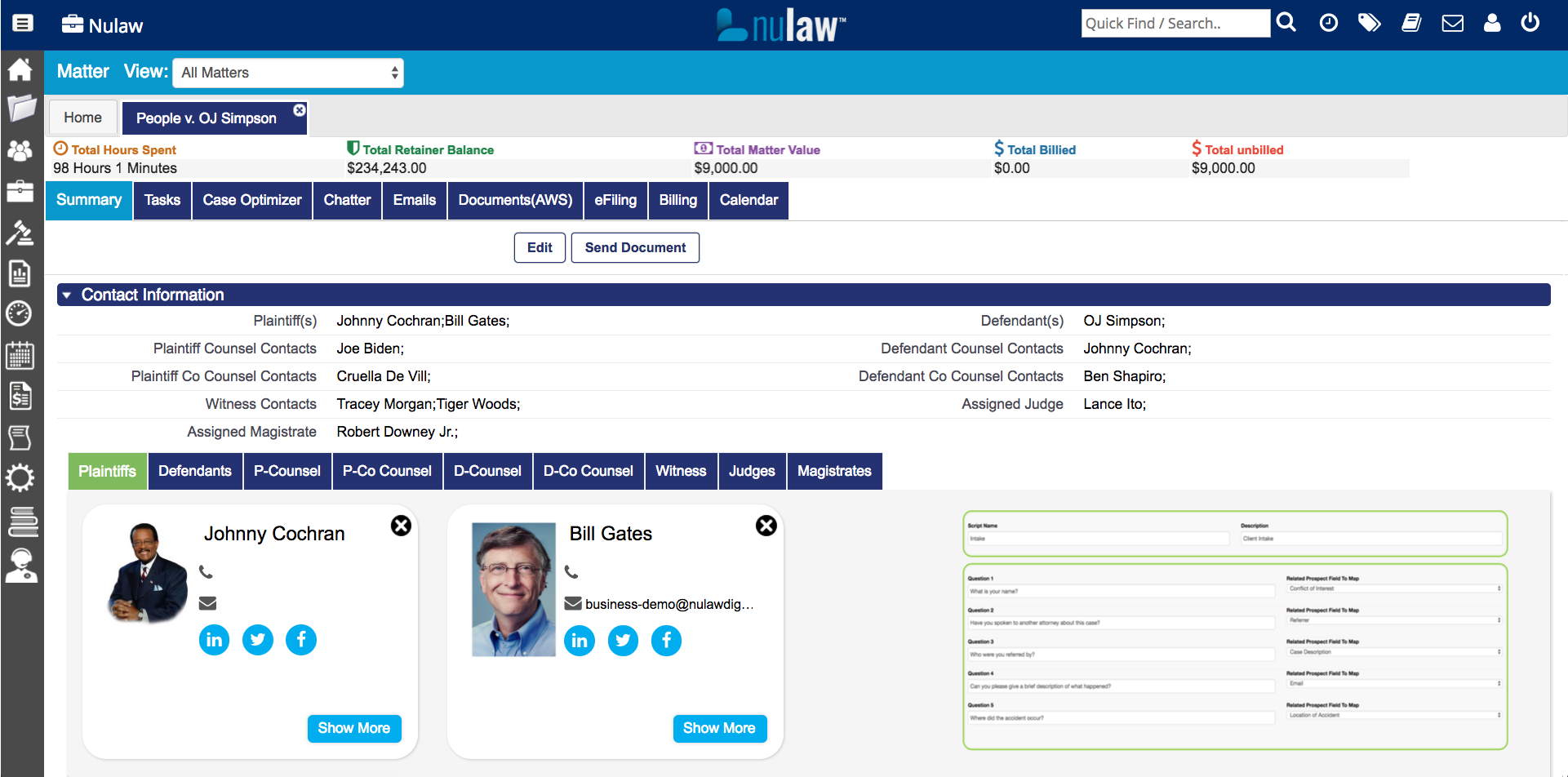
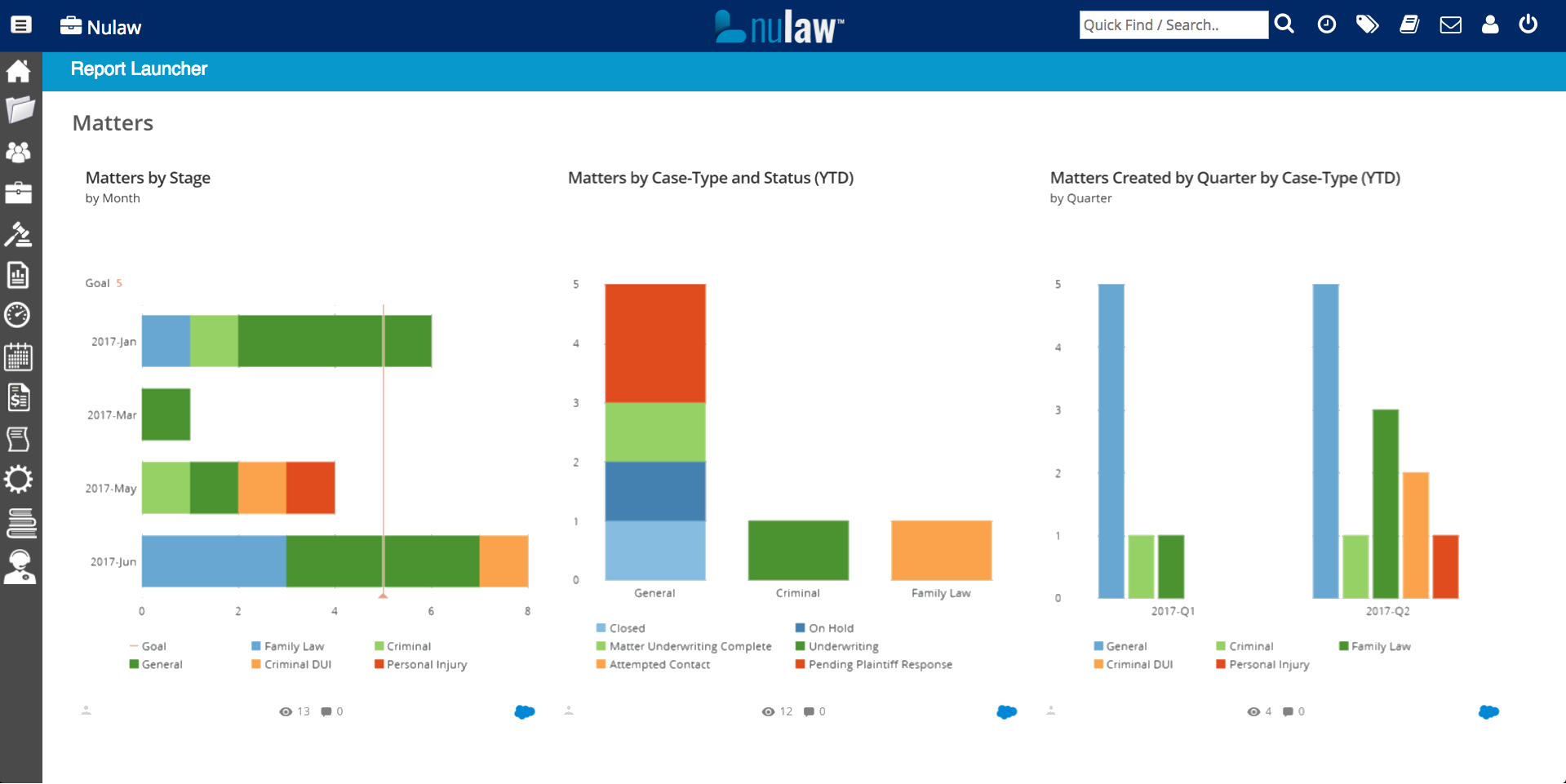
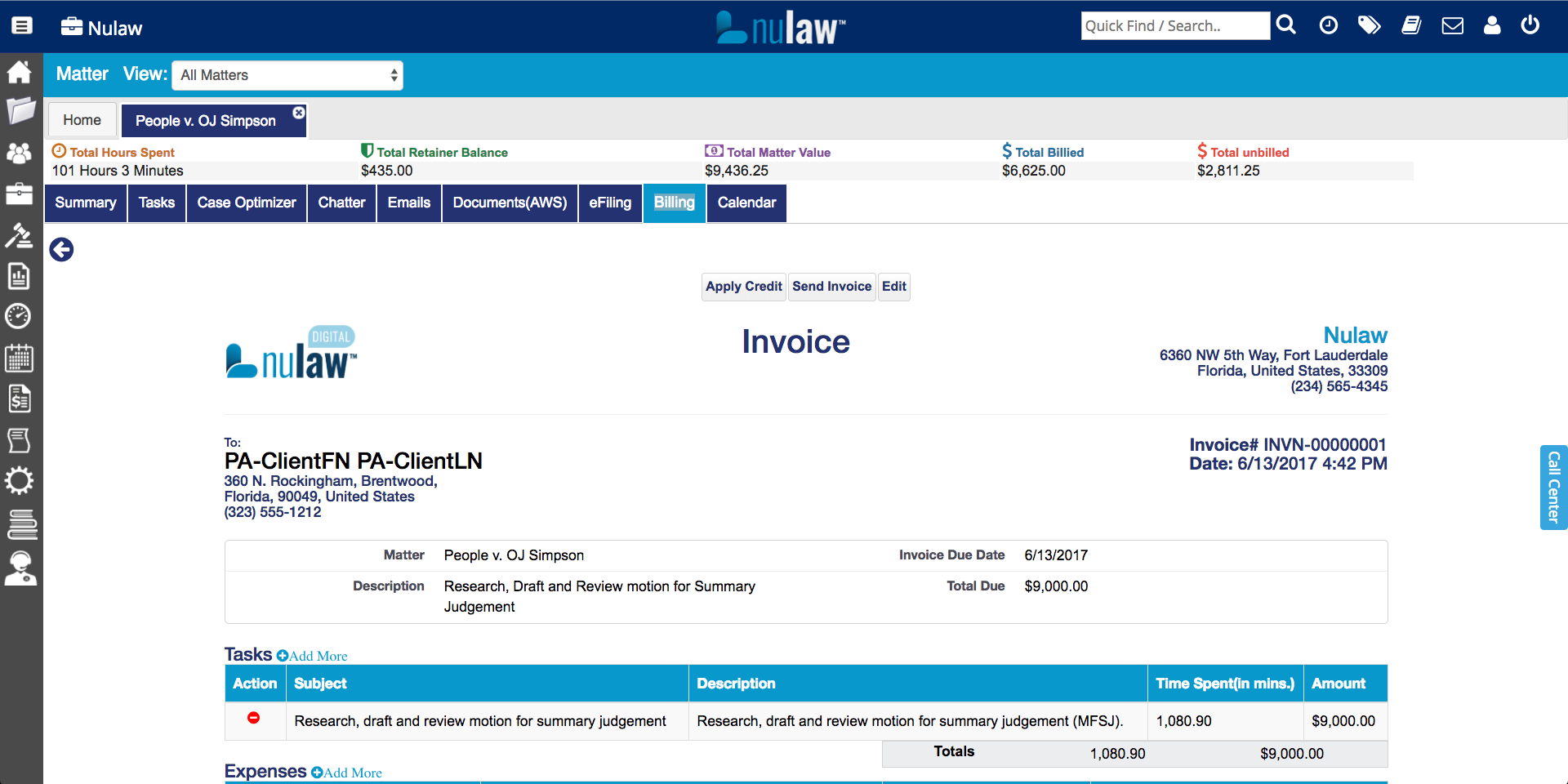
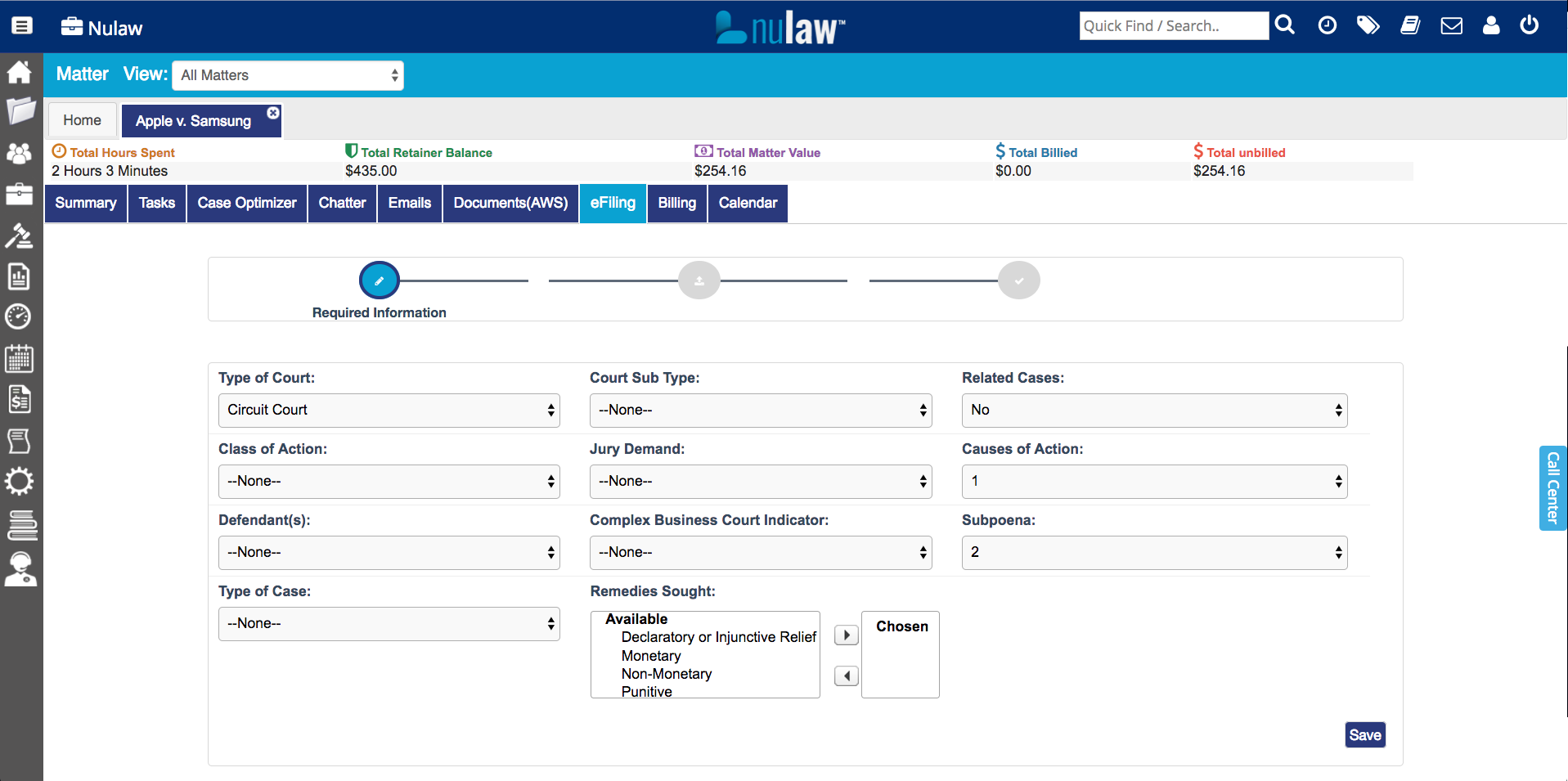
    Screenshot of Case Optimizer - Track your cases every step of the way. Review your tasks, set reminders, see what's complete and always be in the "know"!Screenshot of Matters - Allows you to track and view all your matter information on one screen. Use social cards to know who is involved with the case. Create intake scripts for your potential clientsScreenshot of Advanced Reporting - All the data you could want! Report on your firm, cases, and, more.Screenshot of Billing - Create and send custom invoices straight from our system. This allows you to get paid faster and spend more time on your cases.Screenshot of E-File (Florida Only) - Use our e-filing to submit your documents.