Adobe Acrobat Reader vs. SAP Integrated Product Development

Overview
ProductRatingMost Used ByProduct SummaryStarting Price
Adobe Acrobat Reader
Score 8.6 out of 10
N/A
Acrobat Reader is a PDF viewer and converter, available as a free download from Adobe. Users can view, sign, collaborate on and annotate PDF files, or edit and convert PDFs into file formats like Excel and Word.N/A
SAP Integrated Product Development
Score 8.9 out of 10
N/A
SAP Integrated Product Development is a product lifecycle management solution used to define, develop, and deliver innovative and sustainable products faster by connecting insights, processes, and people.N/A
Pricing
Adobe Acrobat ReaderSAP Integrated Product Development
Editions & Modules
No answers on this topic
Offerings
Pricing Offerings
Adobe Acrobat ReaderSAP Integrated Product Development
Free Trial
NoNo
Free/Freemium Version
NoNo
Premium Consulting/Integration Services
NoNo
Entry-level Setup FeeNo setup feeNo setup fee
Additional Details
More Pricing Information
Community Pulse
Adobe Acrobat ReaderSAP Integrated Product Development
Features
Adobe Acrobat ReaderSAP Integrated Product Development
PDF Editors
Comparison of PDF Editors features of Product A and Product B
Adobe Acrobat Reader
9.1
2 Ratings
4% above category average
SAP Integrated Product Development
-
Ratings
Edit Text and Images9.02 Ratings00 Ratings
Merge or Split PDFs9.52 Ratings00 Ratings
Add Annotations9.02 Ratings00 Ratings
Text Recognition (OCR)8.02 Ratings00 Ratings
Page Management8.52 Ratings00 Ratings
Form Creation and Editing10.01 Ratings00 Ratings
Secure PDFs10.01 Ratings00 Ratings
Convert to Different Formats9.02 Ratings00 Ratings
Comment and Review Tools9.02 Ratings00 Ratings
Undo and Redo Actions8.52 Ratings00 Ratings
Best Alternatives
Adobe Acrobat ReaderSAP Integrated Product Development
Small Businesses
Tungsten Power PDF
Tungsten Power PDF
Score 9.8 out of 10
monday dev
monday dev
Score 8.5 out of 10
Medium-sized Companies
pdfFiller
pdfFiller
Score 9.0 out of 10
Arena PLM and QMS
Arena PLM and QMS
Score 8.5 out of 10
Enterprises
Bluebeam
Bluebeam
Score 9.2 out of 10
Roadmunk
Roadmunk
Score 6.2 out of 10
All AlternativesView all alternativesView all alternatives
User Ratings
Adobe Acrobat ReaderSAP Integrated Product Development
Likelihood to Recommend
9.5
(75 ratings)
6.8
(6 ratings)
Likelihood to Renew
7.2
(2 ratings)
-
(0 ratings)
Usability
9.5
(3 ratings)
7.3
(3 ratings)
Support Rating
-
(0 ratings)
8.1
(2 ratings)
Implementation Rating
10.0
(1 ratings)
-
(0 ratings)
User Testimonials
Adobe Acrobat ReaderSAP Integrated Product Development
Likelihood to Recommend
Adobe
After creating a document, converting it into Adobe Acrobat Reader is usually very easy for storage in my computer, sending/sharing via emails, etc. This also saves a significant amount of unnecessary printing and paper waste, which is great for reducing waste. I don't have to worry about not having the right software/app to view, edit, and share with anyone.
Read full review
SAP
I have used IPD for Material collaboration, where the design and specifications were maintained as per the country need. When there is a change based on local country compliance rules, it makes easy to refer and adjust the material specifications as per the new compliance defined. Handling this for multiple materials in a go makes a difference in this tool. But drawback is that navigation of the EDP interface, where it takes more time to adjust and needs more training for new users. Like making them understand the business need and change needed takes time.
Read full review
Pros
Adobe
  • It has all the tools that individuals need for reading/doing light editing of PDF files.
  • It is the most secure PDF reader on the market, and it tends to get patched with timely updates on a regular basis.
  • It usually works very well, as far as the software itself. It doesn't crash a lot, or is particularly an error prone software platform.
Read full review
SAP
  • It allows us to strategically control operations by product monitoring and production changes.
  • Gives you the ability to source upcoming products because you have a complete and total view of all resources at all times.
  • It allows us to control batch management in the production process, this is a key element in our industry.
Read full review
Cons
Adobe
  • Being able to add image "stamps" to a document is a little tricky as the stamp has to already be in PDF format (at least on Mac) to work. This mean you have to convert the image to PDF before you can use it as a stamp.
  • Being only able to save one signature and one set of initials is a bit of a pain but you can actually use stamps if you need different versions frequently used scribbles for various reasons. The stamp won't secure the document and prevent future changes the same way the signature would though.
  • All of the other features you might want to use are only included with Acrobat Pro but the options are all displayed in the Reader app. When clicked they will offer the free trial that leads to a paid subscription. This is more of an annoyance but you can't fault Adobe for trying to make a sale.
Read full review
SAP
  • The interface is that of your typical SAP program, it's not very user friendly to a person who doesn't use it every single day.
  • Some simple Windows commands do not work in SAP PLM, such as a copy and paste.
  • Right click menus generally produce unconventional results if the user is more familiar with Windows right click menus.
Read full review
Likelihood to Renew
Adobe
To be honest, I do not have any say in the renewal of Adobe Acrobat Reader DC. It is managed at an enterprise level, and the decision to renew or not renew is handled well above my pay grade as an external consultant.
Read full review
SAP
We may not renew as SAP Integrated Product Development tool don't match considering our line of business with limited product lines.
Read full review
Usability
Adobe
Again, Adobe Creative Suite is widely used and backed by an industry leader, making the experience very familiar and common for anyone who has used a PDF and wants more features to interact with it. It also makes copy text a lot easier than just previewing the file.
Read full review
SAP
We just need to think about where we were back in the past and where we are at now! We used to have total chaos where everyone was working their own way. Now all involved groups work together as one team. This has increased the overall efficiency and the results are really astonishing!
Read full review
Support Rating
Adobe
No answers on this topic
SAP
Have received support in a timely and very effective manner.
Read full review
Implementation Rating
Adobe
The application is pretty much "plug and play"
Read full review
SAP
No answers on this topic
Alternatives Considered
Adobe
We have reviewed DocuSign in comparison to [Adobe] Acrobat Reader [DC's] e-sign capabilities. We found that DocuSign has more robust options when creating contracts and consent capabilities. DocuSign's online UI is much more suited to this type of task as well. However, we decided to stick with [Adobe] Acrobat Reader DC because of the price (DocuSign is more expensive) and we felt we didn't need all of the bells and whistles for contract signature and consent.
Read full review
SAP
The "One Version of the Truth" Mandate: Most organizations select SAP IPD not because it has the best CAD tools, but because it eliminates the "wall" between engineering and the rest of the company. If you need to know the real-time cost of a design change or its impact on your carbon footprint, SAP IPD provides that instantly because it lives inside your ERP.
Read full review
Return on Investment
Adobe
  • It's available for free, so there is no excuse to not install
  • Contains features that you would normally have to pay for in competitor software, so it has a positive impact on ROI
  • Reduces the amount of printing
  • Decreases the amount of time spent on regulatory and governance documentation
Read full review
SAP
  • It has advanced reporting capabilities, and its analytical features have enabled efficient decision-making, improving overall productivity.
  • The centralized data management system has helped improve efficiency and reduce errors.
  • I would say overall, it has reduced our manual effort by at least 20%, which has enhanced the resource utilization.
Read full review
ScreenShots

SAP Integrated Product Development Screenshots

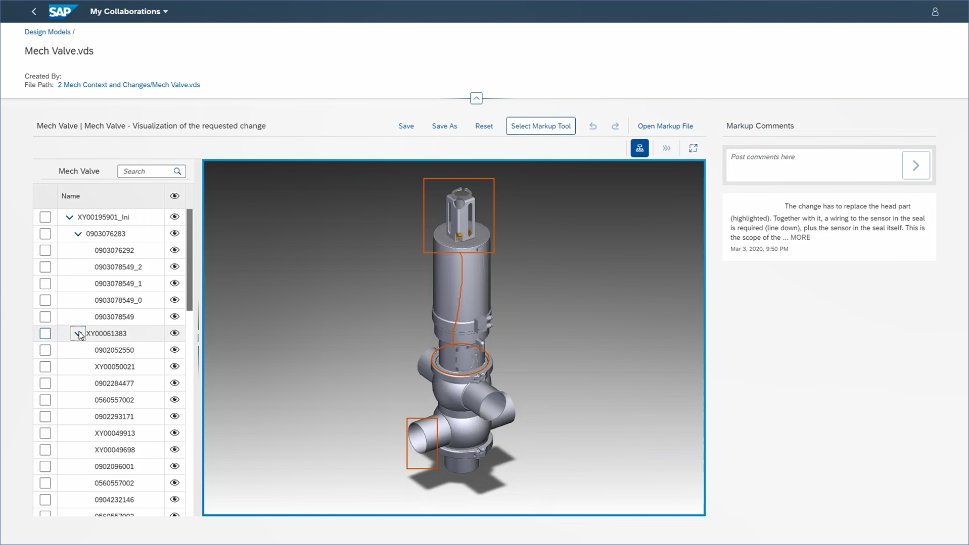
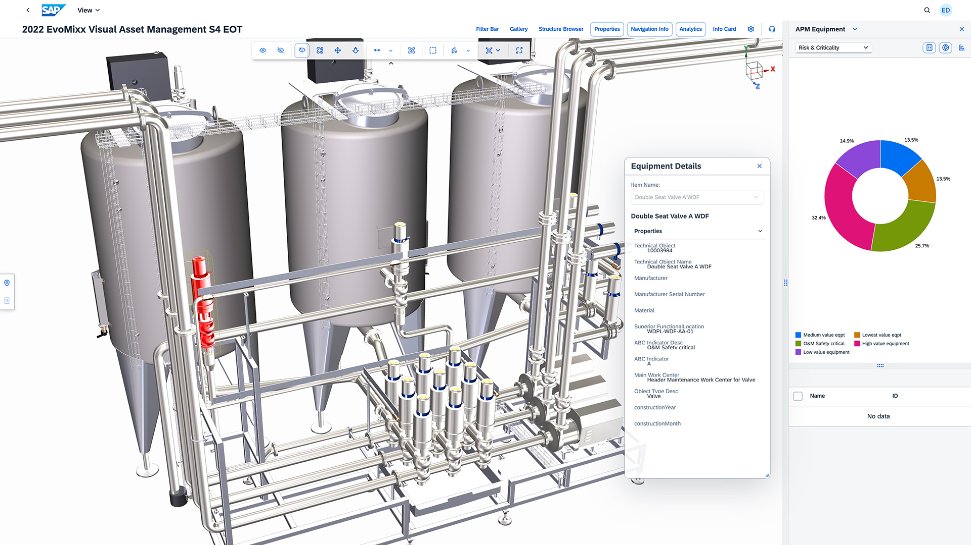
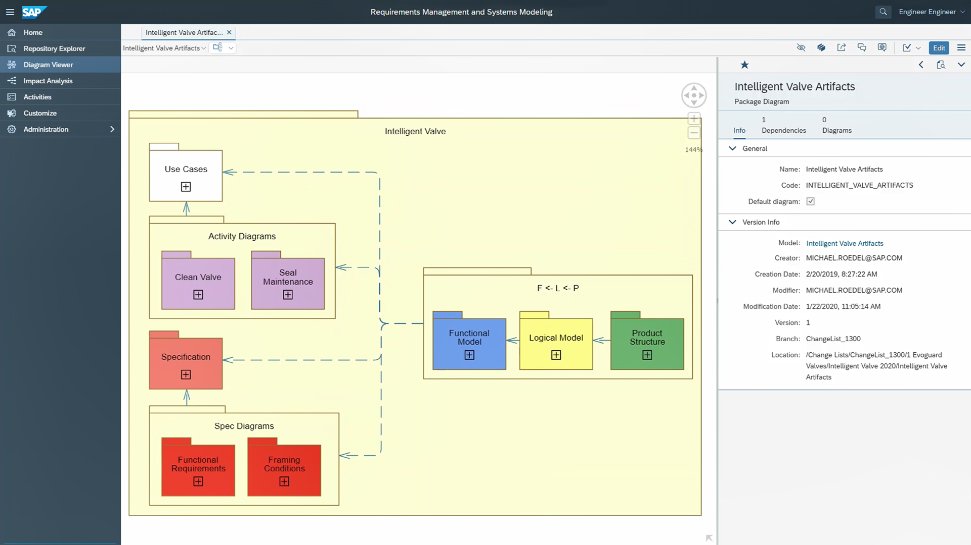
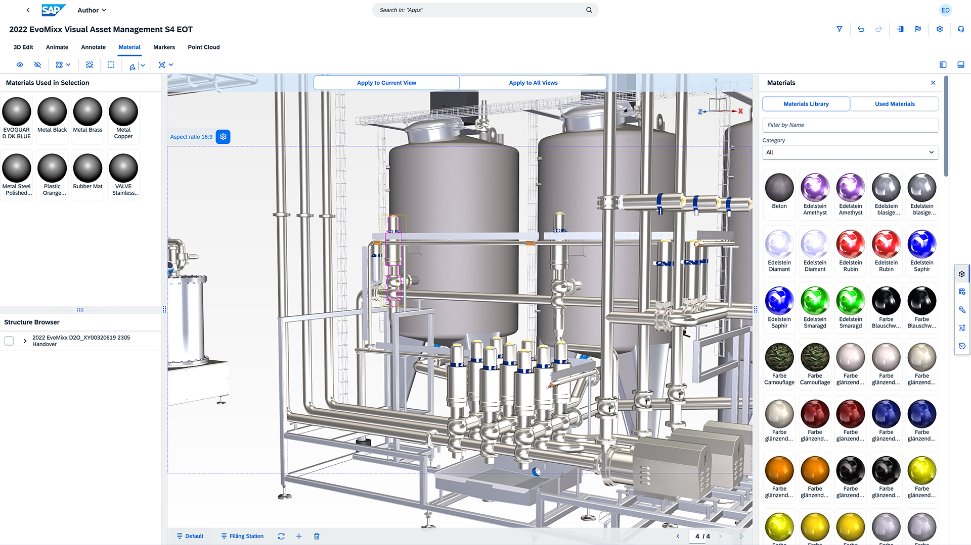
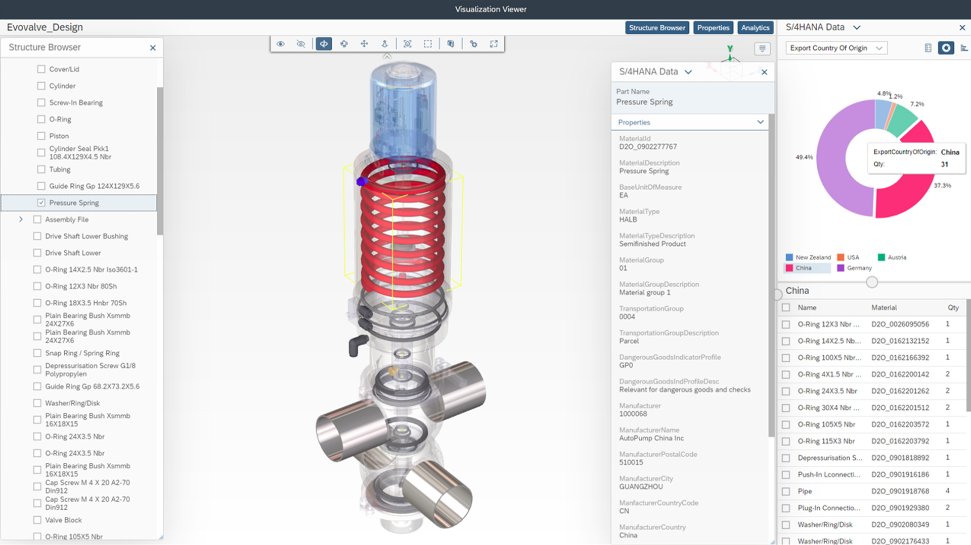
Screenshot of collaboration capabilities.Screenshot of product and asset visualization.Screenshot of engineering and requirements management.Screenshot of the visual data integration to support design.Screenshot of visualization capabilities.